
1. Introduzzjoni
This manual provides essential information for the safe and efficient operation of your BETOPPER LM0910N LED Spider Moving Head Light. Please read this manual thoroughly before installation, operation, or maintenance. Keep this manual for future reference.
2. Informazzjoni dwar is-Sigurtà
- Ensure the product is connected to a power supply within the specified voltage range (AC 100–240V; 50–60Hz).
- Always disconnect the power supply before cleaning, maintenance, or when the unit is not in use.
- This product is designed for indoor use only. Avoid exposure to rain, moisture, or extreme temperatures.
- Aċċerta ruħek li jkun hemm ventilazzjoni adegwata madwar l-unità biex tevita li tissaħħan iżżejjed. Timblokkax il-fetħiet tal-ventilazzjoni.
- Evita l-espożizzjoni diretta tal-għajnejn għas-sors tad-dawl.
- Installation should be performed by qualified personnel, ensuring secure mounting and proper electrical connections.
- Tippruvax issewwi l-unità int stess. Irreferi għal kull manutenzjoni lil persunal tas-servizz kwalifikat.
3. Kontenut tal-Pakkett
Meta tiftaħ il-pakkett, kun żgur li l-oġġetti kollha elenkati hawn taħt huma preżenti u f'kundizzjoni tajba:
- 1 x LED Spider Moving Head Light (LM0910N)
- 1 x Kejbil tal-Enerġija
- 1 x Bracket tal-Immuntar
- 2 x Viti
- 1 x Manwal tal-Utent (bl-Ingliż)
4. Prodott Aktarview
The BETOPPER LM0910N is a compact and lightweight LED Spider Moving Head Light designed for various entertainment venues. It features a unique triangular design with 9 individual 4-in-1 RGBW LEDs, offering a wide range of color mixing and dynamic beam effects. The unit supports infinite rotation on the X-axis and 90° movement on the Y-axis, allowing for versatile lighting patterns.

Figura 4.1: Diversi views of the BETOPPER LM0910N LED Spider Moving Head Light, illustrating its compact design and dimensions.
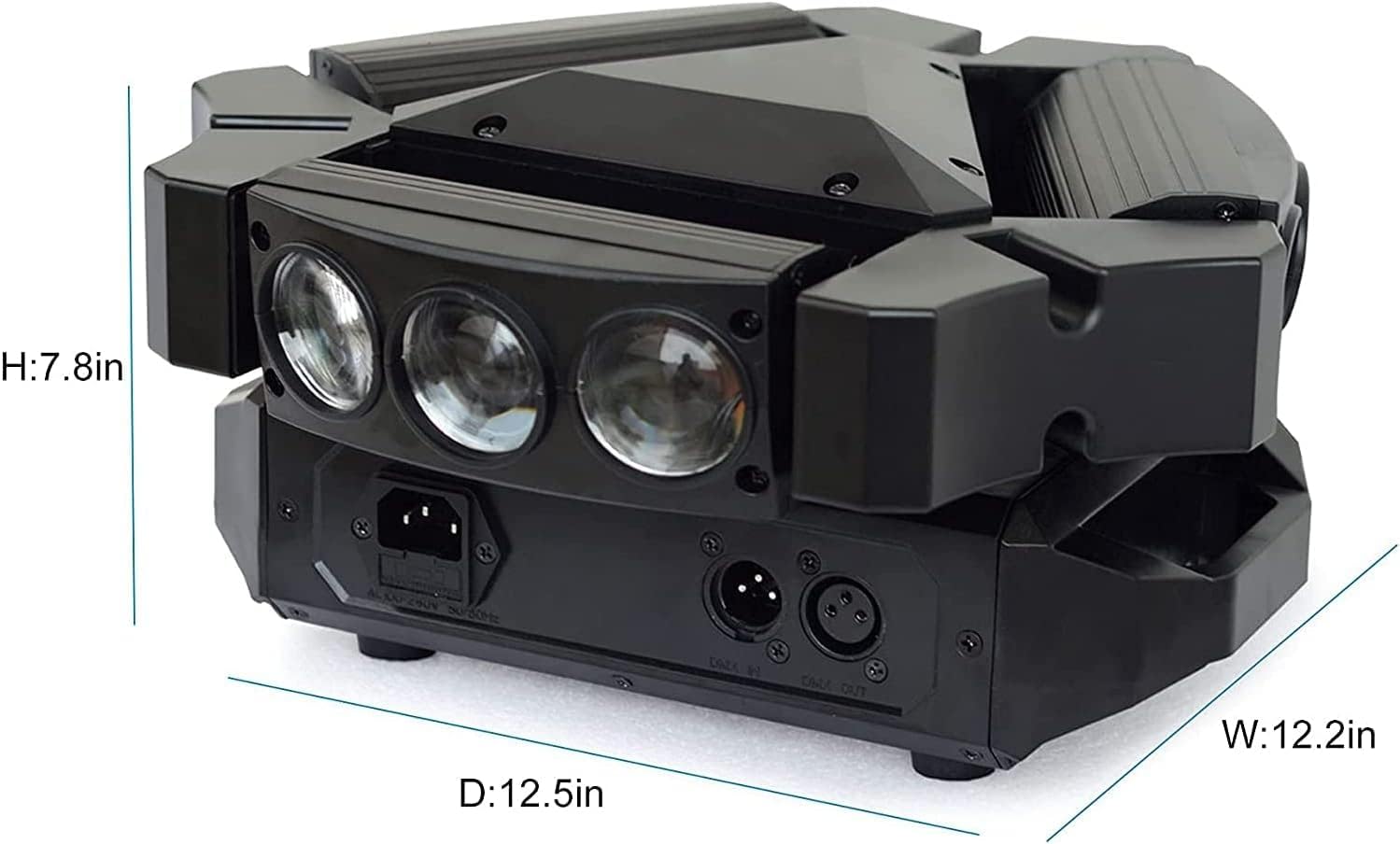
Figure 4.2: Detailed dimensions of the BETOPPER LM0910N LED Spider Moving Head Light.
5. Setup
The LM0910N can be installed in various positions:
- Mdendlin: Use the provided mounting bracket to securely attach the light to a truss or ceiling. Ensure all clamps and safety cables are properly secured.
- Immuntar tal-ħajt: The bracket can also be used to mount the light on a wall. Ensure the wall material can support the weight of the fixture.
- Tqegħid fl-Art: The unit can be placed directly on a flat, stable surface. Ensure it is not easily knocked over.
After mounting, connect the power cable to a suitable power outlet. For DMX control, connect DMX cables from your DMX controller to the DMX IN port, and from DMX OUT to the next fixture in the chain (if applicable).
6. Modi Operattivi
The LM0910N offers four primary control modes:
- Modalità Awtomatika: The light operates through integrated pre-programmed sequences, changing effects automatically.
- Modalità Attivata tal-Ħoss: The light reacts to sound frequencies from music, creating dynamic effects synchronized with the audio.
- DMX512 Mode: Allows professional control over all functions of the light using a DMX console. This mode offers precise control over color, movement, strobe, and dimming.
- Modalità Kaptan-Skjav: Connect multiple LM0910N units. Designate one unit as the master, and the others will follow its programming, moving and changing effects synchronously.

Figure 6.1: The light projecting green beams, demonstrating its dynamic capabilities.
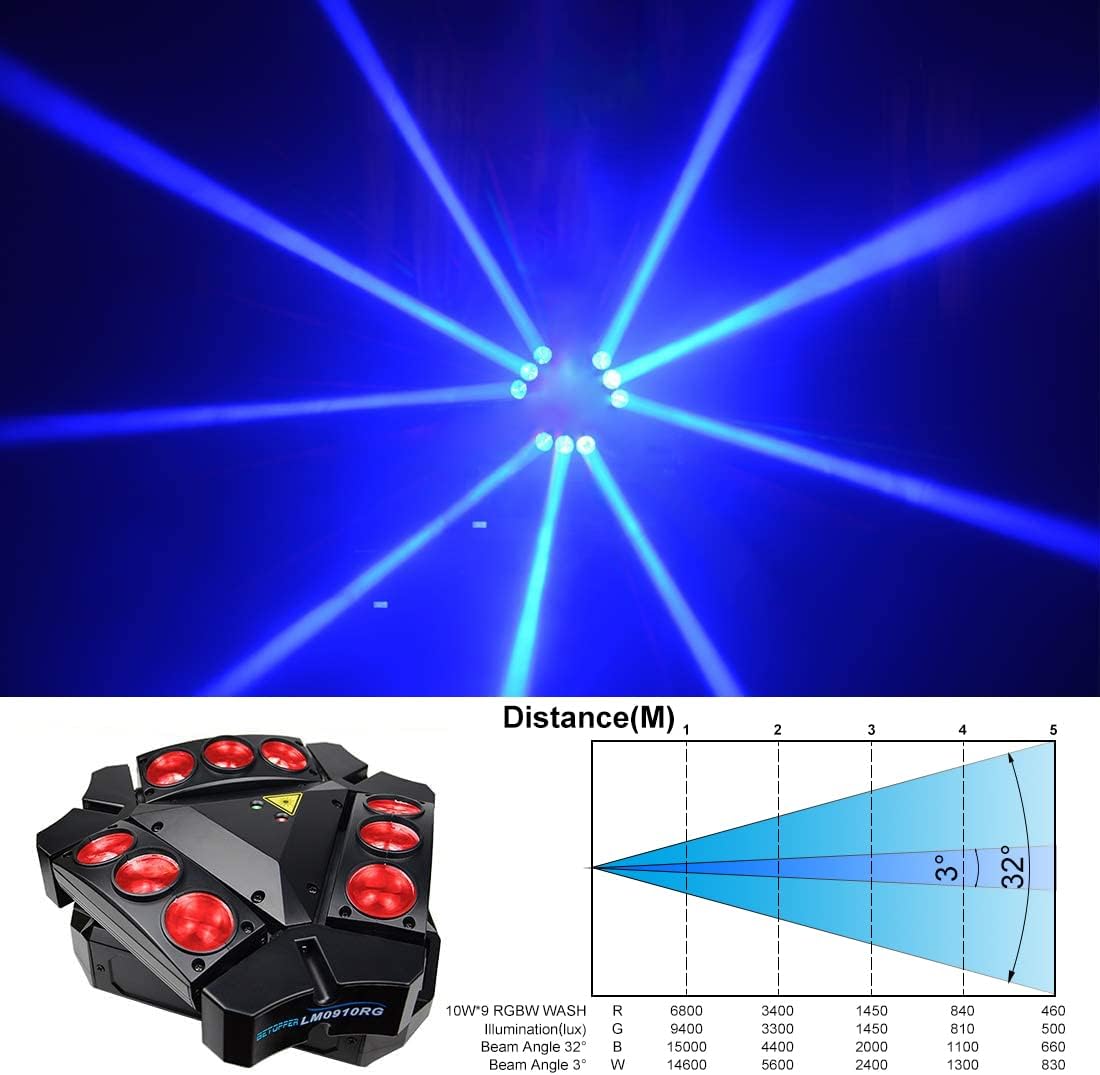
Figure 6.2: The light projecting blue beams, showcasingħażliet ta' kulur g.

Figure 6.3: The light projecting various colored beams simultaneously.
7. DMX Channel Modes
The LM0910N supports two DMX channel modes for varying levels of control:
- Modalità 9-Kanali: Provides basic control over essential functions.
- Modalità 11-Kanali: Offers extended control, allowing for more intricate programming and effects.
Refer to the DMX chart in the separate DMX protocol document (if provided) for detailed channel assignments and values.
8. Speċifikazzjonijiet Tekniċi
| Karatteristika | Speċifikazzjoni |
|---|---|
| Sors tad-Dawl | 9 x 10W RGBW LEDs |
| Qawwa Rated | 35W |
| Input Voltage | AC 100–240V; 50–60Hz |
| Modi tal-Kanal DMX | 9/11 Kanali |
| Modi ta' Kontroll | Auto, Sound Activated, DMX512, Master-Slave |
| X-Axis Scan Angle | Rotazzjoni infinita |
| Y-Axis Scan Angle | 90° |
| Dimming | 0-100% Dimming Lineari |
| It-tul tal-ħajja | 5000 ~ 10000 siegħa |
| Dimensjonijiet tal-Prodott | 17.5 x 14.6 x 28.6 ċm (6.9 x 5.7 x 11.3 pulzieri) |
| Piż tal-Prodott | 3.5 kg (7.7 lbs) |
| Ambjent tax-Xogħol | Indoor 10–40 °C (50–105 °F) |
| Materjal | Plastik |
| Ċertifikazzjonijiet | CE, RoHS, FCC |
9. Manutenzjoni
Regular maintenance ensures optimal performance and extends the lifespan of your light:
- Tindif: Periodically clean the lenses and exterior housing with a soft, lint-free cloth. Do not use abrasive cleaners or solvents.
- Spezzjoni: Regularly check power cables, DMX cables, and mounting hardware for any signs of wear, damage, or loose connections.
- Ventilazzjoni: Kun żgur li l-fetħiet tal-ventilazzjoni huma nodfa mit-trab u l-fdalijiet biex tevita li jisħnu żżejjed.
10 Issolvi l-problemi
Jekk tiltaqa' ma' problemi, irreferi għall-problemi u s-soluzzjonijiet komuni li ġejjin:
- Ebda Qawwa:
- Iċċekkja jekk il-kejbil tal-enerġija huwiex imqabbad sew kemm mal-unità kif ukoll mas-sokit tal-enerġija.
- Ivverifika li l-iżbokk tad-dawl huwa funzjonali.
- Check the fuse (if accessible and replaceable).
- Ebda Ħruġ tad-Dawl:
- Ensure the unit is receiving power.
- In DMX mode, check DMX signal and channel settings. Ensure the dimmer channel is not set to 0.
- In Auto or Sound mode, ensure the mode is correctly selected.
- No Movement/Incorrect Movement:
- In DMX mode, verify DMX signal and pan/tilt channel settings.
- Ensure the unit is not physically obstructed.
- Recalibrate the unit by power cycling it.
- Kwistjonijiet ta' Kontroll tad-DMX:
- Check DMX cable connections and ensure they are 3-pin XLR (or 5-pin if applicable).
- Verify the DMX address of the fixture matches the address set on your controller.
- Ensure the DMX controller is sending a valid signal.
- Try a different DMX cable.
Jekk il-problemi jippersistu wara li tipprova dawn is-soluzzjonijiet, ikkuntattja l-appoġġ għall-klijenti.
11. Garanzija u Appoġġ
BETOPPER products are manufactured to high-quality standards. For warranty information, please refer to the warranty card included with your purchase or contact BETOPPER customer support directly. For technical assistance or service inquiries, please visit the official BETOPPER websit jew ikkuntattja lid-dipartiment tas-servizz tal-konsumatur tagħhom.