
1. Introduzzjoni
Thank you for choosing the PARAMITA DG06 Bone Conduction Earphones. These open-ear wireless headphones are designed to provide a comfortable listening experience while keeping you aware of your surroundings. Featuring bone conduction technology, Bluetooth 5.0 connectivity, and a waterproof design, they are ideal for sports, workouts, driving, and daily use. Please read this manual carefully before using the product to ensure proper operation and longevity.
2. Kontenut tal-Pakkett
Jekk jogħġbok iċċekkja l-kontenut tal-pakkett meta tiftaħ il-kaxxa. Jekk xi oġġetti huma nieqsa jew bil-ħsara, ikkuntattja l-appoġġ għall-klijenti.
- PARAMITA DG06 Bone Conduction Earphones
- Cable tal-Iċċarġjar tal-USB tat-Tip-Ċ
- Manwal għall-Utent
3. Prodott Aktarview
Familiarize yourself with the components of your PARAMITA DG06 earphones.
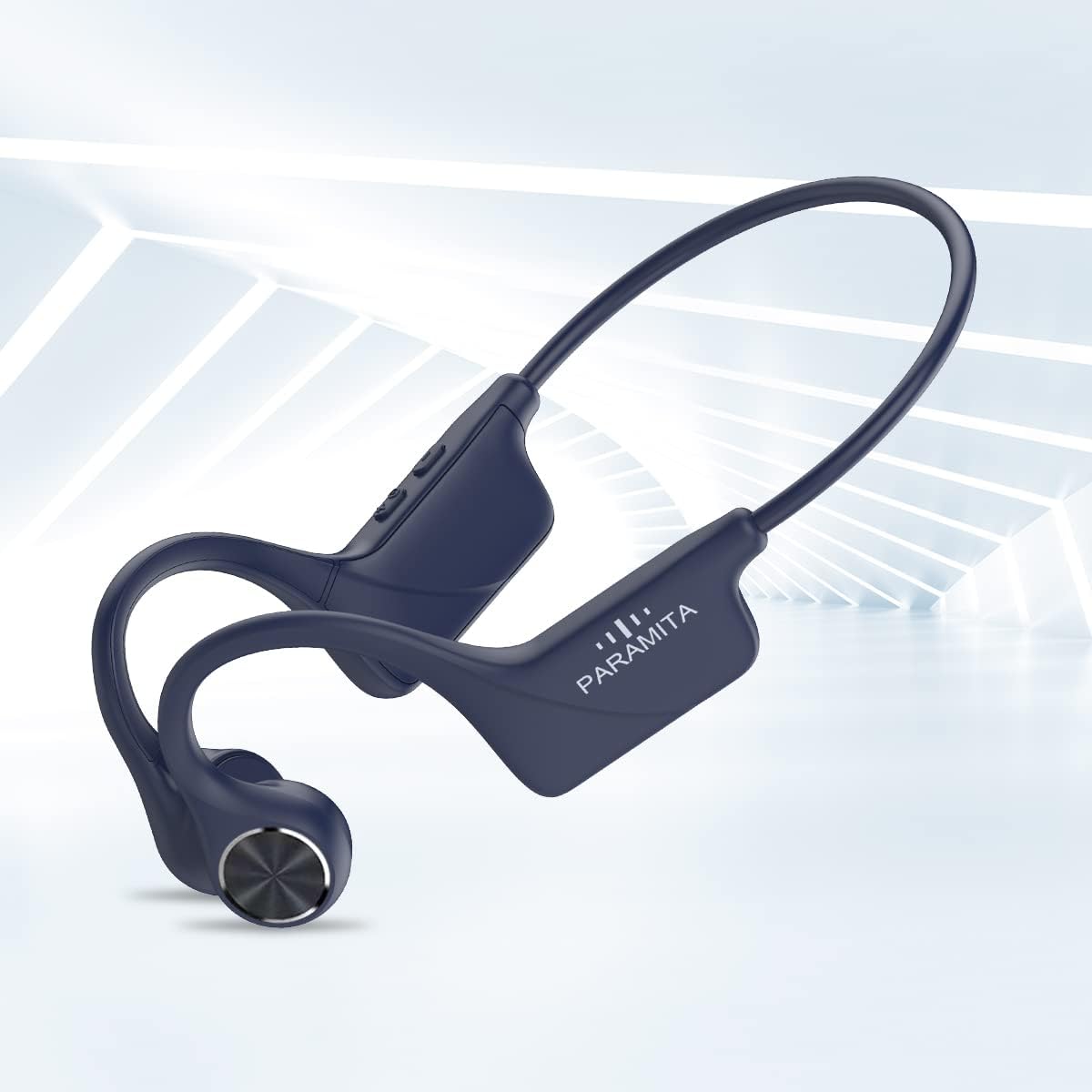
Image: The PARAMITA DG06 Bone Conduction Earphones, showcasing their ergonomic design and overall structure. The flexible band connects the two ear pieces, which rest near the temples.
The earphones feature a lightweight, flexible design with controls integrated into one of the ear pieces. The bone conduction transducers rest comfortably near your cheekbones, delivering sound without covering your ears.
4. Setup
4.1 Iċċarġjar tal-Earphones
Before first use, fully charge the earphones. A full charge takes approximately 1 to 1.5 hours.
- Locate the Type-C charging port on the earphone unit.
- Connect the provided USB Type-C cable to the charging port.
- Connect the other end of the USB cable to a standard USB power adapter (5V/1A recommended) or a computer's USB port.
- L-indikatur LED se juri l-istatus tal-iċċarġjar (eż. aħmar għall-iċċarġjar, blu għal iċċarġjat kompletament).

Immaġni: Close-up view of the Type-C charging port on the PARAMITA DG06 earphones, with a charging cable connected.
4.2 Tqabbil tal-Bluetooth
Pair your earphones with your Bluetooth-enabled device (smartphone, tablet, computer) to begin listening.
- Qawwa Mixgħul: Agħfas u żomm il-buttuna tal-Qawwa/Multi-funzjoni għal madwar 3-5 sekondi sakemm l-indikatur LED jteptep blu u aħmar alternattivament, u dan jindika l-modalità ta' tqabbil.
- Attiva l-Bluetooth: Fuq it-tagħmir tiegħek, mur fis-settings tal-Bluetooth u kun żgur li l-Bluetooth huwa attivat.
- Agħżel Apparat: Look for "DG06" (or similar name) in the list of available devices and select it to connect.
- Konferma: Once successfully paired, the LED indicator on the earphones will flash blue slowly, and you will hear an audible confirmation.
- Ikkonnettja mill-ġdid: The earphones will automatically attempt to reconnect to the last paired device when powered on.
5. Istruzzjonijiet Operattivi
The PARAMITA DG06 earphones feature intuitive controls for music playback and call management.
Immaġni: Dettaljata view of the multi-function buttons on the side of the earphone unit, showing controls for power, volume, and track selection.
5.1 Power On/Off
- Qawwa Mixgħul: Press and hold the Power/Multi-function button for 3-5 seconds.
- Itfi: Press and hold the Power/Multi-function button for 3-5 seconds.
5.2 Daqq tal-Mużika
- Play/Pawsa: Single click the Power/Multi-function button.
- Kanzunetta li jmiss: Double click the Power/Multi-function button.
- Kanzunetta ta' qabel: Triple click the Power/Multi-function button.
- Volum 'il fuq: Single click the Volume + button.
- Volum 'l isfel: Single click the Volume - button.
5.3 Ġestjoni tas-Sejħiet
- Tweġiba/Tmiem Sejħa: Single click the Power/Multi-function button during an incoming call.
- Irrifjuta Sejħa: Press and hold the Power/Multi-function button for 2 seconds during an incoming call.
- Assistent tal-Vuċi: Long press the Power/Multi-function button to activate your device's voice assistant (e.g., Siri, Google Assistant).
5.4 L-Ilbies tal-Earphones
For optimal sound and comfort, position the earphones correctly.
- Place the flexible band behind your head.
- Position the bone conduction transducers on your cheekbones, just in front of your ears.
- Adjust the fit to ensure the transducers are making good contact with your skin for clear sound transmission.

Image: A man wearing the PARAMITA DG06 earphones during a run, demonstrating the secure and comfortable open-ear fit.
The open-ear design allows you to hear ambient sounds, enhancing safety during outdoor activities or when you need to remain aware of your surroundings at home.
6. Manutenzjoni
6.1 Tindif
Regular cleaning helps maintain the earphones' performance and hygiene.
- Imsaħ il-earphones b'ċarruta ratba, damp drapp.
- Tużax kimiċi ħarxa jew tindif li joborxu.
- Kun żgur li l-port tal-iċċarġjar ikun niexef qabel ma tiċċarġja.
6.2 Reżistenza għall-Ilma (IPX6)
The DG06 earphones are rated IPX6 waterproof, meaning they are protected against powerful water jets. This makes them suitable for use during intense workouts and in light rain.
- Tgħaddix il-earphones fl-ilma.
- Avoid exposing them to saltwater or other corrosive liquids.
- If the earphones get wet, wipe them dry thoroughly before storing or charging.

Image: A man being splashed with water while wearing the PARAMITA DG06 earphones, illustrating their IPX6 waterproof and sweatproof capabilities.
6.3 Ħażna
- Aħżen il-earphones f'post frisk u niexef 'il bogħod mix-xemx diretta u minn temperaturi estremi.
- Avoid placing heavy objects on top of the earphones.
7 Issolvi l-problemi
If you encounter issues with your earphones, refer to the following common problems and solutions.
| Problema | Soluzzjoni |
|---|---|
| Il-earphones ma jixegħlux. | Ensure the earphones are fully charged. Connect to a power source and check the charging indicator. |
| Ma tistax tqabbad mat-tagħmir. | 1. Ensure earphones are in pairing mode (LED flashing blue/red). 2. Itfi u ixgħel il-Bluetooth fuq l-apparat tiegħek. 3. Move earphones closer to your device. 4. Clear previous Bluetooth connections on your device and try again. |
| L-ebda ħoss jew volum baxx. | 1. Increase volume on both earphones and your connected device. 2. Kun żgur li l-earphones huma konnessi sew mat-tagħmir tiegħek. 3. Check if the transducers are correctly positioned on your cheekbones. |
| Konnessjoni intermittenti. | 1. Ensure no obstacles are between the earphones and your device. 2. Move closer to your device (within 10 meters). 3. Avoid areas with strong Wi-Fi or other wireless interference. |
| Il-mikrofonu mhux qed jaħdem. | 1. Ensure the earphones are properly connected for calls. 2. Check microphone settings on your connected device. 3. Kun żgur li l-mikrofonu mhux imfixkel. |
8. Speċifikazzjonijiet
Detailed technical specifications for the PARAMITA DG06 Bone Conduction Earphones.
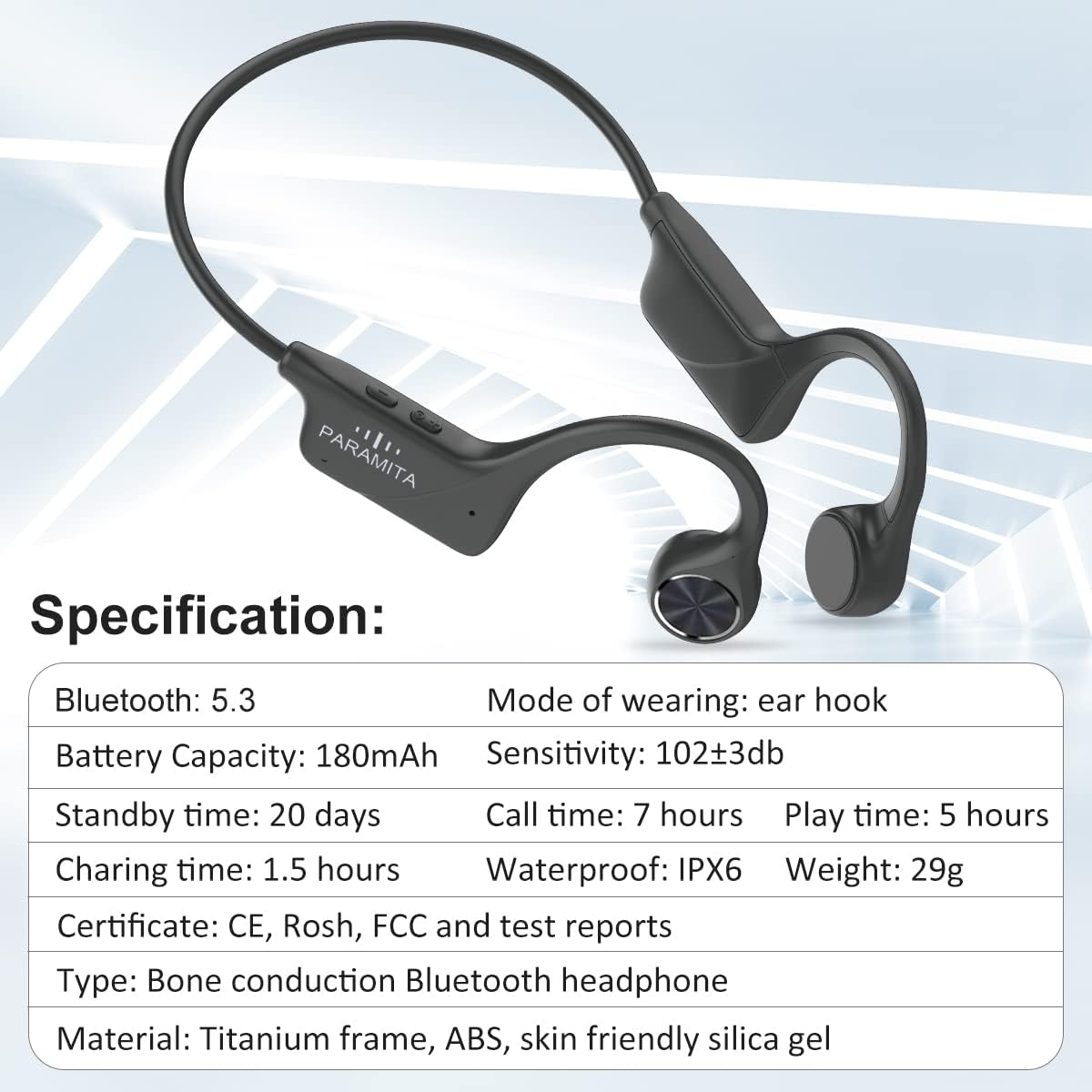
Image: The PARAMITA DG06 earphones alongside a graphic displaying key specifications such as Bluetooth version, battery capacity, and waterproof rating.
| Karatteristika | Dettall |
|---|---|
| Isem tal-Mudell | DG06 |
| Teknoloġija tal-Konnettività | Wireless (Bluetooth) |
| Teknoloġija tal-Komunikazzjoni mingħajr Fili | Bluetooth 5.0 |
| Medda Bluetooth | Sa 10 metri (33 pied) |
| Tip ta' Sewwieq Awdjo | Sewwieq tal-Konduzzjoni tal-Għadam |
| Kapaċità tal-batterija | Batterija tal-litju 180mAh |
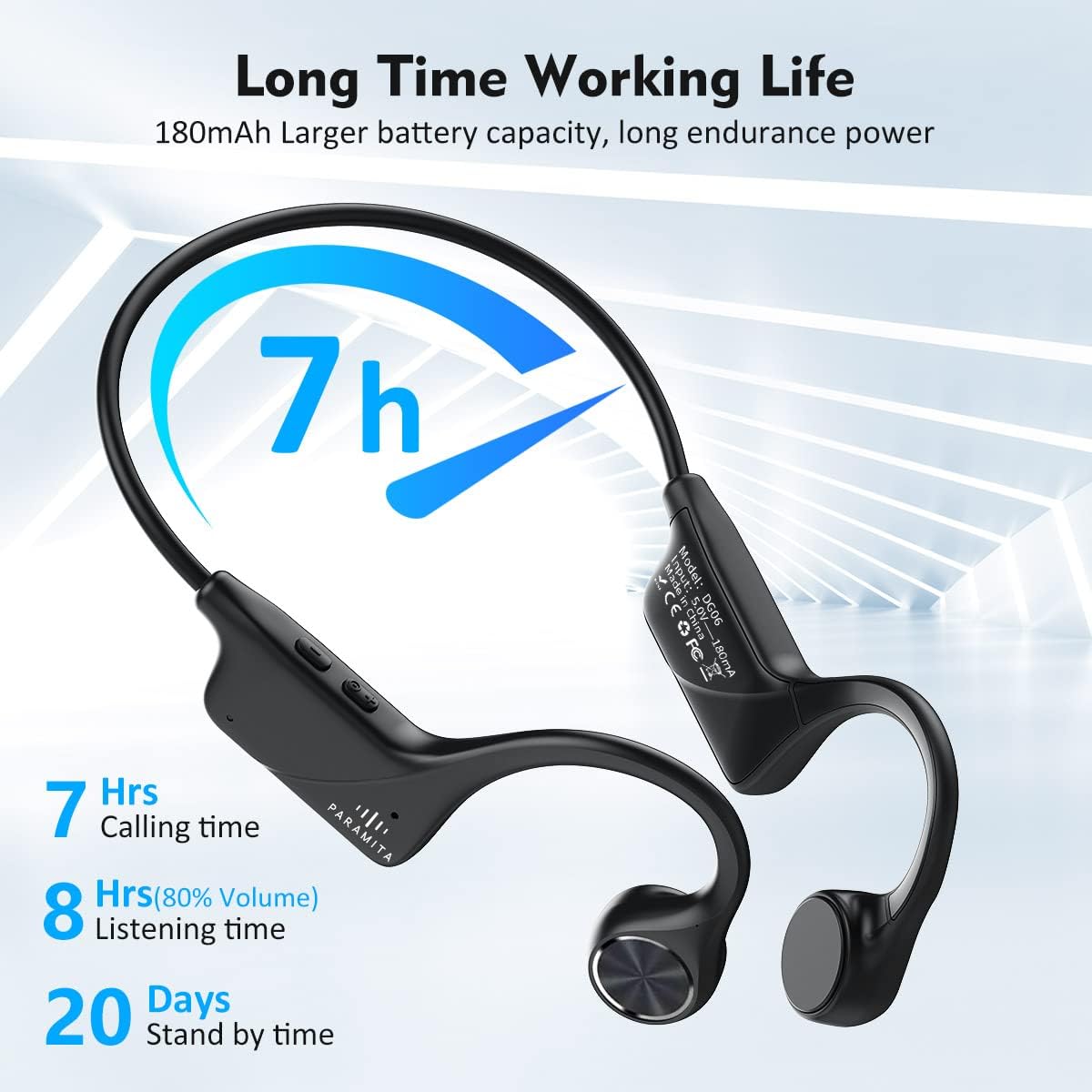
| Ħajja tal-Batterija (Daqq tal-Mużika) | Sa 5 sigħat (b'80% volum) |
| Battery Life (Calling Time) | Sa 7 sigħat |
| Ħin ta' Standby | Sa 20 jum |
| Ħin tal-Iċċarġjar | Approximately 1 - 1.5 hours |
| Port tal-Iċċarġjar | USB Tip-Ċ |
| Livell ta 'Reżistenza għall-Ilma | IPX6 (Waterproof & Sweatproof) |
| Mikrofonu | Built-in HD MEMS Microphones |
| Piż tal-oġġett | 27 gramma (0.952 uqija) |
| Dimensjonijiet tal-Prodott | 5.9 x 1.97 x 1.97 pulzieri |
| Metodu ta' Kontroll | Buttuni Messaġġevoli / Fiżiċi |
| Tqegħid tal-widnejn | Widna Miftuħa |
| Impedenza | 16 Ohms |

Image: An illustration highlighting the battery performance of the PARAMITA DG06 earphones, showing 7 hours of calling time, 8 hours of listening time (at 80% volume), and 20 days of standby time.
9. Garanzija u Appoġġ
PARAMITA products are designed and manufactured to the highest quality standards. For information regarding warranty coverage, technical support, or customer service, please refer to the warranty card included in your package or contact your retailer. You may also visit the official PARAMITA websit għal aktar għajnuna.