
Introduzzjoni
The CHI Touch Activated Compact Hair Dryer is designed for efficient and convenient hair drying. It features an innovative touch sensor for uninterrupted styling, an integrated ion generator to reduce frizz and enhance shine, and variable heat and speed settings for diverse hair types.
Istruzzjonijiet Importanti dwar is-Sigurtà
TWISSIJA: Biex tnaqqas ir-riskju ta’ xokk elettriku, nar, jew korriment, dejjem segwi l-prekawzjonijiet bażiċi ta’ sigurtà meta tuża apparati elettriċi.
- Żomm fejn ma jintlaħaqx mit-tfal.
- Tlaħlaħx jew tgħaddasx l-apparat fl-ilma.
- Żomm il-plagg tad-dawl u l-korda 'l bogħod minn uċuħ imsaħħna.
- Tużax il-hair dryer waqt li tkun qed tinħasel jew f'ambjenti mxarrbin.
- Dejjem aqla l-apparat immedjatament wara l-użu.
Prodott Overview

Figura 1: Quddiem view of the CHI Touch Activated Compact Hair Dryer.

Figure 2: Key features of the hair dryer, including the Ionic Generator, LCD Digital Display, Cold Air & Speed buttons, 5 Heat + 5 Speed buttons, Power + Induction On/Off, Concentrator Nozzle, and Sensor Induction.
Komponenti Inklużi:
- CHI Touch Activated Compact Hair Dryer
- Magnetic Nozzle Concentrator
Setup u Użu Inizjali
- Remove the hair dryer and all accessories from its packaging.
- Ensure the appliance is clean and free from any debris.
- Attach the magnetic nozzle concentrator if desired. It can be used to add volume or smoothness to your hairstyle.
- Ipplaggja l-hair dryer fi żbokk elettriku adattat.
Istruzzjonijiet Operattivi
Tixgħel/Jitfi:
- To turn on the hair dryer, press the ON/OFF button located on the handle. The LCD display will illuminate.
- To turn off the hair dryer, press the ON/OFF buttuna għal darb'oħra.
Using the Touch Activation Sensor:
The hair dryer features a unique touch sensor for uninterrupted styling. When activated, the dryer will automatically pause when you release your grip from the sensor and resume when you hold it again.
- To activate the touch sensor, ensure the dryer is on, then place your hand over the sensor area on the handle (indicated by the wavy lines and dot).
- To deactivate the touch sensor and use the dryer conventionally (continuous airflow), press the Power + Induction On/Off buttuna (ara l-Figura 2).
Adjusting Heat and Speed Settings:
The hair dryer offers five temperature heat settings and three different speeds to customize your drying experience.
- Use the dedicated buttons (refer to Figure 2) to cycle through the available heat and speed settings. The current setting will be displayed on the LCD screen.
- For a cool shot to set your style, press the Cold Air & Speed buttuna.
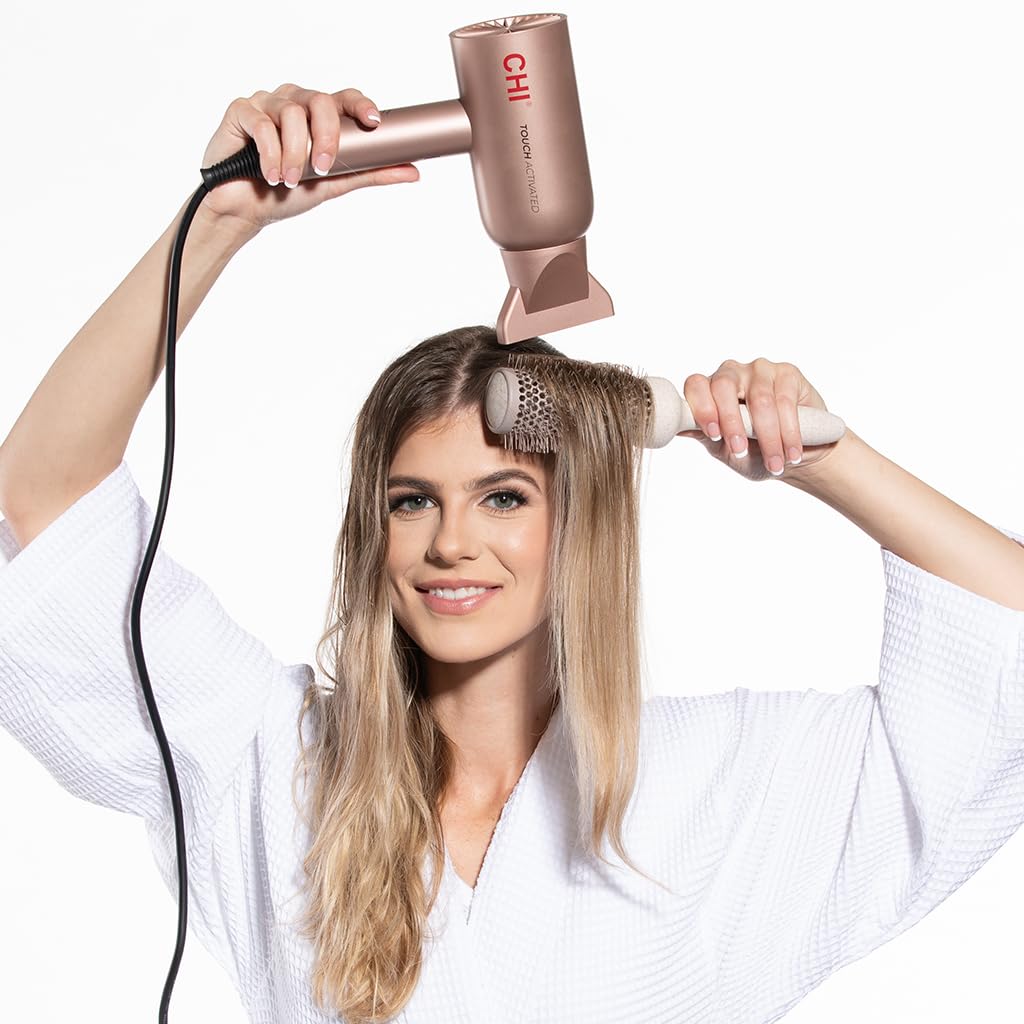
Figure 3: Demonstrating use of the hair dryer for styling.
Manutenzjoni
- Dejjem aqla 'l-hair dryer qabel it-tindif.
- Naddaf il-barra tal-hair dryer ma adamp drapp. Tużax tindif li joborxu.
- Regularly check and clean the air intake filter at the back of the dryer to prevent lint and dust buildup, which can affect performance and lifespan.
- Store the hair dryer in a safe, dry place when not in use.
Issolvi l-problemi
Hair Dryer ma Jinxtegħel:
- Kun żgur li l-korda tal-enerġija hija mdaħħla sew f'sokit elettriku li jaħdem.
- Iċċekkja jekk il- ON/OFF buttuna ġiet ippressata.
- Ivverifika li s-circuit breaker ma qabadx.
Intermittent Operation (Touch Sensor):
- If the dryer stops and starts unexpectedly, ensure your hand is consistently covering the touch sensor area during use.
- If you prefer continuous operation, deactivate the touch sensor by pressing the Power + Induction On/Off buttuna.
Fluss tal-Arja Mnaqqas jew Tisħin Żejjed:
- Unplug the dryer and allow it to cool down.
- Check the air intake filter for any lint or hair buildup and clean it thoroughly.
Jekk il-problemi jippersistu, ikkuntattja l-appoġġ tal-klijent.
Speċifikazzjonijiet
| Karatteristika | Dettall |
|---|---|
| Numru tal-Mudell | CA8572A |
| Dimensjonijiet tal-Prodott | 11 x 4 x 7.13 pulzieri |
| Piż tal-oġġett | 1.81 Liri |
| Sors tal-Enerġija | Corded Elettriku |
| Wattage | 1500W (from feature bullets) |
| Numru ta' Veloċitajiet | 3 |
| Numru ta 'Settings tas-Sħana | 5 |
| Kompatibilità tat-Tip ta' Xagħar | Kollha |
| Karatteristiċi Speċjali | Touch Activated Sensor, Ionic Generator, Compact Design |
| Kulur | Roża |
Garanzija u Appoġġ għall-Klijent
For warranty information or technical assistance, please refer to the official CHI webis-sit jew ikkuntattja l-appoġġ għall-klijenti tagħhom direttament. Żomm l-irċevuta tax-xiri tiegħek għal talbiet ta' garanzija.
Manifattur: Sistemi Farouk