
Prodott Overview
The Delton S12 Ergonomic Vertical Wireless Mouse is designed for comfort and efficiency, promoting a natural hand and wrist posture. It features a 2.4GHz wireless connection, six buttons, and three adjustable DPI levels for precise control. This manual provides instructions for setup, operation, maintenance, and troubleshooting.

Image: The Delton S12 Ergonomic Vertical Wireless Mouse, showcasinid-disinn vertikali tiegħu.
Setup
1. Spakkjar
Carefully remove the mouse and its accessories from the packaging. Ensure all components are present: the Delton S12 Vertical Wireless Mouse and the USB dongle.
2. Installazzjoni tal-batterija
The Delton S12 mouse requires two (2) AAA batteries (not included). Follow these steps to install them:
- Sib il-kompartiment tal-batterija fuq in-naħa ta' taħt tal-maws.
- Iftaħ l-għatu tal-kompartiment tal-batterija bil-mod.
- Daħħal żewġ batteriji AAA, waqt li tiżgura l-polarità korretta (+/-).
- Agħlaq l-għatu tal-kompartiment tal-batterija sakemm tikklikkja sew f'postu.
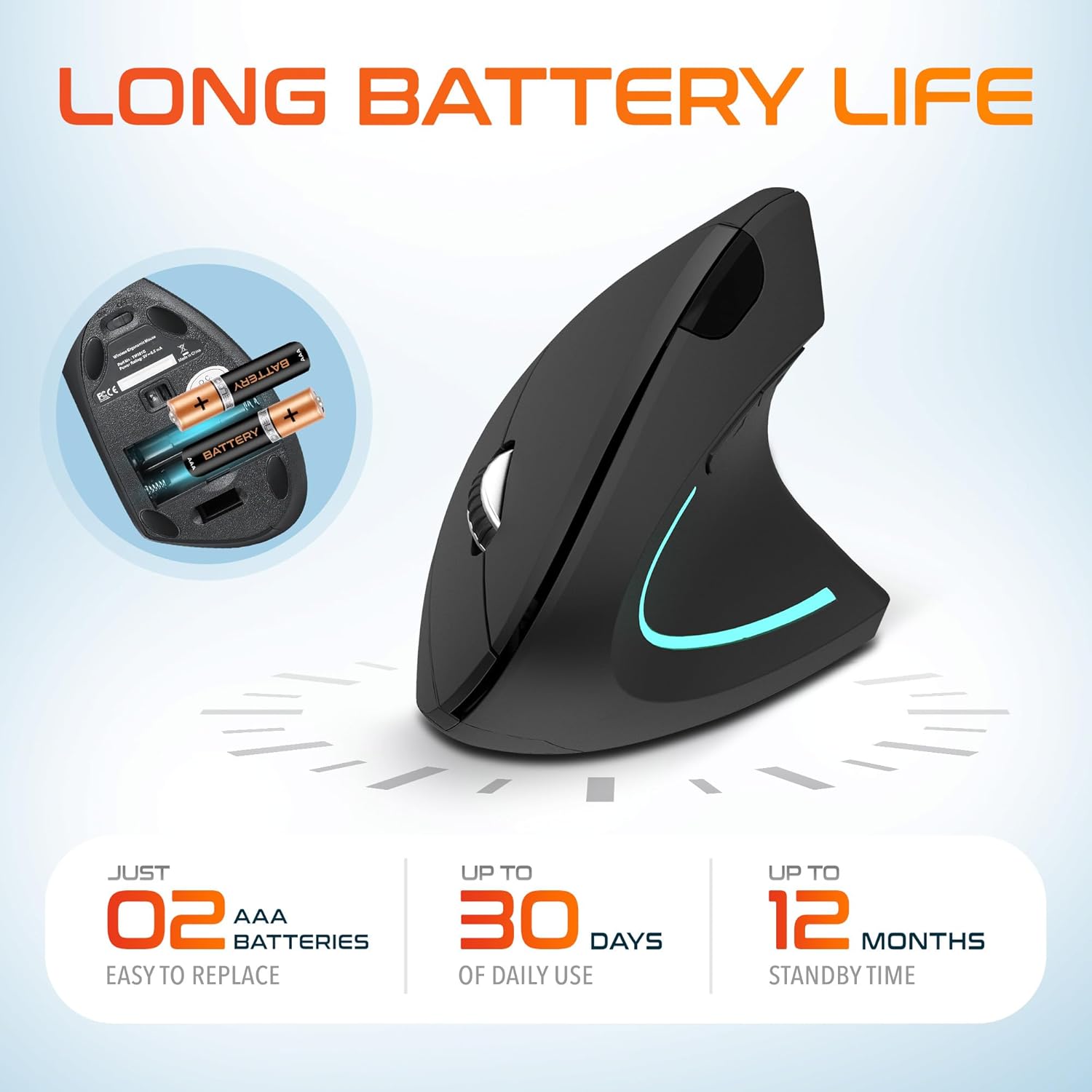
Image: The underside of the Delton S12 mouse with the battery compartment open, showing the correct placement for two AAA batteries.
3. Connecting the USB Dongle
The mouse connects wirelessly via a 2.4GHz USB dongle. No drivers are typically required for most operating systems.
- Remove the USB dongle from its storage slot, usually located near the battery compartment.
- Plug the USB dongle into an available USB port on your computer (PC, Laptop, Mac, Chromebook, etc.).
- The computer should automatically detect and install the necessary drivers. The mouse is ready for use once detected.

Image: The Delton S12 mouse positioned next to its USB dongle, ready for connection to a computer.
It-Tħaddim tal-Maws Tiegħek
The Delton S12 mouse features six buttons and a scroll wheel for enhanced functionality.
1. Funzjonijiet tal-buttuna
- Ikklikkja Xellug: Primary selection and activation button.
- Ikklikkja bil-lemin: Aċċessa l-menus kuntestwali.
- Scroll Wheel: Tiskrollja vertikalment fid-dokumenti u web paġni. Tista' wkoll tikklikkja fuqhom għall-funzjonalità ta' klikk tan-nofs.
- Buttuna tas-Swiċċ tad-DPI: Adjusts cursor sensitivity (DPI).
- Buttuna 'l quddiem: Jinnaviga 'l quddiem ġewwa web browsers jew file esploraturi.
- Buttuna b'lura: Jinnaviga lura ġewwa web browsers jew file esploraturi.

Image: Diagram illustrating the location and function of the six buttons on the Delton S12 Ergonomic Vertical Wireless Mouse.
2. Aġġustament tad-DPI
The mouse offers three adjustable DPI levels (800, 1200, 2400) to suit different tasks and preferences. Press the DPI Switch Button (located behind the scroll wheel) to cycle through the settings. An indicator LED will change color to show the current DPI level:
- LED blu: 800 DPI (Lower sensitivity, suitable for precise work)
- LED aħmar: 1200 DPI (Medium sensitivity, standard use)
- LED aħdar: 2400 DPI (Higher sensitivity, suitable for faster cursor movement)

Image: Close-up of the Delton S12 mouse showing the DPI indicator LED changing colors (blue, red, green) for different sensitivity settings.
Manutenzjoni
1. Tindif
Biex iżżomm prestazzjoni ottimali, naddaf il-maws tiegħek regolarment. Uża drapp artab u niexef biex timsaħ il-wiċċ. Għal ħmieġ iebes, neħħi ftit.amp Jista' jintuża drapp, iżda kun żgur li ma tidħolx umdità fil-komponenti interni. Evita kimiċi ħarxa jew prodotti tat-tindif li joborxu.
2. Sostituzzjoni tal-batterija
When the mouse performance degrades or it stops responding, it's time to replace the batteries. Follow the battery installation steps outlined in the Setup section. Dispose of used batteries responsibly according to local regulations.
Issolvi l-problemi
Il-Maws Mhux Jirrispondi:
- Kun żgur li l-maws ikun mixgħul.
- Iċċekkja jekk il-batteriji humiex installati sew u għandhomx biżżejjed ċarġ. Ibdelhom jekk meħtieġ.
- Verify the USB dongle is securely plugged into a working USB port on your computer. Try a different USB port.
- Move the mouse closer to the USB dongle to ensure it's within the 30-foot operating range.
- Ibda mill-ġdid il-kompjuter tiegħek.
Moviment Erratiku tal-Kurser:
- Naddaf is-senser ottiku fuq in-naħa ta’ taħt tal-maws b’ċarruta ratba u niexfa.
- Kun żgur li qed tuża l-maws fuq wiċċ adattat. Evita uċuħ li jirriflettu ħafna jew trasparenti. Huwa rakkomandat li tuża mouse pad.
- Iċċekkja għal interferenza minn apparat ieħor mingħajr fili.
DPI Indicator Light Not Changing:
- Press the DPI switch button firmly. If the issue persists, ensure batteries are fresh.
Speċifikazzjonijiet
| Brand | Delton |
| Numru tal-Mudell | S12 |
| Teknoloġija tal-Konnettività | 2.4GHz Wireless (USB Dongle) |
| Teknoloġija ta 'Sejbien tal-Moviment | Ottiċi |
| Livelli DPI | 800, 1200, 2400 |
| Numru ta' Buttuni | 6 |
| Orjentazzjoni tal-Idejn | Dritt |
| Sors tal-Enerġija | Battery Powered (2 x AAA batteries required) |
| Ħajja Medja tal-Batterija | Up to 30 days (daily use) |
| Firxa Wireless | Sa 30 pied |
| Apparati Kompatibbli | PC, Laptop, Mac, Chromebook, iOS devices |
| Sistema Operattiva | Windows 11/10/9/8/7/XP, Mac OS 9/8/7, Linux, Chrome OS |
| Materjal | Plastik |
Garanzija u Appoġġ
Informazzjoni dwar il-garanzija:
This Delton S12 Ergonomic Vertical Wireless Mouse comes with a 1-Year Manufacturer Warranty. This warranty covers defects in materials and workmanship under normal use. For warranty claims, please retain your proof of purchase.
Appoġġ għall-Klijent:
For technical assistance, troubleshooting, or any questions regarding your Delton S12 mouse, please contact Delton customer support. Refer to the product packaging or the official Delton webis-sit għall-aktar informazzjoni ta' kuntatt aġġornata.