
HyperX 6N0A8AA
HyperX Pulsefire Haste 2 Wired Gaming Mouse User Manual
Model: 6N0A8AA
Prodott Overview
The HyperX Pulsefire Haste 2 is a wired gaming mouse designed for high-performance gaming. It features an ultra-lightweight design, a high-precision sensor, and durable switches, optimized for speed and responsiveness.
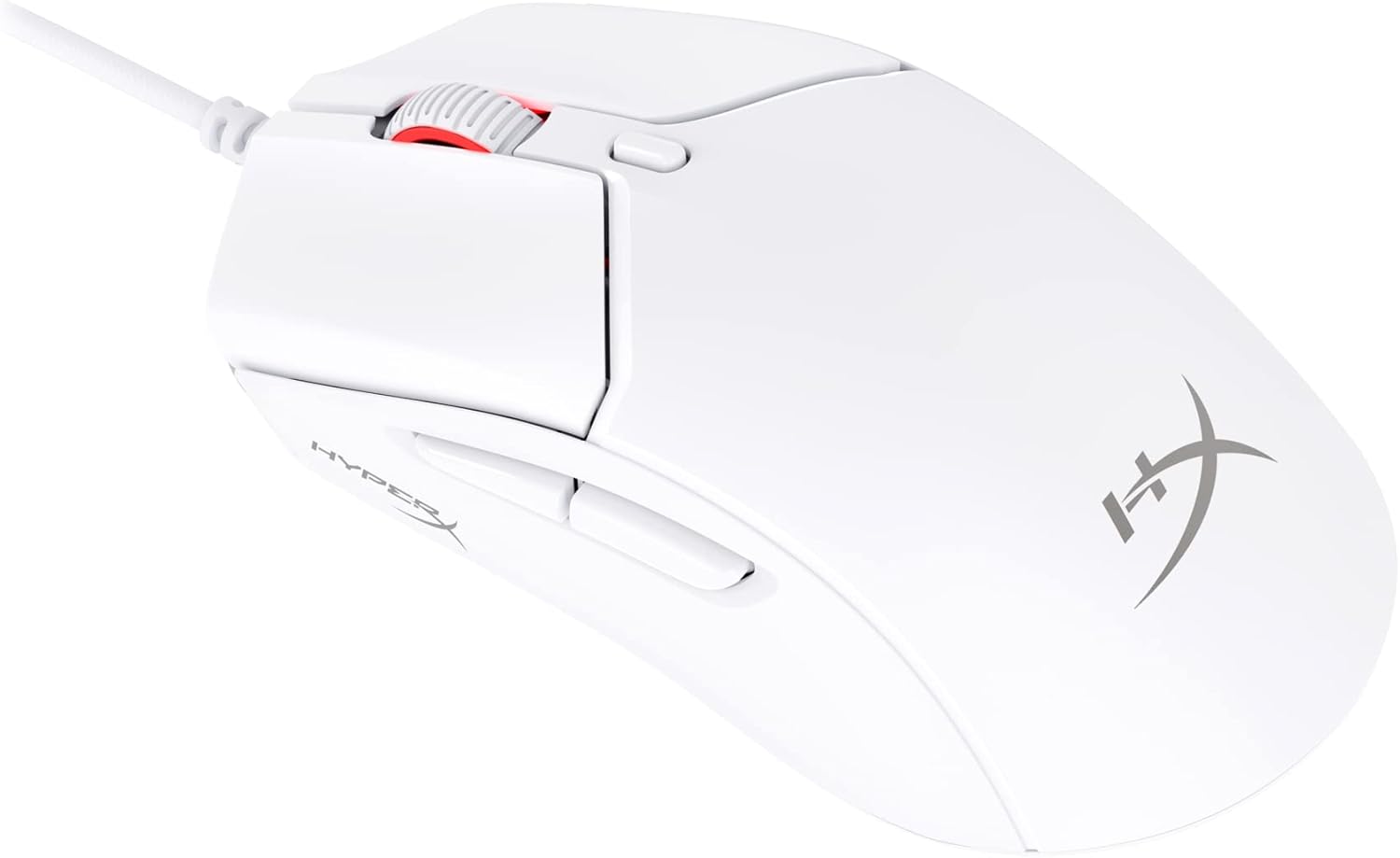
Figure 1: HyperX Pulsefire Haste 2 Wired Gaming Mouse (White)
Kontenut tal-Pakkett
Ivverifika li l-oġġetti kollha huma preżenti fil-pakkett:
- HyperX Pulsefire Haste 2 Wired Gaming Mouse
- HyperX Grips (pre-applied or in package)
- Skates żejda tat-PTFE
- Quick Start Guide (refer to the official PDF user guide for full details: Gwida għall-Utent PDF)
Setup
Konnessjoni tal-Ġurdien
- Sib port USB disponibbli fuq il-kompjuter tiegħek.
- Plug the USB connector of the HyperX Pulsefire Haste 2 mouse into the USB port.
- The mouse is plug-and-play and should be recognized automatically by your operating system (Windows, macOS, Linux).
Applying Grip Tape (Optional)
The mouse includes optional grip tape for enhanced control and comfort. To apply:
- Kun żgur li l-wiċċ tal-maws ikun nadif u niexef.
- Qaxxar bir-reqqa l-kisja ta’ wara mill-biċċiet tat-tejp tal-qabda.
- Align and firmly press the grip tape onto the designated areas (left/right mouse buttons, left/right sides of the mouse).

Figure 2: Anti-Slip Grip Tape Application Area
Tħaddim tal-Maws
Funzjonijiet Bażiċi
The HyperX Pulsefire Haste 2 features standard mouse buttons and a scroll wheel:
- Ikklikkja Xellug: Azzjoni primarja.
- Ikklikkja bil-lemin: Menù sekondarju ta' azzjoni/kuntest.
- Scroll Wheel: Skrollja 'l fuq/'l isfel, ikklikkja bil-buttuna tan-nofs.
- Buttuni tal-ġenb: Tipikament użat għal navigazzjoni 'l quddiem/lura fi web browsers or customizable functions.
- Buttuna DPI: Located behind the scroll wheel, cycles through preset DPI (sensitivity) levels.
Softwer HyperX NGENUITY
To unlock the full potential of your Pulsefire Haste 2, download and install the HyperX NGENUITY software. This software allows for:
- Customizing DPI settings (up to 26,000 DPI).
- Programming the 6 buttons with macros or custom functions.
- Personalizing RGB lighting effects.
- Adjusting polling rate (up to 8000Hz).

Figure 3: HyperX NGENUITY Software Interface
For software download and detailed instructions, visit the official HyperX websit.
Manutenzjoni
Tindif tal-Maws
- Skonnettja l-maws mill-kompjuter tiegħek qabel ma tnaddaf.
- Uża drapp ratba u mingħajr ħelu ftit dampImlaħlaħ bl-ilma jew b'soluzzjoni ħafifa tat-tindif biex timsaħ il-wiċċ.
- Evita li tuża kimiċi ħarxa, sustanzi li joborxu, jew solventi.
- For the sensor area, use a cotton swab or compressed air to gently remove dust and debris.
Sostituzzjoni tal-Pattinijiet tat-PTFE
The HyperX Pulsefire Haste 2 comes with extra PTFE skates. If the original skates show significant wear, they can be replaced for optimal glide performance.
- Carefully peel off the old PTFE skates using a thin, non-abrasive tool.
- Ensure the mouse's underside is clean and free of adhesive residue.
- Peel the backing from the new PTFE skates and align them precisely with the recesses on the mouse's bottom.
- Agħfas sew biex tiżgura adeżjoni xierqa.

Figure 4: Mouse Underside with PTFE Skates
Issolvi l-problemi
| Problema | Kawża Possibbli | Soluzzjoni |
|---|---|---|
| Il-ġurdien ma jirrispondix | Konnessjoni USB maħlula, port USB difettuż, problema bis-sewwieq. |
|
| Il-moviment tal-cursor huwa irregolari jew mgħaġġel | Sensor maħmuġ, wiċċ tal-mawspad mhux adattat. |
|
| Il-buttuni jew ir-rota tal-iscroll ma jaħdmux | Software conflict, physical obstruction. |
|
| Dawl RGB mhux qed jaħdem | Issettjar tas-softwer, problema bl-enerġija. |
|
Speċifikazzjonijiet
| Karatteristika | Dettall |
|---|---|
| Isem tal-Mudell | HyperX Pulsefire Haste 2 Wired Gaming Mouse |
| Numru tal-Mudell | 6N0A8AA |
| Konnettività | USB bil-fili |
| Sensor | Sensor HyperX 26K |
| DPI | Up to 26,000 (native) |
| Veloċità tat-Traċċar | Sa 650 IPS |
| Ir-Rata tal-Votazzjoni | Sa 8000Hz |
| Buttuni | 6 Buttuni Programmabbli |
| Swiċċijiet | HyperX Switches (rated for 100 million clicks) |
| Kejbil | HyperFlex 2 Cable (Paracord) |
| Rebekkini | Virgin PTFE Skates |
| Piż | Approx. 53g (mouse only) |
| Dimensjonijiet (LxWxH) | 124 x 67 x 38 mm (4.9 x 2.6 x 1.5 pulzieri) |
| Kompatibilità tas-Sistema Operattiva | Windows, macOS, Linux |

Figure 5: HyperX Pulsefire Haste 2 Dimensions and Weight
Garanzija u Appoġġ
HyperX products are backed by a limited warranty. For specific warranty terms and conditions, please refer to the warranty information included with your product or visit the official HyperX websit.
For technical support, driver downloads, and frequently asked questions, please visit the HyperX support page:
You can also refer to the official PDF user guide for additional details: Gwida għall-Utent PDF
Ask a question about this manual
Ask about setup, troubleshooting, compatibility, parts, safety, or missing instructions. Manuals+ will review the question and use this page’s manual context to help answer it.