1. Introduzzjoni
This manual provides comprehensive instructions for the installation, operation, and maintenance of your Podofo Android Car Stereo GPS system. Designed specifically for Peugeot 208 and 2008 models manufactured between 2012 and 2018, this unit features a 10-inch touchscreen, Android operating system, GPS navigation, Wi-Fi, Bluetooth, and FM RDS radio capabilities. Please read this manual thoroughly before installation and use to ensure proper functionality and safety.

Image 1.1: Before and After installation of the Podofo Android Car Stereo in a Peugeot 208/2008.
2. Kontenut tal-Pakkett
Iċċekkja li l-oġġetti kollha elenkati hawn taħt huma inklużi fil-pakkett tiegħek:
- 1 x Car Stereo Unit
- 1 x Dekoder CANBUS
- 1 x Kejbil tal-Enerġija
- 1 x Antenna GPS
- 1 x Radio Antenna Cable
- 1 x Kejbil tad-Dħul tal-Kamera
- 1 x Audio/Video Cable
- 2 x Kejbils USB
- 1 x Installation Tools Set
- 1 x Manwal ta 'Istruzzjoni

Immaġni 2.1: Dettaljata view tal-komponenti kollha inklużi fil-pakkett.
3. Compatibility & Dimensions
This car stereo is compatible with Peugeot 208 and 2008 models from 2012 to 2018. Please ensure your vehicle's central console matches the shape and dimensions shown in the product images before installation.
Dimensjonijiet tal-Unità:
- Width (top): 270 mm
- Width (bottom): 280 mm
- Għoli: 160 mm
4. Setup u Installazzjoni
Installation of this car stereo system requires technical knowledge. It is highly recommended to seek professional assistance for installation to avoid damage to the unit or your vehicle. If you choose to install it yourself, proceed with caution and follow these general guidelines:
- Preparazzjoni: Skonnettja l-batterija tal-vettura qabel tibda kwalunkwe xogħol elettriku.
- Neħħi l-Unità Oriġinali: Carefully remove the existing car stereo and trim panels from your vehicle's dashboard. Refer to your vehicle's service manual for specific instructions.
- Qabbad il-Wiring: Connect the provided power cable, CANBUS decoder, GPS antenna, radio antenna cable, camera input cable, audio/video cable, and USB cables to the corresponding ports on the new car stereo and your vehicle's wiring harness. Ensure all connections are secure.
- Funzjonalità tat-Test: Before fully reassembling the dashboard, temporarily connect the battery and test the basic functions of the stereo (power on/off, radio, display).
- Unità Sikura: Mount the new car stereo securely into the dashboard opening using the provided installation tools and brackets.
- Erġa' arma: Reinstall all trim panels and reconnect the vehicle's battery.
The included CANBUS decoder ensures proper communication between the car stereo and your vehicle's systems, such as steering wheel controls.
5. Istruzzjonijiet Operattivi
5.1 Funzjonijiet Bażiċi
- Power On/Off: Agħfas u żomm il-buttuna tal-qawwa fuq l-unità jew uża l-ignition tal-vettura.
- Touchscreen: The 10-inch capacitive touchscreen allows for intuitive control of all functions. Tap, swipe, and pinch to navigate menus and applications.
- Sistema Android: The unit runs on an Android operating system, providing access to various applications and customization options.
5.2 Konnettività
- Bluetooth 4.2: Pair your smartphone via Bluetooth for hands-free calling and audio streaming. Access the Bluetooth menu on the stereo to search for devices and connect. The built-in microphone ensures clear call quality.
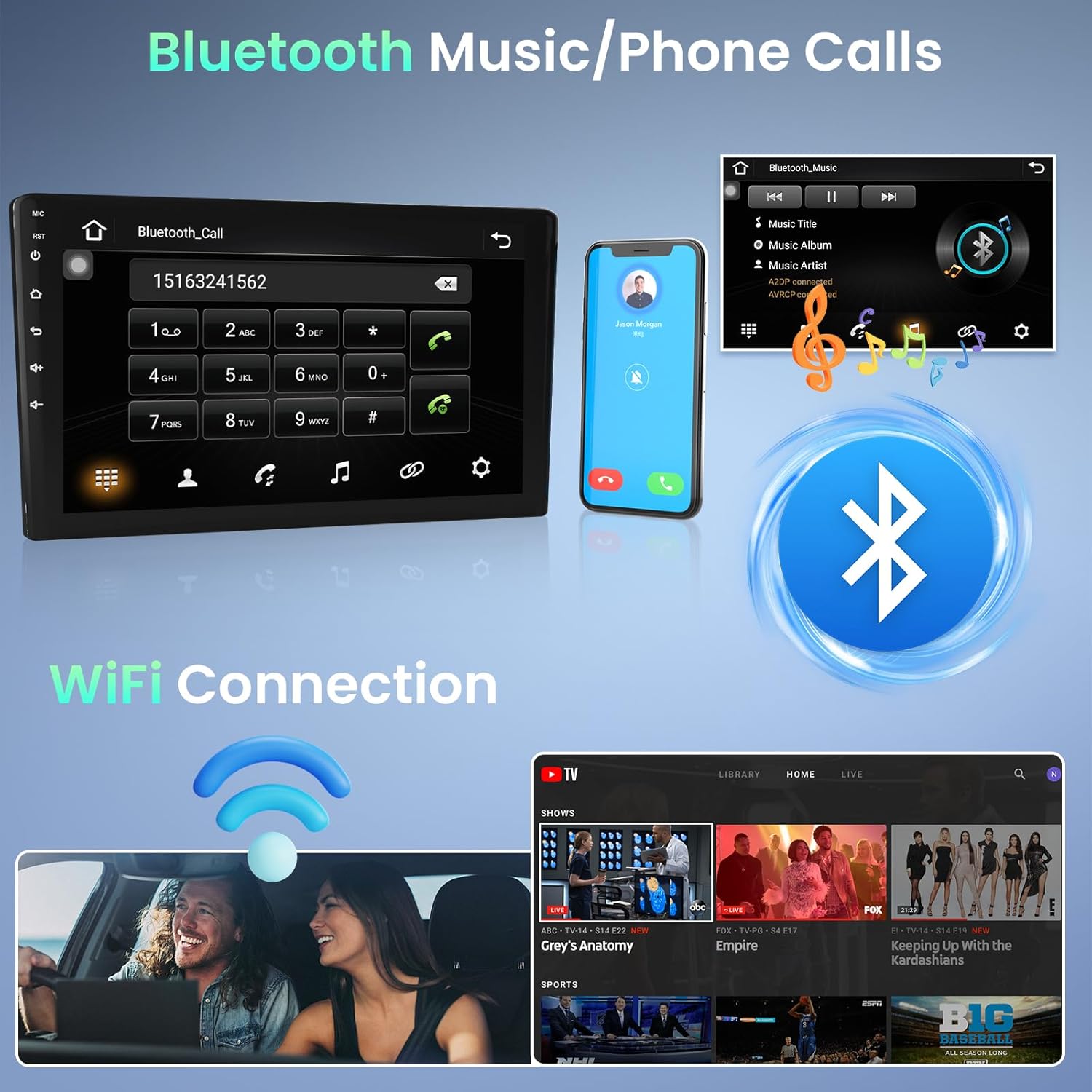
Image 5.1: Bluetooth for music and phone calls, and Wi-Fi connection.
- Wi-Fi: Connect the unit to a Wi-Fi hotspot (e.g., from your smartphone) to access online features, download apps, and use online navigation. Go to Settings > Network & Internet > Wi-Fi to connect.
- Link tal-mera: This feature allows you to mirror your smartphone's screen onto the car stereo display. Connect your phone via a USB cable. iOS devices (under IOS 16.5) support one-way projection, while Android devices (8.0-13.0) support two-way connection.
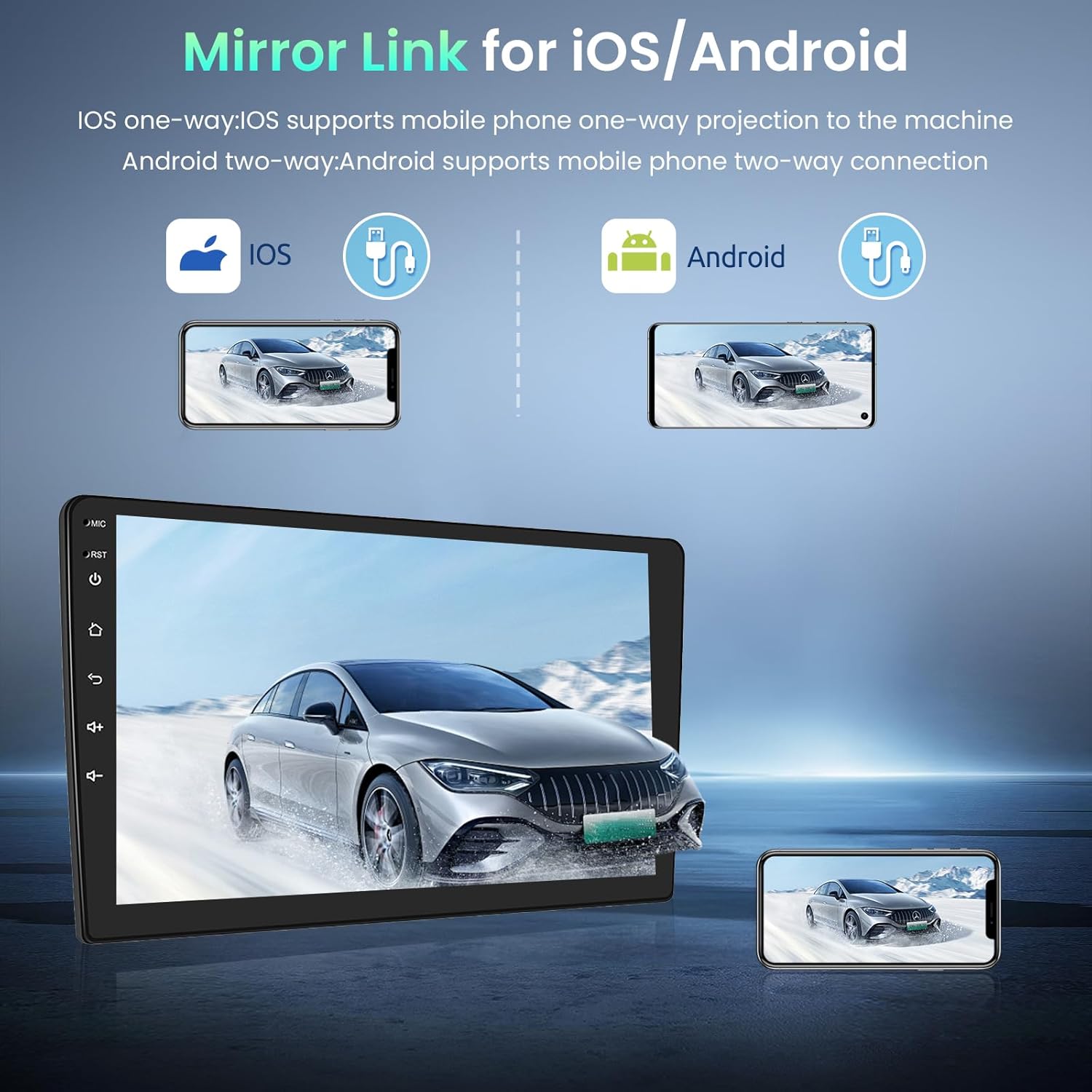
Image 5.2: Mirror Link for iOS and Android devices.
- USB: The unit features dual rear USB ports. Connect USB drives (4-32GB) to play media files.
5.3 Navigazzjoni
The integrated GPS module provides accurate navigation. The unit comes pre-installed with the Here WeGo app, allowing you to download offline maps for various countries. You can also use online navigation apps by connecting to Wi-Fi.
5.4 Multimidja
- Radju FM RDS: Tune into your favorite radio stations. The RDS function displays station information where available.

Image 5.3: FM Radio and GPS Navigation interfaces.
5.5 Funzjoni ta' Skrin Maqsum
The split-screen function allows you to view two applications simultaneously. In the activity view, drag an application to the left or right side of the screen to activate split-screen mode. Note that not all applications support this feature.
5.6 Kontroll tar-rota tal-isteering
The unit supports your vehicle's original steering wheel controls via the CANBUS connection. This allows you to control volume, track changes, and other functions without taking your hands off the wheel. Configuration may be required in the system settings.

Image 5.4: HD Rear Camera input and Steering Wheel Control settings.
5.7 Input tal-Kamera ta' Wara
The car stereo supports an external rear camera (not included). Connect a compatible camera to the dedicated input for automatic display when reversing. The system supports wide-angle, night vision, and waterproof cameras.
5.8 External Device Support
The unit can be expanded with external USB dongles (not included) for additional functionalities such as DAB+ digital radio, DVR (Digital Video Recorder), OBDII diagnostics, and Carplay/Android Auto.

Image 5.5: Support for external OBD2 and DAB input devices.
6. Speċifikazzjonijiet
| Sistema | Android |
| Memorja | 1 GB RAM + 32 GB ROM |
| Provvista tal-Enerġija | DC 12V |
| Qawwa tal-Ħruġ | 4*45 W (max) |
| Qawwa AmpĊippa lifier | AC7388 |
| Medda ta' Frekwenzi FM | 87.5 ~ 108 MHz |
| Riżoluzzjoni tal-Iskrin | 1024 * 600 |
| Tip ta 'Touchscreen | Kapaċitiv |
| Factory Settings Keyword | 8888 |
| Audio/Video Ports | 2 Video In, 1 Video Out, 2 Aux In, 2 Aux Out, 1 Subwoofer Out, 1 Mic In, 1 Camera In |
| Lingwi Appoġġjati | English, French, Italian, Spanish, German, etc. (up to 40 national languages) |
| Konnettività | Wi-Fi, Bluetooth, USB, FM RDS |
| Supported Navigation | GPS |
| Piż | 1.66 Kilogrammi |
7. Manutenzjoni
To ensure the longevity and optimal performance of your Podofo car stereo, follow these maintenance guidelines:
- Tindif: Uża drapp artab u niexef biex tnaddaf it-touchscreen u l-barra tal-unità. Għal tbajja' persistenti, nixxef ftit.ampNaddaf id-drapp bl-ilma jew b'prodott tat-tindif li ma jagħmilx ħsara lill-iskrin. Evita materjali li joborxu jew kimiċi ħarxa.
- Aġġornamenti tas-Software: Iċċekkja perjodikament għal aġġornamenti tas-softwer permezz tas-settings tas-sistema jew tal-manifattur websit. Iż-żamma tas-softwer aġġornat tista' ttejjeb il-prestazzjoni u żżid karatteristiċi ġodda.
- Evita Temperaturi Estremi: Tesponix l-unità għal sħana jew kesħa estrema għal perjodi twal, għax dan jista' jaffettwa l-komponenti elettroniċi tagħha.
- Konnessjonijiet tal-kejbil: Kun żgur li l-kejbils kollha huma konnessi sew. Konnessjonijiet laxki jistgħu jwasslu għal problemi intermittenti.
8 Issolvi l-problemi
Jekk tiltaqa' ma' problemi bl-istereo tal-karozza tiegħek, irreferi għall-passi komuni li ġejjin għas-soluzzjoni tal-problemi:
- Ebda Qawwa: Iċċekkja l-konnessjoni tal-kejbil tal-enerġija u l-kaxxa tal-fjusijiet tal-vettura. Kun żgur li l-unità hija installata sew u qed tirċievi l-enerġija.
- Ebda Ħsejjes: Verify speaker connections. Check volume settings on the unit and ensure mute is not activated. Test different audio sources.
- L-iskrin tat-touchscreen ma jirrispondix: Ipprova erġa' ibda l-unità. Jekk il-problema tippersisti, jista' jkun meħtieġ reset tal-fabbrika (nota: dan se jħassar id-dejta personali).
- Sinjal tal-GPS mitluf: Kun żgur li l-antenna tal-GPS hija installata sew u għandha viżibilità ċara. view tas-sema. Iċċekkja s-settings tal-GPS fis-sistema.
- Kwistjonijiet ta' Konnessjoni Bluetooth: Kun żgur li l-Bluetooth huwa attivat kemm fuq l-istereo kif ukoll fuq it-telefon tiegħek. Ħassar il-pairings preċedenti u erġa' pprova tikkonnettja.
- Problemi ta' Konnessjoni Wi-Fi: Verify your Wi-Fi hotspot is active and providing internet access. Re-enter the Wi-Fi password if necessary.
- Prestazzjoni bil-mod: Close unnecessary background applications. Clear cache data if available in system settings. Consider a factory reset if performance remains poor.
Għal kwistjonijiet li ma jiġux solvuti b'dawn il-passi, jekk jogħġbok ikkuntattja l-appoġġ għall-klijenti.
9. Garanzija u Appoġġ
Your Podofo car stereo comes with a 24-il xahar garanzija. For any inquiries or technical assistance, online support is available with responses typically within 24 hours.
Ikkuntattja l-Appoġġ:
If you purchased your product through Amazon, you can contact the seller directly:
- Mur fil-paġna tal-prodott fuq Amazon.
- Click on the seller's name, typically listed as "Sold by Podofo".
- On the seller's page, look for a "Contact Seller" or "Ask a Question" option.

Image 9.1: Steps to contact the seller for support.
Alternatively, you may find direct support contact information on the official Podofo webis-sit jew permezz tad-dokumentazzjoni pprovduta.