
1. Introduzzjoni
Thank you for choosing the OtterBox React Folio Case for your iPad 10th Gen 2022 or 11th Gen 2025 (A16). This instruction manual provides essential information on how to install, use, and maintain your new protective case. The React Folio Series is designed to offer robust protection against drops while maintaining a slim profile and enhancing usability.
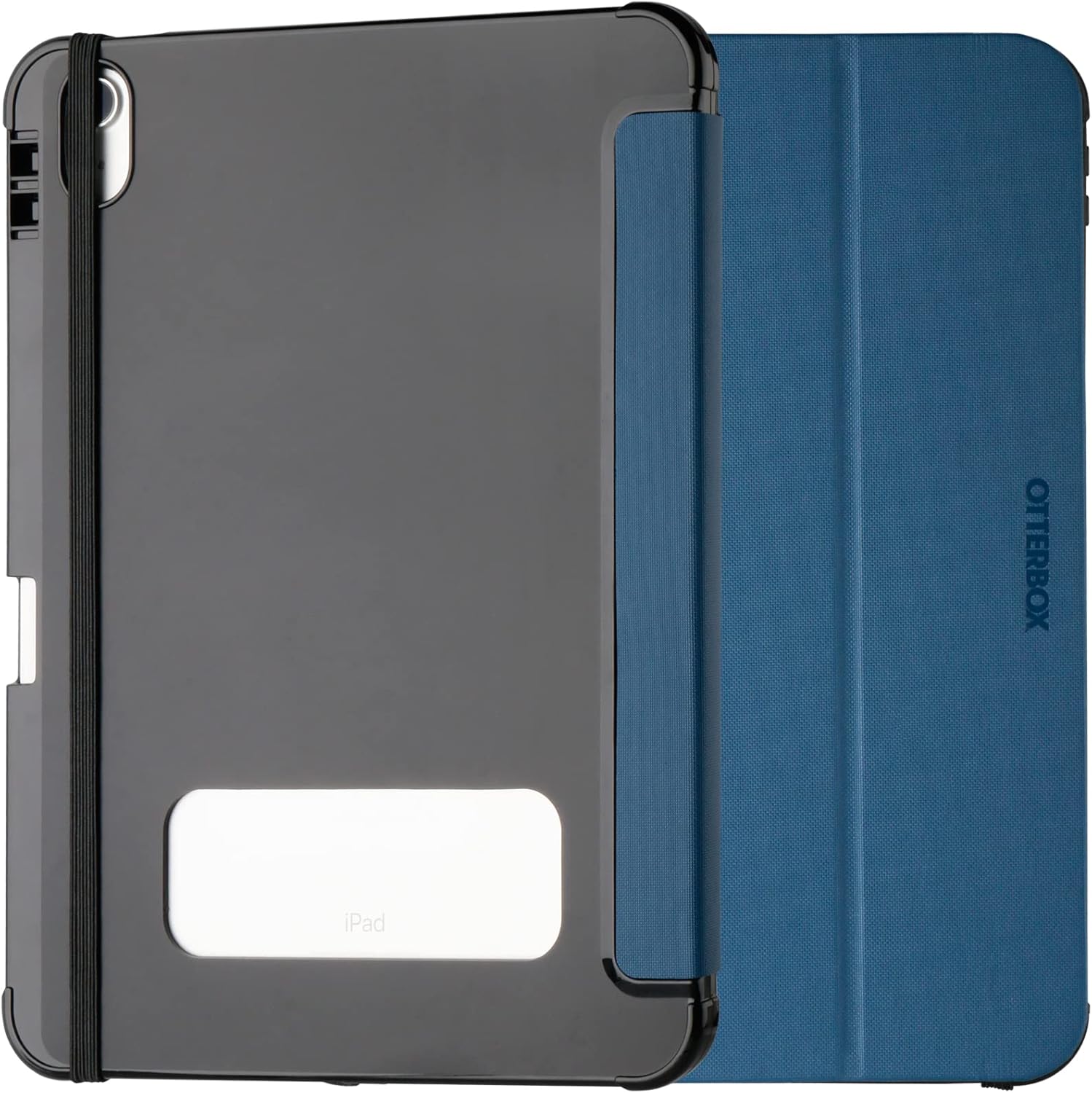
Image: OtterBox React Folio Case in blue, closed, showing the back with a clear window for the iPad logo and an elastic band.
2. Karatteristiċi ewlenin
- Advanced Drop Protection: The React Folio Series case is ultra-slim and has undergone thousands of hours of drop testing to ensure maximum tablet protection. It is tested to military standards (MIL-STD-810G 516.6) for reliable drop resistance.
- Protezzjoni tal-iskrin: The folio cover features a soft microfiber lining that protects your iPad's screen from scratches and abrasions when closed. An elastic closure keeps the cover securely shut.
- Transparent Back: The clear back panel allows for easy identification of your iPad's engravings and inventory labels without removing the case.
- Stand Integrat: The case transforms into two vertical stand positions, providing comfortable angles for typing, viewing, and video calls.
- Apple Pencil/Stylus Storage: Securely store your Apple Pencil or other stylus within the case, ensuring it's always at hand and protected.
- Disinn Slim: The ultra-slim folio cover is designed to easily slide into and out of bags and backpacks.

Image: Drop test illustration of the case.

Image: iPad in React Folio Case in viewing stand position.
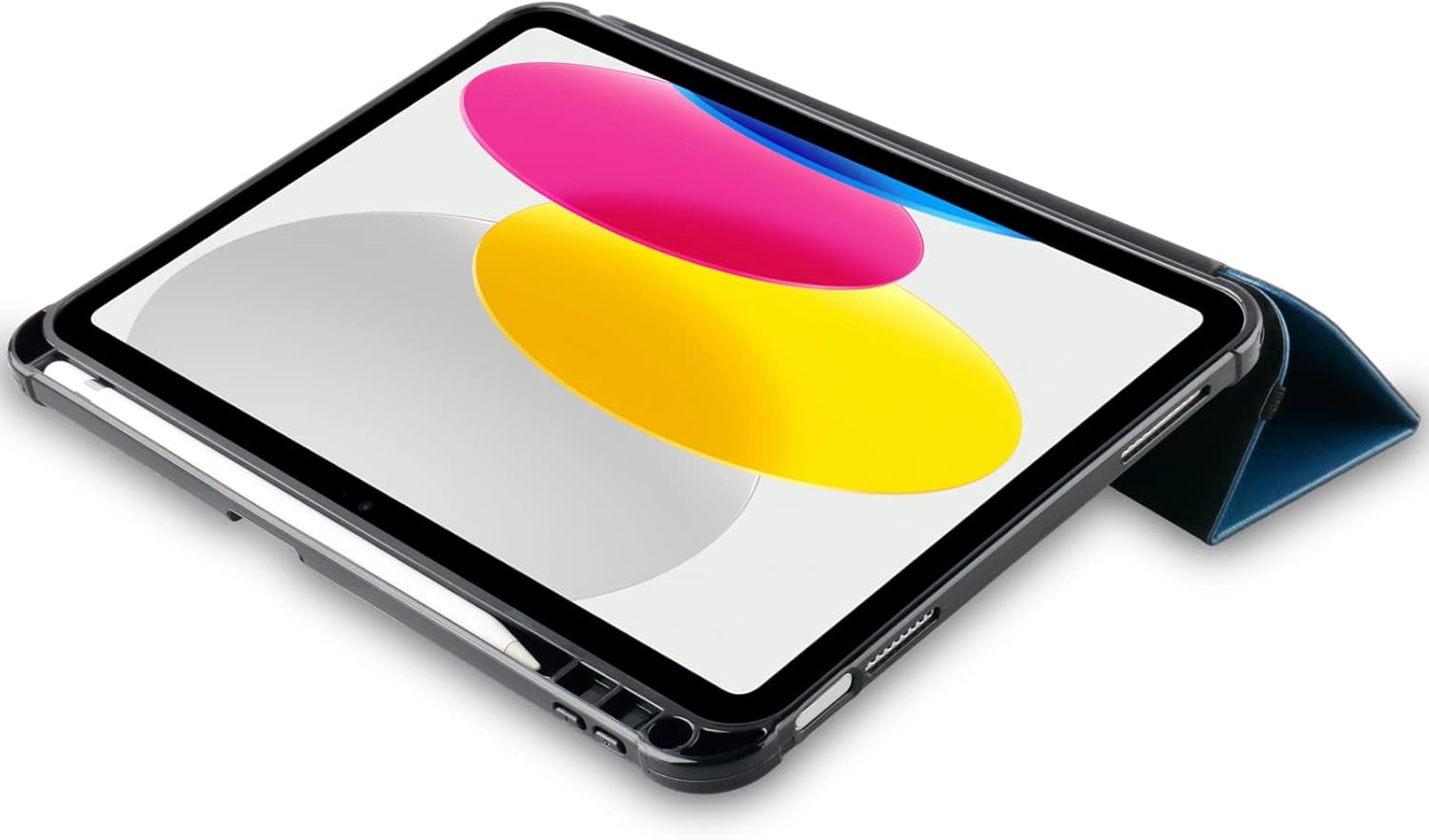
Image: iPad in React Folio Case with Apple Pencil storage.

Image: Transparent back of the case.
3. Gwida għall-Installazzjoni
Follow these steps to properly install your iPad into the OtterBox React Folio Case:
- Prepare your iPad: Ensure your iPad is clean and free of dust or debris.
- Align the iPad: Gently align your iPad with the hard shell of the case, ensuring the camera cutout and port openings match.
- Snap into place: Press firmly around the edges of the iPad until it securely snaps into the case. Ensure all corners are fully seated.
- Close the Folio: Close the folio cover over the screen and use the elastic band to secure it if desired.

Image: iPad securely installed in the React Folio Case.
4. Tħaddim u Użu
4.1 L-Użu tal-Istand Integrat
The React Folio Case offers two vertical stand positions for enhanced usability:
- ViewModalità ta' tħaddim: Fold the folio cover back to create a stable triangle stand. This position is ideal for watching videos, making video calls, or browsing.
- Modalità tat-tajping: Adjust the fold to a lower angle for a comfortable typing experience.
4.2 Apple Pencil/Stylus Storage
The case includes a dedicated slot or loop for your Apple Pencil or stylus. Insert your stylus into this designated area to keep it secure and prevent loss.
4.3 Protezzjoni tal-Iskrin
When not in use, close the folio cover to protect your iPad's screen from scratches and impacts. The elastic band can be used to keep the cover firmly closed.
Video: Official OtterBox React Folio Series video demonstrating key features such as drop protection, screen protection, transparent back design, and secure Apple Pencil storage. The video shows the case being dropped, the folio cover closing, and the iPad in various stand positions.
5. Kura u Manutenzjoni
To ensure the longevity and appearance of your OtterBox React Folio Case, follow these simple care instructions:
- Tindif: Uża artab, damp cloth to wipe down the exterior of the case. Avoid harsh chemicals or abrasive cleaners, as these can damage the material.
- Tindif ta 'ġewwa: Periodically remove your iPad from the case and clean both the iPad and the interior of the case to prevent dust and debris buildup.
- Evita Kundizzjonijiet Estremi: Do not expose the case to extreme temperatures or prolonged direct sunlight, which can cause material degradation.
6 Issolvi l-problemi
If you encounter any issues with your OtterBox React Folio Case, consider the following:
- Tajbin fil-Kaxxa: Ensure your iPad is correctly seated in the case. Remove and re-install the iPad, making sure all edges and corners snap into place.
- Stabbiltà tal-istand: If the stand is unstable, ensure the folds are properly creased and the iPad is placed on a flat, stable surface.
- Screen Cover Closure: If the folio cover does not stay closed, ensure no foreign objects are preventing it from closing properly. Use the elastic band for added security.
For further assistance, please contact OtterBox customer support.
7. Speċifikazzjonijiet tal-Prodott
| Karatteristika | Dettall |
|---|---|
| Brand | Otterbox |
| Numru tal-Mudell | 77-92189 |
| Apparati Kompatibbli | iPad 10th Gen 2022, 11th Gen 2025 (A16) |
| Kulur | Blu |
| Materjal | Plastik |
| Fattur tal-Formola | Folio with Stand |
| Tip ta' Każ | Iebsa |
| Karatteristika Speċjali | Protezzjoni imħatteb |
| Dimensjonijiet tal-Prodott (L x W x H) | 19.8 x 26.8 x 2.2 ċm |
| Piż tal-oġġett | 340 Gramm |
| Daqs Massimu tal-Apparat Kompatibbli | 10.9 Pulzier |
| Pajjiż ta' Oriġini | Iċ-Ċina |
| Kontenut tal-Kaxxa | OtterBox Case |
8. Informazzjoni dwar Garanzija
This OtterBox React Folio Case comes with a Garanzija tal-manifattur ta 'senaDin il-garanzija tkopri difetti fil-materjali u l-abbilità taħt użu normali. Jekk jogħġbok żomm il-prova tax-xiri tiegħek għal kwalunkwe talba ta' garanzija.
For detailed warranty terms and conditions, or to initiate a warranty claim, please visit the official OtterBox webis-sit jew ikkuntattja direttament lis-servizz tal-klijenti tagħhom.
9. Appoġġ għall-Klijent
If you have any questions, require technical assistance, or need further support regarding your OtterBox React Folio Case, please contact OtterBox customer service through their official channels:
- Websit: Żur il- OtterBox Brand Store għal informazzjoni dwar il-prodott u riżorsi ta' appoġġ.
- Informazzjoni ta' Kuntatt: Refer to the OtterBox official website for the most up-to-date contact details, including phone numbers and email support.