
Alarm.com V724X
Alarm.com ADC-V724X Outdoor Wi-Fi Camera User Manual
Model: V724X
Introduzzjoni
The Alarm.com ADC-V724X is an advanced outdoor Wi-Fi camera designed to enhance the security of your property. It features High Dynamic Range (HDR) for clear imaging, two-way audio for communication, 1080p resolution, and a wide 117-degree field of view. Equipped with Video Analytics and IR Night Vision, it provides intelligent detection and monitoring capabilities. The camera also includes a MicroSD card slot for local storage and boasts an IP66 ingress protection rating, ensuring durability in various outdoor conditions.
Informazzjoni dwar is-Sigurtà
- Ensure the camera is installed by a qualified professional or with proper safety precautions.
- Use only the specified 12VDC power supply.
- Tesponix il-kamera għal temperaturi estremi barra mill-medda operattiva tagħha.
- Evita l-espożizzjoni diretta tal-lenti għal sorsi ta' dawl qawwija għal perjodi twal.
- Skonnettja l-enerġija qabel ma tagħmel xi manutenzjoni jew tindif.
- Żomm fejn ma jintlaħaqx mit-tfal.
Kontenut tal-Pakkett
Ivverifika li l-oġġetti kollha huma preżenti fil-pakkett:
- Alarm.com ADC-V724X Outdoor Wi-Fi Camera
- Ħardwer tal-Immuntar (viti, ankri)
- Gwida għall-Installazzjoni
- Adapter tal-Enerġija (12VDC)
Setup
1. Installazzjoni Fiżika
The ADC-V724X camera is designed for outdoor wall mounting. Choose a location that provides the desired field of view and is within range of your Wi-Fi network.
- Ipprepara l-Wiċċ tal-Immuntar: Use the included mounting template (if provided) or the camera base to mark drill holes.
- Drill toqob: Drill pilot holes for the mounting screws. Insert wall anchors if mounting into drywall or masonry.
- Waħħal il-Muntanja: Waħħal il-bażi tal-immuntar tal-kamera sew mal-wiċċ billi tuża l-viti pprovduti.
- Waħħal il-Kamera: Connect the camera body to the mounted base. Adjust the camera angle for optimal coverage.

Figura 1: Quddiem view of the ADC-V724X camera, highlighting its compact design and lens.
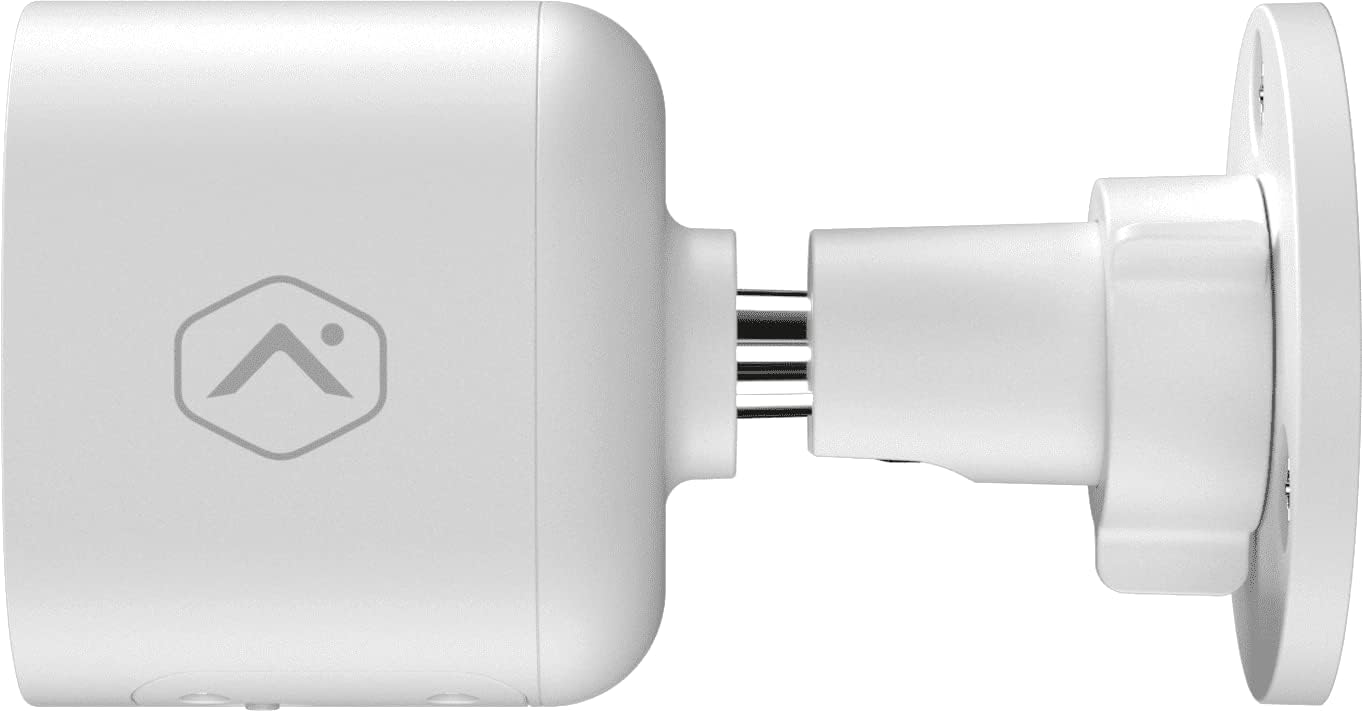
Figura 2: Proġett tal-ġenbfile of the camera, illustrating how it connects to the wall mount.

Figura 3: Angolat view of the camera, demonstrating its adjustable mounting capabilities.
2. Konnessjoni tal-Enerġija
Connect the provided 12VDC power adapter to the camera's power input. Ensure the connection is secure and protected from weather elements if applicable.
3. Konnessjoni tan-Netwerk (Wi-Fi)
The ADC-V724X connects to your network via Wi-Fi (2.4 or 5 GHz). Integration with your Alarm.com system typically requires activation through your Alarm.com service provider.
- Qawwa Mixgħul: Plug in the camera. The LED indicator will show its status (refer to LED status guide in your Alarm.com app or provider's documentation).
- Add to System: Contact your Alarm.com service provider to add the camera to your existing security system. They will guide you through the process, which often involves scanning a QR code on the camera or entering its MAC address.
- Ikkonfigura l-Wi-Fi: Your service provider will assist in connecting the camera to your home Wi-Fi network through the Alarm.com app or websit.

Figura 4: Lura view of the camera, displaying the QR code and product information essential for system integration.
It-tħaddim tal-Kamera
Once installed and connected, the ADC-V724X camera operates primarily through the Alarm.com Customer Websit u Mobile App.
Live View u Reġistrazzjoni
- Aċċess għal-Live Feed: Open the Alarm.com app or website, navigate to the camera section, and select the ADC-V724X to view l-għalf dirett tiegħu.
- Onboard Recording (Smart View): The camera supports local recording to a MicroSD card (sold separately, up to 512 GB). This allows for continuous, encrypted recordings that can be viewed from anywhere via the Alarm.com platform.
- Reġistrazzjoni Cloud: Depending on your Alarm.com service plan, video clips triggered by events (e.g., motion) will be uploaded to the cloud for secure storage and access.
Awdjo Two-Way
The camera features a built-in microphone and speaker, enabling two-way communication.
- Ibda l-Komunikazzjoni: Mill-live view in the Alarm.com app, tap the microphone icon to speak through the camera's speaker. Release the icon to listen.
- Audio in Recorded Clips: Audio is included in recorded video clips, providing additional context for events.
Video Analytics and Alerts
Configure Video Analytics rules through your Alarm.com account to receive smarter, more relevant alerts.
- Żoni ta' sejbien: Define specific areas within the camera's field of view għall-iskoperta tal-moviment.
- Object Classification: The camera can differentiate between people, animals, and vehicles, reducing false alerts.
- Settings ta' Twissija: Customize notifications (e.g., push notifications, email) for specific events detected by Video Analytics.
Viżjoni bil-lejl (IR)
The camera automatically switches to infrared (IR) night vision in low-light conditions, providing clear black-and-white video.
- Attivazzjoni Awtomatika: The camera's built-in light sensor detects ambient light levels and activates IR LEDs as needed.
- Prestazzjoni ottimali: Ensure no obstructions are blocking the IR illuminators on the camera's front.
Manutenzjoni
Tindif tal-Kamera
- Lenti: Gently wipe the camera lens with a soft, clean, lint-free cloth. If necessary, use a small amount of lens cleaning solution. Avoid abrasive cleaners.
- Korp: Imsaħ il-korp tal-kamera b'reklamaramp drapp. Tużax kimiċi ħarxa jew solventi.
- Frekwenza: Clean the camera periodically, especially if installed in dusty or high-traffic areas, to ensure optimal image quality.
Ġestjoni tal-Karta MicroSD
The camera supports a MicroSD card for local storage. The slot is located on the bottom of the camera, protected by a cover.
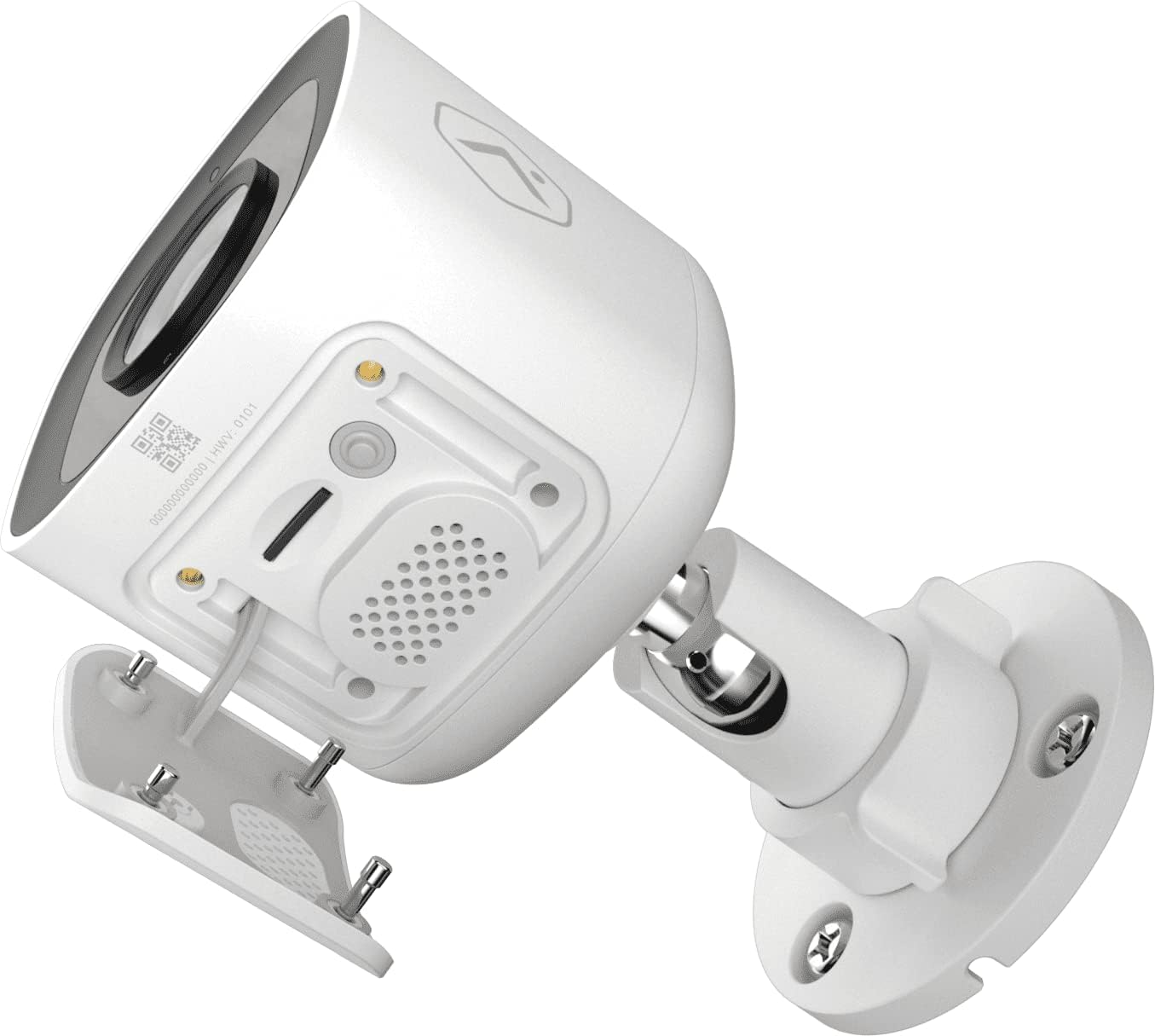
Figura 5: Qiegħ view of the camera showing the access panel for the MicroSD card slot.
- Installazzjoni: Carefully insert a compatible MicroSD card (up to 512 GB) into the slot until it clicks into place. Ensure the camera is powered off before insertion or removal.
- Ifformattjar: The Alarm.com system may prompt you to format the card upon first use.
- Sostituzzjoni: If the card becomes full or corrupted, replace it with a new one. Data on the card can be managed through the Alarm.com platform.
Issolvi l-problemi
| Problema | Kawża Possibbli | Soluzzjoni |
|---|---|---|
| Il-kamera ma tixgħelx | Bla enerġija, adapter difettuż, konnessjoni maħlula. | Check power outlet, ensure adapter is securely connected to camera and power source. |
| Ma tistax tikkonnettja mal-Wi-Fi | Incorrect Wi-Fi password, camera too far from router, network interference. | Verify Wi-Fi password. Move camera closer to router or use a Wi-Fi extender. Reduce interference from other devices. Contact your Alarm.com provider for assistance with network setup. |
| Kwalità ta 'immaġni fqira | Dirty lens, low light, network bandwidth issues. | Clean the camera lens. Ensure adequate lighting or check night vision settings. Verify stable internet connection. |
| Awdjo two-way mhux jaħdem | Microphone/speaker blocked, volume too low, app settings. | Ensure nothing is obstructing the microphone or speaker. Check volume settings in the Alarm.com app. |
| No local recording | No MicroSD card, incompatible card, card full/corrupted. | Insert a compatible MicroSD card. Format the card via the Alarm.com app. Replace the card if corrupted. |
For further assistance, please contact your Alarm.com service provider.
Speċifikazzjonijiet
| Karatteristika | Dettall |
|---|---|
| Numru tal-Mudell | V724X |
| Effective Camera Resolution | 2MP |
| Riżoluzzjoni Massima tal-Vidjo | 1920 x 1080 (1080p Full HD) |
| Qasam ta View (FOV) | 117-grad |
| Awdjo | 2-Way Audio (Microphone and Speaker) |
| Tip ta 'Viżjoni bil-lejl | IR (infra-aħmar) |
| Konnettività | Wi-Fi (2.4 or 5 GHz) |
| Ħażna Lokali | MicroSD Card Slot (up to 512 GB, sold separately) |
| Klassifikazzjoni tal-Protezzjoni tad-Dħul | IP66 |
| Provvista tal-Enerġija | 12VDC |
| Dimensjonijiet (L x W x H) | 2.5 x 2.5 x 4.5 pulzieri |
| Piż | 1.46 libbra (0.66 Kilogrammi) |
| Karatteristiċi Speċjali | HDR, Video Analytics, Motion Sensor |
Garanzija u Appoġġ
For warranty information and technical support, please refer to the documentation provided by your Alarm.com service provider or visit the official Alarm.com website. Support for the ADC-V724X camera is typically handled through your authorized Alarm.com dealer or installer.
Riżorsi onlajn:
Ask a question about this manual
Ask about setup, troubleshooting, compatibility, parts, safety, or missing instructions. Manuals+ will review the question and use this page’s manual context to help answer it.