
1. Informazzjoni dwar is-Sigurtà
Please read this manual carefully before using the camera to ensure safe and proper operation. Keep this manual for future reference.
- Tesponix il-kamera għall-ilma jew l-umdità.
- Evita li twaqqa’ l-kamera jew li tissottomettiha għal impatti qawwija.
- Do not attempt to disassemble or modify the camera. Repairs should only be performed by qualified personnel.
- Keep the camera away from direct sunlight and high temperatures.
- Use only the specified battery type and charging cable.
- Armi l-batteriji kif suppost skont ir-regolamenti lokali.
- Clean the camera lens and screen with a soft, dry cloth.
2. Kontenut tal-Pakkett
Iċċekkja li l-oġġetti kollha elenkati hawn taħt huma inklużi fil-pakkett tiegħek:
- Andoer Digital Camera Body
- Lithium Battery (3.7V 550mAh)
- Cable tal-Iċċarġjar tal-USB
- Wettaq Bag
- Manwal għall-Utent (dan id-dokument)

Image: Contents of the Andoer Digital Camera package, showing the camera, wrist strap, USB charging cable, carry bag, and user manual.
3. Prodott Aktarview
3.1 Quddiem View

Immaġni: Quddiem view of the Andoer Digital Camera, displaying the lens, built-in flash, and indicating 2.7" TFT screen and 18 Megapixels.
3.2 Wara View (Display and Controls)
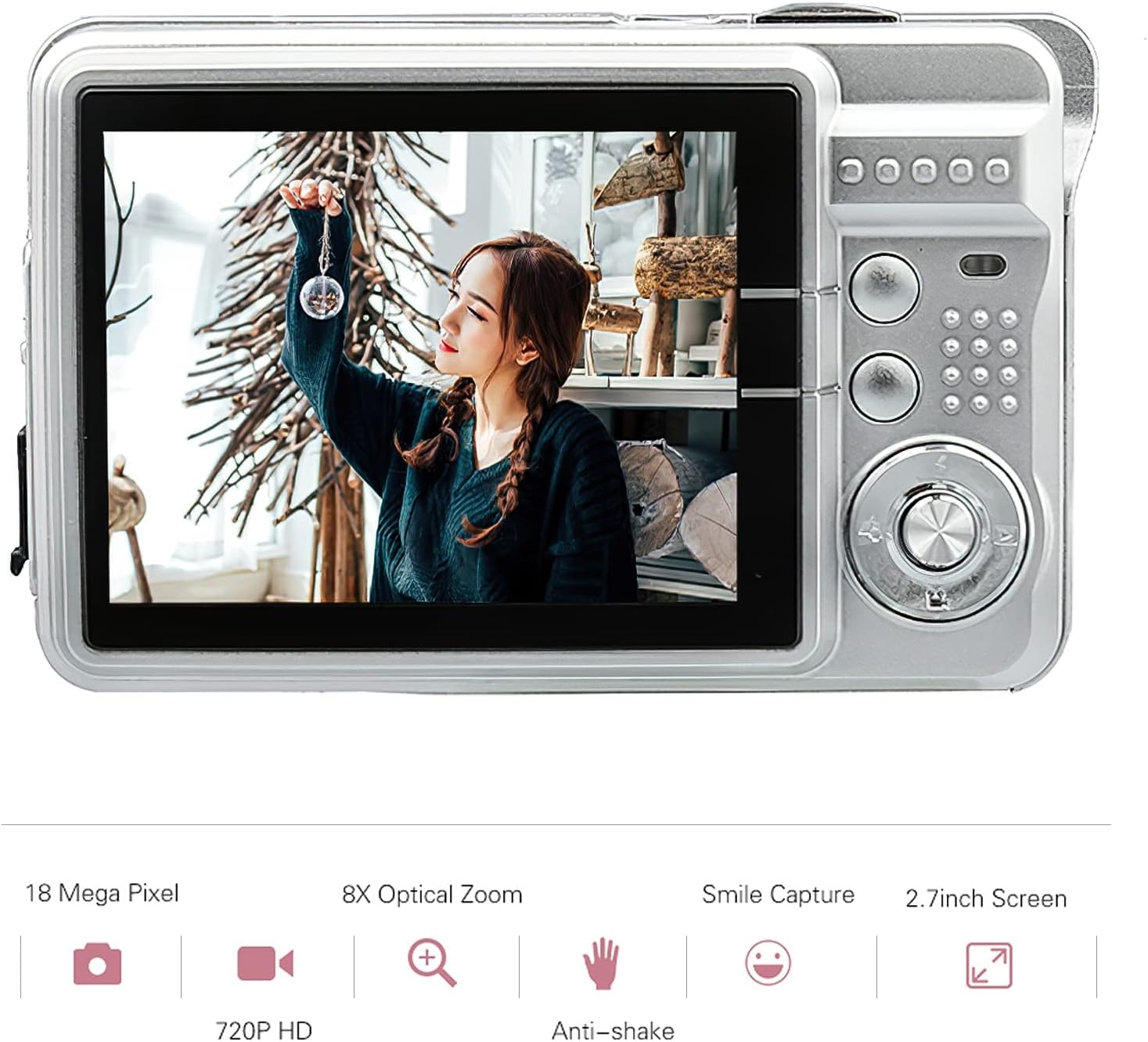
Immaġni: Wara view of the Andoer Digital Camera, featuring the 2.7-inch TFT display and various control buttons on the right side.
The camera features a 2.7-inch TFT display for viewing photos and videos, along with intuitive controls for navigation and settings adjustment.
4. Setup
4.1 Iċċarġjar tal-batterija
- Iftaħ l-għatu tal-kompartiment tal-batterija fuq il-ġenb tal-kamera.
- Insert the provided Lithium battery (3.7V 550mAh) into the compartment, ensuring correct polarity.
- Agħlaq l-għatu tal-kompartiment tal-batterija sew.
- Connect the camera to a USB power source (e.g., computer, USB wall adapter) using the supplied USB charging cable.
- The charging indicator light will illuminate. Charging is complete when the light turns off or changes color (refer to camera display for battery status).
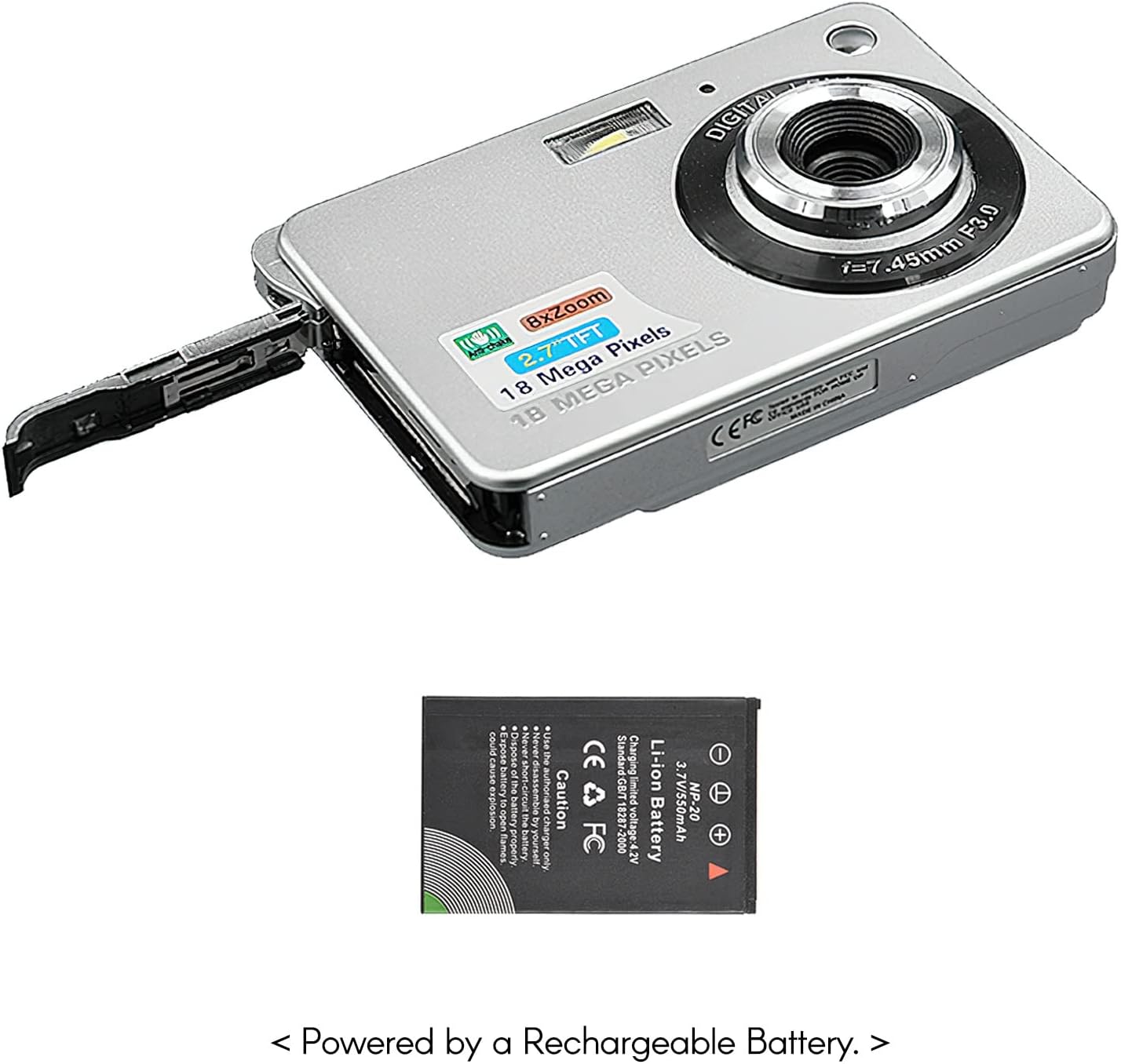
Immaġni: Ġenb view of the camera with the battery compartment open, illustrating how to insert the rechargeable lithium battery.
4.2 Inserting a Memory Card (Not Included)
This camera supports SD memory cards up to 32GB. A memory card is required to save photos and videos.
- Sib is-slott tal-karta tal-memorja, ġeneralment ħdejn il-kompartiment tal-batterija.
- Insert the SD card with the metal contacts facing down (or as indicated by the diagram near the slot) until it clicks into place.
- Biex tneħħiha, imbotta l-karta bil-mod 'il ġewwa sakemm toħroġ 'il barra.
5. Istruzzjonijiet Operattivi
5.1 Tixgħel/Jitfi
Press and hold the Power button (usually located on the top or side) to turn the camera on or off.
5.2 Tieħu Ritratti
- Ixgħel il-kamera.
- Frame your shot using the 2.7-inch TFT display.
- Press the Shutter button (typically on top) halfway down to focus, then press fully to capture the image.

Image: The camera's screen showing a captured image, demonstrating the 18 Megapixel photo capability.
5.3 Reġistrar Vidjows
- Ixgħel il-kamera.
- Switch to video recording mode (usually via a mode button or menu option).
- Press the Record button (often marked with a red dot) to start recording. Press again to stop.

Image: The camera's screen displaying a video playback, illustrating its 720P high-definition video recording function.
5.4 Żum Diġitali
The camera features 8X digital zoom. Use the zoom buttons (often labeled 'W' for Wide and 'T' for Telephoto) to adjust the zoom level.

Image: A visual representation of the 8x digital zoom capability, showing a scene at 1x magnification and then zoomed in at 8x.
5.5 Navigazzjoni tal-Menu
Press the 'Menu' button to access camera settings. Use the directional buttons to navigate and the 'OK' or 'Set' button to confirm selections. Available settings include:
- Self-Timer: Off/ 2 sec/ 5 sec/ 10 sec
- Espożizzjoni: EV-3 għal EV+3
- Bilanċ abjad: Auto/ Daylight/ Cloudy/ Incandescent/ Fluorescent
- Modi tax-Xena: Auto/ Night Portrait/ Night Scenery/ Portrait/ Scenery/ Sport/ Party/ Beach/ High sensitivity
- Karatteristiċi oħra: Anti-Shake, Face Detect, Smile Capture
6. Manutenzjoni
6.1 Tindif tal-Kamera
- Uża drapp artab u mingħajr suf biex tnaddaf il-korp tal-kamera.
- For the lens and screen, use a specialized lens cleaning cloth and solution if necessary. Avoid abrasive materials.
- Do not use organic solvents to clean the camera.
6.2 Kura tal-Batterija
- Iċċarġja l-batterija kompletament qabel l-ewwel użu.
- Jekk il-kamera ma tkunx se tintuża għal perjodu twil ta' żmien, neħħi l-batterija.
- Aħżen il-batteriji f'post frisk u niexef.
7 Issolvi l-problemi
| Problema | Kawża Possibbli | Soluzzjoni |
|---|---|---|
| Il-kamera ma tixgħelx. | Il-batterija hija eżawrita jew imdaħħla ħażin. | Iċċarġja l-batterija. Kun żgur li l-batterija tkun imdaħħla bil-polarità korretta. |
| Ma nistax nieħu ritratti/nirrekordja vidjows. | L-ebda kard tal-memorja mdaħħla jew il-kard hija mimlija/korrotta. | Insert a compatible SD card. Delete unnecessary files or format the card (this will erase all data). |
| L-immaġini huma mċajpra. | Lens is dirty, insufficient light, or camera shake. | Clean the lens. Use the flash in low light. Hold the camera steady or use anti-shake feature. |
| Il-kamera tiffriża jew ma tibqax tirrispondi. | Problema temporanju tas-softwer. | Neħħi u erġa' daħħal il-batterija biex tirrisettja l-kamera. |
8. Speċifikazzjonijiet
| Karatteristika | Dettall |
|---|---|
| Mudell | IAT4319650447530BC |
| Sensor tal-Immaġni | Sensor CMOS |
| Wiri | 2.7 Pulzier TFT LCD |
| Riżoluzzjoni tar-Ritratti | Sa 18-il megapixel |
| Riżoluzzjoni tal-vidjo | 1280x720 (720P), 720x480, 640x480 (VGA), 320x240 (QVGA) |
| Zoom Diġitali | 8X |
| Stabbilizzazzjoni tal-Immaġni | Diġitali Kontra t-Tħawwad |
| Kumpens ta' Espożizzjoni | EV-3 għal EV+3 |
| Bilanċ abjad | Auto/ Daylight/ Cloudy/ Incandescent/ Fluorescent |
| File Format | JPEG (Photo), AVI (Video) |
| Midja tal-Ħażna | Karta SD (sa 32GB, mhux inkluża) |
| Provvista tal-Enerġija | 1 * Lithium battery (3.7V 550mAh) |
| Sistema Appoġġjata | Windows XP, VISTA, WIN7, MAC |
| Daqs tal-Oġġett | 9 * 6 * 2cm / 3.5 * 2.4 * 0.8in |
| Piż tal-oġġett | 90g / 3.2oz |
9. Garanzija u Appoġġ
Andoer products are designed and manufactured to the highest quality standards. For warranty information and customer support, please refer to the documentation provided at the time of purchase or visit the official Andoer websit.
If you encounter any issues not covered in this manual, please contact Andoer customer service for assistance.
Nota: L-ispeċifikazzjonijiet huma soġġetti għal tibdil mingħajr avviż minn qabel.