
1. Introduzzjoni
Prodott Overview
The XIAOVV 2.4G WiFi P6 Solar Wireless Outdoor Security Camera is designed to provide reliable surveillance for your property. Featuring a built-in solar panel and a high-capacity battery, it offers continuous operation without the need for frequent charging. Its advanced features include smart PIR motion detection, pan and tilt capabilities, clear night vision, and two-way audio communication.

Figura 1: Quddiem view of the XIAOVV solar security camera and its detached solar panel on a wooden table.
Karatteristiċi ewlenin:
- Integrated Solar Panel & 10,000 mAh Battery: Ensures year-round continuous power.
- Smart PIR Motion Detection: Reduces false alarms by detecting human body temperature.
- Funzjonalità Pan & Tilt: Offers 355° horizontal and 100° vertical rotation for comprehensive coverage.
- HD Night Vision with Spotlight: Provides clear monitoring in low-light conditions and deters intruders.
- Awdjo f'żewġ direzzjonijiet: Jippermetti komunikazzjoni f'ħin reali permezz tal-kamera.
- Reżistenza għat-temp IP65: Designed to withstand various outdoor environmental conditions.
- Military-Grade Data Encryption: Ensures the privacy and security of your recordings.
- Għażliet ta' Ħażna Flessibbli: Supports local SD card storage and cloud storage services.
Kontenut tal-Pakkett:
- 1 x XIAOVV Solar Wireless Security Camera
- 1 x Solar Panel (integrated or separate, depending on model variant)
- 1 x Bracket tal-Immuntar
- 1 x USB Iċċarġjar Cable
- 1 x Screw Kit for Installation
- 1 x Manwal tal-Utent (dan id-dokument)
2. Setup Inizjali
2.1 Iċċarġjar tal-Kamera
Before the first use, ensure the camera's built-in 10,000 mAh battery is fully charged. You can charge it via the USB cable or by exposing the solar panel to direct sunlight for several hours.
2.2 Installazzjoni tal-App u Ħolqien ta' Kont
- Download the official 'xiaovv APP' from your smartphone's App Store (iOS) or Google Play Store (Android).
- Iftaħ l-app u segwi l-istruzzjonijiet fuq l-iskrin biex toħloq kont ta' utent ġdid.
- Log in to your account and select 'Add Device' or the '+' icon to begin pairing your camera.
- Follow the app's prompts to connect the camera to your 2.4GHz Wi-Fi network. Ensure your Wi-Fi signal is strong at the installation location.
2.3 Installazzjoni tal-Kamera
Proper installation is crucial for optimal performance and solar charging efficiency.
- Agħżel Post: Select an outdoor area that provides a clear view of the surveillance zone and where the solar panel can receive at least 4-6 hours of direct sunlight daily. Avoid shaded areas.
- Immuntar: Use the provided mounting bracket and screws to securely attach the camera to a wall or other stable surface. Ensure the camera is within range of your 2.4GHz Wi-Fi network.
- Aġġusta Angolu: Position the solar panel to maximize sun exposure. The camera's pan and tilt features allow for fine-tuning the viewing angle after installation.

Figure 2: XIAOVV solar security camera mounted on an outdoor wall with its solar panel.

Figure 3: Camera installation showing a wide field of view from a mounted position.
3. Istruzzjonijiet Operattivi
3.1 Sejbien tal-Mozzjoni PIR
The camera utilizes advanced PIR (Passive Infrared) technology to detect motion based on human body temperature, significantly reducing false alarms caused by wind, rain, or insects. When motion is detected, the camera will automatically begin recording and send notifications to your smartphone.
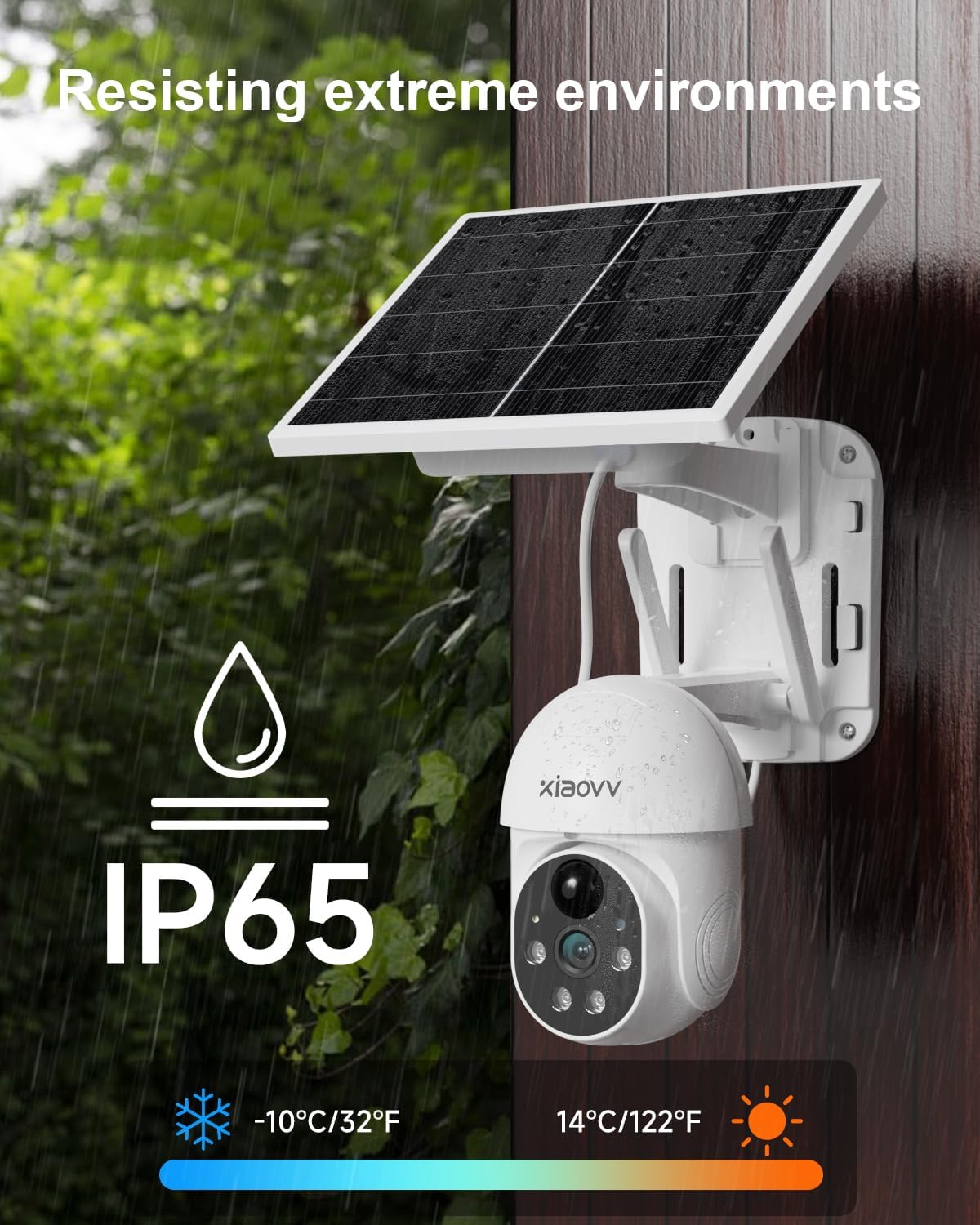
Figure 4: PIR motion detection in action, highlighting human presence at a doorway.
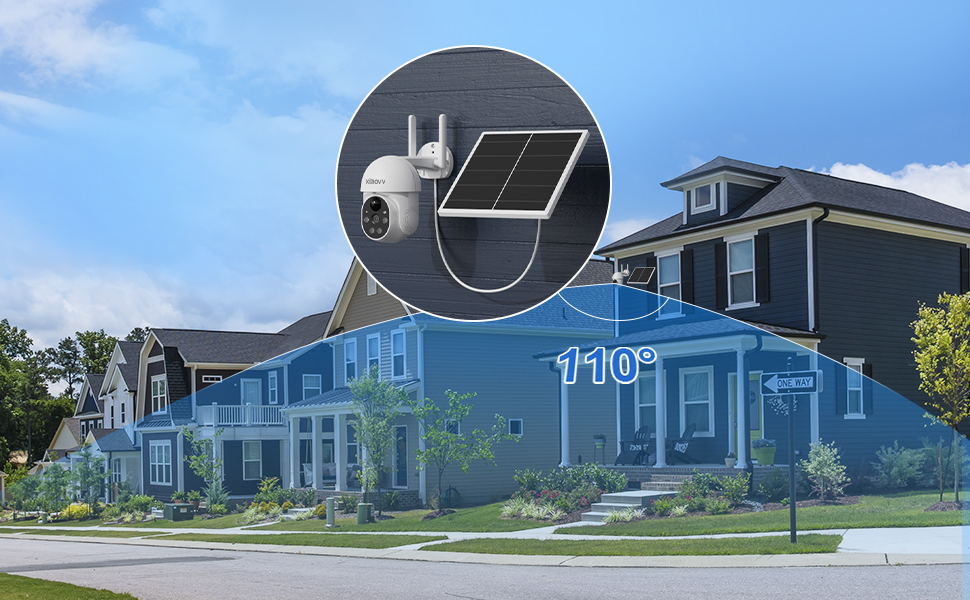
Figure 5: PIR detection mechanism, focusing on temperature-based sensing.
3.2 Pan, Tilt, and Digital Zoom
Ikkontrolla l-kamera viewing angle remotely through the XIAOVV app. The camera supports 355° horizontal pan and 100° vertical tilt, allowing you to monitor a wide area. Digital zoom is also available for closer inspection of details.

Figure 6: Illustration of the camera's pan (355°) and tilt (90°) range.
3.3 Viżjoni bil-Lejl u Spotlight
The camera provides clear HD night vision, allowing you to see details even in complete darkness. When motion is detected at night, the integrated spotlight can automatically activate to illuminate the area, providing color night vision and acting as a deterrent. A voice siren can also be triggered.

Figure 7: Camera operating with its spotlight active during nighttime.

Figure 8: Camera features for warning intruders, including spotlight and siren.
3.4 Awdjo b'żewġ direzzjonijiet
Communicate with visitors or deter unwanted guests using the camera's built-in microphone and speaker. Access this feature through the live view in the XIAOVV app.

Figure 9: Two-way audio feature allowing communication through the camera.
3.5 Reġistrazzjoni u Ħażna
The camera supports two primary recording and storage methods:
- Ħażna Lokali: Insert a microSD card (not included) into the designated slot on the camera for continuous or event-triggered recording.
- Ħażna Cloud: Subscribe to the optional cloud storage service through the XIAOVV app for secure, remote storage of your video recordings.
3.6 App Features and Multi-Camera View
The XIAOVV app provides a range of personalized functions, including auto-tracking, adjustable PIR sensitivity, siren voice customization, lamplight sensitivity settings, and alarm time period settings. You can also view live feeds from multiple XIAOVV cameras simultaneously within the app, allowing for comprehensive monitoring of different areas.

Figure 10: XIAOVV app interface displaying various personalized functions and camera controls.
4. Linji Gwida ta' Manutenzjoni
4.1 Ġestjoni tal-batterija
The integrated solar panel is designed to keep the 10,000 mAh battery charged, ensuring continuous operation. To maximize charging efficiency:
- Ensure the solar panel is positioned to receive maximum direct sunlight throughout the day.
- Regularly clean the surface of the solar panel to remove dust, dirt, leaves, or snow that may obstruct sunlight.
4.2 Reżistenza għat-Temp
The XIAOVV P6 camera boasts an IP65 weather-resistant rating, meaning it is protected against dust ingress and low-pressure water jets from any direction. It is designed to operate reliably in various outdoor conditions, including rain, snow, and extreme temperatures ranging from -10°C to 50°C (14°F to 122°F).

Figure 11: Camera demonstrating IP65 weather resistance in rainy conditions.
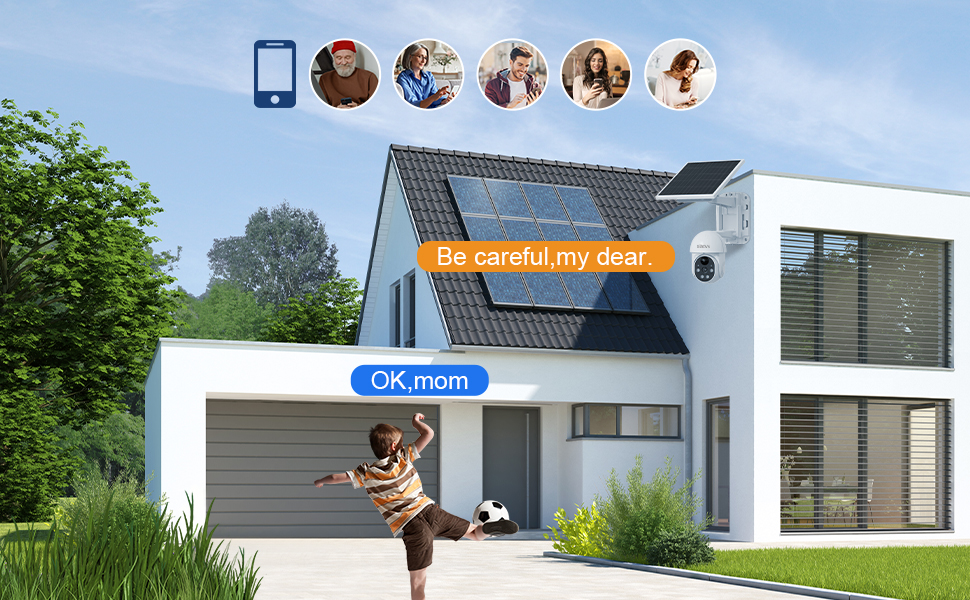
Figure 12: Weather resistance details, including IP65 rating and operational temperature range.
4.3 Sigurtà tad-Dejta
XIAOVV prioritizes your privacy. The camera uses military-grade data encryption algorithms to ensure 100% protection of your private data, whether stored locally or in the cloud.

Figure 13: Illustration of military-grade data encryption for privacy protection.
5. Issolvi l-problemi ta' Kwistjonijiet Komuni
5.1 Problemi ta' Konnettività
- Ebda Konnessjoni Wi-Fi: Ensure your router is broadcasting a 2.4GHz Wi-Fi signal. The camera does not support 5GHz networks.
- Sinjal Dgħajjef: Check the Wi-Fi signal strength at the camera's installation location using your smartphone. If the signal is weak, consider moving the camera closer to the router or installing a Wi-Fi extender.
- Nuqqas ta' Tqabbil: Try resetting the camera (refer to the device for a reset button location, usually a small pinhole) and repeat the pairing process through the XIAOVV app.
5.2 Allarmi Foloz
- Adjust PIR Sensitivity: In the XIAOVV app settings, reduce the PIR sensitivity level to prevent triggers from minor movements or environmental factors.
- Optimize Camera Placement: Avoid pointing the camera directly at busy roads, swaying trees, or areas with reflective surfaces that might cause unwanted detections.
5.3 Kwistjonijiet ta' Reġistrazzjoni
- SD Card Mhux Individwat: Ensure the microSD card is correctly inserted and formatted within the camera settings via the app. Try a different, compatible SD card if issues persist.
- Ħażna Cloud: Verify your cloud storage subscription is active and that your internet connection is stable for uploads.
- Ħażna Sħiħa: Regularly check the remaining storage space on your SD card or cloud account. Delete old recordings if necessary.
5.4 Solar Panel Not Charging
- Espożizzjoni għad-dawl tax-xemx: Confirm the solar panel receives adequate direct sunlight for several hours each day. Relocate if necessary.
- Ostruzzjonijiet: Clear any debris, dirt, or snow from the solar panel surface.
6. Speċifikazzjonijiet Tekniċi
| Karatteristika | Speċifikazzjoni |
|---|---|
| Mudell | 2.4G WiFi P6 |
| Riżoluzzjoni tal-Vidjo Effettiva | 2 MP (1080p) |
| Teknoloġija tal-Konnettività | Wireless (WiFi 2.4G) |
| Sors tal-Enerġija | Solar Powered (with 10,000 mAh Lithium battery) |
| Angolu Pan | 355 Grad |
| Angolu Mejjel | 100 Grad |
| ViewIng Angolu | 100 Grad |
| Karatteristiċi Speċjali | Night Vision, PIR Detection, Spotlight, Voice Siren, Two-Way Audio |
| Reżistenza għat-temp | IP65 |
| Materjal | Kamera tas-Sigurtà ta 'barra li ma jgħaddix ilma minnha |
| Dimensjonijiet (L x W x H) | 24 x 24 x 20 ċm |
| Piż | 1.5 Kilogrammi |
| Kontroll App | xiaovv APP |
7. Garanzija u Appoġġ għall-Klijent
7.1 Informazzjoni dwar Garanzija
This XIAOVV product is covered by a Garanzija ta' 2 snin mill-manifattur for after-sales maintenance. Spare parts are guaranteed to be available for 1 year from the date of purchase.
7.2 Appoġġ għall-Klijent
For technical assistance, troubleshooting, or any product-related inquiries, please contact XIAOVV customer support. Online support services are available to provide timely and professional assistance.
Please refer to the official XIAOVV webis-sit jew id-dokumentazzjoni tax-xiri tiegħek għall-aktar informazzjoni ta' kuntatt aġġornata.
8. Vidjo tal-Prodott
Video 1: An official product video demonstrating the features and functionality of the XIAOVV Solar Wireless Security Camera.