
1. Introduzzjoni
Grazzi tax-xiriasing the F&D PA100 Bluetooth Party Speaker. This manual provides essential information for the safe and efficient operation of your device. Please read it thoroughly before use and retain it for future reference.
Kontenut tal-Pakkett:
- 1 x F&D PA100 Party Speaker
- 1 x Kejbil tal-Iċċarġjar (USB)
- 1 x Manwal għall-Utent
2. Informazzjoni dwar is-Sigurtà
Biex tiżgura tħaddim sikur u tevita ħsara, jekk jogħġbok osserva l-linji gwida ta' sigurtà li ġejjin:
- Tesponix l-ispiker għal temperaturi estremi jew dawl tax-xemx dirett.
- Evita li twaqqa’ jew tissuġġetta lill-kelliem għal impatti qawwija.
- Tiżżarmax jew tippruvax issewwi l-ispiker int stess. Ikkuntattja persunal tas-servizz kwalifikat.
- Keep the speaker away from water and liquids. While the speaker has an IPX4 rating for splash resistance, it is not fully waterproof and should not be submerged.
- Use only the specified charging cable and power adapter (5V) to charge the device.
- Clean the speaker with a soft, dry cloth. Do not use abrasive cleaners.

Image: Top panel of the F&D PA100 speaker, highlighting its durable and splash-resistant construction.
3. Prodott Aktarview
Familiarize yourself with the components and controls of your F&D PA100 speaker.

Immaġni: Quddiem view of the F&D PA100 speaker, showcasinid-disinn u d-dawl LED tiegħu.

Image: Angled top view of the F&D PA100 speaker, displaying the control panel and integrated handle.
Karatteristiċi ewlenin:
- Ħruġ tal-Awdjo ta' 40W: Delivers clear sound and deep bass.
- Bluetooth 5.0: Konnessjoni mingħajr fili stabbli u veloċi.
- Multi-konnettività: Supports Bluetooth, USB, and AUX inputs.
- Radju FM: Built-in FM tuner for radio playback.
- Ħin twil tal-logħob: Sa 10 sigħat ta' daqq kontinwu fuq ħlas wieħed.
- Dwal LED b'ħafna kuluri: Dynamic RGB lighting for visual effects.
- Funzjoni TWS: Connect two PA100 speakers for stereo sound.
- Disinn Durabbli: Constructed with ABS plastic, IPX4 splash-resistant.
- Kontroll li jdur: Intuitive knob for volume and other adjustments.

Image: Visual representation of key features including Bluetooth 5.0, RGB lighting, TWS, and rotary control.
4. Setup
4.1 Iċċarġjar inizjali
Before first use, fully charge the speaker. Connect the provided USB charging cable to the speaker's charging port and the other end to a 5V USB power adapter (not included) or a PC's USB port. The charging indicator will show the charging status and turn off or change color when fully charged.
4.2 Tixgħel/Jitfi
Agħfas u żomm il-buttuna Power (⏻) fuq il-pannell tal-kontroll biex tixgħel jew titfi l-ispiker.
4.3 Tqabbil tal-Bluetooth
- Ixgħel l-ispiker. Dan jidħol awtomatikament fil-modalità ta' tqabbil Bluetooth, indikat minn dawl LED li jteptep.
- Fuq l-apparat tiegħek (smartphone, tablet, eċċ.), attiva l-Bluetooth u fittex apparati disponibbli.
- Select "F&D PA100" from the list of devices.
- Ladarba jkun imqabbad, l-ispiker se joħroġ ħoss ta' konferma, u l-indikatur LED se jieqaf iteptep.

Image: Visual representation of the advanced Bluetooth 5.0 technology for stable connections.
5. Istruzzjonijiet Operattivi
5.1 Għażla tal-Modalità
Press the 'Mode' button to switch between Bluetooth, USB, AUX, and FM radio modes.
5.2 Daqq tal-Awdjo
- Modalità Bluetooth: After pairing, play audio from your connected device. Use the speaker's controls or your device to manage playback (play/pause, next/previous track).
- Modalità USB: Insert a USB flash drive into the USB port. The speaker will automatically detect and play compatible audio files.
- Modalità AUX: Connect an audio device using a 3.5mm AUX cable (not included) to the AUX input port.
- Modalità tar-Radju FM: In FM mode, press the Play/Pause button to auto-scan and save available radio stations. Use the next/previous track buttons to navigate through saved stations.
5.3 Kontroll tal-Volum
Rotate the main rotary control knob to adjust the volume level.
5.4 Dawl LED
The speaker features multicolor LED lights. Use the dedicated light mode button to cycle through different lighting effects or turn them off.

Image: The F&D PA100 speaker showcasing its dynamic RGB lighting, illustrating various lighting modes.
5.5 Funzjoni Stereo Veru Mingħajr Fili (TWS)
To connect two F&D PA100 speakers for a stereo sound experience:
- Ensure both PA100 speakers are powered on and not connected to any Bluetooth device.
- On one speaker, press and hold the TWS button (if available) or a designated pairing button until you hear a pairing prompt.
- The two speakers will attempt to connect to each other. Once connected, you will hear a confirmation sound.
- Now, connect your Bluetooth device to one of the paired PA100 speakers. Audio will play in stereo across both speakers.
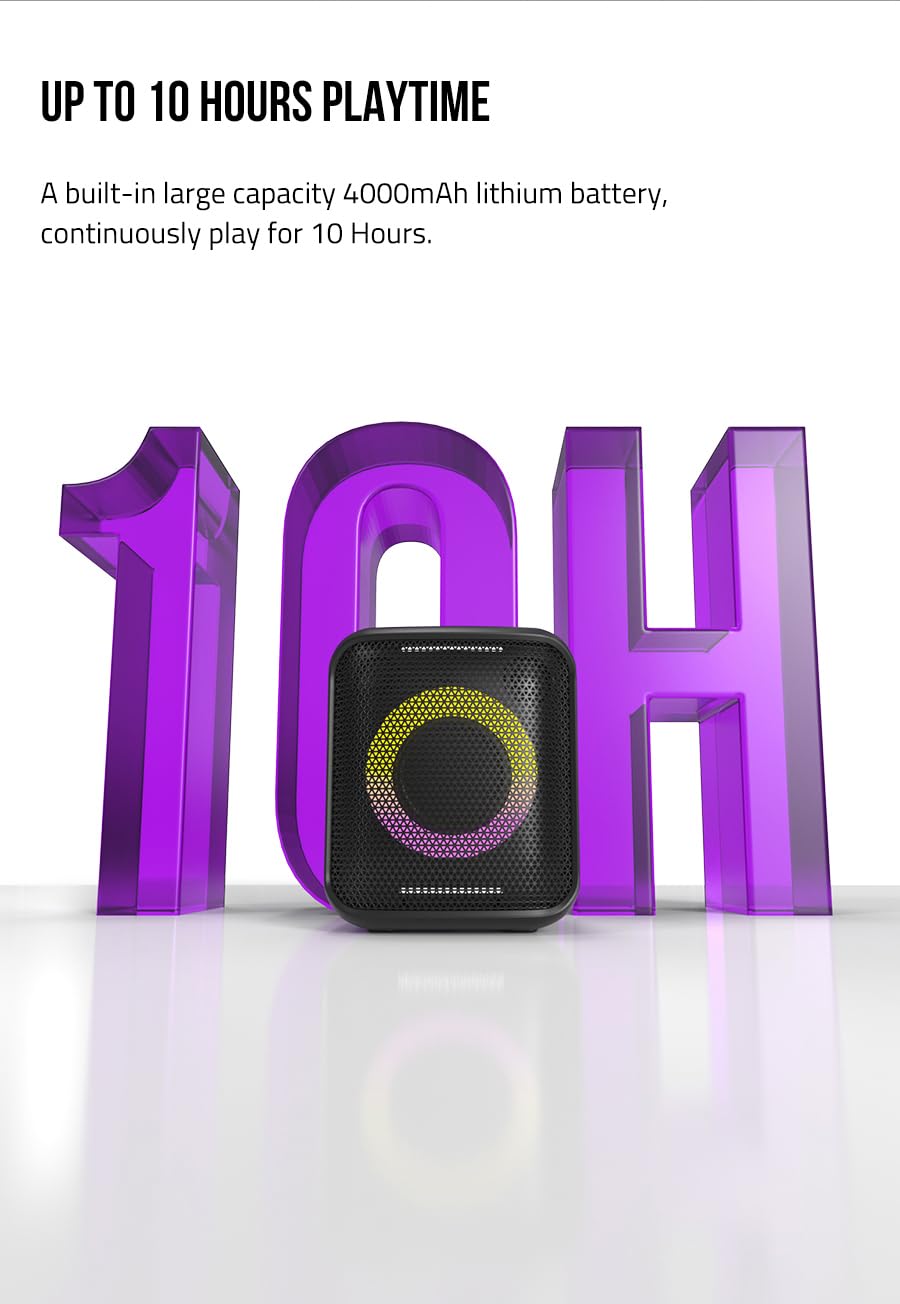
Image: The F&D PA100 speaker, emphasizing its battery life of up to 10 hours.
6. Manutenzjoni
- Tindif: Wipe the speaker's exterior with a soft, dry, lint-free cloth. Do not use liquid cleaners or aerosols.
- Ħażna: Meta ma tkunx qed tużah għal perjodi twal, aħżen l-ispiker f'post frisk u niexef, 'il bogħod mix-xemx diretta u minn temperaturi estremi.
- Kura tal-batterija: Biex ittawwal il-ħajja tal-batterija, evita li tiċċarġja kompletament il-batterija ta’ spiss. Iċċarġja l-ispiker regolarment, anke jekk ma jkunx qed jintuża.
7 Issolvi l-problemi
| Problema | Kawża Possibbli | Soluzzjoni |
|---|---|---|
| L-ispeaker ma jixgħelx. | Il-batterija hija eżawrita. | Iċċarġja l-ispiker kompletament. |
| Ma tistax tqabbad permezz tal-Bluetooth. | L-ispiker mhux fil-modalità ta' tqabbil; il-Bluetooth tal-apparat huwa mitfi; l-ispiker diġà huwa konness ma' apparat ieħor. | Ensure speaker is in pairing mode. Turn off and on Bluetooth on your device. Disconnect from other devices. |
| L-ebda ħoss. | Il-volum huwa baxx wisq; intgħażlet modalità ta' input mhux korretta; l-apparat mhux qed idoqq l-awdjo. | Increase volume. Select correct input mode (Bluetooth, USB, AUX). Ensure audio is playing on the connected device. |
| Ir-riċeviment tar-radju FM huwa fqir. | Sinjal dgħajjef. | Irriloka l-ispiker f'żona b'riċeviment aħjar. |
8. Speċifikazzjonijiet

Immaġni: Interna view highlighting the 5.25-inch subwoofer and 2-inch tweeters for high-performance audio.
| Karatteristika | Dettall |
|---|---|
| Mudell | PA100 |
| Qawwa tal-Ħruġ | 40W |
| Sewwieqa tal-Ispeaker | 5.25-inch Subwoofer, 2 x 2-inch Tweeters |
| Verżjoni Bluetooth | 5.0 |
| Konnettività | Bluetooth, USB, AUX, FM |
| Ħin tal-logħob | Sa 10 sigħat |
| Batterija | Built-in Rechargeable Lithium Battery (4000mAh) |
| Reżistenza għall-Ilma | IPX4 (reżistenti għat-titjir) |
| Dimensjonijiet (D x W x H) | 27.7 x 32.5 x 29.3 ċm |
| Piż | 5.6 kg |
| Materjal | Plastic ABS |
| Metodu ta' Kontroll | Touch, Rotary Knob |

Immaġni: Side profile of the F&D PA100 speaker, illustrating its concise and sleek exterior design.
9. Garanzija u Appoġġ
F&D products are manufactured to high-quality standards. For warranty information and customer support, please refer to the warranty card included with your product or visit the official F&D websit. Żomm l-irċevuta tax-xiri tiegħek bħala prova tax-xiri.
Manifattur: Fenda Audio, SHENZHEN FENDA TECHNOLOGY CO.,LTD.
Pajjiż ta' Oriġini: Iċ-Ċina