
1. Introduzzjoni
Thank you for choosing the Inwa Bluetooth Portable Speaker MZ509. This manual provides essential information for setting up, operating, and maintaining your speaker to ensure optimal performance.
Karatteristiċi tal-Prodott
- Disinn kompatt u portabbli: Weighing approximately 244g (0.4 lbs) with dimensions of 7.62 x 7.62 x 7.62 cm, designed for easy transport.
- Subwoofer Enhancement Technology: Delivers deep bass and clear treble with a frequency response range of 20Hz-20kHz.
- Konnettività Bluetooth 5.1: Provides a stable wireless connection up to 33 feet (10 meters).
- Tqabbil Stereo mingħajr fili (TWS): Link two MZ509 speakers for an enhanced stereophonic sound experience.
- Mikrofonu inkorporat: Jippermetti sejħiet mingħajr idejn.
- Appoġġ għall-Karta TF: Play music directly from a TF (MicroSD) card up to 32GB.
- Klassifikazzjoni IP67 li ma jgħaddix ilma minnha: Designed to withstand immersion in water up to 1 meter for 30 minutes, making it suitable for various environments.
- Iċċarġjar tat-Tip C: Interfaċċja tal-iċċarġjar moderna u konvenjenti.

Image: The Inwa MZ509 speaker demonstrating its compact size and versatility for use in different environments, including outdoor activities and wet areas.

Image: The Inwa MZ509 speaker showcasing its IP67 waterproof capability, suitable for use near water.
2. Setup
2.1 Iċċarġjar tal-Ispeaker
- Connect the provided USB-A to USB-C charging cable to the speaker's Type-C port.
- Connect the USB-A end of the cable to a compatible USB power adapter (DC 5V/1A recommended).
- A red indicator light near the charging port will illuminate, indicating that the speaker is charging.
- The red indicator light will turn off once the speaker is fully charged. A full charge typically takes 2-4 hours.
Nota: The speaker is designed to charge only with a USB-A to USB-C cable. USB-C to USB-C cables may not initiate charging.
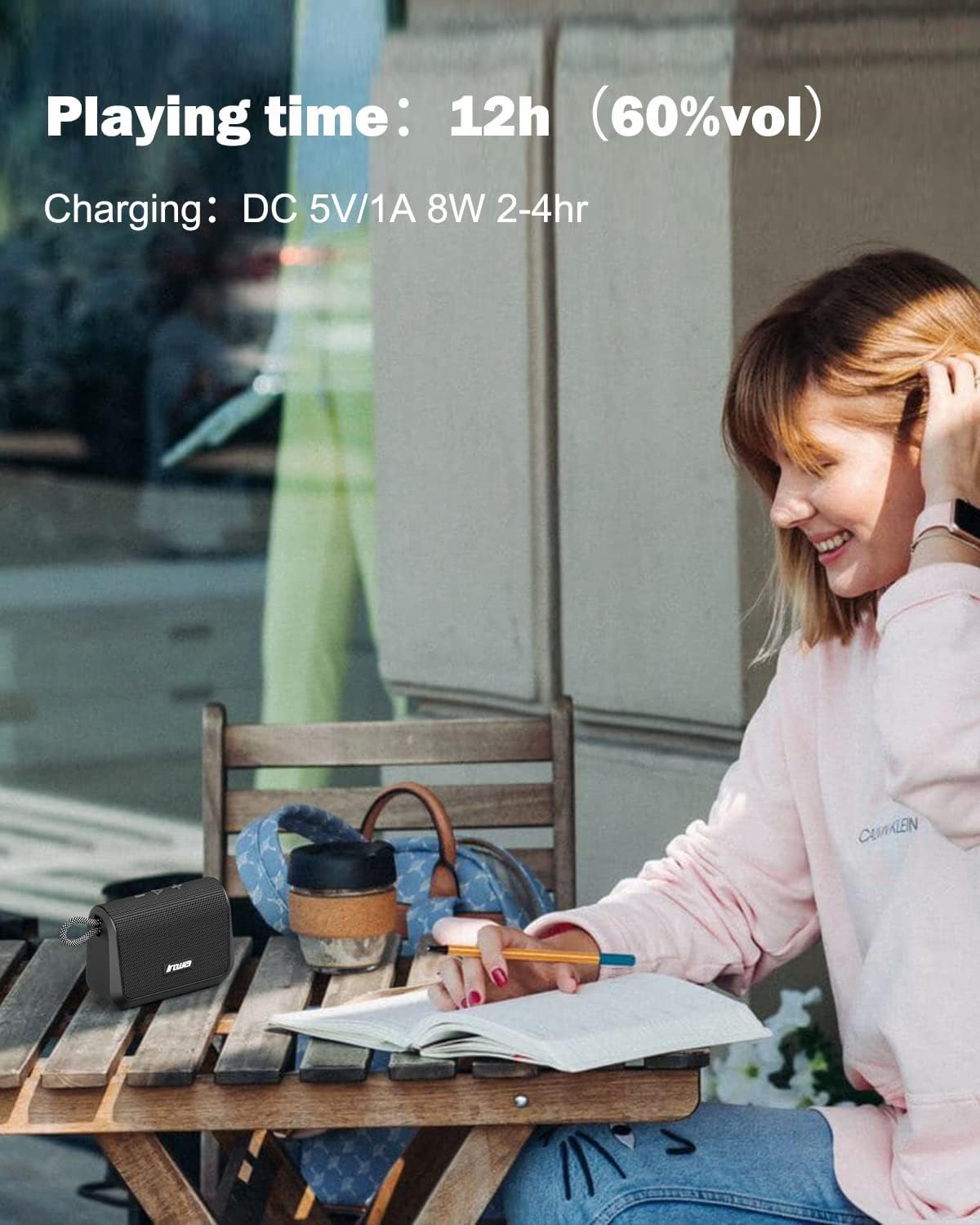
Image: Visual representation of the speaker's battery performance, indicating 12 hours of playing time at 60% volume and a charging duration of 2-4 hours.
2.2 Tixgħel/Jitfi
- To power on, press and hold the power button (usually the play/pause button) until you hear an audible "power on" prompt, followed by "Bluetooth mode".
- To power off, press and hold the power button again until the speaker shuts down.
2.3 Tqabbil tal-Bluetooth
- Ensure the speaker is powered on and in "Bluetooth mode". The indicator light will typically flash, indicating it's ready for pairing.
- Fuq l-apparat mobbli tiegħek (smartphone, tablet, eċċ.), attiva l-Bluetooth u fittex apparati disponibbli.
- Select "Inwa MZ509" from the list of found devices.
- Once paired, you will hear a confirmation tone or voice prompt, and the indicator light will typically become solid.
- The speaker will attempt to automatically reconnect to the last paired device when powered on. If you move out of range and return, manual reconnection may be required.
2.4 Tqabbil Stereo Wireless (Funzjoni TWS)
To achieve a stereophonic sound experience, you can pair two Inwa MZ509 speakers together.
- Ensure both MZ509 speakers are powered off.
- Ixgħel iż-żewġ speakers simultanjament. Dawn jidħlu fil-modalità ta' tqabbil Bluetooth.
- On one of the speakers, double-press the power/play button. The speakers will attempt to connect to each other.
- Once successfully paired, you will hear a confirmation. One speaker will act as the master (left channel) and the other as the slave (right channel).
- Issa, qabbad l-apparat mobbli tiegħek mal-ispiker ewlieni permezz tal-Bluetooth kif deskritt fit-taqsima 2.3.
The TWS function allows for a maximum range of 33 feet (10 meters) between the two linked speakers.

Image: Two Inwa MZ509 speakers demonstrating wireless stereo pairing with a laptop and smartphone, also highlighting the built-in microphone.

Image: The TWS feature in action, with two speakers providing stereophonic sound in an outdoor setting.
3. Operazzjoni
3.1 Funzjonijiet tal-buttuni
The Inwa MZ509 speaker features intuitive buttons for controlling playback and functions.
| Buttuna/Azzjoni | Funzjoni |
|---|---|
| Power/Play/Pause Button (Long Press) | Qawwa mixgħul/mitfi |
| Power/Play/Pause Button (Short Press) | Play/Pause music; Answer/End calls |
| Volume Up (+) Button (Short Press) | Żid il-Volum |
| Volume Up (+) Button (Long Press) | Track li jmiss |
| Volume Down (-) Button (Short Press) | Naqqas il-Volum |
| Volume Down (-) Button (Long Press) | Track Preċedenti |
| Mode Button (if available) | Switch between Bluetooth mode and TF card mode. |
3.2 Sejħiet mingħajr idejn
With the built-in microphone, you can answer calls directly through the speaker when connected via Bluetooth to your smartphone.
- Irrispondi Sejħa: Short press the Play/Pause button when a call comes in.
- Tmiem Sejħa: Agħfas qasir il-buttuna Play/Pause waqt telefonata.
- Irrifjuta Sejħa: Long press the Play/Pause button when a call comes in.
Daqq tal-Karta TF 3.3
Insert a TF (MicroSD) card with your music files into the designated slot. The speaker will automatically switch to TF card mode and begin playing music. Use the control buttons to manage playback.
4. Manutenzjoni
4.1 Tindif
- Imsaħ il-kelliem b 'soft, damp drapp.
- Tużax prodotti tat-tindif li joborxu, alkoħol, jew solventi kimiċi, għax dawn jistgħu jagħmlu ħsara lill-wiċċ.
- Kun żgur li l-għatu tal-port tal-iċċarġjar ikun magħluq sew qabel ma tnaddaf jew tesponih għall-ilma.
4.2 Ħażna
- Aħżen l-ispiker f'post frisk u niexef 'il bogħod mix-xemx diretta u minn temperaturi estremi.
- Jekk taħżinha għal perjodu estiż, iċċarġja l-batterija sa madwar 50% kull ftit xhur biex ittawwal il-ħajja tal-batterija.
4.3 Waterproof Care (IP67)
- The speaker is IP67 rated, meaning it is protected from dust and can withstand immersion in water up to 1 meter for 30 minutes.
- Always ensure the charging port cover is fully sealed before exposing the speaker to water.
- After exposure to water, dry the speaker thoroughly, especially the charging port, before charging.
- Do not intentionally submerge the speaker in saltwater or other liquids, as this may cause damage not covered by warranty.
5 Issolvi l-problemi
| Problema | Kawża Possibbli | Soluzzjoni |
|---|---|---|
| L-ispiker ma jixgħelx. | Batterija baxxa. | Charge the speaker for 2-4 hours using a USB-A to USB-C cable and a 5V/1A adapter. |
| Ma tistax tqabbad permezz tal-Bluetooth. | Speaker not in pairing mode; Device Bluetooth off; Out of range. | Ensure speaker is powered on and flashing (pairing mode). Enable Bluetooth on your device. Move device closer to speaker (within 33ft). Forget device and re-pair. |
| L-ebda ħoss jew volum baxx. | Volume too low on speaker or device; Paused playback; Incorrect source. | Increase volume on both speaker and connected device. Ensure music is playing. Check if TF card is inserted if trying to play from card. |
| It-tqabbil tat-TWS ifalli. | Speakers not in TWS pairing mode; Too far apart. | Ensure both speakers are powered off, then power them on and double-press the power button on one speaker to initiate TWS pairing. Keep speakers within 33ft of each other. |
| Charging not working with USB-C to USB-C cable. | Speaker design requires specific cable type. | Uża l-kejbil tal-iċċarġjar USB-A għal USB-C provdut. |
6. Speċifikazzjonijiet
| Karatteristika | Dettall |
|---|---|
| Numru tal-Mudell | MZ509 |
| Brand | Inwa |
| Teknoloġija tal-Konnettività | Bluetooth 5.1 |
| Medda Bluetooth | Sa 33 pied (10 metri) |
| Modalità tal-Ħruġ tal-Awdjo | Stereo (bit-tqabbil tat-TWS) |
| Rispons ta' Frekwenza | 20Hz-20kHz |
| Ħin tal-logħob | Sa 12 sigħat (b'60% volum) |
| Input tal-Iċċarġjar | DC 5V/1A (Tip Ċ) |
| Ħin tal-Iċċarġjar | 2-4 sigħat |
| Klassifikazzjoni li ma jgħaddix ilma minnha | IP67 |
| Dimensjonijiet (L x W x H) | 7.62 x 7.62 x 7.62 ċm (3 x 3 x 3 pulzieri) |
| Piż | 244 g (0.4 lbs) |
| Appoġġ għall-Karta TF | Sa 32GB |
| Karatteristiċi Speċjali | Built-in Mic, TWS (True Wireless Stereo) Function |

Immaġni: Interna view of the Inwa MZ509 speaker, illustrating the components responsible for its subwoofer enhancement technology and wide frequency response.
7. Garanzija u Appoġġ
Inwa provides a garanzija ta 'sena covering parts and labor for the MZ509 Bluetooth Portable Speaker, ensuring high quality and reliability.
For customer service and support, please contact Inwa through the following platforms:
- Amazon
- YouTube
- Instagmuntun
Our customer service team is available to assist with any inquiries or issues you may encounter.