
1. Prodott Aktarview
The LDNIO C706Q is a versatile in-car accessory that combines an FM transmitter, Bluetooth connectivity, and multiple USB charging ports. It allows you to stream audio from your smartphone to your car's FM radio, make hands-free calls, and charge your devices simultaneously.
Karatteristiċi ewlenin:
- Bluetooth 5.0 for stable connection and improved audio.
- FM Transmitter function for audio streaming to car radio.
- Dual USB ports for charging (USB-A1 and USB-A2).
- AUX output for direct audio connection.
- Hands-free calling with "One Touch" operation.
- Digital display for FM frequency.

Image: The LDNIO C706Q FM Transmitter plugged into a car's cigarette lighter socket, displaying "87.5" on its digital screen. A smartphone is connected via a charging cable, showing 85% battery. This image illustrates the device in an operational car environment.
2. Kontenut tal-Pakkett
Jekk jogħġbok kun żgur li l-oġġetti kollha huma preżenti fil-pakkett:
- LDNIO C706Q Bluetooth FM Transmitter
- Manwal għall-Utent (dan id-dokument)

Image: The retail packaging for the LDNIO C706Q Bluetooth FM Transmitter. The front of the box highlights "Bluetooth FM Transmitter Dual USB charger" and shows an image of the device. The back of the box details features like Bluetooth 5.0, QC3.0 fast charging, and hands-free calling.
3. Layout tal-Apparat
Familiarize yourself with the various components of your LDNIO C706Q:
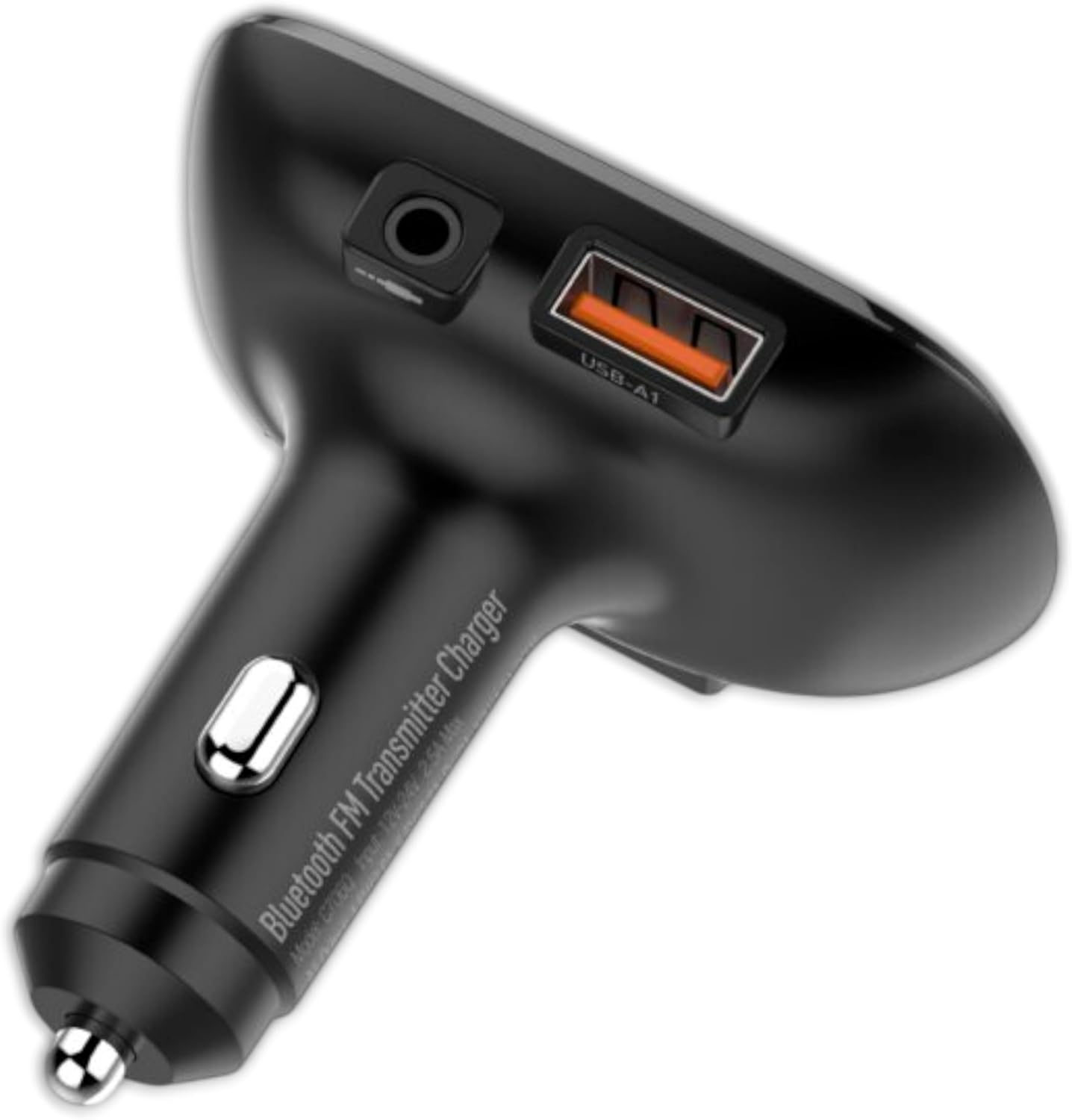
Immaġni: Minn fuq għal isfel view of the LDNIO C706Q FM Transmitter. Visible features include the digital display, play/pause button, track skip buttons, a 3.5mm AUX output, and a USB-A charging port (USB-A1).

Immaġni: Naħa waħda view of the LDNIO C706Q FM Transmitter, highlighting the 3.5mm AUX output, the USB-A1 charging port, and the main body that plugs into the car's cigarette lighter.

Immaġni: A view of the LDNIO C706Q FM Transmitter from the bottom, showing an additional USB-A2 charging port and a slot for a MicroSD card.
Komponenti:
- Digital Display: Shows FM frequency.
- Play/Pause/Call Button: Multifunction button for media control and call management.
- Previous/Next Track Buttons: Also used for FM frequency adjustment.
- USB-A1 Port: Charging port.
- USB-A2 Port: Charging port.
- AUX Output: 3.5mm audio jack for direct connection to car stereo.
- Microphone: For hands-free calls.
- MicroSD Card Slot: For playing music directly from a memory card.
4. Istruzzjonijiet ta' Setup
4.1. Tixgħel
- Insert the LDNIO C706Q into your car's 12V/24V cigarette lighter socket.
- The device will power on automatically, and the digital display will light up.
4.2. FM Frequency Pairing
- Tune your car's FM radio to an unused frequency (one with no static or broadcast).
- On the LDNIO C706Q, press and hold the Play/Pause button until the FM frequency on the display starts flashing.
- Use the Previous/Next track buttons to adjust the FM frequency of the transmitter to match your car's radio frequency.
- Once matched, press the Play/Pause button again to confirm the frequency.
4.3. Konnessjoni Bluetooth
- After powering on, the device will enter Bluetooth pairing mode automatically. The display might show "bt" or a similar indicator.
- Fuq l-ismartphone tiegħek, attiva l-Bluetooth u fittex apparati disponibbli.
- Select "LDNIO C706Q" (or similar name) from the list to connect.
- Ladarba tkun konnessa, se tinstema' twissija bil-vuċi biex tikkonferma li t-tqabbil b'suċċess sar.
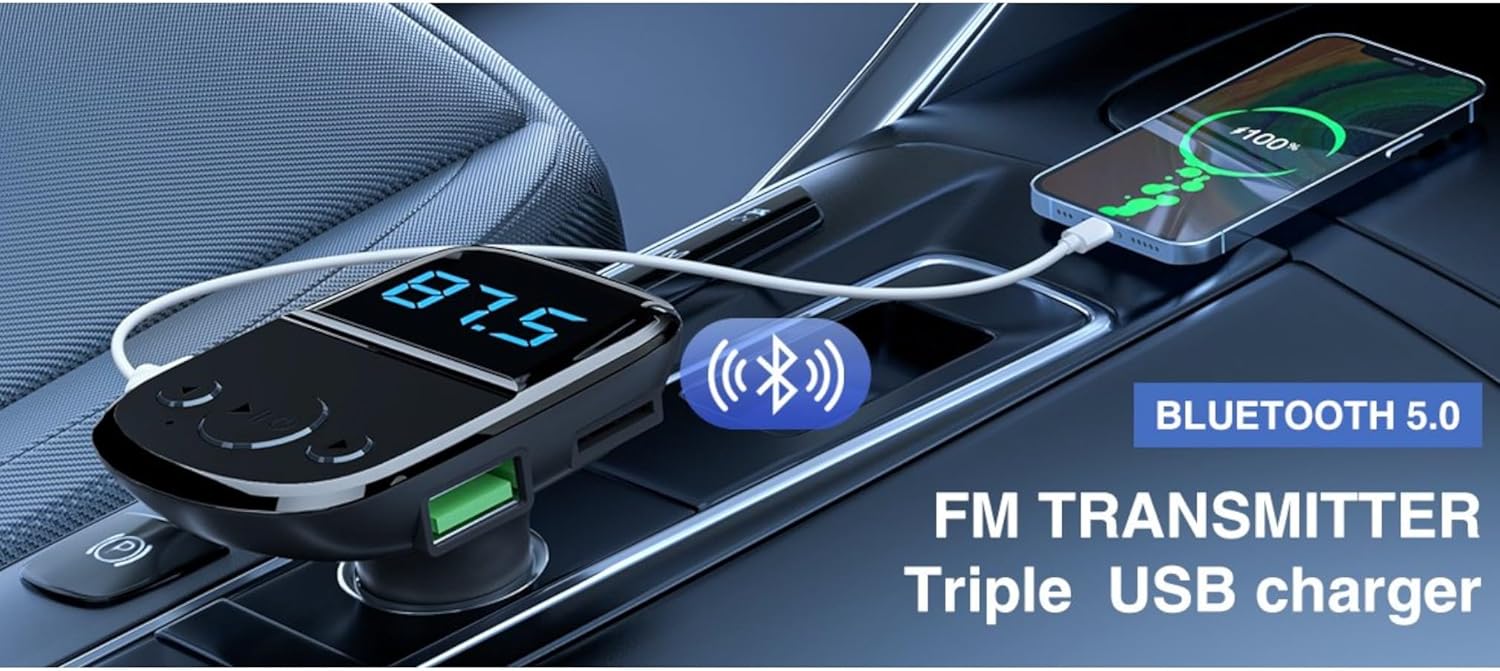
Image: The LDNIO C706Q FM Transmitter plugged into a car's power outlet, with a smartphone connected via a charging cable. Text overlays highlight "Bluetooth 5.0" and "FM TRANSMITTER Triple USB charger," illustrating its core functionalities.
5. Istruzzjonijiet Operattivi
5.1. Daqq tal-Mużika
Permezz tal-Bluetooth:
- Ensure your phone is paired with the LDNIO C706Q via Bluetooth.
- Open your music player on your phone and start playback.
- Audio will be transmitted to your car's FM radio.
- Use the Play/Pause button on the transmitter to control playback.
- Use the Previous/Next track buttons to skip tracks.
Via MicroSD Card:
- Insert a MicroSD card with MP3/WMA/WAV/FLAC audio files fl-islott tal-biljett.
- The device should automatically detect and start playing music from the card.
- Use the Play/Pause and Previous/Next track buttons for control.
Via AUX Output:
- Connect one end of a 3.5mm audio cable to the AUX output of the LDNIO C706Q.
- Connect the other end to your car's AUX input.
- Select AUX input on your car stereo.
- Play music from your phone (connected via Bluetooth or cable to the transmitter).
5.2. Sejħiet mingħajr idejn

Image: The LDNIO C706Q FM Transmitter, highlighting its "One Touch" feature for hands-free calls. The device is shown plugged into a car's power outlet, emphasizing its ease of use for communication.
- Meta tidħol telefonata, agħfas il-buttuna Play/Pause/Call darba biex twieġeb.
- To end a call, press the Play/Pause/Call button once.
- To reject an incoming call, press and hold the Play/Pause/Call button.
- To redial the last number, double-press the Play/Pause/Call button.
5.3. Apparat tal-Iċċarġjar
The LDNIO C706Q features two USB-A charging ports:
- Connect your device's USB charging cable to either USB-A1 or USB-A2 port on the transmitter.
- L-apparat jibda jiċċarġja awtomatikament.
6. Manutenzjoni
To ensure the longevity and optimal performance of your LDNIO C706Q:
- Żomm l-apparat niexef. Evita l-espożizzjoni għall-umdità jew likwidi.
- Naddaf l-apparat b'ċarruta ratba u niexfa. Tużax kimiċi ħarxa jew prodotti tat-tindif li joborxu.
- Evita temperaturi estremi.
- Do not attempt to disassemble or repair the device yourself. Contact qualified service personnel if needed.
- Unplug the device from the car's power socket when not in use for extended periods.
7 Issolvi l-problemi
If you encounter issues with your LDNIO C706Q, refer to the following common problems and solutions:
| Problema | Soluzzjoni |
|---|---|
| Ebda qawwa | Ensure the device is securely plugged into the car's cigarette lighter socket. Check if the car's power socket is functional. |
| Kwalità awdjo statika jew fqira |
|
| Il-Bluetooth mhux qed jgħaqqad |
|
| L-iċċarġjar huwa bil-mod jew mhux qed jaħdem |
|
8. Speċifikazzjonijiet
| Mudell | C706Q |
| Brand | Ldnio |
| Teknoloġija tal-Konnettività | Bluetooth 5.0, FM, USB, AUX |
| Sors tal-Enerġija | Cable Electric (Car Cigarette Lighter) |
| Materjal | Polikarbonat (PC) |
| Dimensjonijiet | 18.1 x 8.2 x 4.9 ċm |
| Piż | 180 g |
| Karatteristika Speċjali | Bluetooth |
| Output USB | Dual USB (Specific output details not fully provided in source, but generally for charging) |
9. Garanzija u Appoġġ
For warranty information and customer support, please refer to the documentation provided with your purchase or contact Ldnio customer service directly. Specific warranty terms may vary by region and retailer.