
Introduzzjoni
The ASUS ROG Strix Impact III is a lightweight, ergonomic wired gaming mouse designed for precision and comfort during intense gaming sessions. Featuring a 12,000 DPI optical sensor, 5 programmable buttons, and durable ROG micro switches, this mouse is built for responsive and accurate control. Its semi-ambidextrous design and paracord cable enhance usability for various grip styles and extended use.
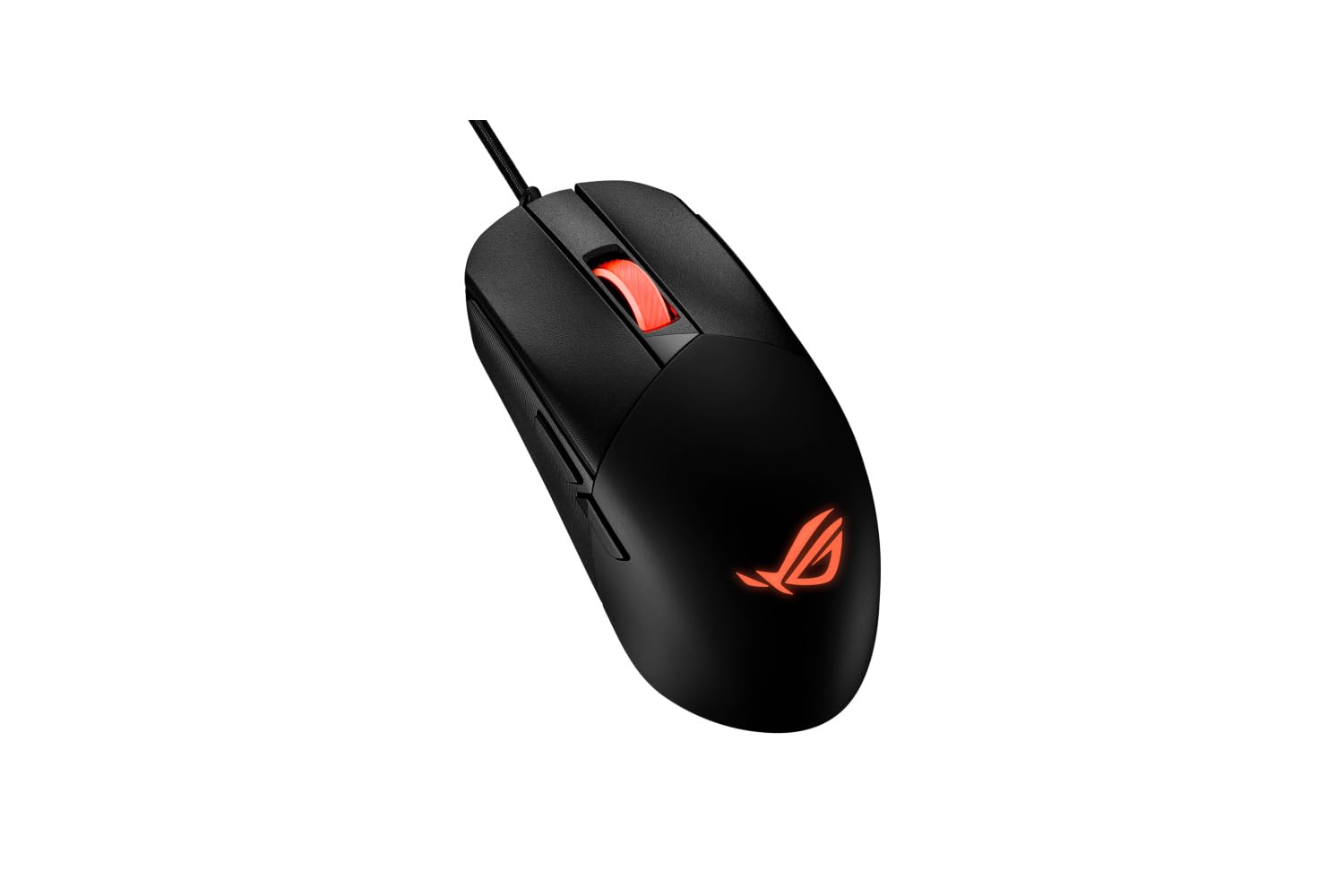
Figura 1: Quddiem view of the ASUS ROG Strix Impact III Wired Gaming Mouse.
Setup
1. Konnessjoni tal-Maws
The ROG Strix Impact III is a wired mouse. To connect it to your computer:
- Sib port USB disponibbli fuq il-kompjuter tiegħek.
- Plug the USB connector of the mouse's paracord cable into the USB port.
- Your operating system (Windows 7, Windows XP, Linux, etc.) should automatically detect and install the necessary drivers.
2. Installazzjoni tas-Softwer (Mhux obbligatorja)
For advanced customization, including button programming and DPI settings, it is recommended to install the ASUS Armoury Crate software. Visit the official ASUS support website for your product model to download the latest version.
Istruzzjonijiet Operattivi
1. Aġġustament tad-DPI
The mouse features a 12,000 DPI optical sensor for precise tracking. DPI (Dots Per Inch) determines the sensitivity of the mouse. You can typically adjust DPI settings using a dedicated button on the mouse or through the ASUS Armoury Crate software. Refer to the software interface for specific instructions on customizing DPI profiles.
2. Buttuni Programmabbli
The ROG Strix Impact III includes 5 programmable buttons. These buttons can be assigned various functions, macros, or shortcuts using the ASUS Armoury Crate software to enhance your gaming or productivity experience.
3. Ergonomics and Grip Styles
The mouse features a semi-ambidextrous, lightweight (59-gram) design for comfortable use across different grip styles. The precisely crafted shape accommodates palm, claw, and fingertip grips.

Figure 2: Illustration of various grip styles (Palm, Claw, Fingertip) for optimal ergonomic use.
4. ROG Micro Switches and Push-Fit Switch Sockets
The mouse is equipped with durable ROG micro switches, offering a consistent click force and a 70-million click lifespan. It also features a Push-Fit Switch Socket design, allowing users to easily swap out mechanical switches to customize click feel or extend the mouse's lifespan. This design supports both Omron mechanical switches and optical micro switches.
5. NVIDIA Reflex Compatibility
The ROG Strix Impact III is officially verified for NVIDIA Reflex Latency Analyzer, allowing you to monitor mouse responsiveness and optimize your system for competitive gaming.
Manutenzjoni
1. Tindif
Biex tinżamm prestazzjoni u iġjene ottimali:
- Skonnettja l-maws mill-kompjuter tiegħek qabel ma tnaddaf.
- Uża drapp ratba u mingħajr ħelu ftit dampLaħlaħ bl-ilma jew b'soluzzjoni ħafifa tat-tindif biex timsaħ il-wiċċ tal-maws.
- Evita li tuża kimiċi ħarxa, prodotti tat-tindif li joborxu, jew solventi.
- Uża arja kkompressata biex tneħħi t-trab u l-fdalijiet mix-xquq u madwar ir-rota tal-iscroll.
- Clean the optical sensor on the underside of the mouse with a cotton swab to ensure accurate tracking.
2. Kura tal-Kejbils
The mouse features a durable paracord cable. To prolong its life, avoid sharp bends, kinks, or excessive pulling. Store the cable neatly when not in use.
Issolvi l-problemi
1. Il-Maws Ma Jirrispondix
- Kun żgur li l-kejbil tal-USB huwa mdaħħal sew f'port USB li jaħdem fuq il-kompjuter tiegħek.
- Ipprova qabbad il-maws ma' port USB differenti.
- Ibda mill-ġdid il-kompjuter tiegħek.
- Check Device Manager (Windows) to see if the mouse is recognized and if there are any driver issues. Reinstall drivers if necessary.
2. Inaccurate Tracking or Cursor Jumps
- Naddaf is-senser ottiku fuq in-naħa ta' taħt tal-maws.
- Ensure you are using the mouse on a clean, uniform surface (e.g., a mouse pad). Avoid highly reflective or transparent surfaces.
- Adjust the DPI settings to a suitable level for your usage.
3. Il-Buttuni Ma Jaħdmux
- Check the ASUS Armoury Crate software to ensure buttons are correctly assigned and not disabled.
- If using custom switches, ensure they are properly seated in the Push-Fit Switch Sockets.
Speċifikazzjonijiet
| Karatteristika | Dettall |
|---|---|
| Brand | ASUS |
| Isem tal-Mudell | ROG STRIX Impact III |
| Numru tal-Mudell | 90MP0300-BMUA00 |
| Kulur | Iswed |
| Teknoloġija tal-Konnettività | Bil-fili |
| Teknoloġija ta 'Sejbien tal-Moviment | Ottiċi |
| Mouse Maximum Sensitivity | 12000 Dots per Inch |
| Kwantità tal-Buttuni | 5 |
| Orjentazzjoni tal-Idejn | Ambidestru |
| Piż tal-oġġett | 1 Gramm |
| Apparati Kompatibbli | Laptop, Kompjuter Personali |
| Sistema Operattiva | Linux, Windows 7, Windows XP |
| Karatteristika Speċjali | Dwal LED |
| Materjal tal-għeluq | PTFE |
| Midja Inkorporata | 1 x paracord cable |
Garanzija u Appoġġ
Informazzjoni dwar Garanzija
For detailed warranty information regarding your ASUS ROG Strix Impact III Gaming Mouse, please refer to the warranty card included with your product or visit the official ASUS support websit. It-termini u l-kundizzjonijiet tal-garanzija jistgħu jvarjaw skont ir-reġjun u l-bejjiegħ bl-imnut.
Appoġġ għall-Klijent
If you encounter any issues not covered in this manual or require further assistance, please contact ASUS customer support through their official website. You may need your product's model number (90MP0300-BMUA00) and serial number for support inquiries.