
ASUS ASUS - ROG Zephyrus G14 (AMD Ryzen 9 6900HS)
ASUS ROG Zephyrus G14 User Manual
Model: AMD Ryzen 9 6900HS
Introduzzjoni
This manual provides essential information for setting up, operating, maintaining, and troubleshooting your ASUS ROG Zephyrus G14 gaming laptop. Designed for high performance, this laptop features an AMD Ryzen 9 6900HS processor and AMD Radeon RX 6800S graphics, offering a powerful computing experience for gaming and productivity.
Setup
Unboxing u Konnessjoni Inizjali
Carefully remove your ASUS ROG Zephyrus G14 laptop and its accessories from the packaging. Ensure all components are present, including the power adapter and the bundled HDMI cable.

Figure 1: ASUS ROG Zephyrus G14 laptop with included HDMI cables, illustrating the product's primary components.
Tixgħel
- Qabbad l-adapter tal-enerġija mal-port tad-dħul tal-enerġija tal-laptop u mbagħad ma' sokit tal-enerġija.
- Iftaħ l-għatu tal-laptop.
- Press the power button, typically located on the top right of the keyboard deck, to turn on the laptop.
Konfigurazzjoni Inizjali tal-Windows 11
Mal-ewwel boot, int se tiġi ggwidat fil-proċess tas-setup tal-Windows 11 Home. Segwi l-istruzzjonijiet fuq l-iskrin biex tikkonfigura r-reġjun, il-lingwa, is-settings tan-netwerk, u l-kont tal-utent tiegħek.
It-Tħaddim tal-Laptop Tiegħek
Karatteristiċi Ewlenin Overview
- Proċessur: AMD Ryzen 9 6900HS 8-Core, 16-Thread Processor for demanding tasks and gaming.
- Grafika: AMD Radeon RX 6800S with 8GB GDDR6, enhanced by AMD SmartShift and Smart Access Memory technologies.
- Wiri: 14-inch WQXGA (2560 x 1600) 120Hz IPS-Level display with 500-nits brightness and 100% DCI-P3 color gamut. Features ROG Nebula Display standard for superior visual quality.
- Memorja: 16GB of fast DDR5 4800MHz RAM for efficient multitasking.
- Ħażna: 1TB PCIe 4.0 NVMe SSD for rapid data access and ample ħażna.

Figura 2: Angolat view of the ASUS ROG Zephyrus G14 laptop, showcasing huwa pro slimfile u l-wiri.
Konnettività
The laptop offers robust connectivity options:
- 2x USB 3.2 Gen 2 Type-C ports
- 2x portijiet USB 3.2 Ġen 2 tat-Tip A
- 1x HDMI 2.0b port
- Jack kombinat għall-headphones/mikrofonu
- Wireless/Wired connectivity: WiFi 6E for low latency and stable network connections.

Figura 3: In-naħa tax-xellug view of the laptop, highlighting the power input, HDMI, USB-C, and audio ports.
Tastiera u Touchpad
The laptop features a single-zone RGB keyboard backlight, allowing for comfortable use in various lighting conditions. The integrated touchpad provides precise cursor control.

Figura 4: Minn fuq għal isfel view of the laptop's keyboard and touchpad, showing the layout and RGB backlighting.
Karatteristiċi Avvanzati
- Swiċċ MUX: Allows direct GPU mode for competitive gaming, reducing latency and boosting performance.
- AMD SmartShift Max: Dynamically shifts power between CPU and GPU to optimize performance for gaming and content creation.
- AMD Smart Access Memory: Enables AMD Ryzen processors to fully utilize Radeon graphics card memory for enhanced performance.
- ROG Intelligent Cooling: Provides intelligent and dynamic cooling modes, automatically adjusting based on task demands.
Manutenzjoni
Tindif tal-Laptop Tiegħek
To maintain optimal performance and appearance, regularly clean your laptop:
- Use a soft, lint-free cloth to wipe the screen and chassis. Avoid harsh chemicals.
- Use compressed air to clear dust from the keyboard and ventilation grilles.

Figura 5: Wara view of the laptop, illustrating the ventilation grilles crucial for heat dissipation.
Software and Driver Updates
Regularly update your operating system, drivers, and BIOS to ensure system stability and performance. Visit the official ASUS support website for the latest updates specific to your model.
Kura tas-Sistema tat-Tkessiħ
Ensure proper airflow around the laptop, especially during intensive tasks. Avoid placing the laptop on soft surfaces that may block the vents. Maintaining a clean cooling system helps prevent performance degradation due to heat.
Issolvi l-problemi
This section addresses common issues you might encounter with your ASUS ROG Zephyrus G14 laptop.
Kwistjonijiet Komuni u Soluzzjonijiet
- System Freezing or Slowdown:
- Ensure all drivers and the BIOS are up to date.
- Iċċekkja għal applikazzjonijiet fl-isfond li qed jikkunsmaw riżorsi eċċessivi permezz tat-Task Manager.
- Verify sufficient free space on the SSD.
- Ebda Ħsejjes tal-Ħsejjes:
- Check volume levels and ensure speakers are not muted.
- Iċċekkja li d-drajvers tal-awdjo huma installati u aġġornati b'mod korrett.
- Test with external headphones to isolate the issue.
- Is-sħana żejda:
- Ensure ventilation grilles are clear of obstructions.
- Uża l-laptop fuq wiċċ iebes u ċatt biex tippermetti fluss tal-arja xieraq.
- Adjust cooling profiles in the ROG Armoury Crate software.
- Connectivity Problems (Wi-Fi/USB):
- Restart the laptop and your network router.
- Update wireless and USB controller drivers.
- Test USB devices in different ports.
If issues persist, consider performing a system restore or contacting ASUS support for further assistance.
Speċifikazzjonijiet
| Karatteristika | Dettall |
|---|---|
| Brand | ASUS |
| Isem tal-Mudell | ASUS - ROG Zephyrus |
| Proċessur | AMD Ryzen 9 6900HS (3.3 GHz, Max Turbo 4.9 GHz) |
| RAM | 16 GB DDR5 4800MHz |
| Hard Drive | 1 TB PCIe 4.0 NVMe SSD |
| Koproċessur tal-Grafika | AMD Radeon RX 6800S with 8 GB GDDR6 |
| Daqs tal-Iskrin | 14 Inches WQXGA (2560 x 1600) 120Hz |
| Sistema Operattiva | Windows 11 Home |
| Tip bla fili | 802.11ax (WiFi 6E) |
| Portijiet | 2x USB 3.2 Type-C, 2x USB 3.2 Type-A, 1x HDMI 2.0b, Headphone/Mic Combo |
| Piż tal-oġġett | 3.64 liri |
| Dimensjonijiet tal-Prodott | 12.28 x 0.73 x 8.94 pulzieri |
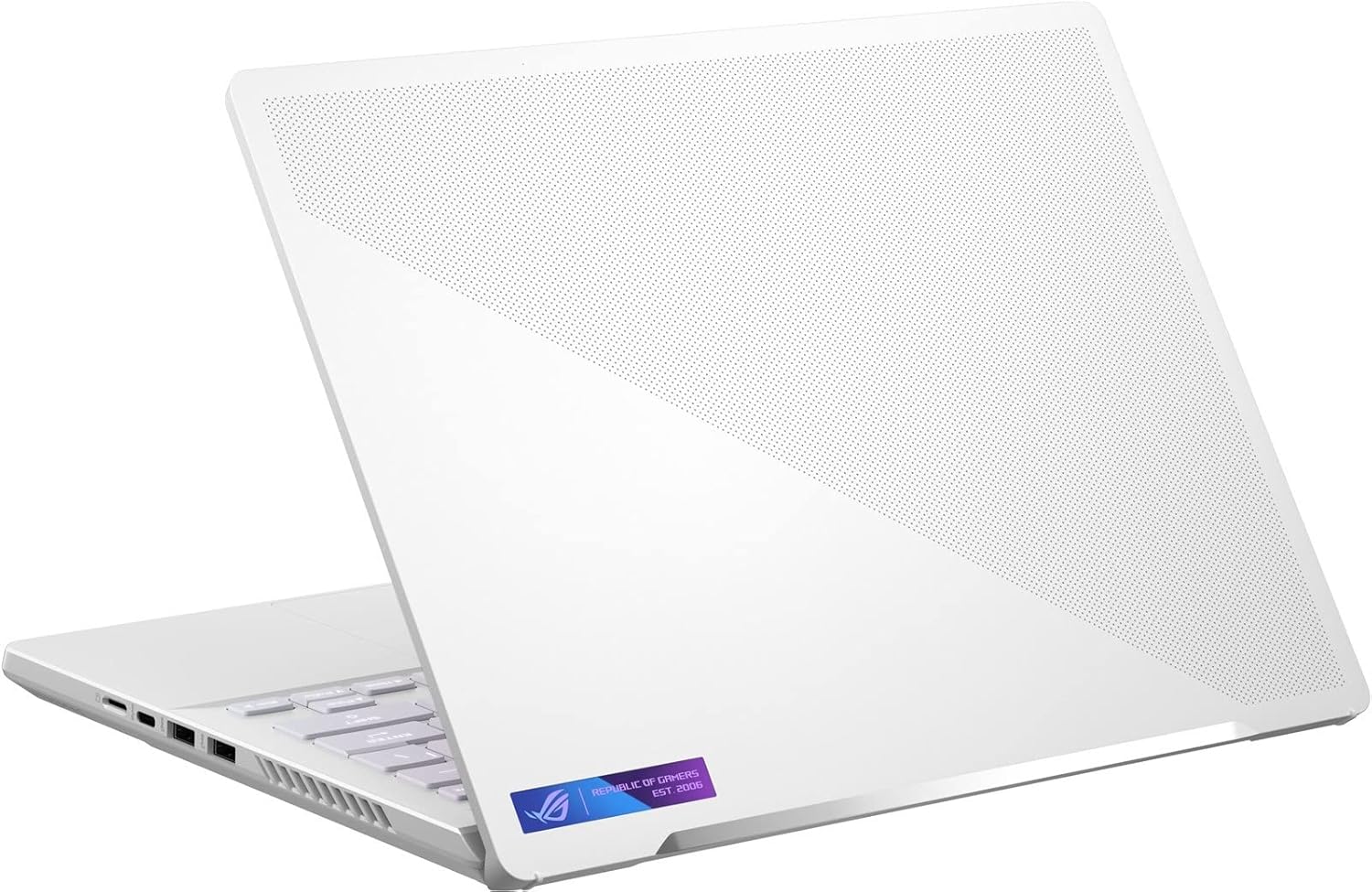
Figura 6: In-naħa tal-lemin view of the laptop, displaying its USB ports and ventilation.
Garanzija u Appoġġ
Informazzjoni dwar Garanzija
Your ASUS ROG Zephyrus G14 laptop comes with a standard manufacturer's warranty. Additionally, a 1-year standard warranty is provided on upgraded RAM/SSD components if applicable. Please refer to the warranty card included with your product for full terms and conditions.
Appoġġ għall-Klijent
Għal assistenza teknika, downloads ta' sewwieqa, jew mistoqsijiet dwar is-servizz, jekk jogħġbok żur is-sit uffiċjali tal-appoġġ tal-ASUS website. You can find detailed support resources and contact information at www.asus.com/support.
Ask a question about this manual
Ask about setup, troubleshooting, compatibility, parts, safety, or missing instructions. Manuals+ will review the question and use this page’s manual context to help answer it.