
1. Introduzzjoni
Thank you for choosing the Perlegear Tilting TV Wall Mount. This manual provides essential information for safe installation, operation, and maintenance of your new TV mount. Please read it thoroughly before installation and keep it for future reference.
This wall mount is designed to securely hold 13-42 inch LCD/LED/flat-screen TVs and monitors weighing up to 45kg (99 lbs). It features a slim profile and offers a tool-free tilt adjustment of ±15 degrees for optimal viewangoli.
2. Informazzjoni dwar is-Sigurtà
TWISSIJA: Improper installation may result in serious injury or damage to your equipment. If you do not understand these instructions or have doubts about the safety of the installation, please contact a qualified installer.
- Kapaċità tal-piż: Do not exceed the maximum weight capacity of 45kg (99 lbs). This mount is intended for use only with the maximum weights indicated.
- Daqs tat-TV: Kompatibbli ma' televiżjonijiet minn 13 sa 42 pulzier.
- Kompatibbiltà VESA: Ensure your TV's VESA pattern (mounting holes on the back of the TV) is between 75x75mm and 300x300mm.
- Tip ta' Ħajt: This mount is suitable for concrete walls, brick walls, and solid wood stud walls. Do not install on drywall alone without proper stud support.
- Earthquake Resistance: When properly installed on a suitable wall, this mount provides enhanced stability, reducing the risk of TV tip-over from minor impacts or tremors.
- Always ensure all screws are securely tightened before use.
3. Kontenut tal-Pakkett
Please verify that all components are present and undamaged before installation. If any parts are missing or defective, contact Perlegear customer service.
- Pjanċa tal-Ħajt
- Brackets tat-TV (2x)
- Kit tal-Ħardwer tal-Immuntar (diversi viti, woxers, spacers, ankri)
- Manwal ta' Istruzzjoni
4. Speċifikazzjonijiet
| Karatteristika | Speċifikazzjoni |
|---|---|
| Tip ta 'Immuntar | Mount Wall |
| Tip ta' Moviment | Inklinazzjoni |
| Brand | Perlegear |
| Materjal | Azzar Liga |
| Kulur | Iswed |
| Apparati Kompatibbli | Televiżjoni |
| Angolu ta 'Mejjel Massimu | ±15 Grad |
| Daqs Massimu Kompatibbli | 42 Pulzier |
| Daqs Minimu Kompatibbli | 13 Pulzier |
| Kapaċità tat-Tagħbija | Up to 45kg (99 lbs) |
| Kompatibilità VESA | Minimu 75x75mm, Massimu 300x300mm |
| Distanza tal-Ħajt | 62mm |

Figure 1: Product Specifications Diagram
5. Gwida għall-Installazzjoni
Before starting, ensure you have the necessary tools (drill, level, screwdriver, stud finder) and have confirmed your TV's weight, size, and VESA pattern, as well as your wall type.

Figure 2: Pre-Installation Checklist
Installazzjoni pass pass:
- Waħħal il-Brakketti tat-TV mat-TV: Secure the two TV brackets to the back of your television using the appropriate screws, washers, and spacers from the hardware kit. Ensure the brackets are level and firmly attached.
- Immuntar il-Pjanċa tal-Ħajt mal-Ħajt: Locate the desired mounting position on your wall. Use a stud finder for wood stud walls. Mark the drill holes for the wall plate. Drill pilot holes and secure the wall plate using the provided lag bolts and anchors (if applicable for concrete/brick). Ensure the wall plate is level.
- Iddendel it-TV fuq pjanċa tal-ħajt: Carefully lift the television and hook the TV brackets onto the wall plate. Ensure the TV is securely seated on the wall plate. Engage any safety locks or screws to prevent accidental dislodgement.

Figura 3: Passi Faċli ta' Installazzjoni
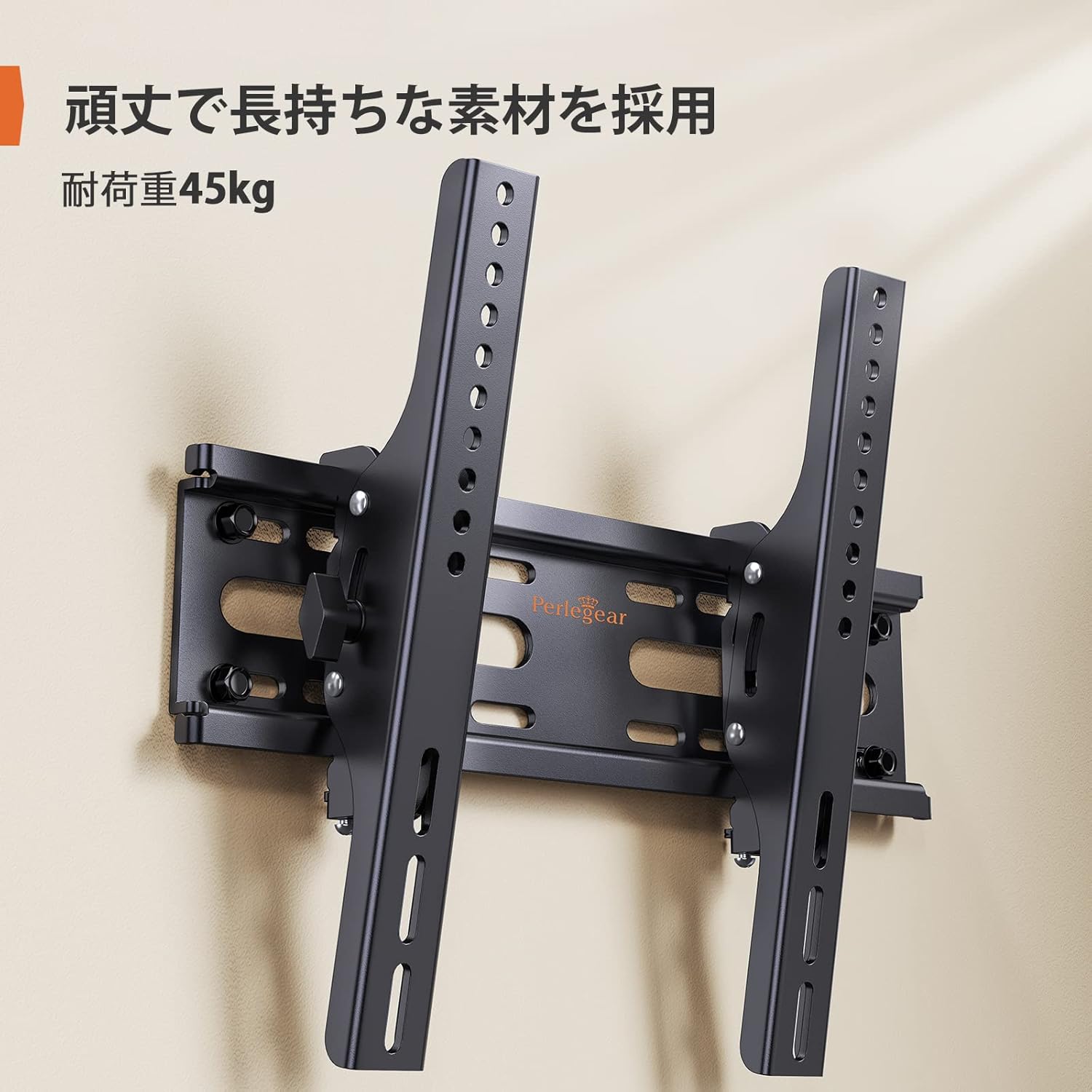
Figure 4: Installed Wall Mount

Figure 5: Slim Profile (62mm from wall)

Figure 6: Monitor Installation Example
6. Istruzzjonijiet Operattivi
This wall mount allows for easy vertical tilt adjustment to achieve the best viewing angle and reduce glare.
Aġġustament tal-inklinazzjoni:
The mount features a knob-style adjustment mechanism. Simply loosen the knobs on the side of the TV brackets to adjust the tilt angle up or down by up to 15 degrees. Once the desired angle is achieved, tighten the knobs firmly to secure the TV in place. No additional tools are required for this adjustment.

Figura 7: Firxa ta' Aġġustament tal-Inklinazzjoni

Figure 8: Tilt Mechanism and Security Features
Video 1: Product Features and Tilt Adjustment Demonstration. This video illustrates the slim design, tilt functionality, and how the mount helps save space in various room settings.
7. Manutenzjoni
Biex tiżgura l-lonġevità u t-tħaddim sikur tal-muntatura tal-ħajt tat-TV tiegħek, segwi dawn il-linji gwida tal-manutenzjoni:
- Tindif: Imsaħ il-muntatura b'ċarruta ratba u niexfa. Evita li tuża prodotti tat-tindif jew solventi li joborxu li jistgħu jagħmlu ħsara lill-finitura.
- Kontrolli perjodiċi: Iċċekkja l-viti u l-boltijiet kollha perjodikament biex tiżgura li jibqgħu ssikkati u mwaħħlin sew. Maż-żmien, il-vibrazzjonijiet jew il-moviment jistgħu jikkawżaw li l-qafliet jinħallu.
- Spezzjoni tal-Ħsara: Spezzjona l-muntatura għal kwalunkwe sinjal ta’ ħsara jew xedd. Jekk tinstab xi ħsara, waqqaf l-użu u kkuntattja l-appoġġ għall-klijenti.
8 Issolvi l-problemi
Jekk tiltaqa' ma' xi problemi waqt jew wara l-installazzjoni, irreferi għall-problemi u s-soluzzjonijiet komuni li ġejjin:
- It-TV mhux livellat: Ensure the wall plate was installed level. If the wall plate is level, check if the TV brackets are properly aligned and tightened on the TV. Some mounts allow for minor post-installation leveling adjustments.
- It-TV iħoss instabbli: Double-check all mounting screws on both the TV and the wall plate. Ensure the wall type is appropriate and that anchors (if used) are correctly installed. The mount is designed for high load capacity and stability when correctly installed.
- Diffikultà biex titmejjel: Loosen the tilt adjustment knobs slightly before attempting to adjust the angle. If the mechanism feels stiff, ensure no cables are obstructing movement.
- Partijiet neqsin: Refer to the package contents list. If any parts are missing, contact Perlegear customer support immediately.
9. Garanzija u Appoġġ
The Perlegear Tilting TV Wall Mount (Model PGST1-J) comes with a Garanzija ta' 5 snin mill-manifattur. Din il-garanzija tkopri difetti fil-materjali u l-abbilità taħt użu normali.
For warranty claims, technical support, or any questions regarding your product, please contact Perlegear customer service through the retailer where you purchased the product or visit the official Perlegear websit.