
Introduzzjoni
Welcome to the world of space exploration with Charlie The Astronaut! This manual provides essential information for setting up, operating, and maintaining your Xtrem Bots Charlie robot. Please read these instructions carefully before use to ensure proper function and safety.
Informazzjoni dwar is-Sigurtà
- TWISSIJA: Mhux adattat għal tfal taħt it-3 snin minħabba partijiet żgħar.
- Rakkomandat għall-etajiet ta '6 u' l fuq.
- Dejjem sorvelja lit-tfal waqt il-logħob.
- Tħallatx batteriji qodma u ġodda. Tħallatx batteriji alkalini, standard (karbonju-żingu), jew rikarikabbli (nikil-kadmju).
- Remove batteries if the robot will not be used for an extended period.
- Armi l-batteriji b'mod responsabbli.
Kontenut tal-Pakkett
Kun żgur li l-oġġetti kollha huma preżenti fil-pakkett:
- 1 x Charlie The Astronaut Robot
- 1 x Manwal tal-Istruzzjonijiet (dan id-dokument)
- Additional accessories (if applicable, check packaging)
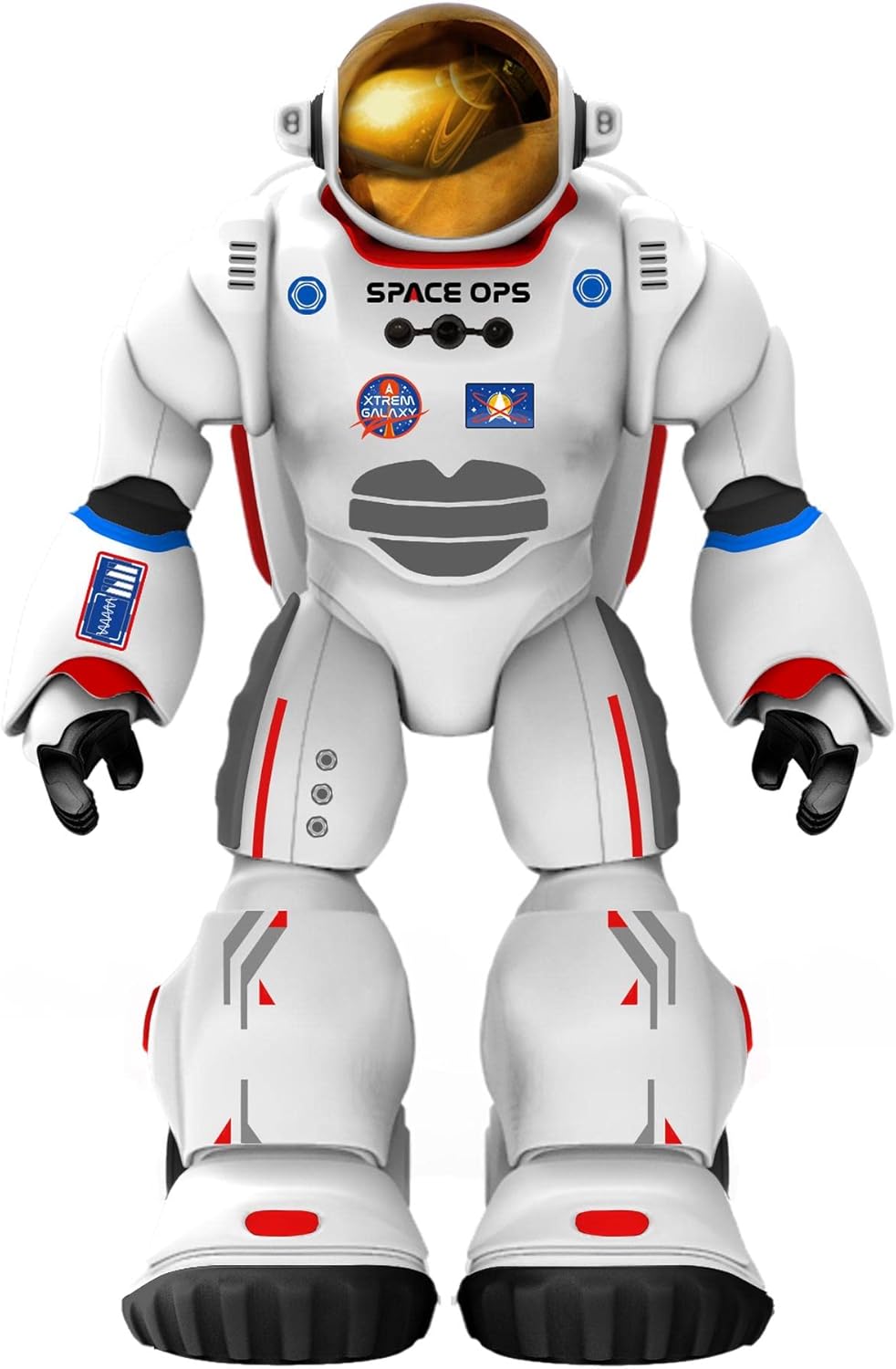
Stampa 1: Quddiem view of Charlie The Astronaut robot, showcasing its white astronaut suit with red and blue accents, a gold visor, and "SPACE OPS" branding.
Setup
1. Installazzjoni tal-batterija
Charlie The Astronaut requires 3 x AA 1.5V batteries (not included).
- Locate the battery compartment on the back of the robot.
- Billi tuża tornavit, iftaħ l-għatu tal-kompartiment tal-batterija.
- Insert 3 AA 1.5V batteries, ensuring correct polarity (+/-).
- Ibdel l-għatu tal-kompartiment tal-batterija u waħħalha bil-kamin.

Immaġni 2: Ġenb view of Charlie The Astronaut robot, showing its profile and the details of its suit.
2. Installazzjoni u Konnessjoni tal-App
To unlock Charlie's full potential, download the official Xtrem Bots app on your mobile device.
- Fittex għal "Xtrem Bots" in your device's app store (Google Play Store for Android or Apple App Store for iOS).
- Niżżel u installa l-app.
- Turn on Charlie The Astronaut by pressing the power button (location may vary, refer to robot for specific button).
- Ippermetti Bluetooth fuq it-tagħmir mobbli tiegħek.
- Open the Xtrem Bots app and follow the on-screen instructions to connect to Charlie via Bluetooth.
Istruzzjonijiet Operattivi
Charlie The Astronaut offers over 200 actions and 20 functions, controllable through the dedicated app.
1. Modulu ta 'Programmazzjoni
Use the programming module within the app to create custom sequences of actions for Charlie.
- Open the app and navigate to the "Programming" section.
- Drag and drop action blocks to build your desired program.
- Execute the program to watch Charlie perform the programmed actions.
2. Remote Control System
Control Charlie's movements and actions in real-time using the app's remote control interface.
- Access the "Remote Control" section in the app.
- Use the on-screen joysticks and buttons to guide Charlie.
3. Smart Control (Hand Movements)
Charlie features advanced technology allowing control via hand gestures.
- Activate "Smart Control" mode in the app.
- Follow the app's instructions for specific hand gestures to control Charlie's movements.
4. Kontroll tal-Ġiroskopju
Control Charlie by tilting your mobile device.
- Enable "Gyroscope Control" in the app.
- Tilt your device forward, backward, left, or right to direct Charlie.
Spacepedia and Space Quiz
Discover the universe with Charlie's integrated "Spacepedia" and test your knowledge with the space quiz.
- Spacepedia: Access the "Spacepedia" section in the app to learn about the universe, solar system, space vehicles, and more.
- Space Quiz: Challenge yourself with over 300 questions in the space quiz module to test your astronomical knowledge.
Manutenzjoni
- Tindif: Wipe the robot with a soft, dry cloth. Do not use harsh chemicals or immerse in water.
- Ħażna: Store Charlie in a cool, dry place away from direct sunlight when not in use.
- Kura tal-batterija: Remove batteries if the robot will be stored for an extended period to prevent leakage.
Issolvi l-problemi
| Problema | Kawża Possibbli | Soluzzjoni |
|---|---|---|
| Robot ma jixgħelx. | Il-batteriji huma mejta jew imdaħħla ħażin. | Replace batteries with new AA 1.5V batteries, ensuring correct polarity. |
| Ma nistax nikkonnettja mal-app permezz tal-Bluetooth. | Bluetooth is off on the device; robot is off; app is not updated. | Ensure Bluetooth is enabled on your mobile device. Turn the robot off and on again. Update the Xtrem Bots app to the latest version. |
| Robot is unresponsive or moves erratically. | Low battery power; interference; app glitch. | Replace batteries. Move away from other electronic devices that may cause interference. Restart the app and the robot. |
Speċifikazzjonijiet
- Mudell: 3803085
- Ditta: Xtrem Bots
- Dimensjonijiet: 4.72 x 10.83 x 13.78 pulzieri (12 x 27.5 x 35 ċm)
- Għoli: 29 ċm (madwar 11.4 pulzier)
- Piż: 1.3 liri (0.59 kg)
- Sors tal-Enerġija: 3 x batteriji AA 1.5V (mhux inklużi)
- Konnettività: Bluetooth
- Età Rakkomandata: 6 snin 'il fuq
- Materjal: Plastik
Garanzija u Appoġġ
For warranty information and technical support, please refer to the official Xtrem Bots webis-sit jew ikkuntattja s-servizz tal-konsumatur tagħhom. It-termini speċifiċi tal-garanzija jistgħu jvarjaw skont ir-reġjun u l-bejjiegħ bl-imnut.
Manifattur: BR Toys Limited
Għal aktar għajnuna, żur: www.xtrembots.com