
PGST PG107-2G-C
PGST PG107 Home Alarm System User Manual
Model: PG107-2G-C | Brand: PGST
1. Introduzzjoni
The PGST PG107 Home Alarm System is a comprehensive security solution designed to protect your home. This system supports both Wi-Fi and 2G/GSM connectivity, offering flexible operation modes. It can be controlled remotely via a dedicated mobile application and is compatible with popular smart home platforms like Google Home and Amazon Alexa for voice control. The system includes a central control panel, various sensors, and remote access features to ensure your peace of mind.
Il-karatteristiċi ewlenin jinkludu:
- Dual network support: Wi-Fi and GSM (with SIM card) for reliable communication.
- Remote control via mobile app (Tuya Smart) from anywhere in the world.
- Compatibility with Google Home and Amazon Alexa for convenient voice control.
- Multifunctional home security including door/window sensors, motion detectors, and SOS emergency calls.
- Expandable system with support for additional sensors and accessories.
- Built-in backup battery for continued operation during power outages.
2. Komponenti tas-Sistema
The PGST PG107 alarm system typically includes the following components:
- Pannell tal-Kontroll Prinċipali: The central unit with a 4.3-inch display, Wi-Fi, and GSM module.
- Kontrolli mill-bogħod: Għall-funzjonijiet ta' armar, diżarmar, u SOS.
- RFID Tags: For quick disarming by swiping.
- Sensuri tal-Bieb/Twieqi: Sejbien tal-ftuħ u l-għeluq tal-punti tad-dħul.
- Infrared Motion Detector: Jidentifika moviment f'żona magħżula.
- Sirena: Produces a loud alarm sound when triggered.

Figura 2.1: Aktarview of the PGST PG107 Alarm System and its included components.
3. Setup u Installazzjoni
3.1 Tixgħel Inizjali
Connect the main control panel to a power source using the provided adapter. The system will power on and display the main interface.
3.2 Connecting to Home Wi-Fi (via Tuya App)
To enable remote control and smart home integration, connect the alarm system to your home Wi-Fi network using the Tuya Smart app. Ensure your Wi-Fi is 2.4GHz.
- Niżżel l-App Tuya: Fittex għal "Tuya Smart" in your mobile app store (App Store for iOS or Google Play Store for Android) and install it.
- Żid Tagħmir: Open the Tuya Smart app. Tap on "Add Device" or the '+' icon. Select "Security & Video Surveillance" and then "Alarm (Wi-Fi)" or use the auto-scan feature.
- Qabbad mal-Wi-Fi tad-Dar: Enter your 2.4GHz Wi-Fi network name and password in the app.
- Pajjar l-Apparat: On the alarm panel, navigate to the Wi-Fi settings and put it into pairing mode (EZ Mode, usually indicated by a rapidly blinking Wi-Fi indicator). Confirm this in the app and wait for the device to connect.
Video 3.1: Demonstrates the process of connecting the PG107 alarm system to your home Wi-Fi network using the Tuya Smart application.
3.3 Installing Sensors
Place door/window sensors on frames and motion detectors in strategic locations to cover entry points and vulnerable areas. Ensure they are within wireless range of the main panel.
4. Istruzzjonijiet Operattivi
4.1 L-Armar u d-Diżarmar tas-Sistema
The system can be armed or disarmed using the remote control, RFID tag, jew l-app mobbli.
- Armar (Modalità 'l Bogħod): Press the lock icon on the remote control or select "Arm" in the app. The system will arm all sensors.
- Iddiżarma: Press the unlock icon on the remote control, swipe an authorized RFID tag on the panel, or select "Disarm" in the app.
- Armat Permanenza (Modalità Dar): Press the home icon on the remote control or select "Home" in the app. This arms perimeter sensors while allowing free movement inside.
4.2 Aċċessorji ta' Tqabbil
New remote controls, RFID tags, door sensors, and motion detectors can be easily paired with the main control panel.
- Access Pairing Menu: On the main panel, navigate to the "Parts" or "Accessories" menu.
- Żid il-Kontroll mill-bogħod: Select "Remote" and then the add icon. Press any button on the remote control to pair it.
- Żid l-RFID Tag: Select "RFID" and then the add icon. Swipe the RFID tag near the RFID reader on the panel to pair it.
- Add Door Sensor/Motion Detector: Select "Detector" and then the add icon. Trigger the sensor (e.g., separate the door sensor magnets, or wave hand in front of motion detector) to pair it.
Video 4.1: Guide on how to connect and pair various accessories such as remote controls, RFID tags, door sensors, and motion detectors with the PG107 alarm host.
4.3 Interkom bil-Vuċi f'Żewġ Direzzjonijiet
The system supports two-way voice communication, allowing you to make and receive calls directly through the control panel. This feature is useful for communicating with family members at home or for emergency situations.
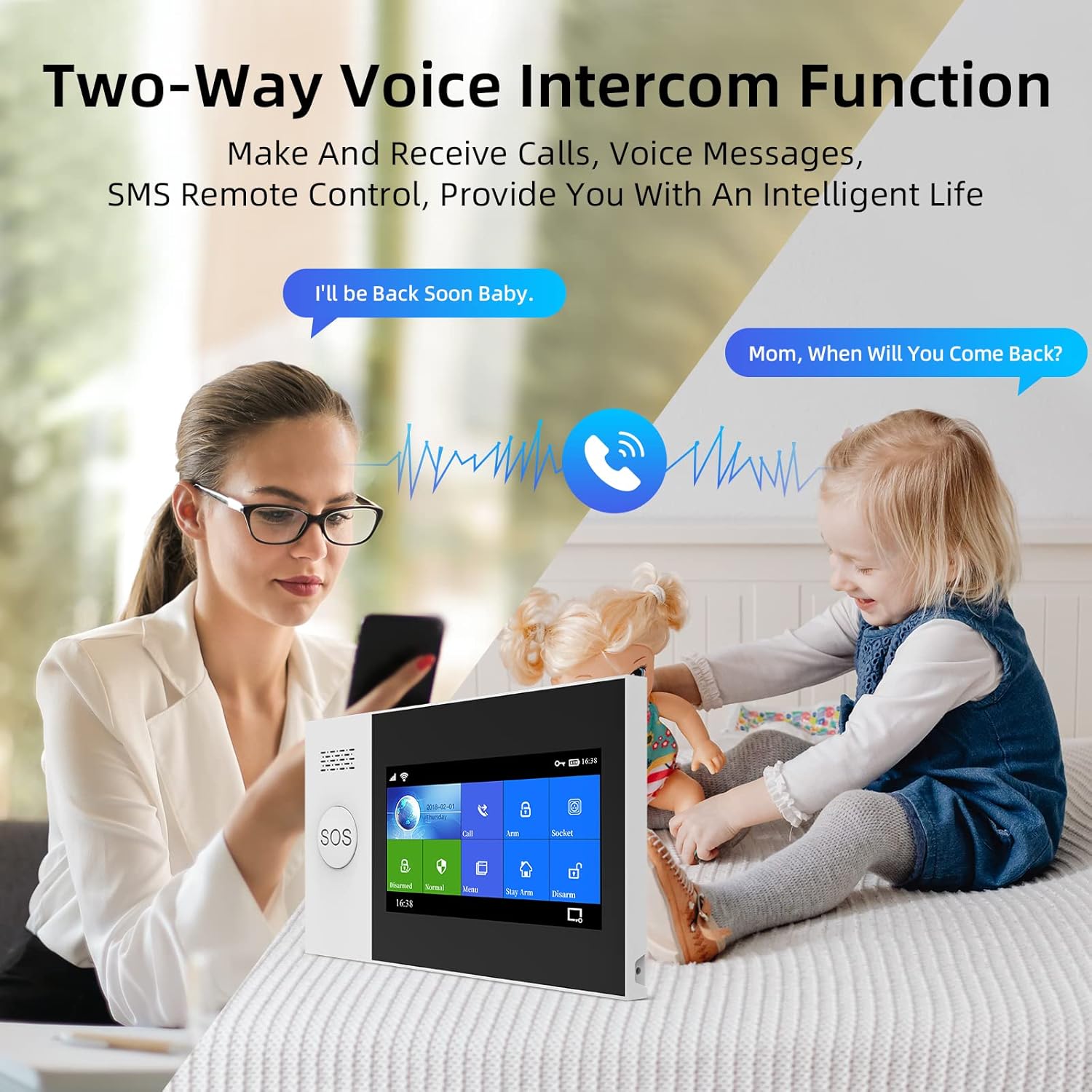
Figure 4.2: The control panel supports two-way voice communication for convenient interaction.
4.4 Funzjoni ta' Emerġenza SOS
In case of an emergency, pressing the SOS button on the control panel or remote control will trigger an immediate alarm and send alerts to pre-set emergency contacts. This feature is particularly beneficial for the elderly or individuals who may need quick assistance.

Figure 4.3: The SOS button provides immediate emergency assistance, alerting designated contacts.
4.5 Smart Home Integration (Google Home & Alexa)
The PG107 system is compatible with Google Home and Amazon Alexa, allowing for voice-activated control of arming and disarming functions. Link your Tuya Smart account with your smart assistant app to enable this feature.

Figure 4.4: The alarm system supports voice control through Amazon Alexa and Google Assistant.
5. Manutenzjoni
5.1 Monitoraġġ tal-batterija
The system provides alerts when wireless sensor batteries are low, ensuring continuous protection. Replace batteries promptly when notified.

Figure 5.1: The system notifies you when wireless sensor batteries are running low.
5.2 Batterija ta 'Backup
The main control panel includes a backup battery, providing approximately 8.5 hours of operation during power outages. This ensures your home remains protected even without grid power.

Figure 5.2: The system features low power consumption and a backup battery for power failure situations.
5.3 Tindif
Imsaħ il-pannell tal-kontroll u s-sensuri b'ċarruta ratba u niexfa. Evita li tuża prodotti tat-tindif jew solventi li joborxu.
6 Issolvi l-problemi
- Is-sistema mhux qed tikkonnettja mal-Wi-Fi: Ensure your Wi-Fi is 2.4GHz. Check Wi-Fi password. Move the panel closer to the router.
- Sensuri mhux qed jattivaw allarm: Check sensor battery levels. Ensure sensors are properly paired and within range. Verify sensor placement (e.g., magnets aligned for door sensors).
- Allarmi foloz: Adjust motion detector sensitivity if available. Ensure sensors are not placed near heat sources or in direct sunlight. Check for loose connections.
- Il-kontroll mill-bogħod ma jaħdimx: Check remote control battery. Re-pair the remote control with the main panel.
- No sound from siren: Ensure the siren is properly connected to the main panel. Check siren volume settings.
7. Speċifikazzjonijiet
| Karatteristika | Speċifikazzjoni |
|---|---|
| Manifattur | PGST |
| Numru tal-Mudell | PG107-2G-C |
| Dimensjonijiet tal-Prodott | 65 x 45 x 25 ċm |
| Piż tal-Prodott | 960 g |
| Sors tal-Enerġija | Batterija |
| Tip ta 'batterija | 1 Jonju tal-Litju (meħtieġ) |
| Metodu ta 'Installazzjoni | Invitat |
| Tip ta 'Immuntar | Windows |
| Teknoloġija tal-Konnettività | Wireless (Wi-Fi, GSM) |
| Apparati Kompatibbli | Smartphone |
| Tip ta 'Twissija | Awdjo u Mozzjoni |
| Metodu ta' Kontroll | Kontroll mill-bogħod |
| Użi Rakkomandati | Home Security, Smart Home Integration |
8. Garanzija u Appoġġ
For warranty information and technical support, please refer to the official PGST webis-sit jew ikkuntattja lis-servizz tal-konsumatur tagħhom direttament. Żomm l-irċevuta tax-xiri tiegħek bħala prova tax-xiri għal kwalunkwe talba ta' garanzija.
Ask a question about this manual
Ask about setup, troubleshooting, compatibility, parts, safety, or missing instructions. Manuals+ will review the question and use this page’s manual context to help answer it.