
1. Introduzzjoni
1.1 Prodott Fuqview
The ZKTeco MB2000 is an advanced access control and attendance recording device designed for efficient management of personnel entry and exit. It features fingerprint recognition technology for secure and reliable identification. This manual provides detailed instructions for the installation, operation, and maintenance of your MB2000 device.
1.2 Karatteristiċi ewlenin
- Rikonoxximent tal-marki tas-swaba': High-accuracy biometric identification for access and attendance.
- IPX7 International Protection Rating: Provides protection against water immersion up to 1 meter for 30 minutes.
- Disinn ħafif: Facilitates easy installation and portability.
- Konnettività Wireless: Enables flexible data transfer and device management.
1.3 Kontenut tal-Pakkett
Ivverifika li l-oġġetti kollha huma preżenti fil-pakkett:
- ZKTeco MB2000 Fingerprint Device
- Immuntar Stand
- User Card (for initial setup or specific functions)
- Adapter tal-Enerġija (mhux elenkat espliċitament iżda implikat għall-operazzjoni)
- Manwal għall-Utent (dan id-dokument)
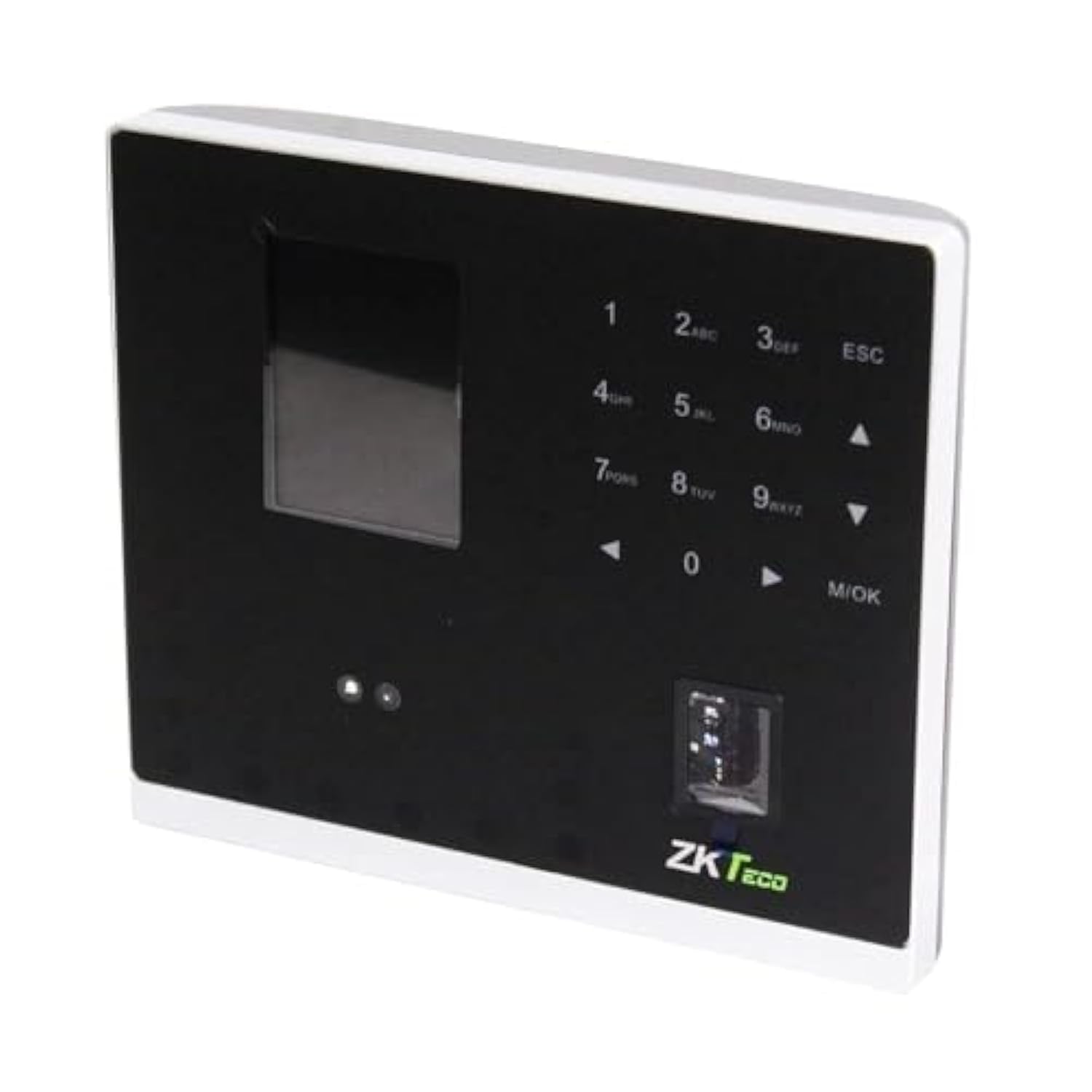
Figura 1.1: ZKTeco MB2000 Access Control and Attendance Recording Device. This image shows the front view of the compact device, highlighting its fingerprint sensor and display screen.
2. Informazzjoni dwar is-Sigurtà
Jekk jogħġbok aqra u ifhem l-istruzzjonijiet kollha tas-sigurtà qabel ma tħaddem l-apparat biex tevita korriment jew ħsara.
- Provvista tal-Enerġija: Use only the specified power adapter provided with the device. Using an incorrect power supply may damage the device and void the warranty.
- Ambjent: Do not expose the device to extreme temperatures, direct sunlight, or corrosive substances. While rated IPX7, prolonged submersion or exposure to high-pressure water jets is not recommended.
- Immaniġġjar: Avoid dropping or subjecting the device to strong impacts. Do not attempt to disassemble or repair the device yourself. Contact qualified service personnel for assistance.
- Tindif: Uża drapp artab u niexef għat-tindif. Tużax prodotti tat-tindif likwidi jew aerosol.
3. Gwida ta' Setup
3.1 Spakkjar u Spezzjoni
Carefully remove the device and all accessories from the packaging. Inspect for any signs of damage. If any components are missing or damaged, contact your supplier immediately.
3.2 Immuntar tal-Apparat
The MB2000 can be mounted using the provided stand. Choose a stable, flat surface for placement. Ensure the device is positioned at a comfortable height for users to access the fingerprint sensor.
- Attach the stand securely to the back of the MB2000 device.
- Place the device with the stand on your desired surface.
- Ensure the device is stable and will not easily tip over.
3.3 Konnessjoni tal-Enerġija
Connect the power adapter to the device's power input port and then plug it into a standard electrical outlet. The device will power on automatically.
3.4 Konfigurazzjoni Inizjali
Upon first power-on, the device may prompt you to set up an administrator. Follow the on-screen instructions to register the first administrator fingerprint or card. This administrator will have privileges to manage users and device settings.
4. Istruzzjonijiet Operattivi
4.1 Reġistrazzjoni tal-Utent
Biex tirreġistra utent ġdid:
- Access the device menu using the administrator's fingerprint or card.
- Navigate to the 'User Management' section.
- Select 'Add User'.
- Enter the user's ID and name (if applicable).
- Register the user's fingerprint by placing their finger on the sensor multiple times as prompted.
- Alternatively, register a user card by presenting it to the device's card reader.
- Issejvja l-informazzjoni tal-utent.
4.2 Kontroll tal-Aċċess
For access control, registered users can gain entry by:
- Verifika tal-Marki tas-Swaba': Place a registered finger on the sensor. The device will verify the fingerprint and grant access if authorized.
- Card Presentation: Present a registered user card to the device's card reader. The device will verify the card and grant access if authorized.
4.3 Attendance Recording
The device automatically records attendance when a user successfully verifies their identity for access. The timestamp of the verification is logged as an attendance record.
4.4 Ġestjoni tad-Data
Attendance logs and user data can be managed through the device's interface or by connecting to a compatible software (if available). Refer to the device's on-screen menu for options to download data via USB or network connection.
5. Manutenzjoni
5.1 Tindif
Tindif regolari jgħin biex tinżamm prestazzjoni ottimali:
- Sensor tal-marki tas-swaba': Gently wipe the sensor surface with a soft, lint-free cloth. Do not use abrasive materials or harsh chemicals.
- Device Surface: Clean the device's exterior with a slightly damp drapp, imbagħad nixxef immedjatament b'ċarruta ratba u niexfa.
5.2 Aġġornamenti tas-Software
Iċċekkja l-manifattur website periodically for software or firmware updates. Updates can improve performance, add features, or fix bugs. Follow the provided instructions carefully when performing updates.
5.3 Backup tad-Dejta
Regularly back up attendance logs and user data to prevent loss. This can typically be done via USB export or through connected management software.
6 Issolvi l-problemi
This section addresses common issues you might encounter with the MB2000 device.
| Problema | Kawża Possibbli | Soluzzjoni |
|---|---|---|
| L-apparat ma jixgħelx. | No power, faulty adapter, or power outlet issue. | Check power connection. Ensure the adapter is correctly plugged in. Test the power outlet with another device. |
| Il-marka tas-swaba' mhux rikonoxxuta. | Fingerprint not registered, dirty sensor, or incorrect placement. | Ensure the fingerprint is registered. Clean the sensor. Place the finger flat and centered on the sensor. Try re-registering the fingerprint. |
| Card not recognized. | Card not registered or incorrect card type. | Verify the card is registered. Ensure it is a compatible card type. |
| Kwistjonijiet ta' trasferiment tad-dejta. | Incorrect settings, cable issues, or software incompatibility. | Check network settings or USB cable connection. Ensure the management software is compatible and correctly configured. |
7. Speċifikazzjonijiet Tekniċi
| Speċifikazzjoni | Dettall |
|---|---|
| Numru tal-Mudell | MB2000 |
| Brand | ZKTeco |
| Dimensjonijiet tat-Tbaħħir | 31 x 25.5 x 12.5 ċm |
| Piż tal-oġġett | 1.5 kg |
| Karatteristiċi Speċjali | Ħfief |
| Konnettività | Wireless |
| Kulur | Iswed |
| Komponenti Inklużi | Fingerprint device, stand, card |
| Klassifikazzjoni tal-Protezzjoni Internazzjonali | IPX7 (Li ma jgħaddix ilma minnha) |
| Numru ta 'Kanali | 1 |
| L-Ewwel Data Disponibbli | 6 ta’ Novembru, 2022 |
8. Garanzija u Appoġġ
For warranty information, please refer to the warranty card included with your product or the purchase documentation. For technical support or service inquiries, please contact your local ZKTeco distributor or visit the official ZKTeco websit għad-dettalji tal-kuntatt.