
Introduzzjoni
This manual provides detailed instructions for the setup, operation, maintenance, and troubleshooting of your MageGee Star98 Wired Mechanical Gaming Keyboard. This keyboard features a 98-key layout, Red mechanical switches, and customizable backlighting, designed for an enhanced typing and gaming experience.
X'hemm fil-Kaxxa
- MageGee Star98 Mechanical Keyboard
- Cable USB
- Additional Red Keycaps (quantity may vary)
Setup Istruzzjonijiet
- Qabbad it-Tastiera: Plug the provided USB cable into the USB port on the keyboard and then into an available USB port on your computer.
- Installazzjoni tas-sewwieq: The keyboard is plug-and-play and does not require additional driver installation for basic functionality. Your operating system (Windows, Mac, Linux, Android) will automatically recognize the device.
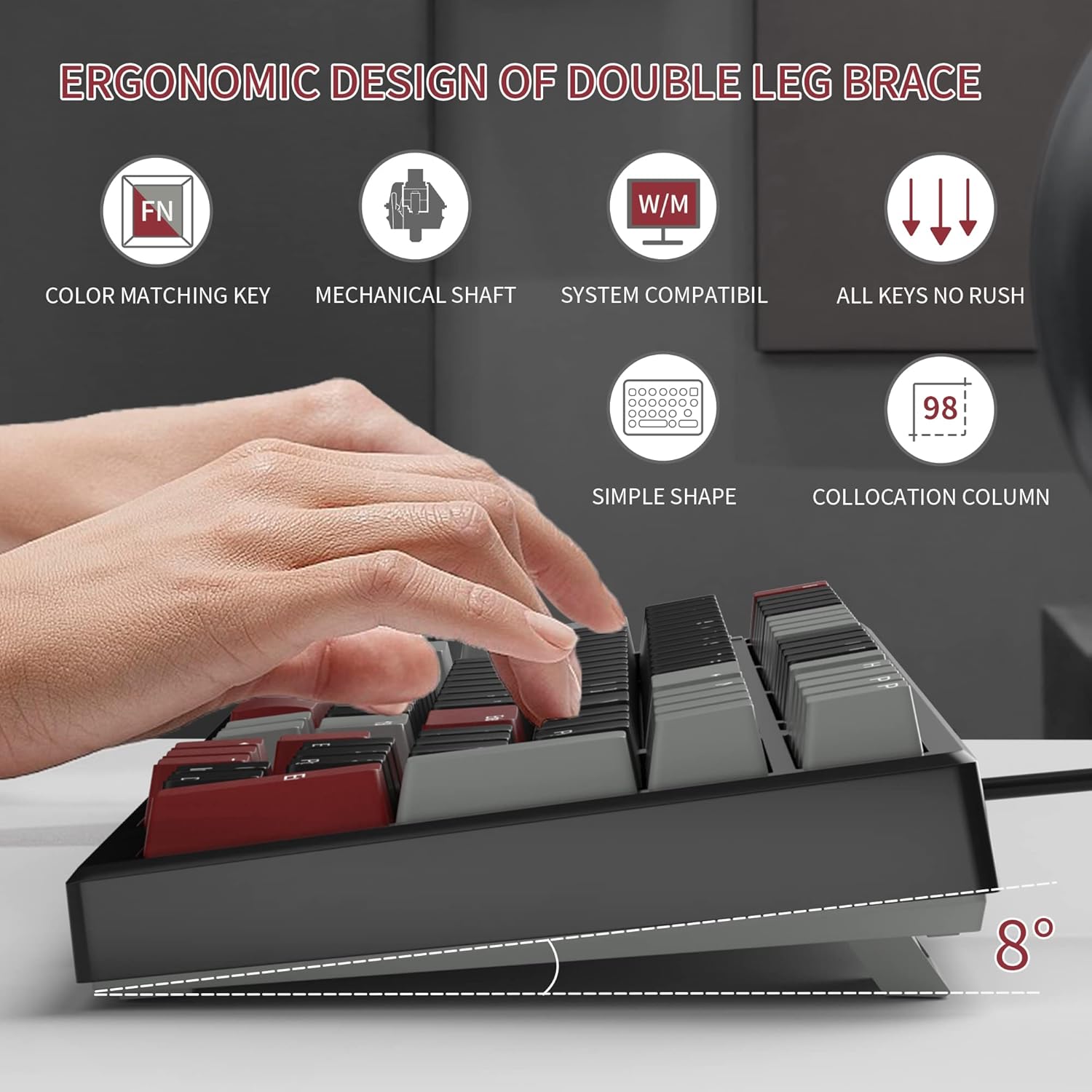
- Adjust Tilt Legs: For ergonomic comfort, you can extend the adjustable tilt legs located on the underside of the keyboard.
Istruzzjonijiet Operattivi
Karatteristiċi Ewlenin
- Tqassim ta' 98-Ċavetta: This compact layout retains most standard keyboard functionality while saving desk space.
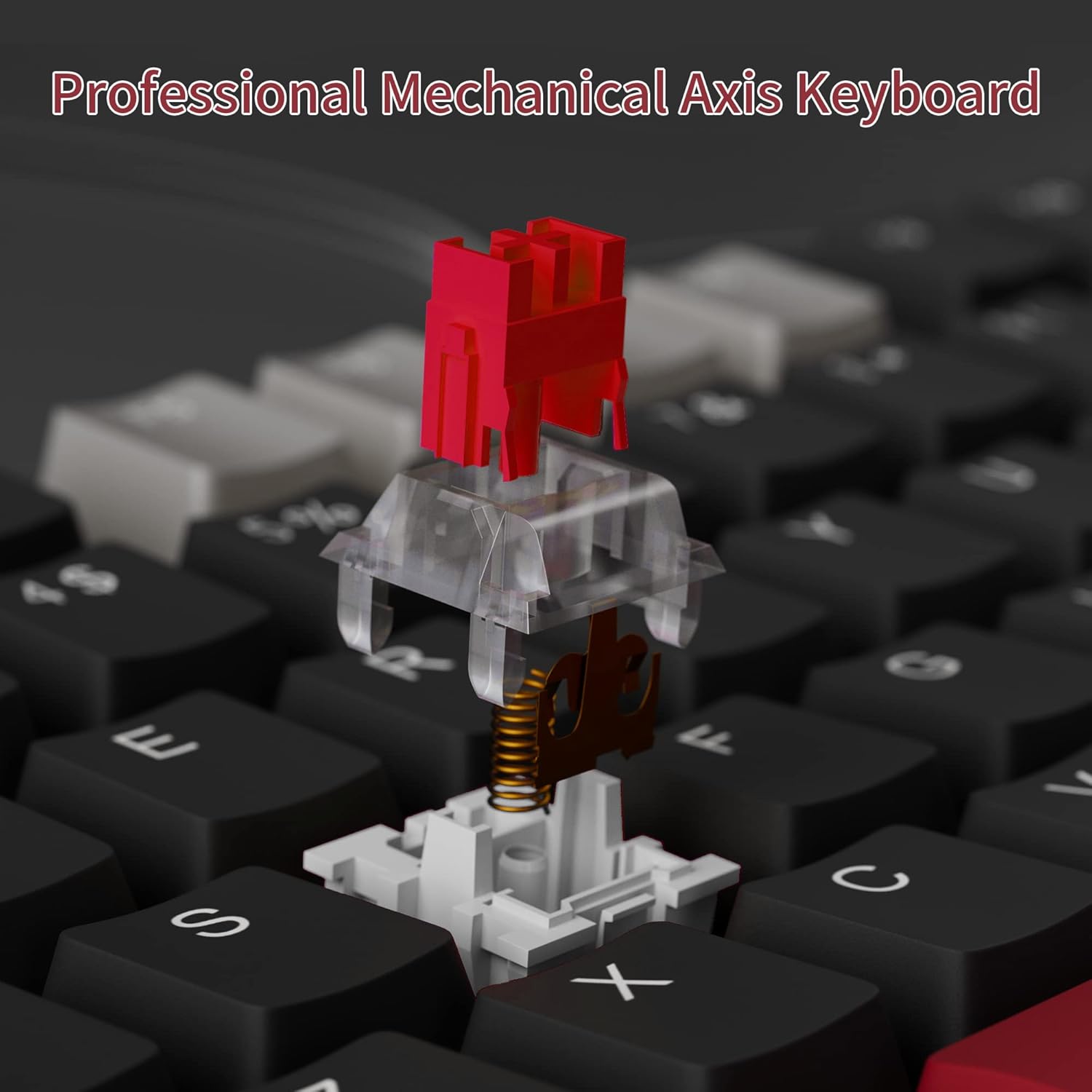
- Swiċċijiet Mekkaniċi Ħomor: Provides a fast response with tactile feedback for typing and gaming.
- Kontra l-Ghosting: All 98 keys support anti-ghosting for simultaneous key presses.
- Hot-Swappable Design: Compatible with most 3-pin and 5-pin mechanical switches, allowing for customization.
- Dawl ta' wara: Features solid sea blue backlighting with multiple operational modes.
- WIN Key Lock: Function to prevent accidental presses of the Windows key during gaming.
Modi Backlight
The keyboard's backlight has multiple operational modes. Refer to the keyboard's function key combinations (usually Fn + specific keys) for cycling through modes or turning the backlight off. Specific key combinations are typically printed on the keycaps or detailed in a quick start guide.
Swiċċijiet Hot-Swappable
The MageGee Star98 keyboard features a hot-swappable design, allowing users to change mechanical switches without soldering. This feature supports most 3-pin and 5-pin switches available on the market.
- Neħħi l-Keycap: Uża puller tal-keycap biex tneħħi bil-mod il-keycap mixtieq.
- Neħħi s-Swiċċ: Use a switch puller to carefully extract the mechanical switch from its socket.
- Daħħal Swiċċ Ġdid: Allinja l-labar tas-swiċċ il-ġdid mat-toqob fuq il-PCB u agħfas sew sakemm tikklikkja f'posthom. Kun żgur li l-labar mhumiex mgħawġa.
- Ibdel il-Keycap: Poġġi l-għatu taċ-ċavetta lura fuq iz-zokk tas-swiċċ il-ġdid.


Manutenzjoni
- Tindif tal-Għotjien taċ-Ċwievet: Uża artab, damp cloth to wipe down keycaps. For deeper cleaning, keycaps can be removed using a keycap puller and washed with mild soap and water, then thoroughly dried before reattaching.
- Tindif Taħt il-Keycaps: Use compressed air to remove dust and debris from between the switches and under the keycaps.
- Kura tal-Cable: Evita liwjiet qawwija jew ġbid eċċessiv tal-kejbil USB biex tevita l-ħsara.
Issolvi l-problemi
- It-tastiera ma tirrispondix:
- Kun żgur li l-kejbil USB huwa konness sew kemm mat-tastiera kif ukoll mal-kompjuter.
- Ipprova qabbad it-tastiera ma' port USB differenti fuq il-kompjuter tiegħek.
- Ittestja t-tastiera fuq kompjuter ieħor biex teskludi problemi speċifiċi tas-sistema.
- Ċwievet mhux qed jirreġistraw jew qed jittajpjaw darbtejn:
- Remove the keycap and switch for the affected key. Inspect for any debris or bent pins on the switch.
- If the switch is damaged, replace it with a new one (utilizing the hot-swappable feature).
- Kun żgur li s-swiċċ ikun imwaħħal sew fis-sokit tiegħu.
- Backlight not working or incorrect mode:
- Refer to the keyboard's function key combinations to cycle through backlight modes or turn it on/off.
- Kun żgur li t-tastiera qed tirċievi biżżejjed enerġija mill-port USB.
Speċifikazzjonijiet
| Karatteristika | Dettall |
|---|---|
| Brand | MageGee |
| Mudell | Star98 |
| Teknoloġija tal-Konnettività | Bil-fili (USB) |
| Deskrizzjoni tat-Tastiera | Mekkaniċi |
| Tip ta' Swiċċ | Swiċċijiet Ħomor |
| Għadd taċ-ċavetta | 98 Ċwievet |
| Backlighting | Solid Sea Blue (Single Color) |
| Kompatibilità | Win2000, Win XP, Win ME, Vista, Win7, Win8, Win10, Android, Linux, Mac |
| Materjal | Acrylonitrile Butadiene Styrene (ABS) |
| Piż tal-oġġett | 2.16 liri |
| Dimensjonijiet tal-Pakkett | 16.14 x 6.97 x 1.77 pulzieri |
Garanzija u Appoġġ
For warranty information and customer support, please refer to the official MageGee webis-sit jew ikkuntattja lis-servizz tal-konsumatur tagħhom direttament. Id-dettalji tipikament jingħataw mal-imballaġġ tal-prodott jew fuq il-manuskritt tal-manifattur. websit.