
Introduzzjoni
Thank you for choosing the Varmilo Minilo VXB67 65% Bluetooth Mechanical Keyboard. This manual provides detailed instructions for setting up, operating, and maintaining your new keyboard. The VXB67 offers a compact 65% layout, dual-mode connectivity (wired USB-C and Bluetooth), and a comfortable typing experience with Varmilo EC Daisy V2 switches and durable ABS double-shot keycaps. It also features a Type-Cool sound dampening structure for a clear typing sound.

Image: The Varmilo Minilo VXB67 keyboard, showcasing its compact design and color scheme.
Kontenut tal-Pakkett
Jekk jogħġbok iċċekkja l-kontenut tal-pakkett biex tiżgura li l-oġġetti kollha huma preżenti:
- Varmilo Minilo VXB67 Mechanical Keyboard
- USB-C Cable
- Keycap Puller
- Iswiċċ Puller
- Qoxra tat-Trab
- Manwal għall-Utent (dan id-dokument)

Image: The Varmilo Minilo VXB67 keyboard alongside its USB-C cable, keycap puller, switch puller, and a clear dust cover.
Setup
1. Konnessjoni bil-fili
- Sib il-port USB-C fuq it-tastiera.
- Qabbad tarf wieħed tal-kejbil USB-C provdut mat-tastiera.
- Qabbad it-tarf l-ieħor tal-kejbil USB-C ma' port USB disponibbli fuq il-kompjuter tiegħek.
- It-tastiera tiġi rikonoxxuta awtomatikament mis-sistema operattiva tiegħek.
2. Konnessjoni Bluetooth
The VXB67 keyboard can connect to up to 3 devices via Bluetooth.
- Kun żgur li t-tastiera hija ċċarġjata jew konnessa permezz tal-USB-C.
- Turn on Bluetooth on your device (computer, tablet, or smartphone).
- Fuq it-tastiera, agħfas u żomm il-buttuna Fn ċavetta u waħda miċ-ċwievet Bluetooth (Q, W, jew E) for 3-5 seconds to enter pairing mode. The indicator light will flash.
- On your device, search for Bluetooth devices and select "Varmilo VXB67" (or similar) from the list.
- Ladarba jkun imqabbad, id-dawl indikatur fuq it-tastiera jieqaf iteptep u jibqa' solidu.
- Irrepeti għal massimu ta' żewġ apparati oħra li jużaw iċ-ċwievet Bluetooth l-oħra.
3. Aġġustament tal-Angolu tat-Tastiera
The keyboard features 3-level adjustable kickstands on the bottom to customize your typing angle for comfort.

Image: The underside of the keyboard, highlighting the foldable kickstands for ergonomic adjustment.
Video: Demonstrates the features of the Varmilo Minilo Eucalyptus keyboard, including the adjustable kickstands and multi-device connectivity.
Istruzzjonijiet Operattivi
1. Sostituzzjoni tal-Għatu taċ-Ċwievet u s-Swiċċ
The VXB67 features hot-swappable switches, allowing you to change switches without soldering. Use the provided keycap and switch pullers for this process.
- Tneħħija tal-Keycaps: Use the keycap puller to gently grip the keycap and pull upwards.
- Tneħħija tas-Swiċċijiet: Use the switch puller to carefully grip the top and bottom clips of the switch and pull upwards.
- Installazzjoni ta' Swiċċijiet: Allinja l-labar tas-swiċċ il-ġdid mat-toqob fuq il-PCB. Agħfas 'l isfel sew sakemm is-swiċċ jikklikkja f'postu. Kun żgur li l-labar mhumiex mgħawġa.
- Installazzjoni tal-Keycaps: Place the keycap over the switch stem and press down gently until it is secure.
Video: Demonstrates the process of changing switches and keycaps on the Varmilo Minilo 67 keyboard.
2. Kontroll tad-dawl ta 'wara
The keyboard features white LED backlighting. Use the following key combinations to control the backlight:
- Fn + \ |: Cycle through backlight effects.
- Fn + ↑Żid il-luminożità tad-dawl ta' wara.
- Fn + ↓: Naqqas il-luminożità tad-dawl ta' wara.
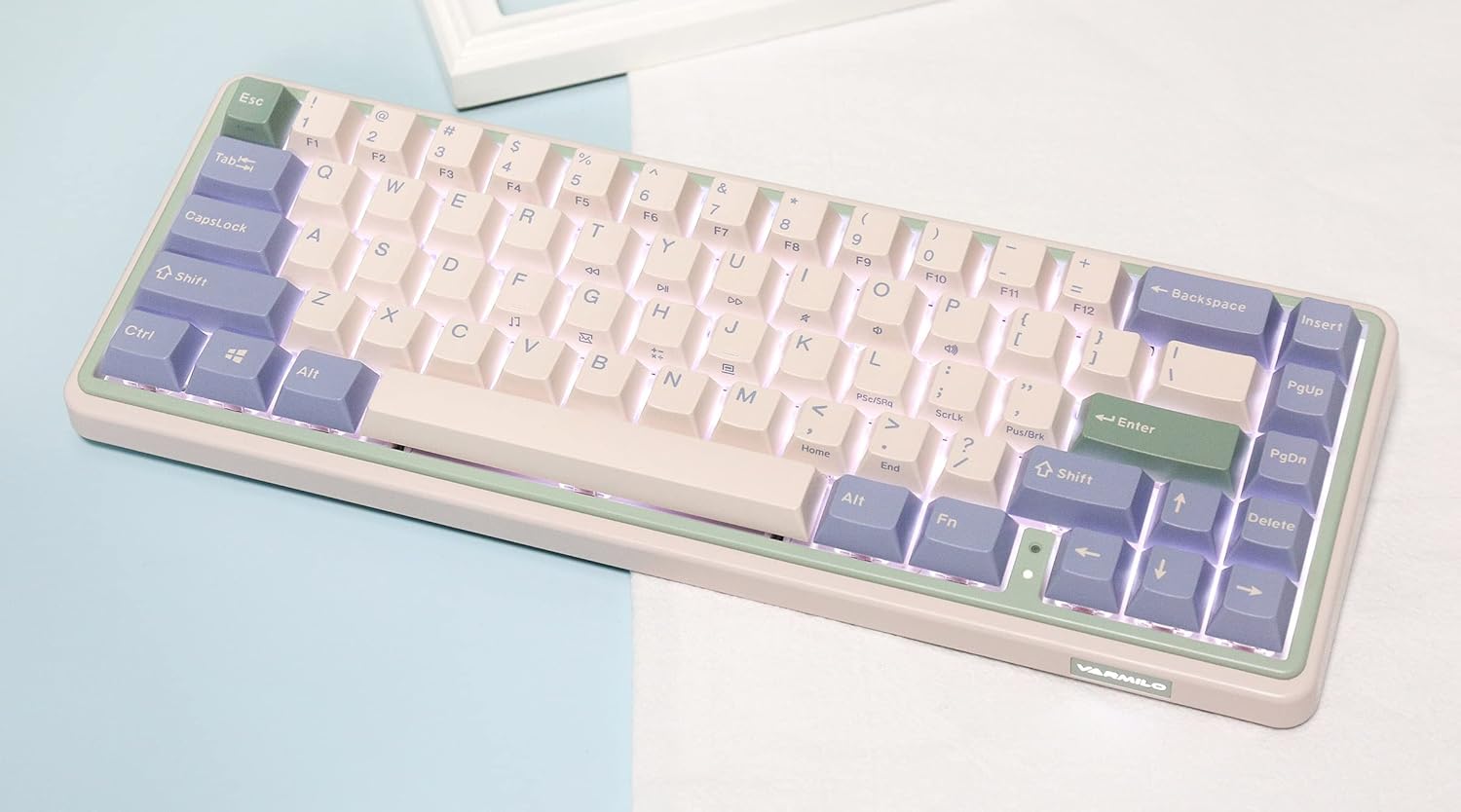
Image: The Varmilo Minilo VXB67 keyboard illuminated by its white LED backlighting.
3. Swiċċjar ta' Apparati Multipli
To switch between paired Bluetooth devices:
- Agħfas Fn+Q biex taqleb għal Apparat Bluetooth 1.
- Agħfas Fn + W biex taqleb għal Apparat Bluetooth 2.
- Agħfas Fn+E biex taqleb għal Apparat Bluetooth 3.
The keyboard will quickly connect to the selected device.
Manutenzjoni
- Tindif: Use a soft, dry cloth to wipe the keyboard surface. For deeper cleaning, remove keycaps using the provided keycap puller and use compressed air to clear debris.
- Iċċarġjar tal-batterija: Connect the keyboard via the USB-C cable to a power source (computer USB port or USB wall adapter). The Escape key will light up while charging and flash when the battery is low.
- Ħażna: When not in use, store the keyboard in a cool, dry place. Use the provided dust cover to protect it from dust and spills.
Issolvi l-problemi
- It-tastiera ma tirrispondix (Wajer):
- Kun żgur li l-kejbil USB-C huwa konness sew kemm mat-tastiera kif ukoll mal-kompjuter.
- Ipprova port USB differenti fuq il-kompjuter tiegħek.
- Ipprova kejbil USB-C differenti.
- It-tastiera ma tirrispondix (Bluetooth):
- Kun żgur li l-Bluetooth huwa attivat fuq it-tagħmir tiegħek.
- Kun żgur li t-tastiera tkun iċċarġjata.
- Erġa' daħħal il-modalità ta' tqabbil (Fn + Q/W/E) and attempt to re-pair with your device.
- Forget the device on your computer/tablet/phone and try pairing again.
- Iċ-ċwievet mhux qed jirreġistraw:
- Ensure the keycap and switch are properly seated. Remove and re-install if necessary.
- If using hot-swappable switches, ensure the switch pins are not bent.
- Id-dawl ta' wara mhux qed jaħdem:
- Iċċekkja s-settings tal-luminożità tad-dahar (Fn + ↑/↓).
- Kun żgur li t-tastiera mhix fi stat ta' enerġija baxxa.
Speċifikazzjonijiet
| Mudell | VXB67 |
| Tqassim | 65% (67 ċavetta) |
| Konnettività | Bluetooth 5.0, USB-C bil-wajer |
| Swiċċijiet | Varmilo EC Daisy V2 (Hot-swappable) |
| Tappijiet ewlenin | 1.5mm thick ABS Double Shot |
| Dawl ta' wara | LED abjad |
| Kapaċità tal-batterija | 3400mAh |
| Apparati Kompatibbli | PC (and other Bluetooth-enabled devices) |
| Materjal | Acrylonitrile Butadiene Styrene (ABS) |
| Dimensjonijiet | Approx. 15 x 7 x 2.5 inches (based on package dimensions) |
| Piż | 3.21 liri |
Garanzija u Appoġġ
For warranty information and technical support, please refer to the official Varmilo webis-sit jew ikkuntattja lill-bejjiegħ tiegħek. Żomm il-prova tax-xiri tiegħek għal talbiet ta' garanzija.
Uffiċjali Varmilo Websit: www.varmilo.com