
1. Introduzzjoni
This manual provides detailed instructions for the installation, operation, and maintenance of your ASUS TUF Gaming GeForce RTX 4080 OC Edition Graphics Card. Please read this manual thoroughly before using the product to ensure proper functionality and to prevent damage.
2. Informazzjoni dwar is-Sigurtà
WARNING: Always disconnect the power supply from your computer before installing or removing any components. Failure to do so may result in personal injury or damage to your system.
- Kun żgur li l-unità tal-provvista tal-enerġija (PSU) tiegħek tissodisfa l-minimu ta' wattstage requirements for this graphics card.
- Immaniġġja l-karta grafika mit-truf tagħha biex tevita li tmiss komponenti sensittivi.
- Ilbes ċinga tal-polz anti-statika jew tmiss ta' spiss oġġett tal-metall ertjat biex teħles mill-elettriku statiku.
- Installa l-karta grafika f'kaxxa tal-kompjuter ventilata sew biex tevita li tissaħħan iżżejjed.
3. Kontenut tal-Pakkett
Ivverifika li l-oġġetti kollha huma preżenti fil-pakkett tal-prodott tiegħek:
- ASUS TUF-RTX4080-O16G-GAMING Graphics card
- Collection card; TUF Velcro Hook & Loop
- TUF Graphics card holder; Speedsetup Manual
- Kejbil tal-adapter
- Grazzi card
4. Prodott Aktarview
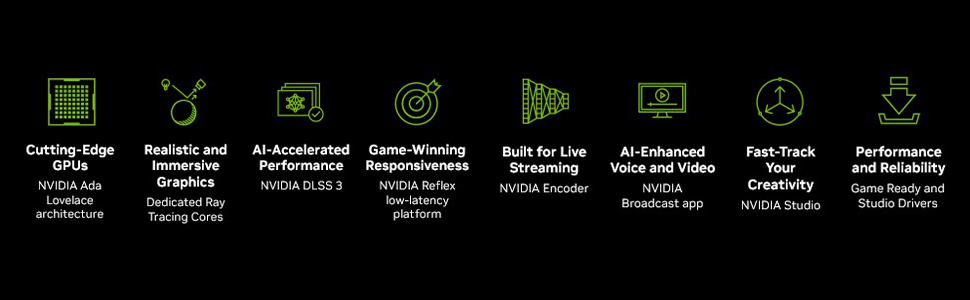
The ASUS TUF Gaming GeForce RTX 4080 OC Edition Graphics Card is designed for high-performance gaming and demanding applications. It features NVIDIA's Ada Lovelace architecture, offering significant improvements in performance and power efficiency.

Quddiem view of the ASUS TUF Gaming GeForce RTX 4080 OC Edition Graphics Card, showcasinid-disinn triplu tal-fann Axial-tech tiegħu.
Fuqview of NVIDIA Ada Lovelace architecture features, including streaming multiprocessors, Tensor Cores, and RT Cores.
Karatteristiċi ewlenin:
- NVIDIA Ada Lovelace Streaming Multiprocessors: Up to 2x performance and power efficiency.
- Qlub tat-Tensor tar-4 Ġenerazzjoni: Up to 2X AI performance.
- Qlub RT tat-Tielet Ġenerazzjoni: Up to 2X ray tracing performance.
- Axial-tech fans: Scaled up for 23% more airflow.
- Boxxli tal-Fann tal-Ballun Doppju: Last up to twice as long as conventional designs.
- Kondensaturi ta' grad militari: Rated for 20K hours at 105C, enhancing GPU power rail durability.
- Eżoskeletru tal-metall: Adds structural rigidity and vents to increase heat dissipation.
- GPU Tweak III software: Jipprovdi aġġustament intuwittiv tal-prestazzjoni, kontrolli termali, u monitoraġġ tas-sistema.

Wara view showing the display output interfaces, including DisplayPort and HDMI ports.
5. Installazzjoni
Segwi dawn il-passi biex tinstalla l-karta grafika tiegħek:
- Ipprepara s-Sistema Tiegħek: Turn off your computer and disconnect the power cable. Open your computer case.
- Sib is-Slott tal-PCIe: Find an available PCI Express x16 slot on your motherboard.
- Neħħi l-Għotjien tas-Slott: Remove the necessary expansion slot covers from your computer case. Note that this card is large (13.7"L x 5.9"W) and may require multiple slots.
- Installa Karta Grafika: Carefully align the graphics card with the PCIe slot and press it down firmly until it is securely seated.
- Sikura l-Kard: Waħħal il-karta grafika mal-kaxxa bil-viti.
- Qabbad l-Enerġija: Connect the appropriate power cables from your power supply to the graphics card. Ensure all connections are secure.
- Agħlaq il-Każ: Agħlaq il-kaxxa tal-kompjuter tiegħek u erġa' qabbad il-kejbil tal-enerġija.
- Qabbad id-Displej: Qabbad il-monitor(s) tiegħek mal-outputs DisplayPort jew HDMI tal-karta grafika.
Video demonstrating the installation and features of the ASUS TUF Gaming RTX 4080 graphics card.
6. Software Installation & Configuration
After physical installation, install the necessary drivers and utility software:
- Installazzjoni tas-sewwieq: Download the latest NVIDIA GeForce drivers from the official NVIDIA websit (www.nvidia.com/sewwieqaSegwi l-istruzzjonijiet fuq l-iskrin għall-installazzjoni.
- ASUS GPU Tweak III: Install the ASUS GPU Tweak III software from the ASUS support websit (www.asus.com/support/Download-Center/). This utility allows for performance tweaking, thermal control, and system monitoring.
7. It-Tħaddim tal-Karta tal-Grafika
Your ASUS TUF Gaming GeForce RTX 4080 OC Edition is designed for optimal performance and cooling. Here are some operational aspects:
Sistema tat-tkessiħ:
The card features advanced cooling technologies to maintain stable temperatures during heavy loads.

Close-up of the Axial-tech fan, designed for increased airflow and reduced noise.

Illustration of optimized fan rotation for enhanced cooling efficiency.

View of the large heatsink, contributing to efficient heat dissipation.
RGB Lighting (Aura Sync):
The card features customizable ARGB lighting via ASUS Aura Sync. You can synchronize lighting effects with other Aura Sync compatible components in your system.

Example of customizable ARGB lighting on the graphics card.
AI Features and Technologies:
The NVIDIA GeForce RTX 4080 leverages AI for enhanced performance and new capabilities.
Wirja tal-vidjoasing NVIDIA's AI technologies, including generative AI and DLSS, and their applications in gaming and creative workflows.
8. Manutenzjoni
Manutenzjoni regolari tgħin biex tiżgura l-lonġevità u l-prestazzjoni ottimali tal-karta grafika tiegħek:
- Tneħħija tat-Trab: Periodically clean dust from the fans and heatsink using compressed air. Ensure the fans are not spinning during cleaning.
- Aġġornamenti tas-sewwieq: Keep your graphics drivers updated to the latest version for performance improvements and bug fixes.
- Monitoraġġ tat-temperatura: Use GPU Tweak III or other monitoring software to keep an eye on GPU temperatures, especially during intensive tasks.
9 Issolvi l-problemi
Jekk tiltaqa' ma' problemi bil-karta grafika tiegħek, ipprova l-passi li ġejjin għas-soluzzjoni tal-problemi:
- L-ebda Output tal-Wiri:
- Kun żgur li l-kejbil tal-monitor huwa konness sew kemm mal-karta grafika kif ukoll mal-monitor.
- Ivverifika li l-karta grafika tkun imdaħħla sew fl-islott tal-PCIe.
- Check that all power connectors are properly attached to the graphics card.
- Ittestja b'kejbil tad-displej jew monitor differenti jekk possibbli.
- Instabbiltà/Ħsarat tas-Sistema:
- Kun żgur li s-sewwieqa tal-grafika tiegħek huma aġġornati.
- Monitor GPU temperatures. Overheating can cause instability.
- Verify your power supply unit (PSU) is sufficient for the graphics card's power requirements.
- Prestazzjoni Fqira:
- Kun żgur li s-sewwieqa tal-grafika tiegħek huma aġġornati.
- Check in-game settings; reduce graphics quality if necessary.
- Agħlaq applikazzjonijiet fl-isfond mhux meħtieġa.
10. Speċifikazzjonijiet
| Karatteristika | Speċifikazzjoni |
|---|---|
| Koproċessur tal-Grafika | NVIDIA GeForce RTX 4080 |
| Brand | ASUS |
| Daqs tar-RAM tal-Grafika | 16 GB |
| Veloċità tal-Arloġġ tal-GPU | 4000 MHz |
| Interface tal-Output tal-Vidjo | DisplayPort, HDMI |
| Tip ta' RAM tal-Grafika | GDDR6X |
| Apparati Kompatibbli | PC |
| Riżoluzzjoni tal-Wiri Massimu | 7680x4320 |
| Interface tal-Kard Grafika | PCI Express |
| Veloċità tal-Arloġġ tal-Memorja | 4000 MHz |
| Numru ta 'Fannijiet | 3 |
| Dimensjonijiet tal-oġġett L x W | 13.7"T x 5.9"W |
| Proċessur tal-Vidjo | NVIDIA |
| Isem tal-Mudell | Gaming GeForce RTX 4080 16GB GDDR6X OC Edition Graphic Card |
| Piż tal-oġġett | 4.2 Liri |
11. Garanzija u Appoġġ
Your ASUS TUF Gaming GeForce RTX 4080 OC Edition Graphics Card comes with a 3-year warranty. For warranty claims, technical support, or further assistance, please visit the official ASUS support websit jew ikkuntattja lis-servizz tal-konsumatur tagħhom.
Appoġġ ASUS Websit: www.asus.com/support/