
XIAOMI BHR6032GL
Xiaomi Mi USB-A to Type-C Cable 6A 1m Instruction Manual
Mudell: BHR6032GL
Introduzzjoni
This manual provides essential instructions for the safe and efficient use of your Xiaomi Mi USB-A to Type-C Cable (Model BHR6032GL). This durable cable is designed for high-speed charging and data transfer between compatible devices. Please read this manual thoroughly before use.
Prodott Overview
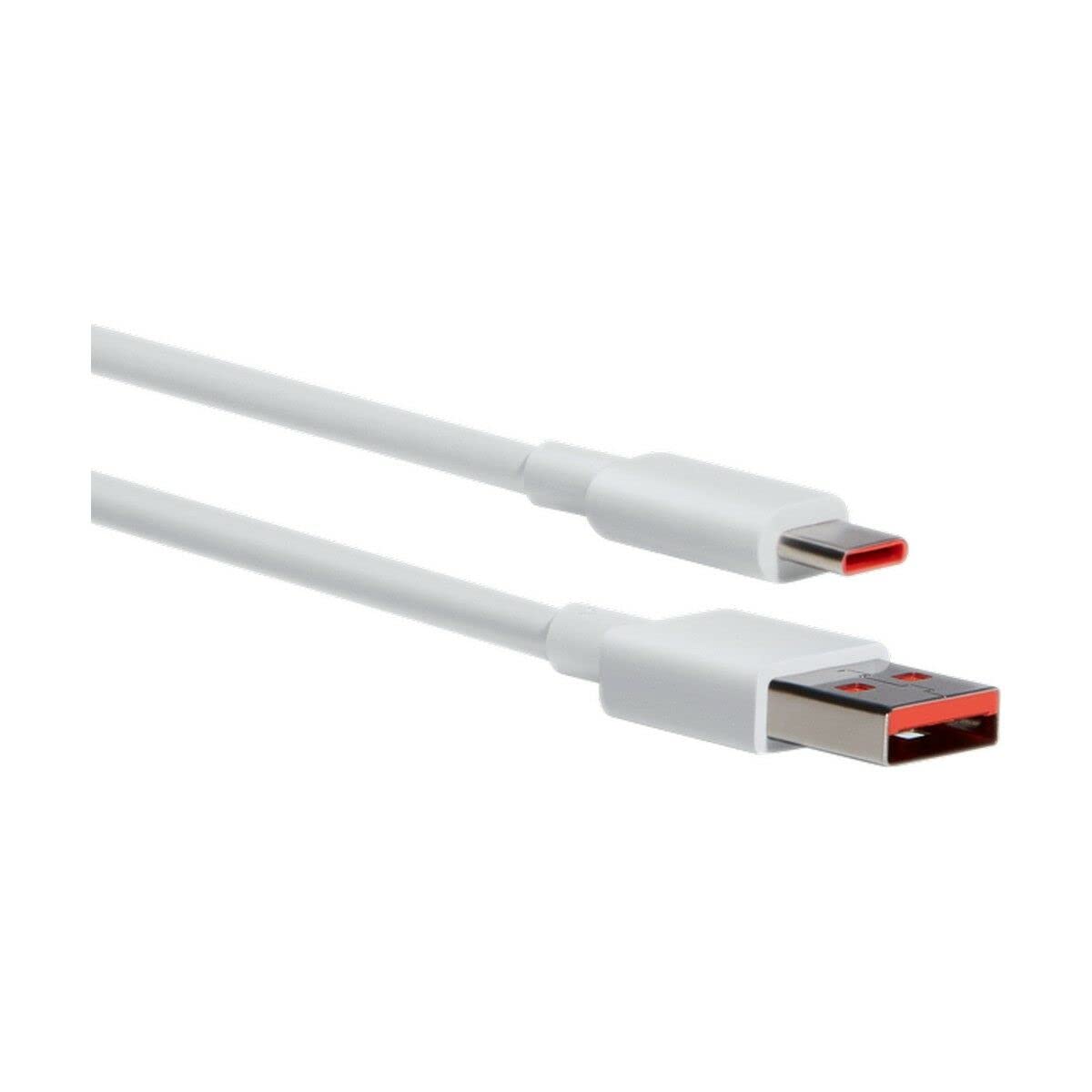
Figure 1: Xiaomi Mi USB-A to Type-C Cable (Model BHR6032GL). This image displays the cable's white color and its two distinct connectors: a standard USB-A plug and a reversible USB Type-C plug.
The Xiaomi Mi USB-A to Type-C Cable is a versatile accessory for your electronic devices. It features a USB-A connector for power sources or host devices and a USB Type-C connector for modern smartphones, tablets, laptops, and other compatible devices. The cable supports up to 6 Amps of current, enabling fast charging capabilities.
Setup u Konnessjoni
- Identifika Konnetturi: Locate the USB-A connector (rectangular) and the USB Type-C connector (oval, reversible) on your cable.
- Connect to Power Source/Host: Insert the USB-A connector into a compatible power adapter (e.g., wall charger, power bank) or a computer's USB-A port.
- Qabbad mal-Apparat: Insert the USB Type-C connector into the charging/data port of your smartphone, tablet, laptop, or other Type-C enabled device.
- Ivverifika l-Konnessjoni: Ensure both ends are securely inserted. For charging, your device should indicate that it is receiving power. For data transfer, your computer should recognize the connected device.
Istruzzjonijiet Operattivi
Iċċarġjar
- This cable supports fast charging with compatible power adapters and devices, delivering up to 6 Amps of current and 30 Watts of power at 5 Volts.
- For optimal fast charging, use a Xiaomi-compatible fast charger.
- The charging speed may vary depending on the power adapter, device, and environmental conditions.
Trasferiment tad-Data
- Connect your Type-C device to a computer using this cable.
- Once connected, your device should appear as a removable drive or media device on your computer.
- Follow your device's instructions for transferring files (e.g., photos, videos, documents).
Manutenzjoni u Kura
- Tindif: Wipe the cable and connectors with a soft, dry cloth. Avoid using harsh chemicals or abrasive materials.
- Ħażna: Store the cable in a cool, dry place away from direct sunlight and extreme temperatures. The cable features a tangle-free design for easy storage.
- Immaniġġjar: Avoid bending the cable sharply or pulling it by the cord. Always grasp the connector when plugging or unplugging.
- Durabilità: This cable is designed to be durable and hard-wearing for everyday use.
Issolvi l-problemi
| Problema | Soluzzjoni Possibbli |
|---|---|
| Apparat mhux jiċċarġja. |
|
| Veloċità tal-iċċarġjar bil-mod. |
|
| It-trasferiment tad-dejta mhux qed jaħdem. |
|
Speċifikazzjonijiet
- Isem tal-Mudell: Mi USB-A to Type-C Cable
- Numru tal-Mudell: BHR6032GL
- Ditta: XIAOMI
- Connector Type (Source): USB-A
- Connector Type (Device): USB Tip-Ċ
- Tul tal-Cable: 1 Meter
- Kurrent Massimu: 6 Amps
- Vol massimutage: 5 Volts
- Wattage: 30 Watts
- Karatteristika Speċjali: Tħabbil Ħieles
- Kulur: Abjad
- Materjal: Plastik
- Użi Rakkomandati: Electronic device charging, data transfer
- Apparati Kompatibbli: Smartphone, Tablet, Laptop, Charging adapter, Personal computer, Printer, Projector, Speaker, SSD, Power bank
Garanzija u Appoġġ
This Xiaomi Mi USB-A to Type-C Cable (Model BHR6032GL) comes with a Garanzija ta' 2 snin mill-manifattur. Din il-garanzija tkopri difetti fil-materjali u l-abbilità taħt użu normali.
For warranty claims, technical support, or further assistance, please contact your local Xiaomi customer service or the retailer from whom you purchased the product. Please retain your proof of purchase for warranty validation.
Disponibbiltà tal-Partijiet Spare tal-UE Tul ta' Żmien: 3 Snin.
Dokumenti Relatati - BHR6032GL
 |
Xiaomi 5-in-1 Type-C Hub User Manual and Specifications User manual and specifications for the Xiaomi 5-in-1 Type-C Hub (Model XMDS05YM), detailing its features, usage, connectivity options, and compliance information. |
 |
Manwal tal-Utent u Speċifikazzjonijiet tal-Earphones Xiaomi Mi ANC & Type-C In-Ear Manwal uffiċjali tal-utent u speċifikazzjonijiet tekniċi għall-Xiaomi Mi ANC & Type-C In-Ear Earphones (Mudell JZEJ01JY). Tgħallem dwar it-teknoloġija Ear Secure, il-funzjonijiet tal-buttuni, l-ispeċifikazzjonijiet tal-prodott, il-konformità mal-FCC, u informazzjoni dwar ir-riċiklaġġ. |
 |
Gwida għall-Utent tal-Kejbil Xiaomi 6A tat-Tip A għal tat-Tip Ċ Gwida għall-utent għall-Kejbil Xiaomi 6A tat-Tip A għal tat-Tip Ċ, inkluż informazzjoni dwar il-konformità u struzzjonijiet dwar ir-rimi tal-WEEE f'diversi lingwi. |
 |
Xiaomi Mi 33W Wall Charger (Type-A + Type-C) AD332EU User Manual & Declaration of Conformity Comprehensive user guide and official declaration of conformity for the Xiaomi Mi 33W Wall Charger (Type-A + Type-C), model AD332EU. Features, specifications, safety guidelines, and compliance information. |
 |
小米 M2413E1 Type-C 有线耳机 用户手册与规格 小米 M2413E1 Type-C 有线耳机的详细信息,包括产品介绍、按键功能、技术规格和有害物质合规性。 |
 |
Redmi 14C Smartphone Overview u Karatteristiċi Ewlenin An fuqview of the Redmi 14C smartphone, detailing its physical components including the Nano-SIM tray, USB Type-C port, power button, and volume keys, along with a visual representation of the device's screen. |
Ask a question about this manual
Ask about setup, troubleshooting, compatibility, parts, safety, or missing instructions. Manuals+ will review the question and use this page’s manual context to help answer it.