
1. Introduzzjoni
Thank you for choosing the LAMAX HighComfort ANC Wireless Headphones. This manual provides essential information for the proper use, setup, and maintenance of your headphones. Please read it carefully before use.
The LAMAX HighComfort headphones offer a premium audio experience with advanced features:
- aptX HD Bluetooth Codec: Delivers high-quality wireless audio with enhanced detail.
- Kanċellazzjoni Attiva tal-Ħoss (ANC): Reduces ambient noise by up to 30 dB using hybrid technology with two microphones.
- Ħajja twila tal-batterija: Up to 50 hours of playback on a single charge (25 hours with ANC activated).
- Konnettività versatili: Bluetooth 5.1 for wireless connection up to 10 meters, or wired via a standard 3.5 mm audio jack.
- Disinn komdu: Features soft ear pads and an ergonomic design for extended wear.
- Kostruzzjoni Durabbli: Luxurious finish with titanium elements and high-quality workmanship.
2. Kontenut tal-Pakkett
Jekk jogħġbok iċċekkja li l-oġġetti kollha huma preżenti fil-pakkett tiegħek:
- LAMAX HighComfort ANC Wireless Headphones
- Cable tal-Iċċarġjar tal-USB-C
- Cable Awdjo 3.5mm
- Kawża tal-Ivvjaġġar
- Manwal ta' Istruzzjoni
3. Prodott Aktarview
Familiarize yourself with the various parts and controls of your LAMAX HighComfort headphones.

Immaġni: Fuqview tal-kontrolli u l-portijiet tal-headphones.
Headphone Components and Controls:
- Active Noise Cancellation (ANC) On/Off Switch: Activates or deactivates the ANC function.
- ANC LED Indicator: Shows the status of the ANC function.
- 3.5mm Audio Cable Port: Għal konnessjoni bil-fili ma' sorsi awdjo.
- Headphone Power LED Indicator: Displays power and pairing status.
- Mikrofonu: Għal sejħiet u kmandi tal-vuċi.
- Port tal-Iċċarġjar USB-C: Għall-iċċarġjar tal-headphones.
- Track and Call Control Buttons: Used for volume adjustment, track skipping, and managing phone calls.

Immaġni: Splodiet view highlighting key features like 40mm drivers, soft leather earpads, and titanium finish.
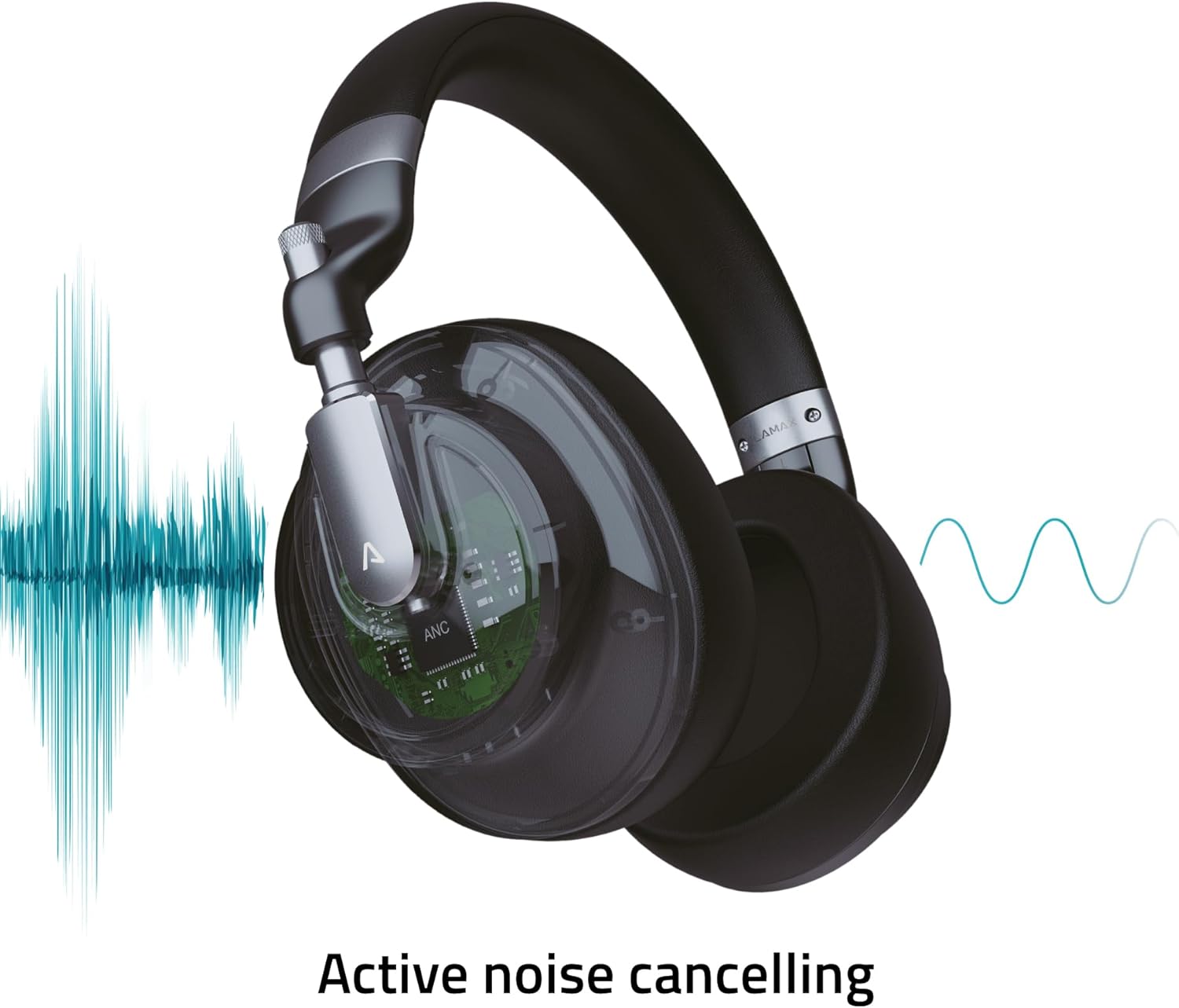
Image: Visual representation of the Active Noise Cancellation (ANC) process.
4. Setup
4.1 Iċċarġjar tal-Headphones
Before first use, fully charge your headphones. Use the provided USB-C cable to connect the headphones to a USB power source (e.g., computer USB port, wall adapter).
- L-indikatur LED se juri l-istatus tal-iċċarġjar (eż., aħmar għall-iċċarġjar, mitfi jew blu għal iċċarġjat kompletament).
- A full charge provides up to 50 hours of playback, or 25 hours with ANC enabled.
4.2 Tqabbil tal-Bluetooth
Biex tqabbad il-headphones tiegħek mingħajr fili ma' apparat:
- Kun żgur li l-headphones huma ċċarġjati u mitfija.
- Agħfas u żomm il-buttuna tal-Power sakemm l-indikatur LED jteptep blu u aħmar, u dan jindika l-modalità ta' tqabbil.
- Fuq l-apparat tiegħek (smartphone, tablet, laptop), attiva l-Bluetooth u fittex apparati disponibbli.
- Select "LAMAX HighComfort" from the list of devices.
- Once connected, the LED indicator will typically show a steady blue light or flash slowly.
4.3 Konnessjoni bil-Fili
You can also use the headphones with a 3.5mm audio cable:
- Connect one end of the 3.5mm audio cable to the headphone's audio port.
- Qabbad it-tarf l-ieħor mal-output tal-awdjo ta' 3.5mm tat-tagħmir tiegħek.
- Il-headphones se jiffunzjonaw bħala headphones bil-fili passivi, anke jekk il-batterija tkun eżawrita.
5. It-Tħaddim tal-Headphones
5.1 Power On/Off
- Qawwa Mixgħul: Press and hold the Power button for approximately 3 seconds. The LED indicator will light up.
- Itfi: Press and hold the Power button for approximately 3 seconds. The LED indicator will turn off.
5.2 Kanċellazzjoni Attiva tal-Ħoss (ANC)
The ANC feature helps to reduce ambient noise, providing a more immersive listening experience.
- Attiva l-ANC: Slide the ANC switch to the 'On' position. The ANC LED indicator will illuminate.
- Iddiżattiva l-ANC: Slide the ANC switch to the 'Off' position. The ANC LED indicator will turn off.
5.3 Daqq tal-Mużika
Use the control buttons to manage your music:
- Play/Pawsa: Press the Multi-function button (often the center button on the control cluster).
- Volum 'il fuq: Agħfas il-buttuna '+'.
- Volum 'l isfel: Agħfas il-buttuna '-'.
- Track li jmiss: Agħfas u żomm il-buttuna '+'.
- Track preċedenti: Agħfas u żomm il-buttuna '-'.
5.4 Ġestjoni tas-Sejħiet
When connected via Bluetooth, you can manage phone calls:
- Tweġiba/Tmiem Sejħa: Agħfas il-buttuna Multi-funzjoni.
- Irrifjuta Sejħa: Agħfas u żomm il-buttuna Multi-funzjoni.
- Attiva l-Assistent tal-Vuċi: Double-press the Multi-function button (if supported by your device).
6. Kura u Manutenzjoni
Kura xierqa tiżgura l-lonġevità u l-prestazzjoni tal-headphones tiegħek.
6.1 Tindif
- Imsaħ il-headphones b'ċarruta ratba, niexfa u mingħajr suf.
- Tużax prodotti tat-tindif li joborxu, solventi, jew sprejs kimiċi.
- Żomm l-umdità 'l barra mill-fetħiet.
6.2 Ħażna
- When not in use, store the headphones in the provided travel case to protect them from scratches and damage.
- Aħżen f'post frisk u niexef, 'il bogħod minn temperaturi estremi u dawl tax-xemx dirett.

Image: Headphones folded, demonstrating their portable design for storage in the travel case.
7 Issolvi l-problemi
Jekk tiltaqa' ma' problemi bil-headphones tiegħek, irreferi għas-soluzzjonijiet komuni li ġejjin:
| Problema | Kawża Possibbli | Soluzzjoni |
|---|---|---|
| Il-headphones ma jixegħlux | Batterija baxxa | Charge the headphones fully using the USB-C cable. |
| Ma nistax nqabbad permezz tal-Bluetooth | Il-headphones mhumiex fil-modalità ta' tqabbil; il-Bluetooth tal-apparat mitfi; wisq 'il bogħod mill-apparat | Ensure headphones are in pairing mode (flashing blue/red LED). Turn Bluetooth on your device. Move headphones closer to the device (within 10 meters). |
| L-ebda ħoss jew volum baxx | Volum baxx wisq; sors awdjo mhux korrett; headphones mhux imqabbda | Increase volume on both headphones and connected device. Check if headphones are properly paired or if the 3.5mm cable is securely connected. Ensure the correct audio output is selected on your device. |
| L-ANC mhux qed jaħdem b'mod effettiv | ANC not activated; environmental noise too high | Ensure the ANC switch is in the 'On' position. ANC is most effective against consistent low-frequency noise. |
| Kwalità fqira tas-sejħiet | Weak Bluetooth connection; microphone obstructed | Move closer to your device. Ensure the microphone is not covered. |
8. Speċifikazzjonijiet
Technical details of the LAMAX HighComfort ANC Wireless Headphones:
| Karatteristika | Dettall |
|---|---|
| Isem tal-Mudell | HighComfort |
| Teknoloġija tal-Konnettività | Bluetooth 5.1, 3.5 mm Jack |
| Komunikazzjoni bla fili | Bluetooth |
| Kontroll tal-Ħoss | Active Noise Cancellation (ANC) up to 30 dB |
| Tqegħid tal-widnejn | Fuq il-widnejn |
| Fattur tal-Formola | Fuq il-widnejn |
| Materjal | Titanium and Fabric |
| Ħajja tal-Batterija (Medja) | 50 Hours (25 Hours with ANC) |
| Port tal-Iċċarġjar | USB Tip-Ċ |
| Karatteristiċi Speċjali | Microphone Included, Noise Cancellation, aptX HD |
| Dimensjonijiet tal-Prodott | 25.4 x 5.08 x 6.86 ċm |
| Piż tal-oġġett | 750 g |
| Apparati Kompatibbli | Laptops, Telephones, Tablets, Smart Speakers, Car Audio Systems, Gaming Consoles, Televisions, Desktops, Cellphones |
9. Appoġġ u Garanzija
For further assistance, troubleshooting not covered in this manual, or warranty information, please contact LAMAX customer support through their official webjew il-bejjiegħ bl-imnut tiegħek.
Jekk jogħġbok żomm il-prova tax-xiri tiegħek għal pretensjonijiet ta' garanzija.