
Introduzzjoni
The UPULTRA Light Bulb Security Camera is designed to provide comprehensive surveillance for your home or outdoor spaces. Featuring easy installation into a standard E27 bulb base, this camera offers high-definition video, 360-degree panoramic viewing, motion detection with real-time alerts, two-way audio communication, and advanced night vision capabilities. It supports both 5GHz and 2.4GHz Wi-Fi networks for flexible connectivity.
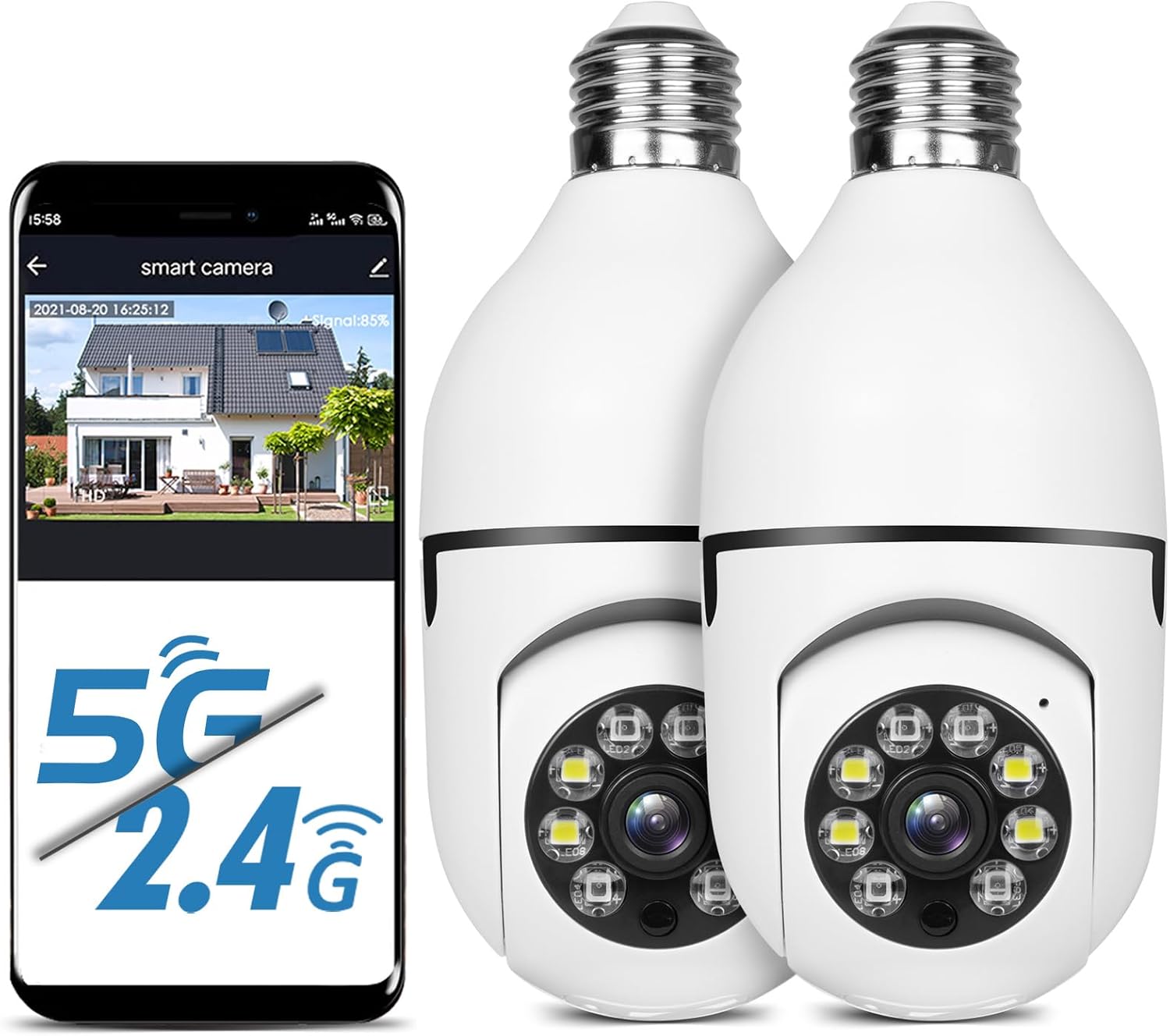
Figure 1: UPULTRA Light Bulb Security Camera with mobile app interface.
Karatteristiċi tal-Prodott
- 5GHz/2.4GHz Wireless & Easy Installation: Installs into a normal E27 bulb base (110V~240V) without extra steps. Connects to router via app.
- Motion Detection & Real-time Alerts: Highly sensitive motion sensor records moving objects and sends notifications via the APP.
- HD & Pan Tilt: Full HD 1080P resolution with APP-controlled 360-degree viewing angle (355° Pan & 95° Tilt) for no blind spots.
- Awdjo f'żewġ direzzjonijiet: Built-in microphone and speaker for communication with visitors.
- Remote Viewing & Night Vision: Kontroll viewing angle and access live feed remotely via iPhone/Android/iPad. Clear images even in complete darkness.

Figura 2: Aktarview of camera features.
Kontenut tal-Pakkett
- UPULTRA Light Bulb Security Camera(s)
- Manwal għall-Utent (dan id-dokument)
- Mounting Accessories (if applicable, not explicitly listed but implied by "CAMERA" in whats_in_the_box)
Speċifikazzjonijiet
| Karatteristika | Dettall |
|---|---|
| Isem tal-Mudell | LB camera |
| Teknoloġija tal-Konnettività | Wireless (Wi-Fi) |
| Teknoloġija tal-Komunikazzjoni mingħajr Fili | Wi-Fi (5GHz/2.4GHz) |
| Riżoluzzjoni tal-Qbid tal-Vidjo | 1920p (Full HD 1080P) |
| Medda Pan/Tilt | 355° Pan, 95° Mejjel |
| Sors tal-Enerġija | Corded Electric (E27 bulb base, 110V~240V) |
| Viżjoni bil-lejl | Infrared and Full Color Night Vision |
| Sejbien tal-Moviment | Iva, b'allerti f'ħin reali |
| Awdjo Two-Way | Iva (Mikrofonu u kelliem integrati) |
| Għażliet ta' Ħażna | Micro SD Card Slot, Cloud Storage (subscription may be required) |
| Apparati Kompatibbli | Smartphone (iPhone/Android), iPad |
| Dimensjonijiet (L x W x H) | 7.1 x 3.1 x 7.1 pulzieri |
| Piż tal-oġġett | 1.01 liri |
| Klassifikazzjoni tal-IP | IP65, IP67 |
Setup Istruzzjonijiet
- Qawwa Mixgħul: Screw the light bulb camera into a standard E27 bulb base (110V~240V). Ensure the power is on. The camera will power up and may emit an audible prompt.
- Niżżel l-App: Scan the QR code provided in the camera's packaging or search for the recommended application (e.g., "HDMiniCam" or similar, as seen in video) in your smartphone's app store (iOS or Android). Download and install the application.
- Reġistrazzjoni/Idħol: Iftaħ l-app u segwi l-istruzzjonijiet fuq l-iskrin biex tirreġistra kont ġdid jew tidħol jekk diġà għandek wieħed.
- Żid Apparat: In the app, select the option to add a new device. Choose the appropriate camera type.
- Qabbad mal-Wi-Fi: Follow the app's prompts to connect the camera to your Wi-Fi network. Ensure your Wi-Fi network is 2.4GHz or 5GHz compatible. Some cameras may require initial setup on a 2.4GHz network before connecting to 5GHz.
- Tqabbil: The app will guide you through the pairing process, which may involve scanning a QR code displayed on your phone with the camera, or listening for an audible confirmation from the camera.
- Iffinalizza Setup: Ladarba tkun konness, tista' tagħti isem lill-kamera tiegħek u taġġusta s-settings inizjali fl-app.

Figure 3: Easy installation of the light bulb camera.
Video 1: Demonstration of the light bulb camera's features including night vision and two-way audio, and installation process.
Istruzzjonijiet Operattivi
Live View u Kontroll Pan/Tilt
Once the camera is connected, open the app to access the live video feed. You can control the camera's viewing angle by swiping on the screen to pan (horizontal movement up to 355°) and tilt (vertical movement up to 95°), ensuring comprehensive coverage without blind spots.

Figure 4: Camera's pan and tilt capabilities.
Sejbien ta' Moviment u Twissijiet
The camera is equipped with a sensitive motion sensor. When motion is detected, the camera will automatically record the event and send a real-time alert notification to your smartphone via the app. You can customize motion detection sensitivity and alert settings within the app.

Figure 5: Motion detection and alarm function.
Awdjo Two-Way
Utilize the built-in microphone and speaker for two-way communication. This feature allows you to speak to individuals near the camera, such as delivery personnel or family members, directly through the app.
Viżjoni bil-lejl
The camera supports both infrared and full-color night vision modes. In low-light conditions, the camera automatically switches to night vision to provide clear images. Full-color night vision is activated when sufficient ambient light is available or when the camera's integrated lights are active.

Figure 6: Infrared vs. Full Color Night Vision.
Reġistrazzjoni u Ħażna tal-Vidjo
The camera supports video recording to a Micro SD card (not included) or to cloud storage (subscription may be required). Recorded footage jista' jiġi aċċessat u riviewpermezz tal-applikazzjoni mobbli.
Manutenzjoni
- Tindif: Imsaħ il-lenti u l-korp tal-kamera bil-mod b'ċarruta ratba u niexfa. Evita li tuża kimiċi ħarxa jew prodotti tat-tindif li joborxu.
- Aġġornamenti tal-Firmware: Periodically check the app for available firmware updates to ensure optimal performance and security. Follow the app's instructions for updating.
- Ġestjoni tal-Karta SD: Jekk qed tuża SD card, agħmel backup regolari tal-informazzjoni importanti tiegħek.tage u ifformattja l-kard perjodikament biex iżżomm il-prestazzjoni.
- Ċiklu tal-Enerġija: If the camera becomes unresponsive, unscrew it from the E27 base, wait a few seconds, and then screw it back in to power cycle the device.
Issolvi l-problemi
| Problema | Kawża / Soluzzjoni Possibbli |
|---|---|
| Camera won't connect to Wi-Fi or frequently disconnects. |
|
| Motion detection is too sensitive or not detecting. |
|
| No video feed or black screen in app. |
|
| L-awdjo f'żewġ direzzjonijiet mhux qed jaħdem. |
|
| Camera stopped working after some time. |
|

Figure 7: Camera components and dimensions, including Reset Button and SD Card Slot location.
Garanzija u Appoġġ
UPULTRA provides lifetime technical support and services for this product. For any questions or issues, please contact UPULTRA customer service. Refer to the product packaging or the official UPULTRA websit għal informazzjoni ta' kuntatt speċifika.
The product typically comes with a standard return policy. Please refer to your purchase platform for details regarding returns and replacements.