
1. Setup
1.1 Kontenut tal-Pakkett
Qabel tibda l-installazzjoni, jekk jogħġbok ivverifika li l-komponenti kollha huma preżenti fil-pakkett:
- WiFi Camera (x1)
- 3M Power Adapter (x1)
- Waterproof Connector (x1)
- Pakkett ta' Viti (x1)
- Manwal għall-Utent (x1)
- Mudell ta' Muntaġġ (x1)
- Ċinga (x1)

Image: All components included in the Techage WiFi Security IP Camera package.
1.2 Installazzjoni Fiżika
The camera supports both wall mounting and ceiling hanging for flexible placement.

Image: Illustration showing the camera mounted on a wall and hanging from a ceiling.
- Choose a suitable location for installation, ensuring good Wi-Fi signal strength.
- Uża l-mudell tal-immuntar ipprovdut biex timmarka t-toqob tat-tħaffir.
- Drill toqob u daħħal l-ankri tal-ħajt jekk meħtieġ.
- Waħħal il-bażi tal-kamera billi tuża l-viti pprovduti.
- Connect the power adapter to the camera and a power outlet.
1.3 Konnessjoni tan-Netwerk u Konfigurazzjoni tal-App
The camera connects to 2.4GHz Wi-Fi networks. It does not support 5GHz networks.
- Download the ICSEE App from your device's app store (available on App Store and Google Play).
- Register or log in to your ICSEE account.
- Follow the in-app instructions to add your camera to the network. This typically involves scanning a QR code on the camera or manually entering device details.

Image: The VicoHome Security Camera App, used for camera control.
1.4 Integrazzjoni ta' Amazon Alexa
The camera can be integrated with Amazon Alexa for voice control and viewing on compatible devices like Amazon Echo Show.

Image: A user interacting with an Alexa device to view l-għalf tal-kamera.
Video: A detailed guide on how to connect the Techage WiFi Security IP Camera to Amazon Alexa and control it via voice commands.
- Ensure your camera is successfully added to the ICSEE App.
- Open the ICSEE App, navigate to the 'Me' section, and tap the 'Alexa' icon.
- Click 'Login to Amazon account' and input your Amazon username and password (the same account used for your Alexa device).
- Select the camera you wish to bind.
- Once successfully bound, you can control the camera using voice commands such as "Alexa, show me [camera name]" or "Alexa, rotate [camera name] to the left/right/up/down."
2. It-tħaddim tal-Kamera
2.1 Funzjonalità Pan & Tilt
The camera offers a 355° pan and 90° tilt range, providing a 360° full view of the monitored area. Control is available remotely via the ICSEE mobile application.
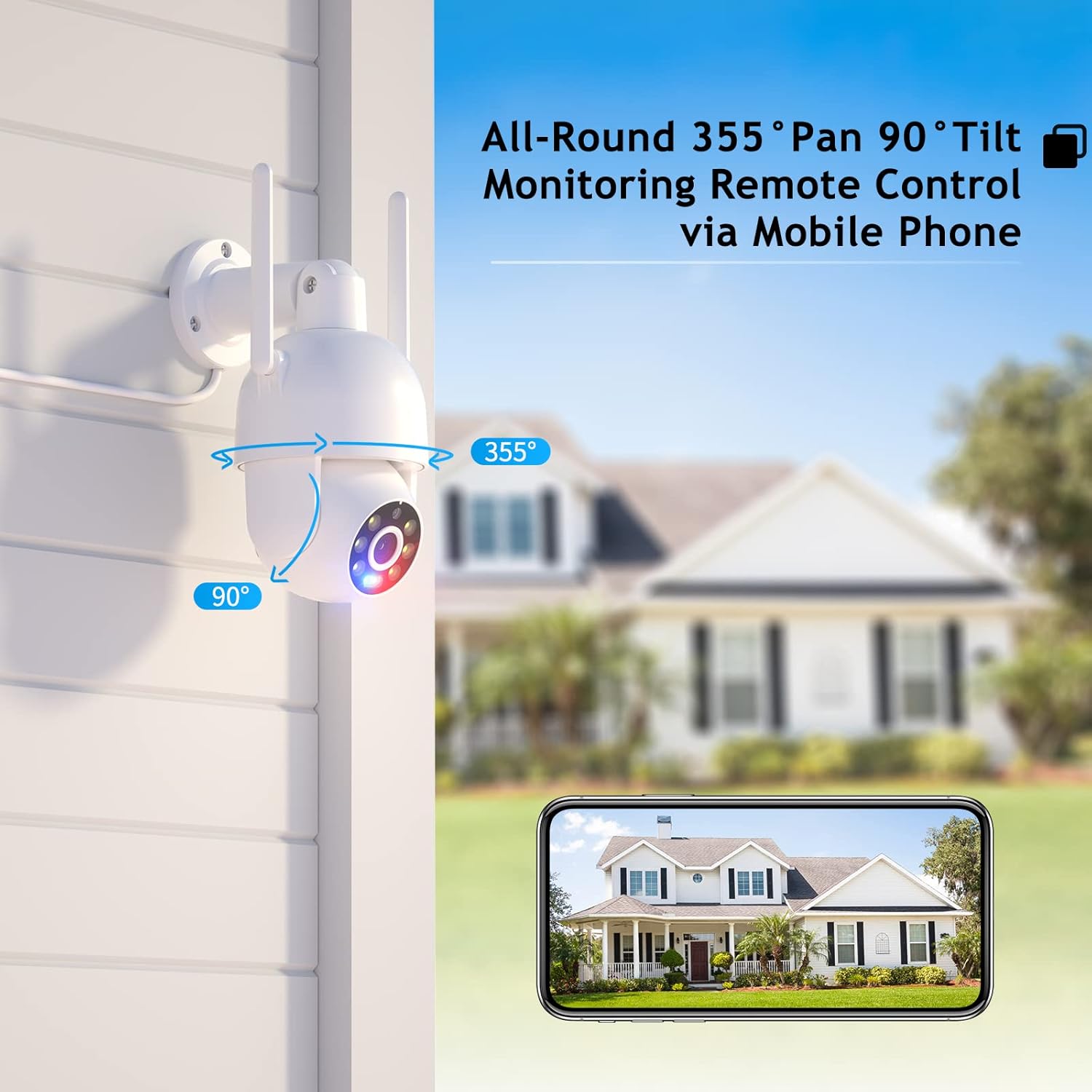
Image: Visual representation of the camera's pan (355°) and tilt (90°) capabilities.
2.2 High-Definition & Night Vision
Experience full HD 4MP picture quality throughout the day. The camera features built-in 6 white lights for color night vision and IR LEDs for traditional infrared night vision, ensuring clear visuals in various lighting conditions.

Immaġni: Eżamples of day vision, color night vision, and IR night vision captured by the camera.
2.3 Awdjo b'żewġ direzzjonijiet
The integrated speaker and microphone enable real-time two-way audio communication, allowing you to listen and speak through the camera.

Image: Demonstrating the two-way audio feature for real-time communication.
2.4 Humanoid Motion Auto Tracking & Alerts
When the camera detects a moving person, it will automatically track the target until it is lost or the set tracking duration ends. The camera returns to its preset position after tracking. Motion detection triggers accurate real-time notifications to the ICSEE App, and recorded video is stored on a MicroSD card or Cloud.

Image: The camera's human detection and auto-tracking capabilities in action.
2.5 Smart Spotlight & Siren Alarm
Upon motion detection in the monitoring area, the camera automatically activates its spotlight and siren alarm to deter intruders. This feature enhances security by providing both visual and auditory warnings.
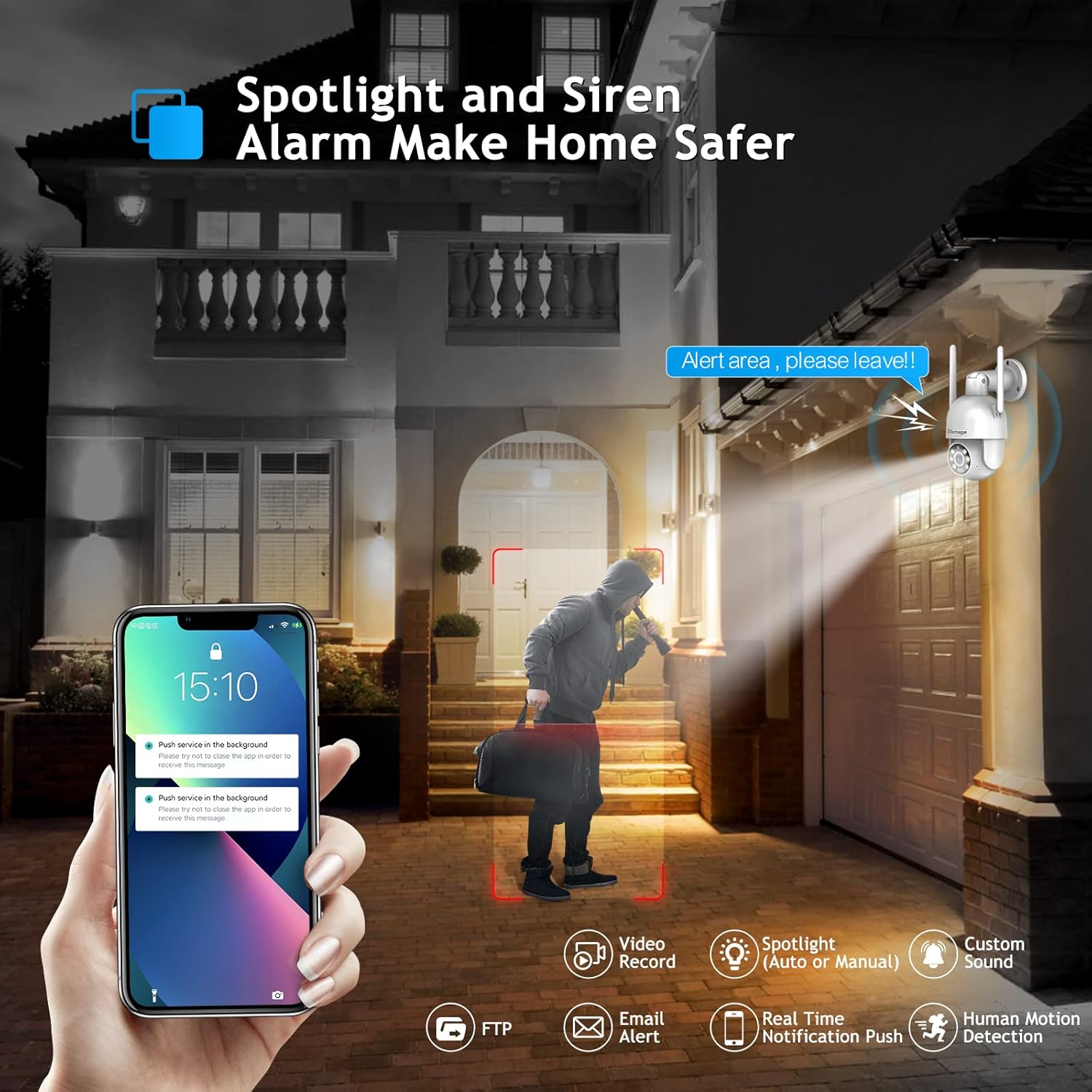
Image: The camera's spotlight and siren alarm activating upon detecting a person.
2.6 Automatic Cruise Function
The camera supports preset cruise points, allowing it to patrol specific areas automatically. You can define the path, time, and speed of the patrol within the app.

Image: The camera's smart cruise function, showing preset patrol points.
3. Manutenzjoni
3.1 Tindif tal-Kamera
- Gently wipe the camera lens and body with a soft, dry cloth.
- Avoid using harsh chemicals or abrasive cleaners that could damage the camera's surface or lens.
3.2 Għażliet ta' Ħażna
The camera supports local storage via a MicroSD card (up to 128GB) and cloud storage for recorded video.

Image: Depiction of cloud storage and MicroSD card for video recording.
3.3 Reżistenza għat-Temp
The camera is designed with IP66 weather resistance, offering protection against water, dust, lightning, and extreme temperatures. It operates effectively in environments from -10°C to 45°C with less than 80% RH (non-condensation).

Image: The camera's IP66 rating, showing its resilience to various weather conditions.
4 Issolvi l-problemi
4.1 Mistoqsijiet Frekwenti
- Q: Do I need to pay a monthly payment for this camera?
A: No, a subscription service is optional. Up to 3 days of cloud recording, intelligent notifications, and activity zones are available with a subscription, but the camera functions without one. - Q: How do I set it up with Alexa?
A: Link the camera to the Alexa app and control it via Amazon Echo Show for easy viewing. Refer to Section 1.4 for detailed steps. - Q: Can I use this with 5G Wi-Fi?
A: The camera connects to 2.4GHz Wi-Fi for better range and does not support 5GHz networks.
4.2 Pariri Ġenerali dwar is-Soluzzjoni tal-Problemi
- Kwistjonijiet ta' Konnettività: Ensure your Wi-Fi network is 2.4GHz and the camera is within range. Restart the camera and your router.
- Kwalità Fqira tal-Immaġni: Check the lens for dirt or obstructions. Ensure adequate lighting for optimal night vision performance.
- Is-Sejbien tal-Moviment Mhux Taħdim: Verify motion detection settings in the ICSEE App. Adjust sensitivity levels and define activity zones as needed.

Image: Setting up motion detection zones within the camera's software.
4.3 Kompatibilità ta' Softwer ta' Partijiet Terzi
The camera supports RTSP, FTP, DHCP, NTP, and UPNP protocols. It is compatible with most NVR systems and third-party software such as Ispy, Blue Iris, and Tinycam.

Image: The camera's compatibility with popular third-party surveillance software.
5. Speċifikazzjonijiet
| Karatteristika | Dettall |
|---|---|
| Numru tal-Mudell | XM-PT825-40W |
| Riżoluzzjoni tal-Qbid tal-Vidjo | 4MP |
| Medda Pan/Tilt | 355° Pan, 90° Mejjel |
| Protokoll tal-Konnettività | Wi-Fi (2.4GHz biss) |
| Użu fuq ġewwa/barra | Ġewwa, Barra |
| Livell ta 'Reżistenza għall-Ilma | IP66 Waterproof |
| Viżjoni bil-lejl | Viżjoni bil-Lejl bil-Kulur, Viżjoni bil-Lejl IR (Firxa ta' 30 Pied) |
| Awdjo | Awdjo 2-Way |
| Sejbien tal-Moviment | Human Motion Detection, Auto Tracking |
| Tip ta 'Twissija | Audio and Motion (Siren Alarm, Spotlight) |
| Sors tal-Enerġija | Corded Elettriku |
| Materjal | Acrylonitrile Butadiene Styrene (ABS) |
| Dimensjonijiet | 8.1 x 6.5 x 5.5 pulzieri |
| Piż tal-oġġett | 1.57 liri |
6. Garanzija u Appoġġ
Techage provides a garanzija ta 'sena for this product. For any questions or concerns, lifetime support is available via US local phone call or Amazon email service.
For technical assistance, please refer to the contact information provided with your product or visit the official Techage support channels.

Image: Techage offers free technical support for its products.