
1. Introduzzjoni
The LattePanda 3 Delta is a compact, high-performance single board computer designed for various applications, including embedded systems, IoT projects, and mini-PC setups. It features an Intel Celeron N5105 processor, 8GB RAM, 64GB eMMC storage, and extensive connectivity options. This manual provides essential information for setting up, operating, and maintaining your LattePanda 3 Delta.
2. Informazzjoni dwar is-Sigurtà
- Provvista tal-Enerġija: Use only the provided 45W PD power adapter or a compatible 12V DC power source. Incorrect voltage jistgħu jagħmlu ħsara lill-apparat.
- Ambjent: Operate the device in a well-ventilated area. Avoid extreme temperatures, humidity, or direct sunlight.
- Immaniġġjar: Handle the board by its edges to avoid electrostatic discharge (ESD) damage to components.
- Modifiki: Unauthorized modifications may void your warranty and pose safety risks.
- Installazzjoni tal-antenna: Exercise caution when installing the Wi-Fi/Bluetooth antennas. The connectors are small and delicate.
3. Kontenut tal-Pakkett
Ivverifika li l-oġġetti kollha huma preżenti fil-pakkett tiegħek:
- LattePanda 3 Delta Board x1
- Activation Code Card (Windows 10 IoT Enterprise) x1
- Active Cooling Fan (Pre-assembled) x1
- 45W PD Power Adapter with EU & US Cords x1
- Dual-band Antenna x2
- RTC Battery (Pre-assembled) x1
- Manwal għall-Utent x1

Image: Contents of the LattePanda 3 Delta package, including the board, power adapter, antennas, and documentation.
4. Prodott Aktarview
The LattePanda 3 Delta is a compact single board computer. Below are images illustrating its physical characteristics and key components.

Immaġni: Fuq view of the LattePanda 3 Delta board, showcasing the pre-assembled active cooling fan and various ports.

Immaġni: Fuq view of the LattePanda 3 Delta board with a ruler indicating its dimensions in centimeters.

Immaġni: Taħt view of the LattePanda 3 Delta board, showing the M.2 Key-B and M.2 Key-M slots, and the microSD card slot.

Immaġni: Close-up view of the SanDisk eMMC storage chip on the LattePanda 3 Delta board.

Image: Diagram illustrating the various input/output ports and pin headers on the LattePanda 3 Delta, including USB, HDMI, Ethernet, and Arduino pins.
5. Setup
5.1 Konnessjonijiet Inizjali
- Qabbad id-Displej: Connect your monitor to the LattePanda 3 Delta using an HDMI cable, a DisplayPort over USB-C cable, or an eDP display.
- Ikkonnettja l-Periferali: Plug in your USB keyboard and mouse into the available USB 3.2 Gen2 or USB 3.2 Gen1 ports.
- Qabbad in-Netwerk (Mhux obbligatorju): For wired internet, connect an Ethernet cable to the Gigabit Ethernet port. For wireless, proceed to antenna installation.
- Qabbad l-Enerġija: Plug the 45W PD power adapter into the USB Type-C port or the DC power port. The device will power on automatically or can be powered on using the system switch button.
5.2 Installazzjoni tal-antenna
The LattePanda 3 Delta requires the included dual-band antennas for Wi-Fi and Bluetooth functionality. These connect via small snap connectors on the board.
- Carefully align the antenna connector with the corresponding snap on the board (refer to the product overview diagram for locations).
- Gently press down until you feel a small click, indicating a secure connection. Avoid excessive force to prevent damage to the connector.
- Repeat for the second antenna.
6. Sistema Operattiva
The LattePanda 3 Delta supports both Windows (Windows 10 and Windows 11) and various Linux distributions. The device typically comes with Windows 10 IoT Enterprise pre-installed on the 64GB eMMC.
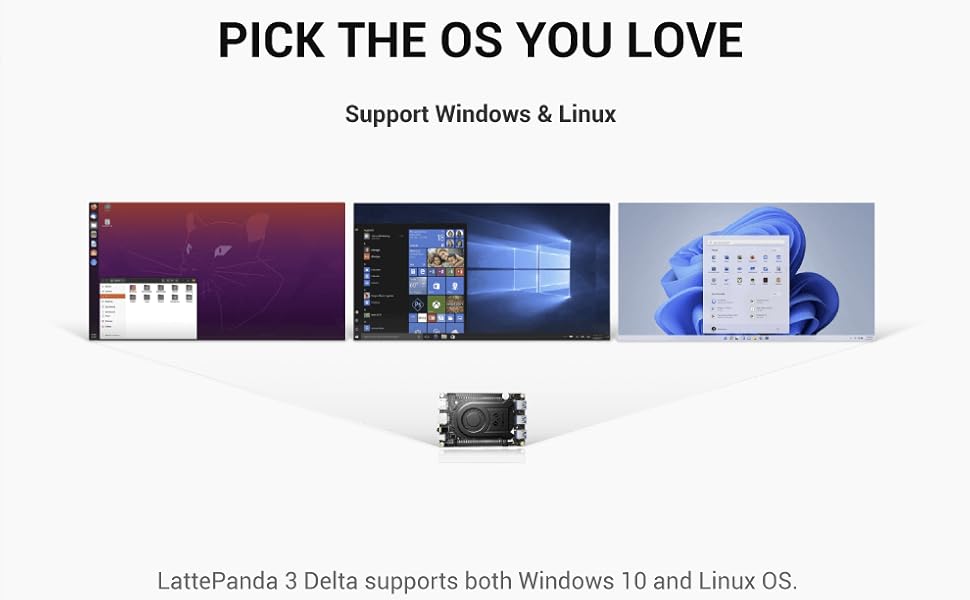
Image: Visual representation of the LattePanda 3 Delta supporting various operating systems, including Windows and Linux distributions.
6.1 Boot Inizjali
Upon first power-on, the pre-installed operating system will guide you through the initial setup process. Follow the on-screen instructions to configure your system.
6.2 Installing a New Operating System
To install a different operating system, you will typically need to create a bootable USB drive with your desired OS image. Access the BIOS/UEFI settings during startup (usually by pressing DEL or F2) to change the boot order and boot from the USB drive.
7. Expansion and Connectivity
The LattePanda 3 Delta offers various options for expanding its capabilities and connecting to other devices.
7.1 M.2 Expansion Slots
The board includes dual M.2 slots for storage and wireless modules:
- M.2 Key-B: Supports 4G/5G modules or SATA SSDs.
- M.2 Key-M: Supports NVMe SSDs for high-speed storage.

Image: Diagram illustrating the M.2 Key-B and M.2 Key-M slots and their compatible expansion modules (5G, 4G, SATA SSD, NVMe SSD).
7.2 Integrated Arduino Coprocessor
An integrated Arduino Coprocessor (ATmega32U4) allows for seamless integration with a wide range of sensors and actuators, making it suitable for robotics and IoT projects.
8. Manutenzjoni
Proper maintenance ensures the longevity and optimal performance of your LattePanda 3 Delta.
- Tindif: Use a soft, dry cloth to clean the board. For dust accumulation, use compressed air. Do not use liquid cleaners.
- Fann li jkessaħ: The active cooling fan helps dissipate heat. Ensure it is free from obstructions and clean any dust buildup periodically.
- Aġġornamenti tas-Software: Regularly update your operating system and drivers to ensure stability and security.
9 Issolvi l-problemi
Din it-taqsima tindirizza kwistjonijiet komuni li tista’ tiltaqa’ magħhom.
- Ebda Qawwa: Ensure the power adapter is correctly connected and providing power. Try a different power outlet or adapter if available.
- Ebda Display: Verify that the display cable is securely connected to both the LattePanda and the monitor. Check if the monitor is set to the correct input source.
- Kwistjonijiet bil-Wi-Fi/Bluetooth: Confirm that the antennas are properly installed and connected. Check device manager (Windows) or system settings (Linux) to ensure wireless adapters are recognized and enabled.
- Is-Sistema Operattiva Mhux Tibbutja: If you recently installed a new OS, ensure the boot order in BIOS/UEFI is correct. If the pre-installed OS is not booting, consider reinstalling it.
- Is-sħana żejda: Ensure the cooling fan is operating correctly and not obstructed. Check ambient temperature.
10. Speċifikazzjonijiet
Detailed technical specifications for the LattePanda 3 Delta (DFR0982).

Image: Performance comparison chart highlighting the 2X faster CPU and 3X faster GPU performance of the LattePanda 3 Delta compared to its predecessor.
| Karatteristika | Speċifikazzjoni |
|---|---|
| Proċessur | Intel Celeron N5105 (2.9 GHz max, 4 Cores) |
| RAM | 8 GB DDR4 |
| Ħażna | 64 GB eMMC |
| Grafika | Grafika Intel UHD integrata |
| Riżoluzzjoni Massima tal-Iskrin | 3840 x 2160 pixels (4K@60Hz) |
| Output tal-vidjo | HDMI 2.0b, DisplayPort over USB-C, eDP |
| Konnettività bla fili | Wi-Fi 6, Bluetooth |
| Ethernet | Gigabit Ethernet |
| Portijiet USB | USB 3.2 Gen2, USB 3.2 Gen1, USB Type-C |
| Slots ta 'Espansjoni | M.2 Key-B, M.2 Key-M |
| Koproċessur | Arduino ATmega32U4 |
| Appoġġ tas-Sistema Operattiva | Windows 10/11, Linux |
| Dimensjonijiet (LxWxH) | 4.92 x 3.07 x 0.63 pulzieri (125 x 78 x 16 mm) |
| Piż | 1.19 liri |
| Manifattur | LATTEPANDA |
| Numru tal-Mudell | DFR0982 |
11. Garanzija u Appoġġ
For warranty information and technical support, please refer to the official LattePanda webis-sit jew ikkuntattja lill-bejjiegħ tiegħek. Żomm il-prova tax-xiri tiegħek għal talbiet ta' garanzija.
Tista 'wkoll iżżur il- LattePanda Store on Amazon għal aktar riżorsi u informazzjoni dwar il-prodott.