
1. Introduzzjoni
Thank you for choosing the Yoidesu 10-inch Car Radio Stereo. This manual provides essential information for the proper installation, operation, and maintenance of your new car multimedia system. Please read this manual thoroughly before use to ensure optimal performance and safety.
Prodott Overview
This car stereo features a 10-inch display, runs on Android 10.1, and includes 2GB RAM with 32GB ROM for smooth operation and ample storage for applications. It supports navigation, Bluetooth connectivity, and mobile phone mirror link functionality.
Kompatibilità
This unit is designed as a replacement for the original car radio stereo in Honda CRV models manufactured between 2012 and 2016.

Image 1.1: The Yoidesu 10-inch Car Radio Stereo with its main interface.
2. Kontenut tal-Pakkett
Jekk jogħġbok ivverifika li l-oġġetti kollha elenkati hawn taħt huma inklużi fil-pakkett tiegħek:
- 1 x Host Unit (Car Stereo)
- 1 x Ċineg tal-Enerġija
- 1 x Cable
- 1 x Antenna GPS
- 1 x Manwal għall-Utent
- 2 x USB Extension Cables
- 1 x Camera Line
- 1 x USB Adapter Cable
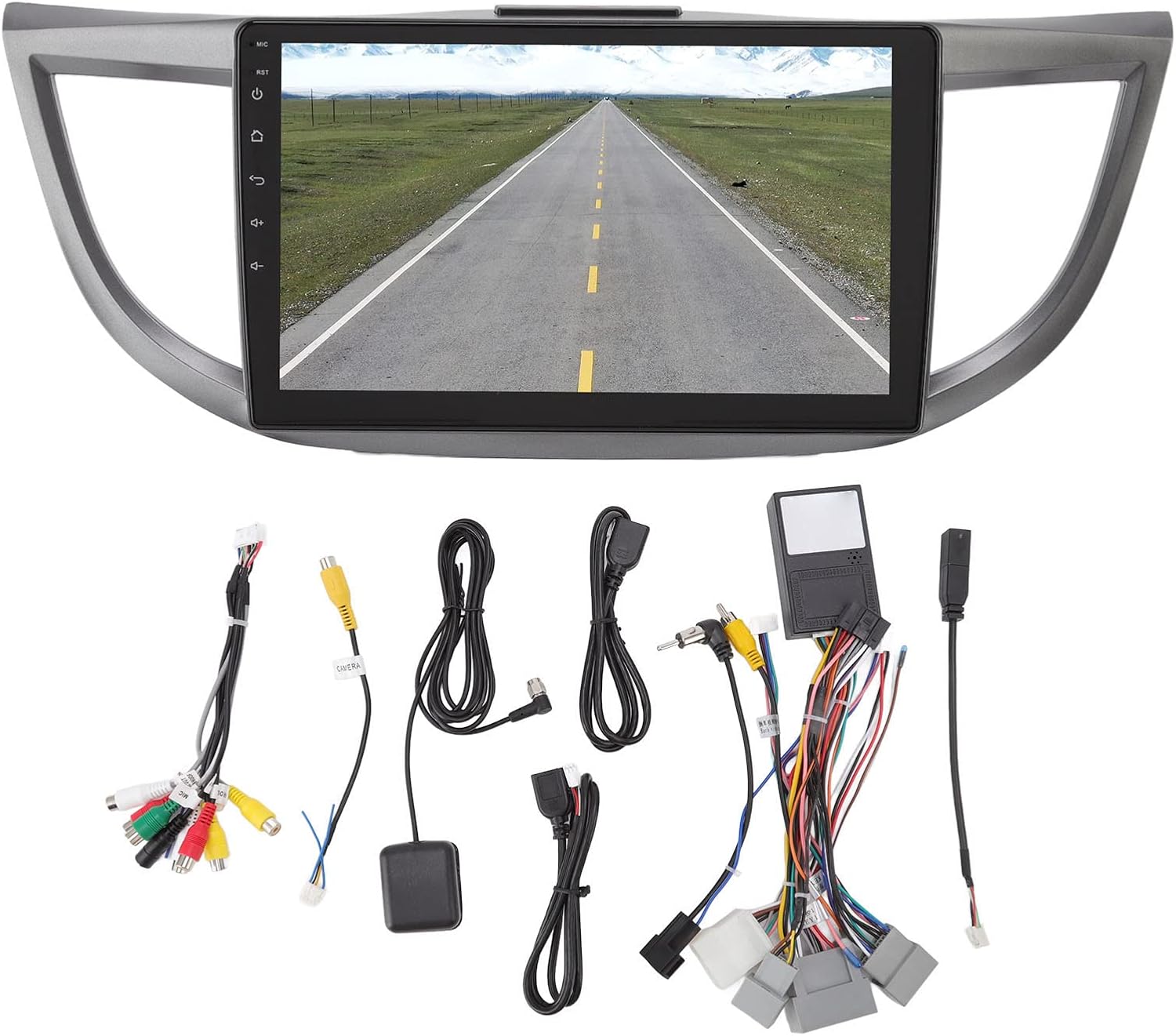
Immaġni 2.1: Fuqview of all included accessories and cables.
3. Speċifikazzjonijiet
| Karatteristika | Speċifikazzjoni |
|---|---|
| Brand | Yoidesu |
| Isem tal-Mudell | Radju Stereo tal-Karozza |
| Tip ta 'Servizz tal-Vettura | Car (Honda CRV 2012-2016) |
| Daqs tal-Iskrin | 10 Pulzier |
| Riżoluzzjoni | 1024 x 600 |
| Sistema Operattiva | Android 10.1 |
| Memorja (RAM) | 2GB |
| Ħażna (ROM) | 32GB |
| Teknoloġija tal-Konnettività | USB, Wi-Fi, Bluetooth |
| Karatteristiċi Speċjali | Bluetooth, Touchscreen, Navigation, Mirror Link, Steering Wheel Control Support |
| Supported Navigation System | GPS (Mapep Online/Offline) |
| Modalità tal-Ħruġ tal-Awdjo | Speaker, Stereo |
| Voltage | 12V |
4. Setup u Installazzjoni
Installation of the Yoidesu Car Radio Stereo involves replacing the existing factory unit. Due to the complexity of automotive electrical systems, professional installation is highly recommended to prevent damage to the unit or your vehicle.
Passi Ġenerali ta' Installazzjoni (Ikkonsulta professjonist)
- Preparazzjoni: Skonnettja l-batterija tal-vettura biex tevita xorts elettriċi.
- Neħħi l-Unità l-Qadima: Carefully remove the existing car radio stereo and its surrounding trim.
- Qabbad il-Wiring: Connect the provided power harness, GPS antenna, USB extension cables, and camera line (if applicable) to the new Yoidesu unit. Ensure all connections are secure.
- Funzjonalità tat-Test: Before fully reassembling, temporarily connect the battery and test basic functions like power, audio, and display.
- Unità Sikura: Mount the new unit into the dashboard opening and secure it.
- Erġa' arma: Reinstall all trim pieces removed earlier.
- Kontroll Finali: Reconnect the battery and perform a comprehensive test of all features.

Image 4.1: Before and After installation of the Yoidesu Car Radio Stereo.

Stampa 4.2: Wara view of the main unit with wiring connections.
5. Istruzzjonijiet Operattivi
5.1 Sistema Android 10.1
The unit runs on Android 10.1, providing a familiar interface. You can download and install various applications from the app store, similar to a smartphone or tablet. The 2GB RAM and 32GB ROM ensure smooth operation and quick application launches.
5.2 Navigazzjoni
The car stereo supports both online and offline navigation applications. It is compatible with popular mapping services like Igo maps and Waze. After connecting to Wi-Fi, you can use online navigation anywhere. The system supports 2D and 3D map displays.
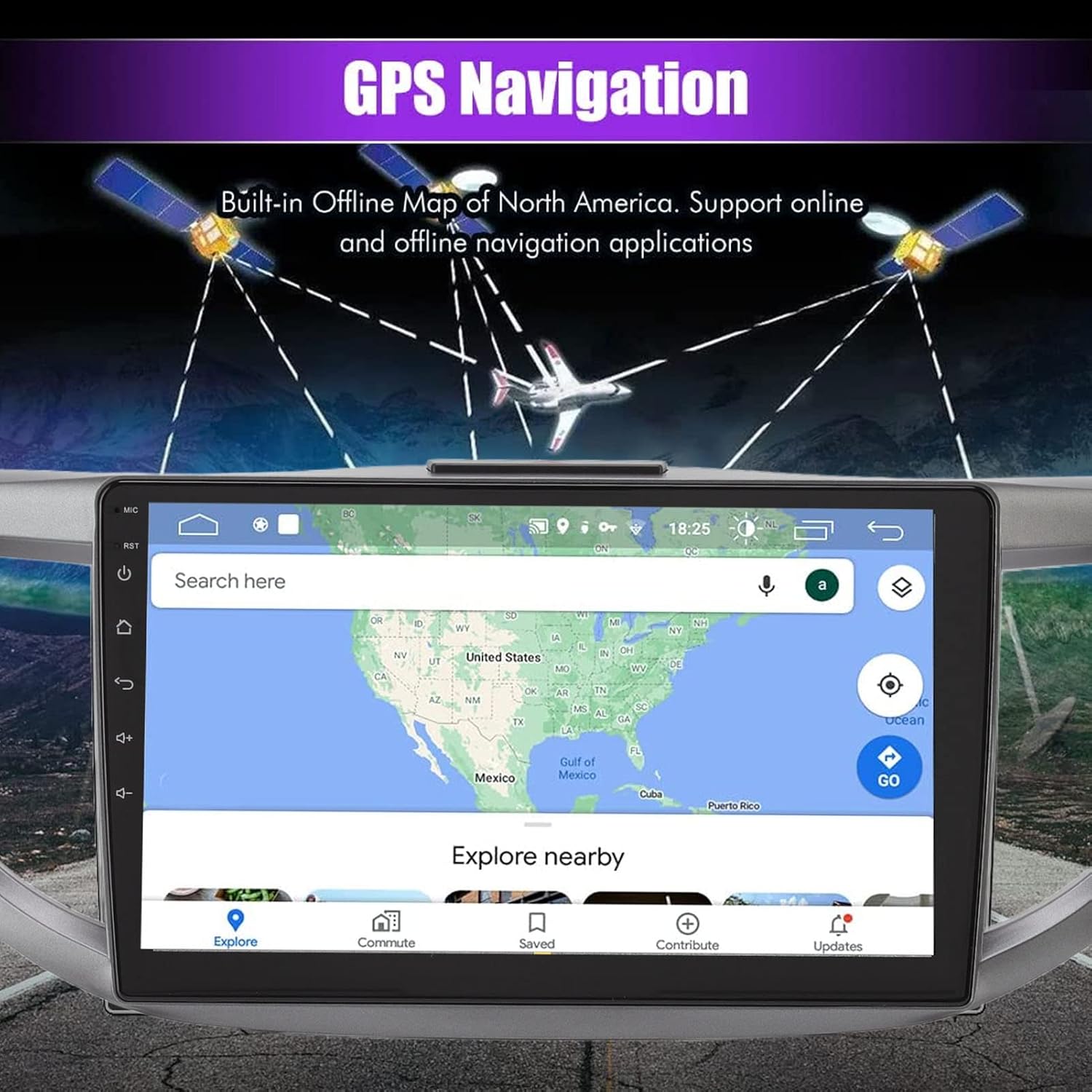
Image 5.1: GPS Navigation interface on the car stereo.
5.3 Konnettività Bluetooth
Pair your mobile phone via Bluetooth to enable hands-free calling and audio streaming. The built-in microphone captures your voice, and calls are routed through your car's speakers. To pair, go to the Bluetooth settings on the unit and search for your device.
5.4 Funzjoni tal-Mera Link
The mirror link function allows you to synchronize your Android or iOS phone's screen with the car stereo display. This enables you to view maps, videos, and other content from your phone directly on the larger car stereo screen. Follow the on-screen instructions on the unit to establish the mirror link connection.
5.5 Kontrolli ta' l-istering
The unit is designed to integrate with your vehicle's existing steering wheel controls. This allows you to manage functions such as switching songs, adjusting volume, and changing channels without taking your hands off the wheel. Configuration may be required in the unit's settings menu.
5.6 Wara View Input tal-Kamera
The system supports high-definition rear view camera input (camera sold separately). When the vehicle is shifted into reverse, the rear view image will automatically display on the screen, assisting with safer parking. The system offers excellent night vision capabilities.
Stampa 5.2: Wara view camera display with parking assistance lines.
5.7 Settings tal-Ħoss
Access the sound settings to customize your audio experience. The unit provides options for adjusting equalizer settings, balance, and fade to optimize sound output through your car's speakers.
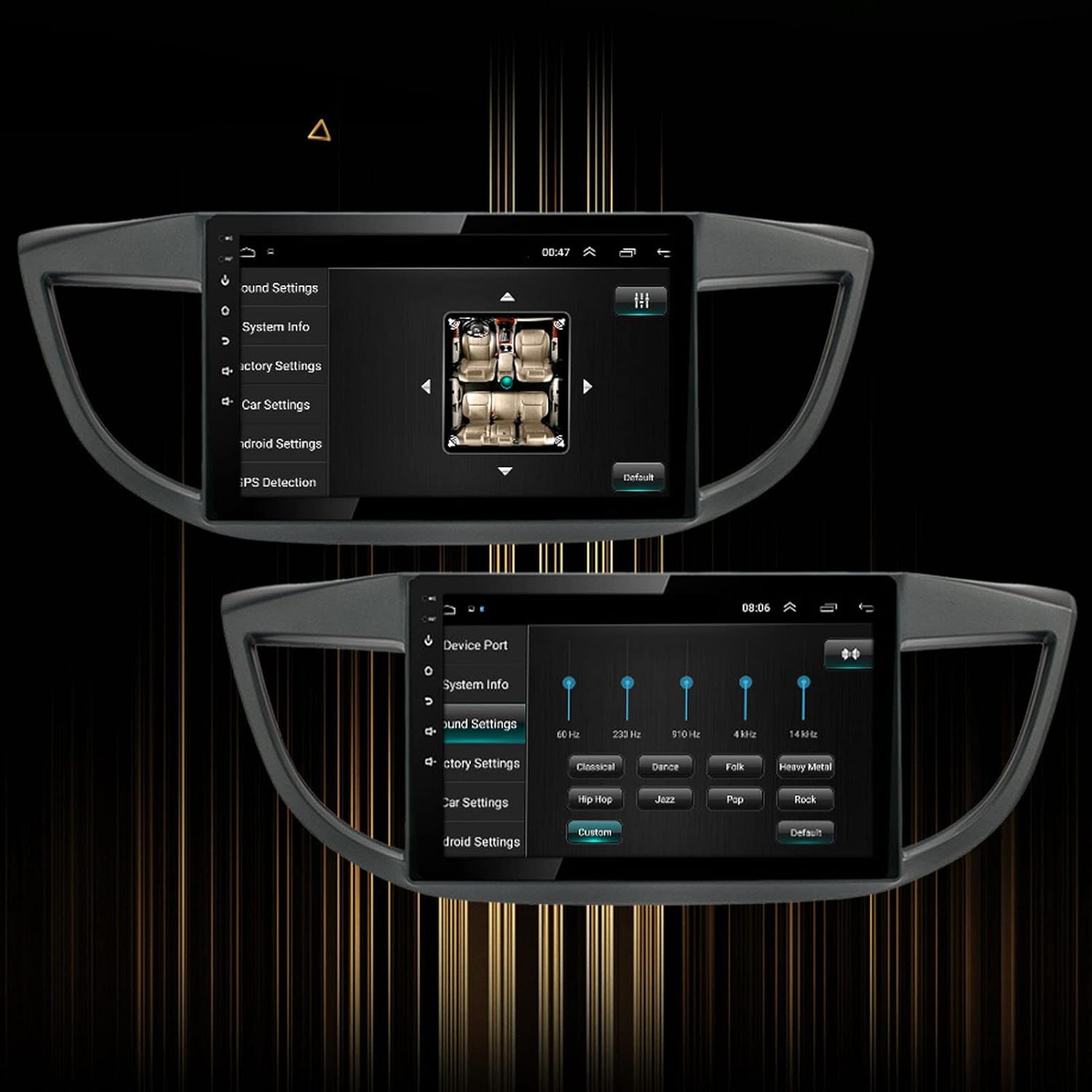
Image 5.3: Sound settings interface with equalizer options.
6. Manutenzjoni
To ensure the longevity and optimal performance of your Yoidesu Car Radio Stereo, follow these maintenance guidelines:
- Tindif tal-Iskrin: Uża drapp artab u mingħajr suf biex timsaħ l-iskrin bil-mod. Għal tbajja' persistenti, nixxef ftit.ampen the cloth with water or a screen-cleaning solution specifically designed for electronics. Avoid harsh chemicals, abrasive materials, or excessive moisture.
- Tindif Ġenerali: Keep the unit and surrounding dashboard area free from dust and debris. Use a soft brush or compressed air to clean crevices.
- Aġġornamenti tas-Software: Periodically check for available software updates through the unit's settings or the manufacturer's website. Updates can improve performance, add features, and fix bugs.
- Evita Temperaturi Estremi: Do not expose the unit to extreme heat or cold for prolonged periods, as this can affect its electronic components and screen.
7 Issolvi l-problemi
If you encounter issues with your Yoidesu Car Radio Stereo, refer to the following common problems and solutions:
| Problema | Kawża Possibbli | Soluzzjoni |
|---|---|---|
| L-unità ma tixgħelx | Konnessjoni tal-enerġija maħlula, fjus maħruq, problema bil-batterija tal-vettura. | Check all power cables and connections. Inspect vehicle fuses. Ensure vehicle battery is charged. |
| Ebda output tal-ħoss | Speaker wires disconnected, volume too low, incorrect audio source selected. | Verify speaker wire connections. Increase volume. Select the correct audio input source. |
| Telf jew ineżattezza tas-sinjal tal-GPS | Antenna tal-GPS imblukkata jew installata ħażin, unità f'żona b'riċeviment ħażin tas-satellita. | Ensure GPS antenna is clear of obstructions and properly connected. Move to an open area for better reception. |
| Kwistjonijiet ta 'tqabbil tal-Bluetooth | Bluetooth not enabled on phone/unit, device too far, interference. | Ensure Bluetooth is active on both devices. Keep devices close. Restart both devices. |
| Il-kontrolli tal-istering ma jaħdmux | Incorrect wiring, software configuration needed, compatibility issue. | Check wiring for steering wheel control adapter. Configure controls in the unit's settings. Note: Some users have reported potential limitations with steering wheel control functionality on specific CRV models. Ensure full compatibility before installation. |
| Touchscreen ma jirrispondix | Software glitch, screen protector interference, physical damage. | Restart the unit. Remove any screen protectors to test. If issue persists, contact support. |
If these solutions do not resolve the issue, please contact customer support for further assistance.
8. Garanzija u Appoġġ
Informazzjoni dwar Garanzija
Yoidesu products are manufactured to high-quality standards. For specific warranty terms and conditions, please refer to the warranty card included with your product or contact the seller/manufacturer directly. Keep your purchase receipt as proof of purchase for any warranty claims.
Appoġġ għall-Klijent
For technical assistance, installation queries, or any other support needs, please contact your retailer or the Yoidesu customer service team. Contact information can typically be found on the product packaging or the official Yoidesu websit.
Riżorsi onlajn:
- Żur il- Yoidesu Store on Amazon għal informazzjoni u aġġornamenti dwar il-prodott.