
1. Introduzzjoni
This manual provides detailed instructions for the proper use and maintenance of your CAMMHD D1 Body Camera. Please read this manual thoroughly before operating the device to ensure correct functionality and to prevent damage.
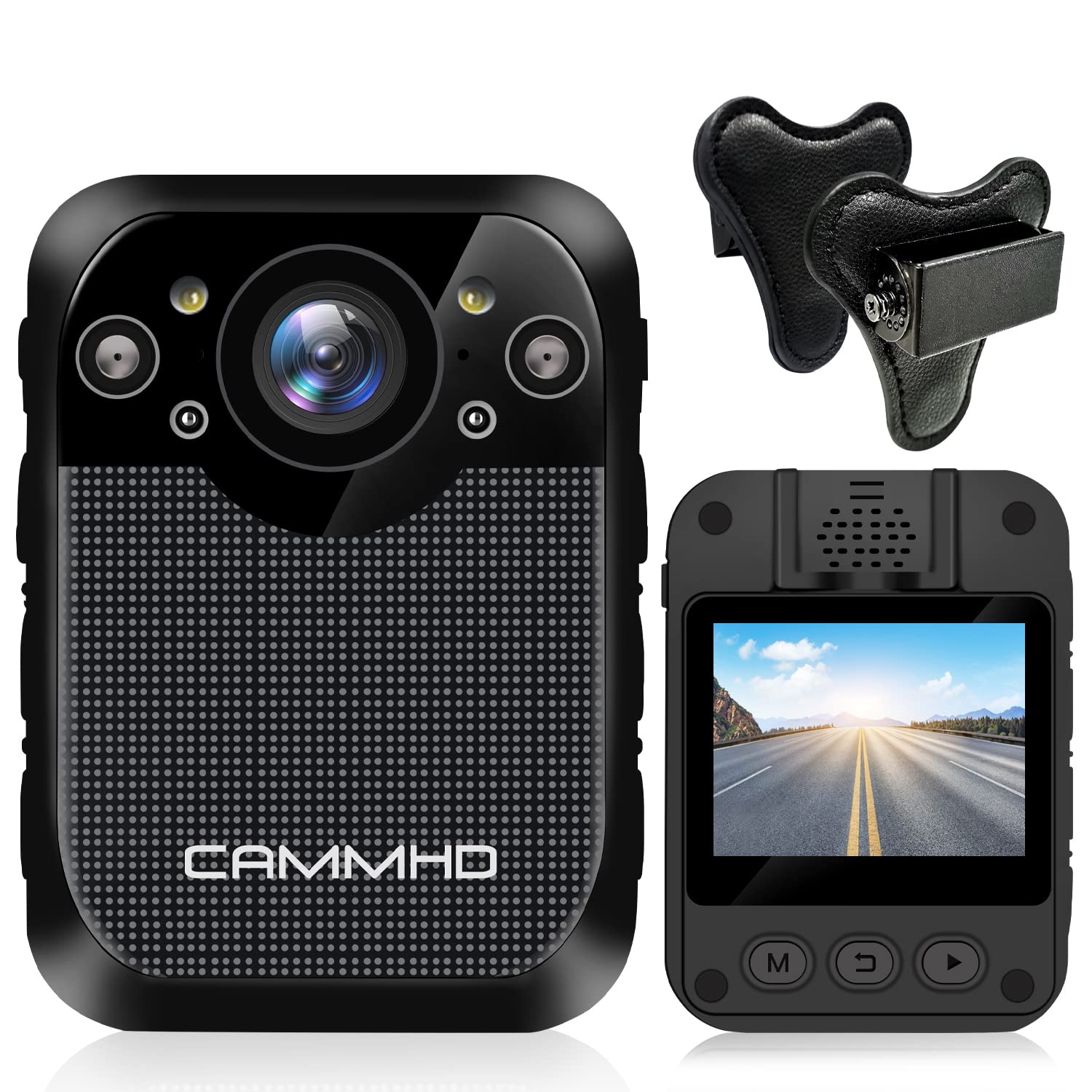
Immaġni: Quddiem view of the CAMMHD D1 Body Camera.
2. Kontenut tal-Pakkett
Iċċekkja li l-oġġetti kollha elenkati hawn taħt huma inklużi fil-pakkett tiegħek. Jekk xi oġġetti huma neqsin jew bil-ħsara, jekk jogħġbok ikkuntattja l-appoġġ għall-klijenti.
- CAMMHD D1 Body Camera
- Magnet Mount
- Ċarġer tal-USB
- Cable USB
- 360° Rotating Shoulder Clip
- Manwal għall-Utent

Image: All components included in the CAMMHD D1 Body Camera package.
3. Prodott Aktarview
Familiarize yourself with the camera's buttons and ports.

Image: Labeled diagram of the CAMMHD D1 Body Camera's external features and controls.
- Buttuna ta 'l-allarm
- Flash aħmar u blu
- Buttuna tal-vidjo
- Night Vision Indicator
- Dawl LED
- Interface USB
- Buttuna tar-ritratti
- Buttuna tal-Awdjo
- Buttuna mixgħul/mitfi
4. Setup
4.1 Iċċarġjar tal-batterija
Before first use, fully charge the camera's built-in 3000mAh lithium battery. Connect the camera to the USB charger using the provided USB cable. A full charge typically takes approximately 3 hours. The camera can record for up to 8 hours (at 1080p resolution) on a full charge.

Image: Visual representation of the camera's 3000mAh battery, 8-hour recording capability, and 3-hour charging time.
4.2 Immuntar tal-Kamera
The CAMMHD D1 Body Camera comes with a magnet mount and a 360° rotating shoulder clip for secure attachment.
Using the Magnet Mount:
The magnet mount allows for flexible positioning and angle adjustment.
Image: The adjustable 45-degree angle clips for the body camera mount.
Attaching with the Shoulder Clip:
Follow these steps to attach the camera using the shoulder clip:
- Separate the two parts of the clip.
- Insert the body camera into the 'outside' clip.
- Place the 'inside' clip under your clothing.
- Adjust the screw to set the desired recording angle.

Image: Step-by-step instructions for attaching the body camera with the shoulder clip.
5. Istruzzjonijiet Operattivi
5.1 Power On/Off
- Qawwa Mixgħul: Press and hold the Power On/Off button (9) until the screen illuminates.
- Itfi: Press and hold the Power On/Off button (9) until the device shuts down.
5.2 Reġistrazzjoni tal-Vidjo
The camera supports 1296P HD video resolution with a 160° wide-angle lens.
- Ibda Reġistrazzjoni: Press the Video button (3) once to begin video recording. A red indicator light will typically flash.
- Waqqaf ir-Reġistrazzjoni: Press the Video button (3) again to stop recording.

Image: The camera's display indicating 1296P Full HD video recording capability.
5.3 Qbid tar-Ritratti
- Ħu Ritratt: Press the Photo button (7) once to capture a still image.
5.4 Reġistrazzjoni tal-Awdjo
- Start Audio Recording: Press the Audio button (8) once to begin audio-only recording.
- Stop Audio Recording: Press the Audio button (8) again to stop audio recording.
5.5 Viżjoni bil-lejl
The camera features automatic infrared night vision with 4 infrared lamps, capable of capturing clear footage up to 10 meters (32 feet) in low-light conditions.
- Attivazzjoni Awtomatika: Night vision activates automatically in low light.
- Attivazzjoni manwali: You can also press the Night Vision button (4) to manually toggle infrared night vision.

Image: Demonstration of the camera's automatic infrared night vision capability.
5.6 Loop Recording
The camera includes 32GB of internal memory. When the memory capacity is reached, the camera automatically overwrites the oldest files biex tkompli tirrekordja.

Image: Explanation of loop recording and the camera's 32GB internal storage.
5.7 Daqq u File Trasferiment
- Daqq fuq l-Apparat: Use the camera's 2-inch display and navigation buttons to review vidjows u ritratti rreġistrati.
- Computer Playback/Transfer: Connect the camera to a computer using the USB cable. The camera will appear as a removable disk, allowing you to transfer files.
6. Manutenzjoni
- Tindif: Use a soft, dry cloth to clean the camera body. For the lens, use a specialized lens cleaning cloth. Do not use harsh chemicals or abrasive materials.
- Ħażna: Aħżen il-kamera f'post frisk u niexef 'il bogħod mix-xemx diretta u minn temperaturi estremi.
- Kura tal-batterija: Biex ittawwal il-ħajja tal-batterija, evita li tiċċarġja kompletament il-batterija ta’ spiss. Iċċarġja l-kamera regolarment, anke jekk ma tkunx qed tużaha għal perjodi twal.
7 Issolvi l-problemi
| Problema | Kawża Possibbli | Soluzzjoni |
|---|---|---|
| Il-kamera ma tixgħelx. | Low battery or faulty battery. | Charge the camera for at least 3 hours. If the issue persists, contact support. |
| Cannot record video/photo. | Memory full or recording error. | Ensure loop recording is enabled or transfer files to free up space. Restart the camera. |
| Kwalità tal-vidjo fqira bil-lejl. | Night vision not active or insufficient ambient light for IR. | Ensure night vision is enabled (auto or manual). Ensure no obstructions block the IR lamps. |
| Il-kamera ma tirrispondix. | Żball fis-softwer. | Press and hold the Power On/Off button for 10-15 seconds to force a restart. |
8. Speċifikazzjonijiet
| Karatteristika | Dettall |
|---|---|
| Mudell | D1 |
| Riżoluzzjoni tal-Qbid tal-Vidjo | 1296p, 1080p, 720p |
| Photo Pixel | 34-il miljun pixel |
| Lenti Wide Angle | 160° |
| Kapaċità tal-batterija | Batterija tal-litju 3000mAh |
| Ħin tar-Reġistrazzjoni | Up to 8 hours (1080p) |
| Ħin tal-Iċċarġjar | Appross. 3 sigħat |
| Memorja Interna | 32GB (Built-in) |
| Medda tal-Viżjoni Lejl | Sa 10m (32-il pied) |
| Daqs tal-Iskrin | 2 Pulzier |
| Livell ta 'Reżistenza għall-Ilma | Waterproof |
| Karatteristiċi Speċjali | Motion Detection, Night Vision, Portable |
| Teknoloġija tal-Konnettività | Wireless |
| Stabbilizzazzjoni tal-Immaġni | Dinamika |
| Tip ta 'Focus | Focus Manwal |
9. Garanzija u Appoġġ
For warranty information or technical support, please refer to the contact details provided with your purchase documentation or visit the official CAMMHD websit. Jekk jogħġbok żomm il-prova tax-xiri tiegħek għal talbiet ta' garanzija.