
Prodott Overview
The MARVO 2.4G Ergonomic Wireless Keyboard and Silent Mouse Combo provides a reliable and comfortable input solution for your computer and smart devices. Featuring a full-size keyboard with a built-in phone/tablet holder and a silent 6-button mouse with adjustable DPI, this combo is designed for efficiency and quiet operation.

Image: MARVO 2.4G Ergonomic Wireless Keyboard and Silent Mouse Combo.
Setup Istruzzjonijiet
1. Installazzjoni tal-batterija
The keyboard and mouse require batteries (not included). Each device typically uses one AA battery. Locate the battery compartments on the underside of both the keyboard and the mouse. Insert the batteries, ensuring correct polarity.

Image: Underside of the wireless mouse, illustrating the battery slot and the storage for the USB receiver.
2. Konnessjoni tar-Riċevitur USB
The combo uses a single 2-in-1 USB Nano Receiver for both the keyboard and mouse. The receiver is typically stored within the mouse's battery compartment for convenience. Remove the receiver and plug it into an available USB port on your computer.
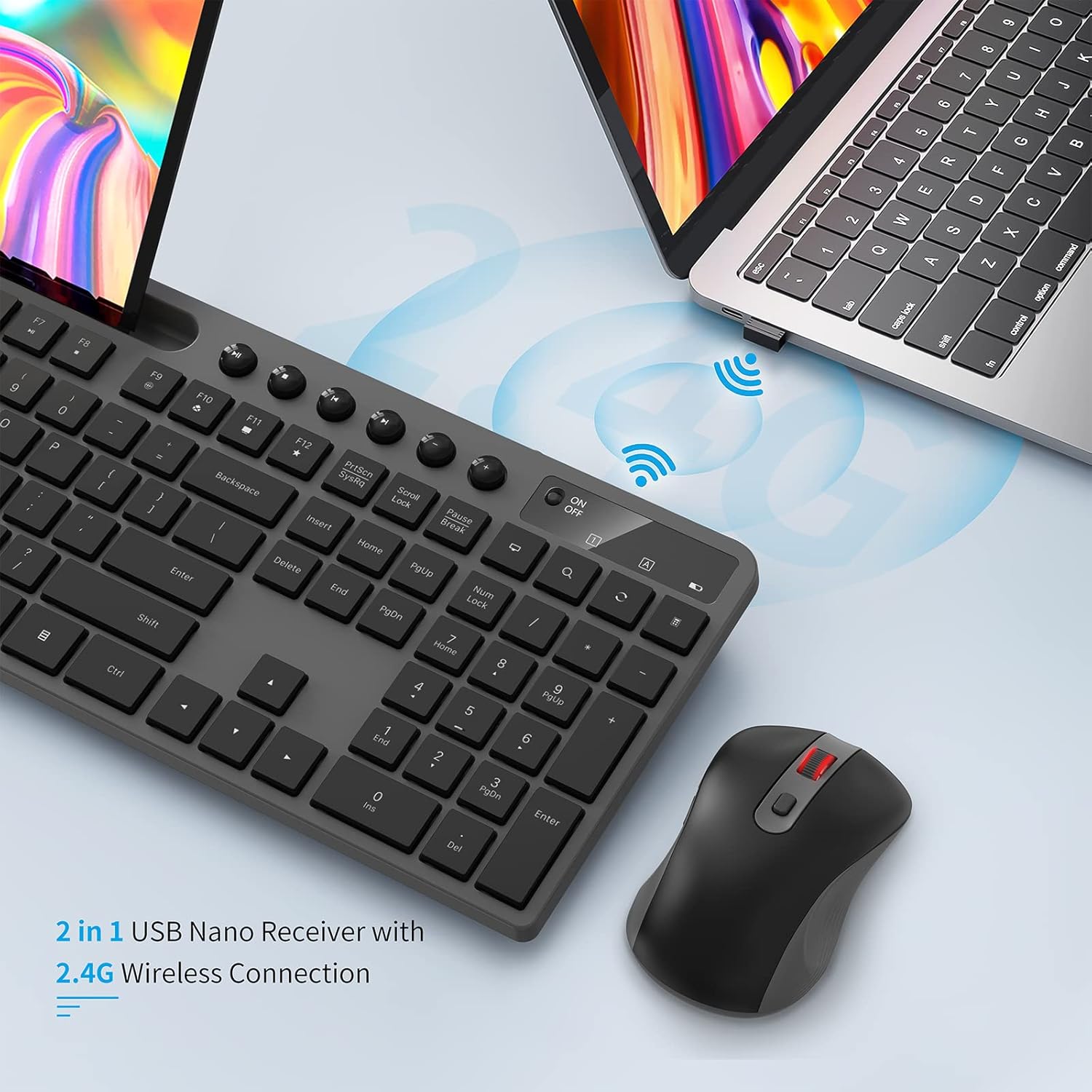
Image: The 2-in-1 USB Nano Receiver connected to a laptop, enabling wireless communication for the keyboard and mouse.
3. Ixgħel
Turn on both the keyboard and the mouse using their respective On/Off switches. The keyboard's power light will blink for 5-8 seconds and then turn off, indicating a normal connection. If the red power light blinks when you press any key, it indicates a low battery state.
4. Kompatibilità tas-Sistema
The MARVO Wireless Keyboard and Mouse Combo is compatible with Windows XP, Vista, 7, 8, 10, and macOS operating systems. No additional drivers are typically required for basic functionality.
Istruzzjonijiet Operattivi
Karatteristiċi tat-Tastiera
- QWERTY Layout: Standard keyboard layout for familiar typing.
- Ċwievet Multimedia: Dedicated keys for media control (play, pause, volume, etc.) located above the function keys.
- Integrated Phone/Tablet Holder: A 9.84-inch slot is built into the keyboard to securely hold your smartphone or tablet, providing convenient access to your second screen.
- Disinn Ergonomiku: Designed for comfortable typing during extended use.
- Saqajn Aġġustabbli għall-Inklinazzjoni: The keyboard features foldable legs on the underside, allowing you to adjust the typing angle for personalized comfort.

Image: The MARVO wireless keyboard featuring its integrated phone and tablet holder, showcasing a phone and tablet in use.
Karatteristiċi tal-Ġurdien
- Klikks Siekta: Designed for quiet operation, minimizing click noise.
- 6 Buttuni: Includes standard left/right click, scroll wheel, DPI switch, and two side buttons (often for page up/down or forward/back).
- DPI aġġustabbli: Cycle through 800, 1200, and 1600 DPI settings using the dedicated DPI switch button to adjust cursor sensitivity.
- Scroll Wheel: For smooth navigation through documents and web paġni.
- Swiċċ mixgħul/mitfi: Located on the underside of the mouse to conserve battery life when not in use.
Manutenzjoni
- Sostituzzjoni tal-batterija: Replace batteries when the low battery indicator appears or performance degrades. Ensure to use the correct battery type (AA).
- Tindif: Uża drapp artab u niexef biex tnaddaf l-uċuħ tat-tastiera u l-maws. Għal ħmieġ iebes, neħħi ftit drapp.amp Jista' jintuża drapp, biex jiġi żgurat li ma tidħolx umdità fil-komponenti interni.
- Ħażna tar-Riċevitur USB: When transporting the mouse, store the USB receiver in its dedicated slot within the mouse's battery compartment to prevent loss.
Issolvi l-problemi
- Ebda Konnessjoni: Ensure both devices are powered on and the USB receiver is securely plugged into a working USB port. Try plugging the receiver into a different USB port.
- Il-Maws Mhux Jirrispondi: Check the mouse battery. If the mouse is unresponsive, try re-pairing it by pressing the ESC key on the keyboard and holding the right wheel and right button down simultaneously on the mouse.
- Iċ-Ċwievet tat-Tastiera Mhux Jaħdmu: Check the keyboard battery. Ensure the keyboard is powered on.
- Konnettività intermittenti: Ensure there are no obstructions between the devices and the USB receiver. Move the receiver closer to the keyboard and mouse if possible.
- Keyboard Wobbles: If the keyboard does not sit level, check the adjustable tilt legs on the underside. Gently adjust or apply slight pressure to the corners to correct any unevenness.
Speċifikazzjonijiet
| Brand | MARVO |
| Mudell | KC-411W |
| Konnettività | 2.4G Radio Frequency |
| Apparati Kompatibbli | Kompjuter Personali, Smartphone |
| Sistema Operattiva | Windows XP / Vista / 7 / 8 / 10, macOS |
| Layout tat-Tastiera | QWERTY (92 keys) |
| DPI tal-ġurdien | 800/1200/1600 DPI Adjustable |
| Buttuni tal-ġurdien | 6 |
| Sors tal-Enerġija | Battery Powered (1 AA per device, not included) |
| Piż tal-oġġett | 0.75 Kilogrammi |
| Firxa Wireless | Sa 33 pied |
| Detentur tat-telefown/tablet | 9.84 pulzieri |

Image: Detailed dimensions of the MARVO wireless keyboard and mouse for reference.
Garanzija u Appoġġ
MARVO provides a 12-month worry-free warranty for this product, ensuring peace of mind. Our friendly customer service team is available to assist with any questions or issues you may encounter.
For support, please visit the official MARVO website or contact our customer service department directly. Please have your model number (KC-411W) and purchase information ready when contacting support.