
1. Introduzzjoni
Thank you for choosing the HDWR wagPRO-H5000 Industrial Hook Scale. This manual provides essential information for the safe and effective use, installation, and maintenance of your new scale. Please read this manual thoroughly before operating the device and keep it for future reference. This industrial scale is designed for weighing heavy loads up to 5 tons (5000 kg) with high precision, making it suitable for various commercial and industrial applications.
2. Informazzjoni dwar is-Sigurtà
- Always ensure the scale is securely attached to a suitable lifting mechanism capable of supporting the maximum load capacity (5000 kg / 11000 lb) plus the weight of the scale itself.
- Do not exceed the maximum rated capacity of 5000 kg (5 tons). Overloading can cause damage to the scale and pose a serious safety risk.
- Regularly inspect the hook, shackle, and all structural components for signs of wear, damage, or deformation before each use.
- Keep hands and body clear of suspended loads. Never stand directly under a suspended load.
- Operate the scale within its specified temperature and humidity ranges.
- Avoid strong impacts or dropping the scale, as this can affect its accuracy and structural integrity.
- Only use the provided AC adapter for charging the scale.
- Do not attempt to disassemble or repair the scale yourself. Refer to qualified service personnel.
3. Prodott Aktarview
3.1 Komponenti Inklużi
- HDWR wagPRO-H5000 Hook Scale
- Hook support with robust safety latch and mounting pin
- Adapter AC 230V
- Kontroll mill-bogħod
- Manwal ta 'Istruzzjoni (dan id-dokument)
3.2 Karatteristiċi ewlenin
- Kapaċità tal-piż: Up to 5000 kg (5 tons) with a minimum measurable weight of 2 kg.
- Preċiżjoni: Measurement accuracy of 2000 g (+/- 2 kg).
- Wiri: Large, easy-to-read red backlit LCD display showing up to five digits.
- Kontroll mill-bogħod: Wireless operation up to 40 meters for power on/off, tare, and summation functions.
- Funzjonijiet addizzjonali: Calibration, display hold (pause), summation of measurements, and unit conversion (kg/lb).
- Qawwa: Built-in rechargeable battery (5000 mAh) for wireless operation.
3.3 Dimensjonijiet tal-Prodott
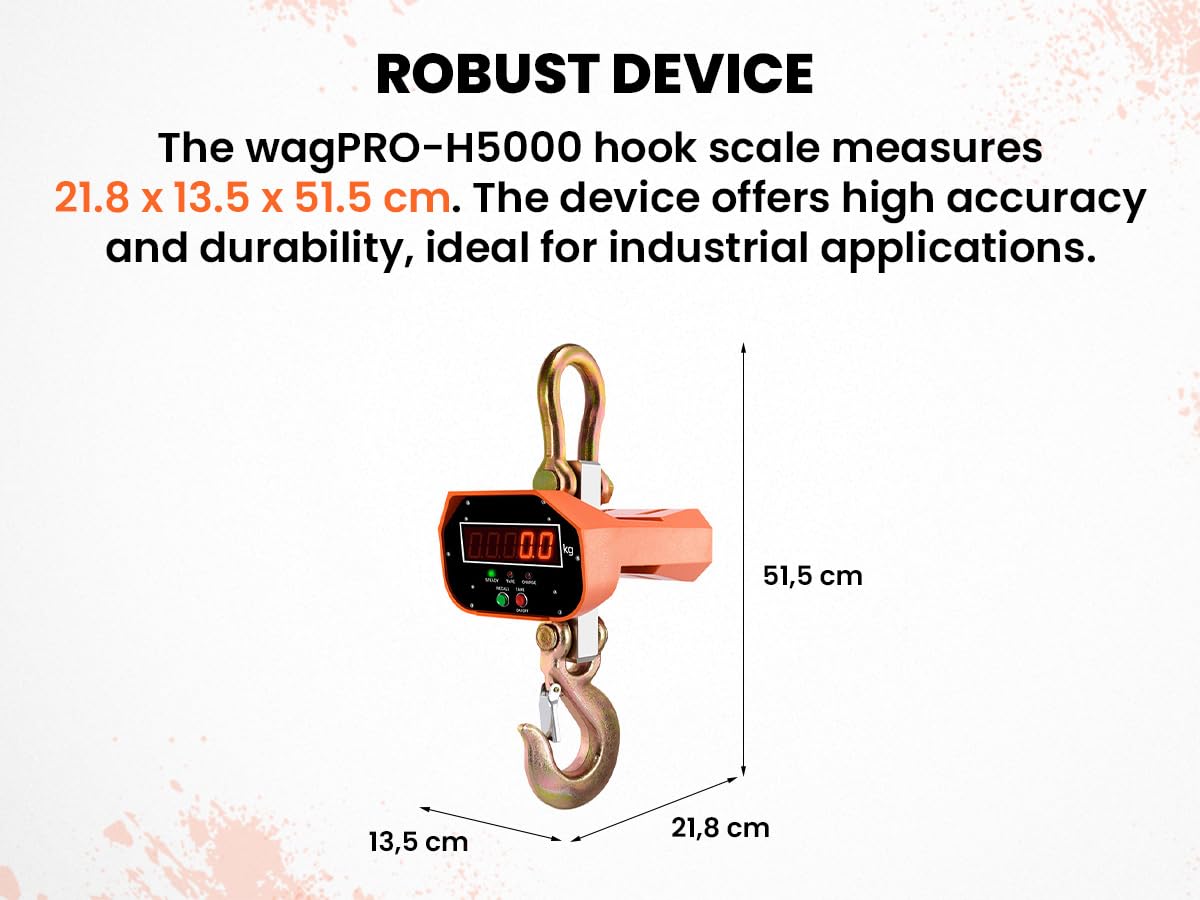
The wagPRO-H5000 hook scale measures approximately 21.8 cm (width) x 13.5 cm (depth) x 51.5 cm (height). Its robust design is ideal for industrial applications.

Image 3.3.1: The HDWR wagPRO-H5000 industrial hook scale showing its overall dimensions: 21.8 cm width, 13.5 cm depth, and 51.5 cm height. This image highlights the compact yet robust design of the device.

Stampa 3.3.2: Quddiem view of the HDWR wagPRO-H5000 scale with detailed measurements for the display unit and hook components, including a total height of 51.5 cm.

Immaġni 3.3.3: Ġenb view of the HDWR wagPRO-H5000 scale, illustrating the depth and width of the main body and the hook assembly, with a total width of 32 cm at the top shackle.
3.4 Wiri u Kontrolli

Immaġni 3.4.1: Close-up view of the HDWR wagPRO-H5000 scale's red LED display, showing the weight reading and indicator lights for 'STEADY', 'TARE', and 'CHARGE'. Below the display are the 'RECALL', 'TARE', and 'ON/OFF' buttons.
Immaġni 3.4.2: Fuqview of the HDWR wagPRO-H5000 scale's key features, including the large display, hold function, unit conversion (kg/lb), remote control operation, tare function, and built-in 5000 mAh battery.
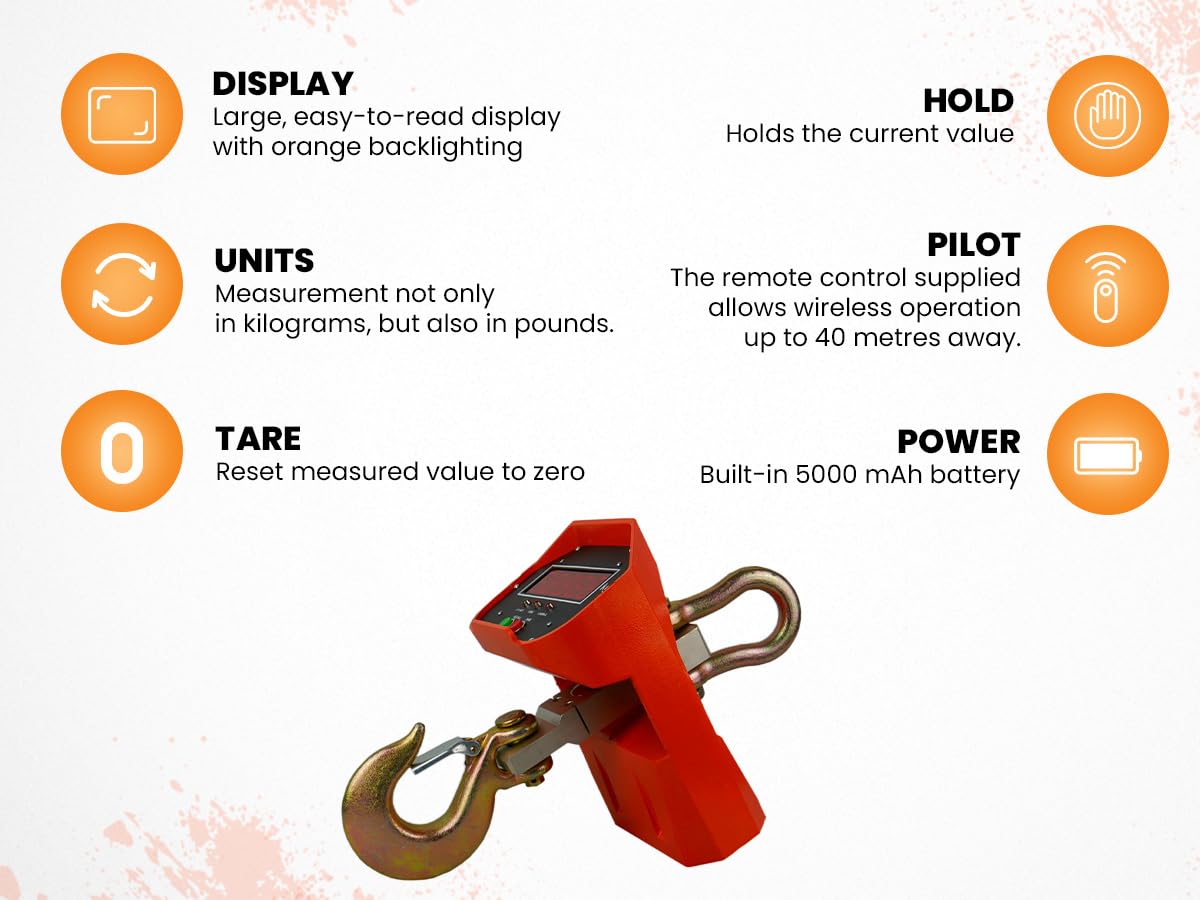
Image 3.4.3: This image illustrates the charging capability of the HDWR wagPRO-H5000 scale via the supplied mains adapter, the robust hook design, the easy-to-read display, and the measurement accuracy of up to 2 kg.
4. Setup
4.1 Spakkjar u Spezzjoni
- Neħħi bir-reqqa l-komponenti kollha mill-imballaġġ.
- Inspect the scale and accessories for any visible damage that may have occurred during transit. If any damage is found, do not use the device and contact customer support.
- Ivverifika li l-komponenti kollha elenkati fit-Taqsima 3.1 huma preżenti.
4.2 Iċċarġjar tal-batterija
The wagPRO-H5000 scale is equipped with a built-in rechargeable battery. Before first use, or if the battery is low, charge the device using the provided AC adapter.
- Connect the AC adapter to the charging port on the scale.
- Plug the AC adapter into a standard 230V power outlet.
- The 'CHARGE' indicator on the display will illuminate during charging.
- Allow the scale to charge fully. The 'CHARGE' indicator will typically turn off or change color when charging is complete.

Image 4.2.1: The HDWR wagPRO-H5000 scale shown alongside its remote control and AC power adapter, which is used for charging the internal battery.
4.3 Attaching the Hook
Ensure the hook support with the safety latch is securely attached to the bottom of the scale using the provided mounting pin. Verify that the safety latch operates correctly to prevent accidental detachment of the load.
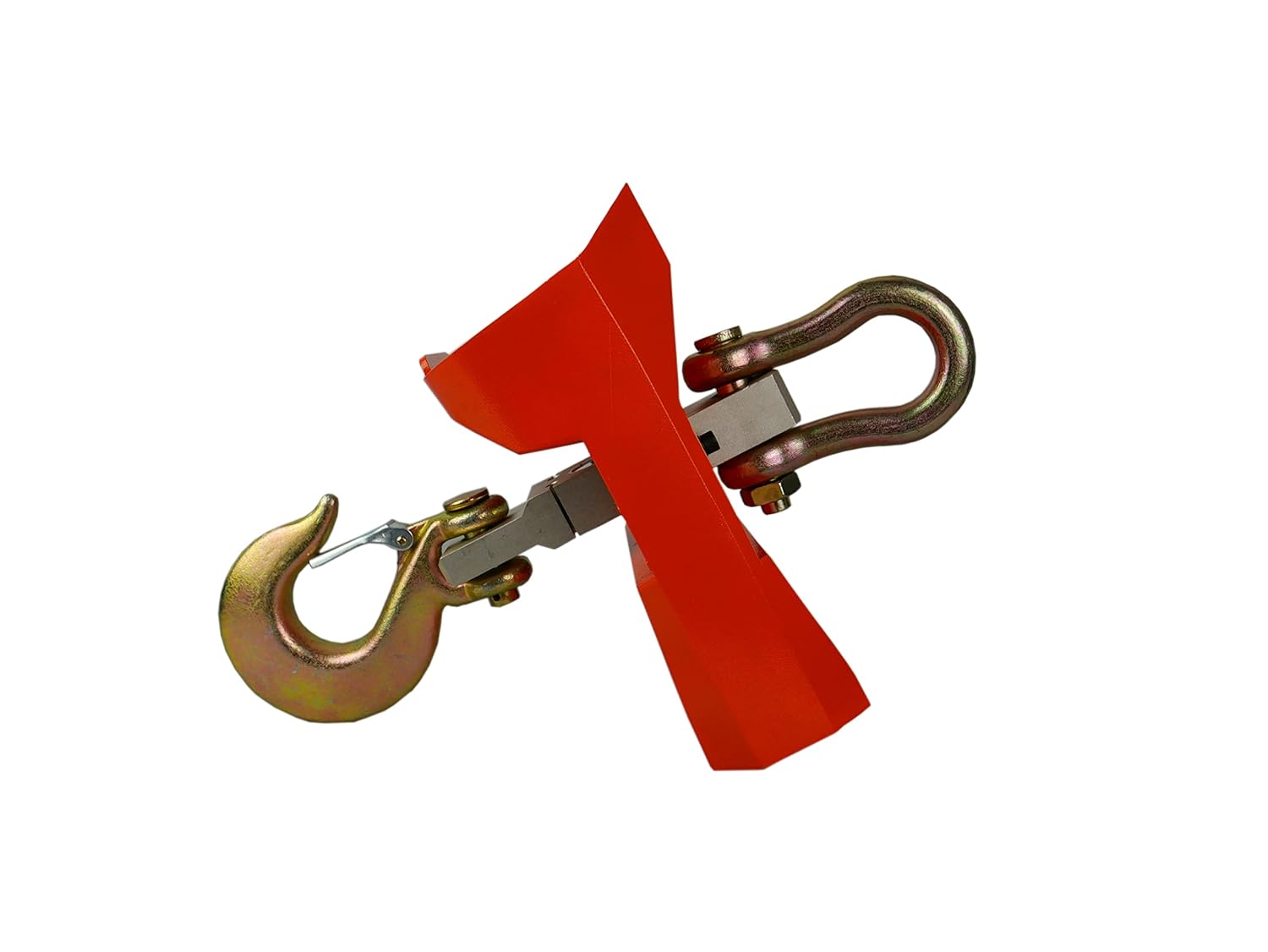
Immaġni 4.3.1: Ġenb view of the HDWR wagPRO-H5000 scale, illustrating the robust hook and shackle assembly, ready for attachment to a lifting device and for securing loads.
5. Istruzzjonijiet Operattivi
5.1 Power On/Off
- Biex Tixgħel: Agħfas il- ON/OFF button on the scale or the corresponding button on the remote control. The display will light up and show '0.0' or '0.00'.
- Biex Tifi: Agħfas u żomm il- ON/OFF button on the scale or the remote control until the display turns off.
5.2 Weighing a Load
- Ensure the scale is powered on and displays '0.0' or '0.00'.
- Carefully attach the load to the hook, ensuring it is stable and centered.
- The weight will be displayed on the LCD screen. The 'STEADY' indicator will light up when the reading is stable.
5.3 Funzjoni tat-tara
The tare function allows you to subtract the weight of a container or packaging, so only the net weight of the item is measured.
- Place the empty container or packaging on the hook.
- Stenna li l-wiri jistabbilizza.
- Agħfas il- TARE button on the scale or the remote control. The display will reset to '0.0' and the 'TARE' indicator will light up.
- Now, place the item to be weighed into the container. The display will show the net weight of the item.
5.4 Konverżjoni tal-Unità (kg/lb)
To switch between kilograms (kg) and pounds (lb):
- With the scale powered on, press the UNITÀ button (if available on your model) or refer to the remote control instructions for unit change.
- The display will show the weight in the selected unit.
5.5 Funzjoni ta' Żomm
The hold function allows you to freeze the current weight reading on the display.
- Once a stable weight is displayed, press the ŻOMM buttuna fuq il-kontroll remot.
- The displayed weight will be held even if the load is removed.
- Agħfas il- ŻOMM Agħfas il-buttuna mill-ġdid biex tirrilaxxa l-qari.
5.6 Summation Function
This function allows you to add multiple weight measurements together.
- Weigh the first item and wait for a stable reading.
- Agħfas il- SOMMA button on the remote control. The weight will be added to the total.
- Remove the item and weigh the next. Repeat step 2.
- Biex view the total sum, press the IFAKKAR button on the scale or remote control.
5.7 Operazzjoni tal-Kontroll mill-bogħod
The remote control provides convenient operation from a distance of up to 40 meters. It allows you to perform functions such as power on/off, tare, hold, and summation without directly interacting with the scale.
6. Manutenzjoni
6.1 Tindif
- Imsaħ l-iskala b'artab, damp drapp. Tużax tindif jew solventi li joborxu.
- Ensure no liquid enters the display or control panel.
6.2 Kura tal-Batterija
- Charge the battery regularly, even if the scale is not in frequent use, to maintain battery health.
- Evita li tbattal il-batterija kompletament qabel ma terġa' tiċċarġjaha.
- If storing the scale for an extended period, ensure the battery is partially charged (around 50%) and recharge it every few months.
6.3 Ħażna
- Store the scale in a dry, clean environment, away from extreme temperatures and direct sunlight.
- Protect the display and control buttons from physical damage.
7 Issolvi l-problemi
| Problema | Kawża Possibbli | Soluzzjoni |
|---|---|---|
| L-iskala ma tixgħel | Batterija baxxa jew mejta Buttuna tal-qawwa mhux ippressata b'mod korrett | Charge the battery using the AC adapter Press and hold the ON/OFF button firmly |
| Qari mhux eżatt | Skala mhux kalibrata Unstable load Environmental factors (wind, vibration) | Perform calibration (refer to advanced settings) Ensure load is stable and centered Operate in a stable environment |
| Il-kontroll mill-bogħod ma jaħdimx | Batterija remota baxxa/mejta Barra mill-firxa Obstruction between remote and scale | Ibdel il-batteriji tal-kontroll mill-bogħod Move closer to the scale (within 40m) Neħħi kull xkiel |
| Display shows 'OVERLOAD' | Load exceeds maximum capacity | Remove excess weight immediately. Do not exceed 5000 kg. |
8. Speċifikazzjonijiet
| Karatteristika | Speċifikazzjoni |
|---|---|
| Numru tal-Mudell | wagPRO-H5000 |
| Brand | HDWR |
| Kapaċità Massima | 5000 kg (5 tons) / 11000 lb |
| Minimum Weighing Capacity | 2 kg |
| Preċiżjoni tal-Kejl | +/- 2000 g (2 kg) |
| Tip ta 'Wiri | Red Backlit LCD |
| Firxa ta 'Kontroll mill-bogħod | Sa 40 metri |
| Sors tal-Enerġija | Built-in Rechargeable Battery (5000 mAh) |
| Input tal-Iċċarġjar | Adapter AC 230V |
| Piż tal-oġġett | 13.5 kg |
| Dimensjonijiet tal-Prodott (L x W x H) | 13.5 x 21.8 x 51.5 ċm |
| Materjal | Liga tal-Azzar |
| Kulur | Oranġjo |
9. Garanzija u Appoġġ
For warranty information, technical support, or service inquiries, please contact HDWR customer service through the retailer where the product was purchased or visit the official HDWR website. Please have your model number (wagPRO-H5000) and purchase date available when contacting support.
HDWR is committed to providing high-quality equipment and customer satisfaction. For more information about HDWR and its product range, you can visit their official channels.