
Prodott Overview
The Andoer Portable 720P Digital Camera is a compact and versatile device designed for capturing high-quality photos and videos. Featuring an 18-megapixel image sensor and 720P high-definition video recording capabilities, it is equipped with an 8X digital zoom, anti-shake technology, and a 2.7-inch TFT display. This camera is ideal for users seeking an easy-to-use solution for documenting moments.

Figura 1: Quddiem u wara view of the Andoer Portable 720P Digital Camera, showcasing its compact design and display screen.
X'hemm fil-Kaxxa
Upon unboxing your Andoer Digital Camera, please ensure all the following items are present:
- Digital Camera (Silver)
- Batterija tal-litju rikarikabbli
- Cable tal-Iċċarġjar tal-USB
- Ċinga tal-polz
- Wettaq Bag
- Manwal għall-Utent (Ingliż)

Figure 2: Contents of the Andoer Digital Camera package, including the camera, wrist strap, carry bag, USB cable, and user manual.
Informazzjoni Importanti dwar is-Sigurtà
Jekk jogħġbok aqra l-istruzzjonijiet kollha tas-sigurtà bir-reqqa qabel ma tuża l-kamera. Żomm dan il-manwal għal referenza futura.
- Tesponix il-kamera għall-ilma jew l-umdità.
- Evita li twaqqa’ l-kamera jew li tissottomettiha għal impatti qawwija.
- Keep the camera away from direct sunlight and high temperatures.
- Tippruvax iżarma jew isewwi l-kamera lilek innifsek.
- Use only the specified battery and charging cable.

Figure 3: Safety warning regarding plastic packaging. Always keep plastic bags away from infants and children to prevent suffocation.
Gwida ta' Setup
1. Iċċarġjar tal-batterija
The camera is powered by a built-in rechargeable lithium battery. Before first use, fully charge the battery.
- Sib il-kompartiment tal-batterija fuq il-ġenb jew fil-qiegħ tal-kamera.
- Insert the provided lithium battery into the compartment, ensuring correct polarity.
- Agħlaq l-għatu tal-kompartiment tal-batterija sew.
- Connect the USB charging cable to the camera's USB port and the other end to a USB power adapter (not included) or a computer's USB port.
- Id-dawl indikatur tal-iċċarġjar jixgħel waqt l-iċċarġjar u jintefa meta jkun iċċarġjat kompletament.
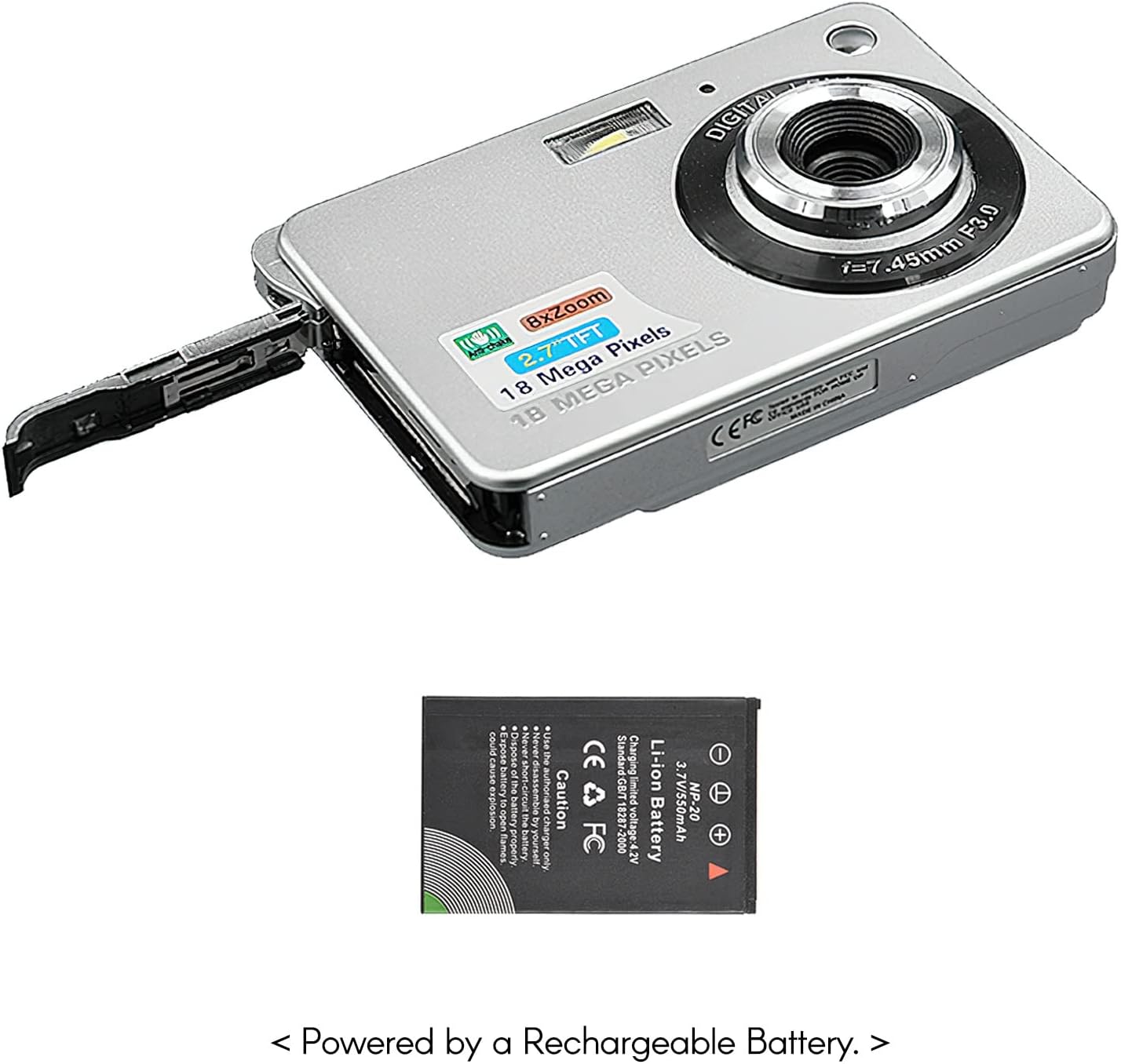
Figure 4: The camera with its battery compartment open, illustrating the placement of the rechargeable lithium battery.
2. Inserting a Memory Card (Not Included)
This camera requires an SD memory card (up to 32GB) to store photos and videos. The memory card is not included in the package.
- Kun żgur li l-kamera tkun mitfija.
- Sib is-slott tal-kard SD, ġeneralment ħdejn il-kompartiment tal-batterija.
- Daħħal il-kard SD bil-kuntatti tal-metall iħarsu 'l isfel (jew kif indikat mid-dijagramma tas-slott) sakemm tikklikkja f'postha.
- Biex tneħħiha, imbotta l-karta bil-mod 'il ġewwa sakemm toħroġ 'il barra.
3. Tixgħil / Mitfi
To power on the camera, press and hold the power button located on the top or side of the camera until the screen illuminates. To power off, press and hold the power button again until the screen turns off.
It-Tħaddim tal-Kamera Tiegħek
1. Fotografija Bażika
The camera can capture high-quality still images up to 18 Megapixels.
- Ixgħel il-kamera.
- Frame your shot using the 2.7-inch TFT display.
- Press the shutter button halfway down to focus, then press fully to take the picture.

Figure 5: The camera's display showing a captured image, demonstrating its 18 Megapixel photo capability.
2. Reġistrazzjoni tal-Vidjo
Record videos in 720P high definition.
- Switch the camera to video mode (refer to on-screen icons or mode button).
- Press the record button (often marked with a red dot) to start recording.
- Agħfas il-buttuna tar-rekord mill-ġdid biex tieqaf tirrekordja.

Figure 6: The camera's display showing a video playback, indicating its 720P high-definition video recording function.
3. Funzjoni taż-Żum
Utilize the 8X digital zoom to get closer to your subjects.
- While in photo or video mode, use the zoom in/out buttons (often marked with 'W' for Wide and 'T' for Telephoto) to adjust the zoom level.

Figure 7: A visual comparison on the camera's screen demonstrating the effect of 8X digital zoom.
4. Display Screen
The camera features a 2.7-inch TFT display for framing shots, reviewl-użu tal-midja, u n-navigazzjoni tal-menus.

Figure 8: The camera's 2.7-inch LCD display showing a clear image, emphasizing its HD capability.
5. Modi tax-Xena
Optimize your photos for different environments using various scene modes:
- Auto: Standard mode for general use.
- Ritratt bil-Lejl: For capturing portraits in low light.
- Night Scenery: For landscapes in low light.
- Ritratt: Ittejjeb il-karatteristiċi tal-wiċċ.
- Scenery: Optimizes for wide landscape shots.
- Sport: For capturing fast-moving subjects.
- Parti: Suitable for indoor events with mixed lighting.
- Bajja: Adjusts for bright, reflective environments.
- Sensittività Għolja: For extremely low light conditions.
6. Karatteristiċi Speċjali
The camera includes several features to enhance your photography experience:
- Kontra t-Tħawwad: Reduces blur caused by camera movement.
- Face Detect: Automatically detects and focuses on faces.
- Qbid tat-tbissima: Automatically takes a photo when a smile is detected.
- Multi-Snapshot: Jaqbad diversi immaġnijiet wara xulxin.
- Self-Timer: Options for 2, 5, or 10-second delays before taking a photo.
- Flash built-in: Provides illumination in dark conditions.
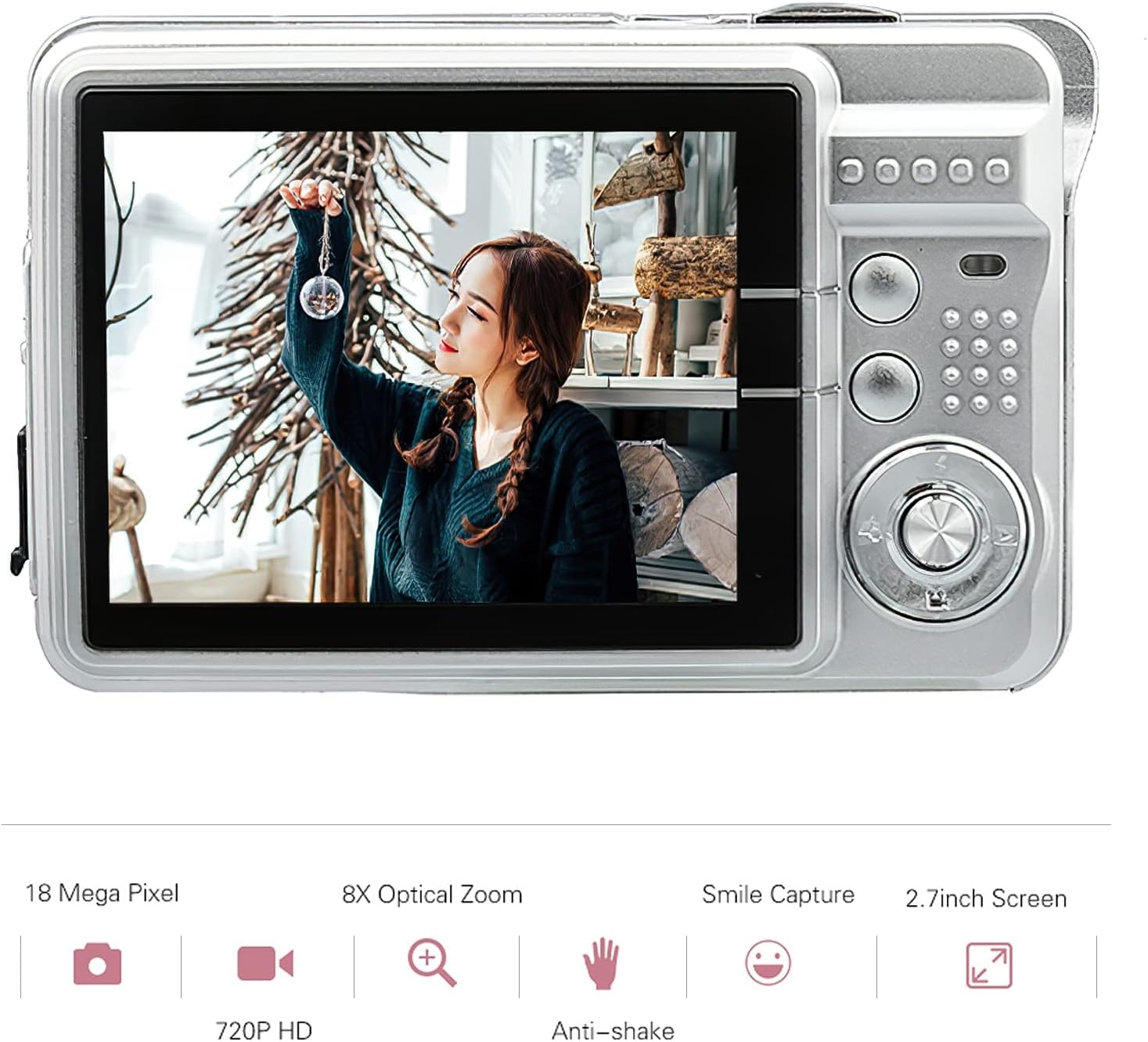
Figure 9: Visual representation of the camera's main features, including resolution, zoom, smile capture, screen size, video quality, and anti-shake.
Kura u Manutenzjoni
Proper care will extend the life of your Andoer Digital Camera.
Tindif tal-Kamera
- Uża drapp artab u niexef biex tnaddaf il-korp tal-kamera.
- For the lens and screen, use a specialized lens cleaning cloth and solution. Avoid abrasive materials.
- Tużax deterġenti jew solventi qawwija.
Kura tal-batterija
- Evita li tiċċarġja l-batterija kompletament ta' spiss.
- Aħżen il-kamera b'batterija parzjalment iċċarġjata jekk ma tużahiex għal perjodi twal.
- Tesponix il-batterija għal temperaturi estremi.
Ħażna
- Store the camera in a cool, dry place, away from dust and direct sunlight.
- Use the provided carry bag for protection during transport.
Issolvi l-problemi
Jekk tiltaqa' ma' problemi bil-kamera tiegħek, irreferi għall-problemi u s-soluzzjonijiet komuni li ġejjin:
Kamera Mhux Tixgħel
- Kun żgur li l-batterija hija kompletament iċċarġjata.
- Iċċekkja li l-batterija tkun imdaħħla sew.
- Try connecting the camera to a power source with the USB cable.
L-Immaġnijiet Huma Ċajpra
- Kun żgur li l-lenti hija nadifa u ħielsa minn tbajja’.
- Iċċekkja l-kundizzjonijiet tad-dawl; uża l-flash jekk meħtieġ.
- Hold the camera steady when taking pictures, or use the anti-shake feature.
Batterija Mhux Iċċarġjar
- Verify the USB cable is securely connected to both the camera and the power source.
- Ipprova port USB differenti jew adapter tal-enerġija.
- Kun żgur li l-batterija tkun imqiegħda sew fil-kompartiment.
Żball tal-Kard tal-Memorja
- Kun żgur li l-karta tal-memorja hija mdaħħla sew.
- Try reformatting the memory card (this will erase all data).
- Ittestja b'kard SD kompatibbli differenti.
Speċifikazzjonijiet Tekniċi
| Karatteristika | Speċifikazzjoni |
|---|---|
| Sensor tal-Immaġni | Sensor CMOS |
| Wiri | 2.7 Pulzier TFT |
| Riżoluzzjoni tal-Istampa | 18M (4895x3672), 16M, 14M, 12M, 10M, 8M, 7M, 5M, 3M, 2M, VGA |
| Riżoluzzjoni tal-vidjo | 1280x720, 720x480, 640x480 VGA, 320x240 QVGA |
| Zoom Diġitali | 8X |
| Kontra t-Tħawwad | Iva |
| Wiċċ Issib | Iva |
| Tbissima Qbid | Iva |
| Self-Timer | Off/ 2 sec/ 5 sec/ 10 sec |
| Espożizzjoni | EV-3 għal EV+3 |
| Bilanċ abjad | Auto/ Daylight/ Cloudy/ Incandescent/ Fluorescent |
| File Format | JPEG (Picture), AVI (Video) |
| Provvista tal-Enerġija | 1 * Lithium battery (3.7V 550mAh) |
| Sistema Appoġġjata | Windows XP, VISTA, WIN7, MAC |
| Daqs tal-Oġġett | 9 * 6 * 2 ċm (3.5 * 2.4 * 0.8 pulzieri) |
| Piż tal-oġġett | 90g (3.2oz) |
Garanzija u Appoġġ
Informazzjoni dwar Garanzija
Andoer products are manufactured to high quality standards. This product comes with a standard manufacturer's warranty against defects in materials and workmanship from the date of purchase. Please retain your proof of purchase for warranty claims. The warranty does not cover damage caused by misuse, accident, unauthorized modification, or normal wear and tear.
Appoġġ għall-Klijent
For technical assistance, troubleshooting, or warranty inquiries, please contact Andoer customer support. Refer to the contact information provided on the product packaging or the official Andoer websit għall-aktar kanali ta' appoġġ aġġornati.
Nota: Id-dettalji ta' kuntatt speċifiċi mhumiex ipprovduti f'dan il-manwal. Jekk jogħġbok irreferi għall-imballaġġ tal-prodott jew għall-manwal tal-manifattur. websit għall-appoġġ.