
Introduzzjoni
This manual provides essential information for setting up, operating, maintaining, and troubleshooting your Lenovo ThinkCentre M83 Small Form Factor (SFF) desktop computer. Please read these instructions carefully to ensure proper use and longevity of your device.

Image: The Lenovo ThinkCentre M83 Small Form Factor desktop computer, showcasing its compact design and typical office setup.
Setup
Follow these steps to set up your ThinkCentre M83 desktop computer.
1. Żpakkjar u Verifika tal-Kontenut
Neħħi l-komponenti kollha mill-imballaġġ bir-reqqa. Ivverifika li l-oġġetti kollha elenkati hawn taħt huma preżenti:
- Lenovo ThinkCentre M83 SFF Desktop
- Provvista tal-Enerġija
- Tastiera bla fili
- Ġurdien mingħajr fili
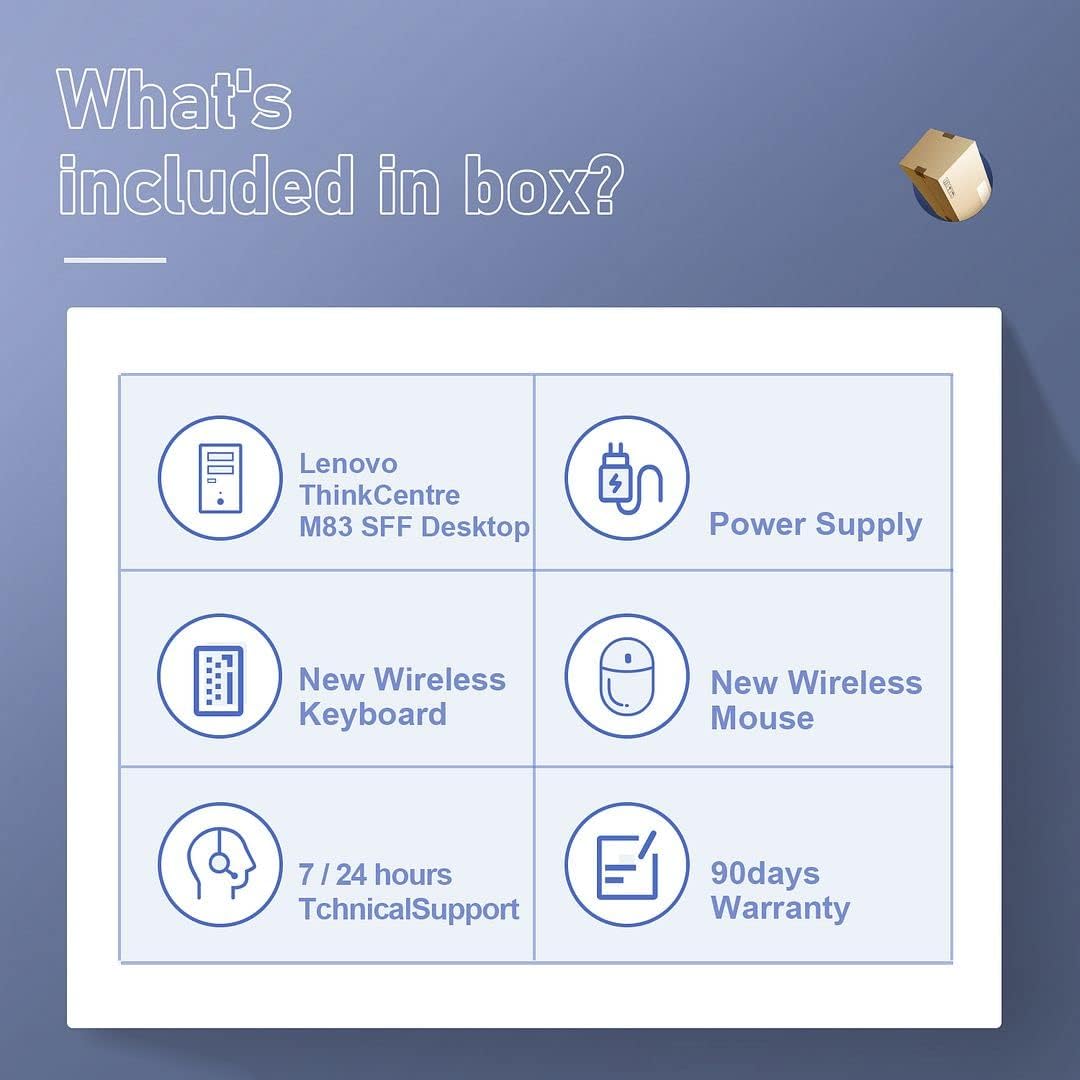
Image: A visual representation of the items included in the product box, such as the desktop unit, power supply, wireless keyboard, and wireless mouse.
2. Konnessjoni Periferali
- Qabbad il-Monitor(s): Use a VGA cable or DisplayPort (DP) cables to connect your monitor(s) to the corresponding ports on the back of the desktop. This system supports up to three independent displays.
- Qabbad it-Tastiera u l-Maws: Daħħal ir-riċevitur USB għat-tastiera u l-maws mingħajr fili f'port USB disponibbli fuq id-desktop.
- Qabbad l-Enerġija: Plug the power cable into the power supply unit, then connect the power supply to the desktop and a wall outlet.
- Konnessjonijiet Fakultattivi: Connect any other peripherals such as speakers, printers, or external drives to the available USB or audio ports.
3. L-Ewwel Tixgħil
Press the power button located on the front of the desktop. The system will boot up, and the Windows 10 Pro operating system will begin its initial setup process. Follow the on-screen prompts to complete the Windows setup, including language, region, and user account creation.
Istruzzjonijiet Operattivi
This section provides guidance on basic operation and features of your ThinkCentre M83.
Qawwa mixgħul/mitfi
- Biex Tixgħel: Agħfas il-buttuna tal-qawwa fuq il-pannell ta 'quddiem.
- Biex tagħlaq: Ikklikkja l-buttuna Start fil-Windows, imbagħad agħżel Power > Shut down.
- Biex terġa' tibda: Ikklikkja l-buttuna Start fil-Windows, imbagħad agħżel Power > Restart.
Multi-Monitor Display
The ThinkCentre M83 supports connecting up to three monitors simultaneously using its VGA and two DisplayPort outputs. This allows for an extended desktop environment, enhancing productivity for various tasks.

Image: A desktop setup demonstrating the Lenovo ThinkCentre M83 connected to three monitors, illustrating its multi-display capability for office and entertainment use.
Użu tad-Drajv Ottiku
The integrated DVD-ROM drive allows you to read data from CDs and DVDs. To open the tray, press the eject button on the drive's front panel. Insert the disc with the label side facing up and gently push the tray back in.
Konnettività Wi-Fi
Your desktop is equipped with AC Wi-Fi 5 for wireless network connectivity. To connect to a Wi-Fi network:
- Ikklikkja l-ikona tal-Wi-Fi fit-tray tas-sistema (fil-qiegħ tal-lemin tal-iskrin).
- Agħżel in-netwerk mixtieq tiegħek mil-lista.
- Enter the network security key if prompted.
Performance and Applications
The Intel i7-4790 processor with 4 cores and 8 threads, combined with 16GB of RAM, provides efficient performance for various applications, including office work, design tasks, home entertainment, and online gaming.

Image: A collage illustrating the Lenovo ThinkCentre M83's capability to handle multiple applications, including education, office tasks, video playback, and gaming.

Image: A diagram highlighting the specifications of the Intel i7-4790 processor, including its 4 cores, 8 threads, 8MB cache, 3.60GHz base frequency, and 4.0GHz max turbo frequency.
Manutenzjoni
Regular maintenance helps ensure the optimal performance and longevity of your desktop.
Tindif
- Barra: Uża artab, damp drapp biex tnaddaf l-uċuħ ta’ barra. Evita prodotti tat-tindif li joborxu.
- Ventijiet: Periodically clean dust from the ventilation grilles using compressed air to prevent overheating.
Tool-Less Expandability and Upgrades
The ThinkCentre M83 is designed for easy internal access, allowing for tool-less upgrades and maintenance. You can add up to three hard drives and one slim ODD (Optical Disc Drive). The system also supports dual graphic card configurations.

Immaġni: Interna view of the Lenovo ThinkCentre M83 desktop, highlighting areas for tool-less expandability, including support for an optional second 2.5-inch HDD and dual graphic card support.
Issolvi l-problemi
Din it-taqsima tindirizza kwistjonijiet komuni li tista’ tiltaqa’ magħhom.
Ebda Qawwa
- Ensure the power cable is securely connected to the desktop and the wall outlet.
- Ivverifika li s-sokit tal-ħajt jaħdem billi tqabbad apparat ieħor.
L-ebda Wirja fuq il-Monitor
- Check that the monitor is powered on and the video cable (VGA or DisplayPort) is securely connected to both the desktop and the monitor.
- Kun żgur li s-sors tad-dħul korrett huwa magħżul fuq il-monitor tiegħek.
Prestazzjoni Bil-mod
- Agħlaq l-applikazzjonijiet bla bżonn li jkunu qed jaħdmu fl-isfond.
- Kun żgur li s-sistema operattiva u s-sewwieqa tiegħek huma aġġornati.
- Iċċekkja għal malware jew viruses billi tuża softwer antivirus ta’ fama tajba.
- Verify that the system has adequate ventilation and is not overheating.

Image: The Lenovo ThinkCentre M83 desktop in an office setting, with visual indicators for energy efficiency, low noise operation, and low heat generation, contributing to stable performance.
Speċifikazzjonijiet
Detailed technical specifications for the Lenovo ThinkCentre M83 desktop computer.
| Komponent | Speċifikazzjoni |
|---|---|
| Proċessur | Intel Core i7-4790 (3.6 GHz, up to 4.0 GHz Turbo, 8 MB Smart Cache, 4 Cores, 8 Threads) |
| RAM | 16 GB DDR3 SDRAM |
| Ħażna | Sewqan ta' Stat Solidu (SSD) ta' 256 GB |
| Grafika | Intel HD Graphics 4600 (Dedicated) |
| Sistema Operattiva | Windows 10 Pro (64-bit) |
| Drive ottiku | DVD ROM |
| Portijiet tal-vidjo | 1x VGA, 2x DisplayPort (DP) |
| Konnettività bla fili | AC Wi-Fi 5 |
| Dimensjonijiet (LxWxH) | 13.31 x 14.76 x 4.02 pulzieri |
| Piż | 17.26 liri |
| Pjattaforma tal-Ħardwer | PC |

Image: A diagram illustrating the compact dimensions of the Lenovo ThinkCentre M83 Small Form Factor desktop, showing its height (13.1"), depth (14.76"), and width (4.02"), emphasizing its space-saving design and support for horizontal or vertical orientations.
Garanzija u Appoġġ
Your Lenovo ThinkCentre M83 desktop computer comes with the following:
- Garanzija: A 90-day warranty covers defects in materials and workmanship.
- Appoġġ Tekniku: 7/24 hours technical support is available to assist with any operational or technical issues.
For warranty claims or technical assistance, please refer to the contact information provided by your reseller or the Amazon Renewed program.