
Introduzzjoni
This manual provides essential instructions for the setup, operation, and maintenance of your UnionSine HD3510 3.5" 12TB USB 3.2 Gen2 Type-C External Hard Drive. Please read this manual carefully before using the product to ensure optimal performance and longevity.
Kontenut tal-Pakkett
Qabel ma tipproċedi, jekk jogħġbok ivverifika li l-oġġetti kollha huma preżenti fil-pakkett:
- UnionSine HD3510 External Hard Drive
- Adapter tal-Enerġija
- 1.2m Data Cable (USB-C)
- Manwal għall-Utent (dan id-dokument)
Setup Istruzzjonijiet
Follow these steps to set up your external hard drive:
- Qabbad l-Enerġija: First, connect the provided power adapter to the hard drive's power input port and then plug it into a wall outlet. Ensure the power connection is secure.
- Qabbad il-Kejbil tad-Data: Connect one end of the 1.2m USB-C data cable to the USB-C port on the hard drive.
- Qabbad mal-Apparat: Connect the other end of the USB-C data cable to a compatible USB 3.2 Gen2 Type-C port on your PC, Mac, Desktop, Laptop, MacBook, or TV.
- Qawwa Mixgħul: The hard drive should power on automatically. The LED indicator on the front will illuminate.
- Inizjalizzazzjoni (L-Ewwel Użu):
- For Windows: The drive should appear in 'This PC' or 'My Computer'. If not, open 'Disk Management' to initialize and format the drive if it's new or unformatted. The drive is typically pre-formatted to NTFS.
- For Mac: The drive should appear on your desktop or in Finder. If not, use 'Disk Utility' to initialize and format the drive (e.g., to APFS or HFS+ for optimal Mac compatibility).
- For TV/Gaming Consoles: Refer to your device's manual for instructions on connecting and formatting external storage.

Image: The rear of the UnionSine HD3510 external hard drive showing the USB 3.2 Gen2 Type-C port and the power input port, with cables connected. This illustrates the correct connection method for power and data.
Istruzzjonijiet Operattivi
The UnionSine HD3510 is designed for high-speed data transfer and reliable storage across various platforms.
Trasferiment tad-Data
Once connected and recognized by your system, you can drag and drop files to and from the drive, or use your operating system's copy/paste functions. The USB 3.2 Gen2 interface supports theoretical speeds up to 10 GB/s, with actual read/write speeds up to 160 MB/s - 284 MB/s depending on capacity and system configuration.

Image: The UnionSine HD3510 external hard drive positioned next to a desktop computer monitor, illustrating its use as a "Private Server" for mass storage and data backup.
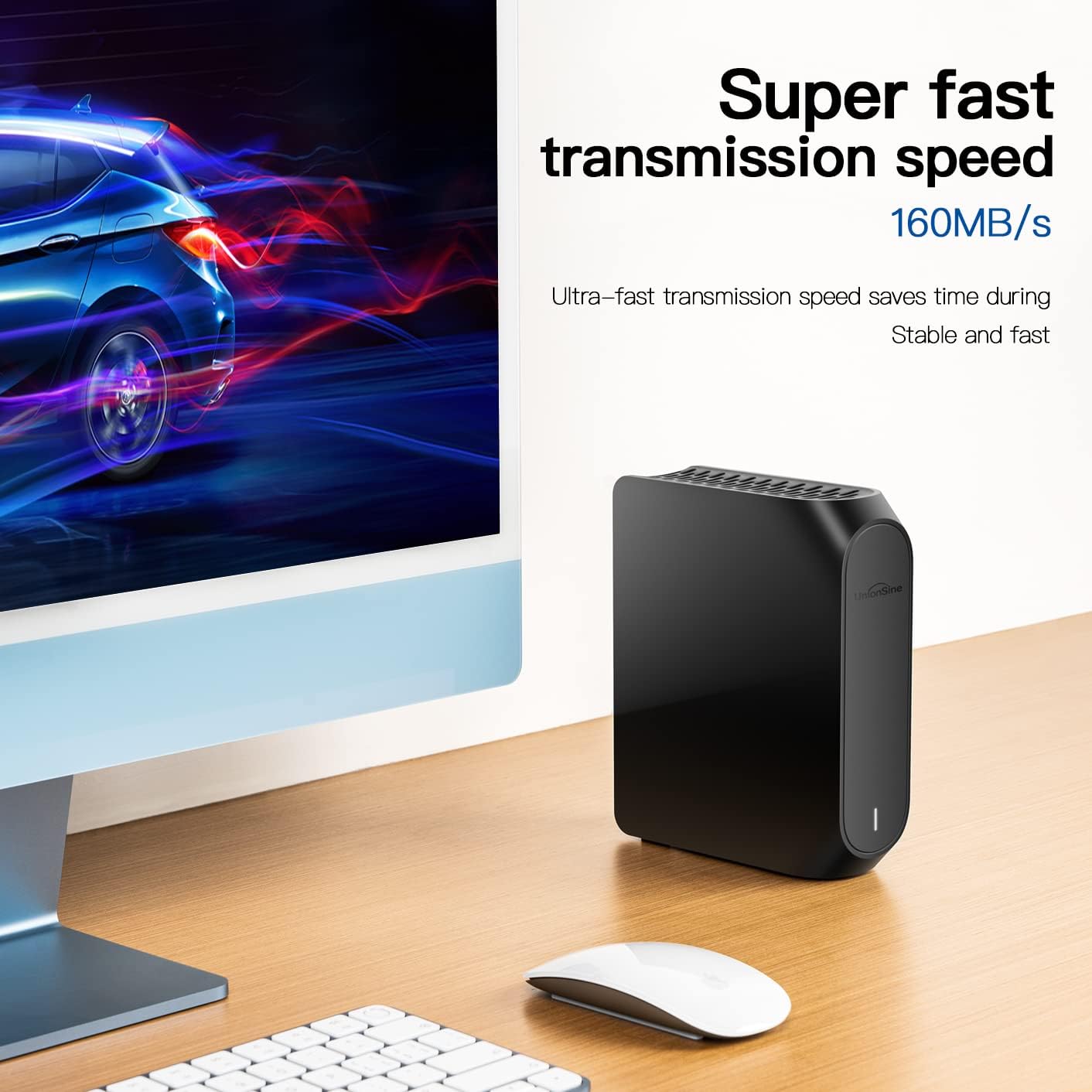
Image: A visual representation of the UnionSine HD3510 external hard drive with an overlay indicating "Super fast transmission speed 160MB/s", emphasizing its high-speed data capabilities.
Kompatibilità
The drive is compatible with a wide range of devices and operating systems:
- Sistemi Operattivi: Windows, Mac, Linux, Android
- Apparati: PC, Desktop, Laptop, MacBook, TV, PS4, Xbox, DVD players
- Użi Speċifiċi: 8K video storage, TV recording, game storage, personal computing, entertainment.

Image: The UnionSine HD3510 external hard drive placed next to a television, highlighting its function as a "Media storage" device for 4K HD multimedia, video, and audio files.
Manutenzjoni u Kura
Proper care ensures the longevity and reliability of your hard drive.
Dissipazzjoni tas-Sħana
The UnionSine HD3510 features three-sided concave cooling holes designed for rapid heat dissipation. This helps maintain stable performance and extends the drive's lifespan. Ensure these vents are not obstructed during operation.

Immaġni: Close-up view of the UnionSine HD3510 external hard drive, highlighting its "Three-sided concave cooling hole" design for efficient heat dissipation.
Disinn kontra l-Vibrazzjoni
The internal structure includes anti-vibration silicone to reduce noise and protect the mechanical components. Additionally, the base features non-slip pads to prevent accidental movement and enhance stability.

Immaġni: Il-qiegħ view of the UnionSine HD3510 external hard drive, showing the "Anti-slip design" with soft silicone non-slip pads to prevent falling and ensure data protection.
Kura Ġenerali
- Evita li tesponi d-drajv għal temperaturi estremi, umdità, jew dawl tax-xemx dirett.
- Do not drop or subject the drive to strong impacts.
- Dejjem oħroġ id-drajv mis-sistema operattiva tiegħek b'mod sigur qabel ma tiskonnettjah biex tevita l-korruzzjoni tad-dejta.
- Keep the drive clean by wiping it with a soft, dry cloth.
Issolvi l-problemi
If you encounter issues with your UnionSine HD3510, refer to the following common solutions:
- Sewqan Mhux Rikonoxxut:
- Kun żgur li l-adapter tal-enerġija huwa konness sew u li d-drajv huwa mixgħul.
- Verify the USB-C data cable is properly connected to both the drive and your device.
- Ipprova qabbad ma' port USB differenti fuq il-kompjuter jew l-apparat tiegħek.
- Check 'Disk Management' (Windows) or 'Disk Utility' (Mac) to see if the drive is detected but uninitialized or unformatted.
- Ensure your device's USB port supports the drive (USB 3.2 Gen2 Type-C recommended).
- Veloċitajiet ta' Trasferiment Baxxi:
- Ensure you are connected to a USB 3.2 Gen2 or at least a USB 3.0 port. Older USB 2.0 ports will result in significantly slower speeds.
- Check the quality of your USB-C cable. Use the provided cable or a high-quality replacement.
- Agħlaq applikazzjonijiet oħra li jistgħu jkunu qed jużaw riżorsi tas-sistema jew iwettqu trasferimenti fl-isfond.
- Ħsejjes mhux tas-soltu:
- A slight humming or whirring sound is normal for mechanical hard drives.
- Loud clicking, grinding, or repetitive beeping sounds may indicate a potential issue. Safely eject the drive and contact support if these sounds persist.
- Id-Drajv Jiskonnettja b'mod każwali:
- Ensure the power supply is stable and not interrupted.
- Iċċekkja għal konnessjonijiet tal-kejbil maħlula.
- Iddiżattiva s-settings tas-sospensjoni selettiva tal-USB fl-għażliet tal-enerġija tas-sistema operattiva tiegħek (Windows).
Speċifikazzjonijiet
| Karatteristika | Dettall |
|---|---|
| Brand | UnionSine |
| Numru tal-Mudell | HD3510 |
| Kapaċità tal-Ħażna Diġitali | 12 TB |
| Hard Drive Interface | USB 3.2 Gen2 Type-C (backward compatible with USB 2.0/3.0) |
| Interface Intern | SATA 6.0 Gb/s |
| Teknoloġija tal-Konnettività | USB |
| Karatteristika Speċjali | Xokk reżistenti |
| Fattur tal-Forma tal-Hard Drive | 3.5 Pulzier |
| Tip ta' Hard Drive | Hard Drive Mekkaniku (HDD) |
| Apparati Kompatibbli | TV, PS4, Xbox, Windows, Mac, Linux, Android, DVD |
| Tip ta' Installazzjoni | Hard Drive Estern |
| Kulur | Iswed |
| Veloċità Rotazzjoni | 7200 RPM |
| Użi Speċifiċi | Personal Computing, Entertainment, Gaming |
| Aqra Veloċità | Up to 284 MB/s (as per feature bullets) |
| Ikteb Veloċità | Up to 284 MB/s (as per feature bullets) |
| CasinMaterjal | Aluminju |
| Piż tal-oġġett | 940 Gramm |
Informazzjoni dwar Garanzija
The UnionSine HD3510 External Hard Drive comes with a garanzija ta 'sena. Please retain your proof of purchase for warranty claims. For detailed terms and conditions, refer to the warranty card included in your package or contact UnionSine customer support.
Appoġġ u Kuntatt
For technical assistance, product inquiries, or warranty service, please contact UnionSine customer support.
- Websit: www.unionsine.com
- Indirizz tal-Manifattur: A205 Changjiang building, 254 Jihua Road, Jihua Street, Longgang District, Shenzhen, Guangdong, CN

Image: The product packaging for the UnionSine HD3510, displaying the official websit (www.unionsine.com) and manufacturer's address for support and information.