
Introduzzjoni
Thank you for choosing the Varmilo MA Series V2 Koi TKL EC Mechanical Keyboard. This keyboard combines a space-saving Tenkeyless (TKL) form factor with Varmilo's EC Ivy V2 electrocapacitive switches for a unique typing experience. It features durable Dye Sub PBT keycaps, USB-C connectivity, and a distinctive Koi design. This manual provides essential information for setting up, operating, maintaining, and troubleshooting your new keyboard.
Setup
Follow these steps to set up your Varmilo MA Series V2 Koi TKL keyboard:
- Ħoll it-Tastiera: Carefully remove the keyboard and included USB-C cable from its packaging.
- Qabbad il-Kejbil USB-C: Insert one end of the provided USB-C cable into the USB-C port on the back of the keyboard. Connect the other end to an available USB port on your computer (PC, Laptop), smartphone, or tablet.
- Ir-Rotta tal-Kejbil: The keyboard features cable grooves on the bottom case, allowing the cable to exit from the left, right, or middle. Route the cable as desired for a tidy setup.
- Adjust Kickstands: The keyboard is equipped with double-section kickstands. Gently flip them out to adjust the typing angle to your preference.

Immaġni: Taħt view of the keyboard, illustrating the double-section kickstands and cable routing grooves.
Your computer should automatically detect and install the necessary drivers. No additional software is typically required for basic functionality.
Operazzjoni
The Varmilo MA Series V2 Koi TKL keyboard is designed for intuitive use. Here are some key operational aspects:
- Ittajpjar: The keyboard uses Varmilo EC Ivy V2 electrocapacitive switches, known for their smooth and consistent feel. The keycaps are made from thick Dye Sub PBT, offering durability and a pleasant texture.
- Dawl ta' wara: This model features single-color LED backlighting. Specific key combinations (often involving the Fn key) can be used to adjust brightness or lighting modes. Refer to the quick guide or manufacturer's website for detailed key combinations.
- Dwal indikaturi: All indicator lights (e.g., Caps Lock, Scroll Lock) are located on the top right of the keyboard to minimize distractions during use.
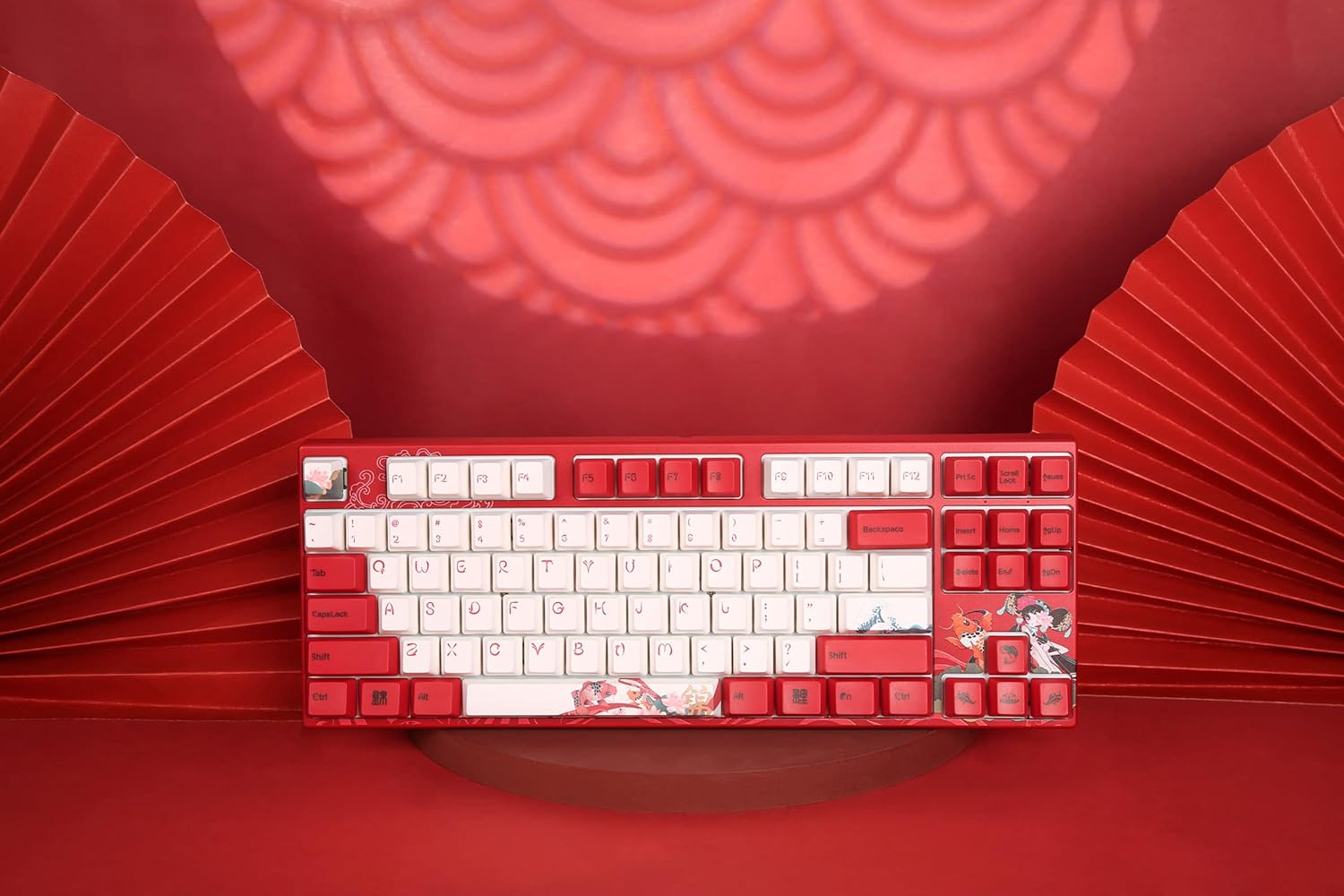
Immaġni: Minn fuq għal isfel view of the keyboard, highlighting the TKL layout and keycap design.
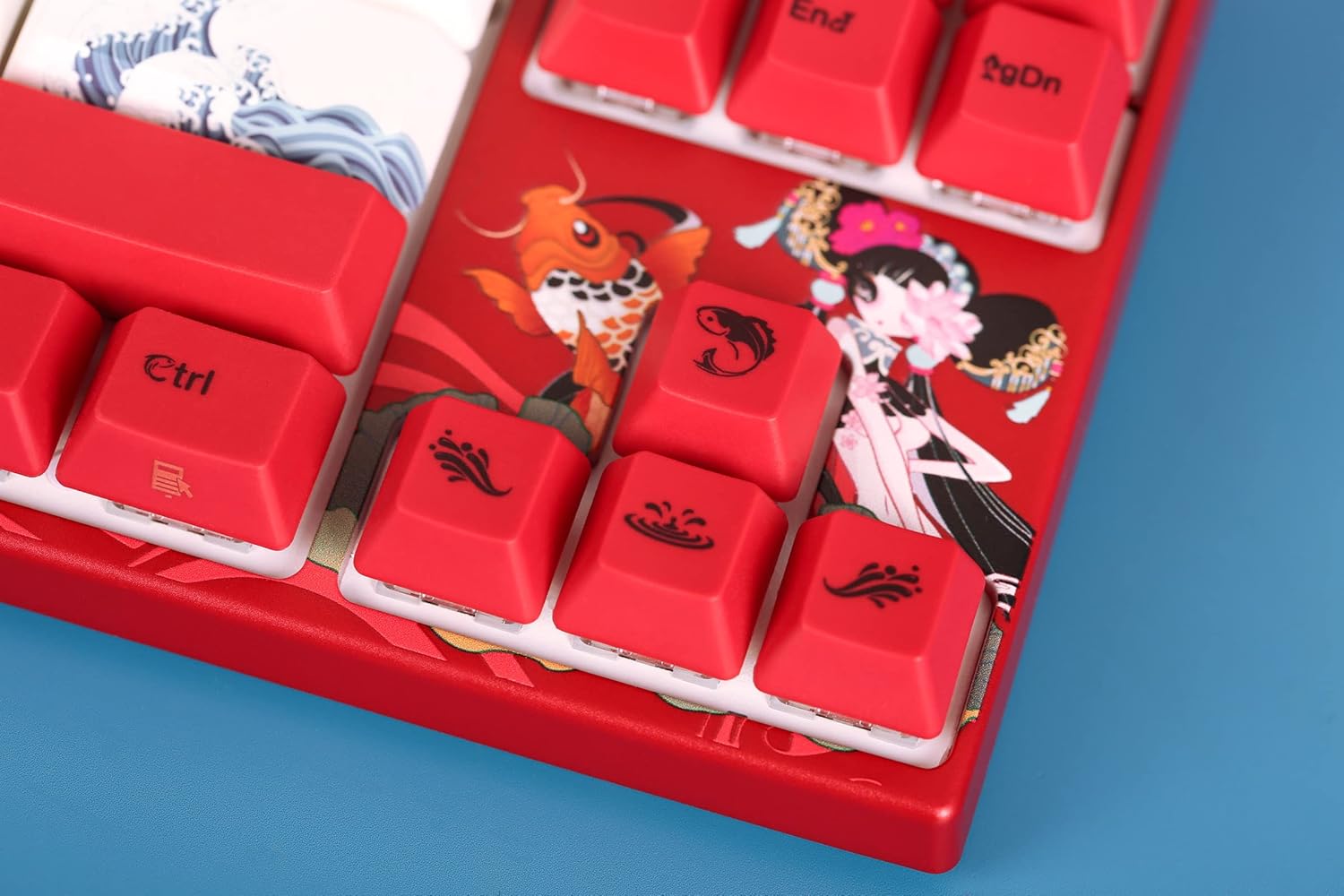
Image: Close-up of the keyboard's keycaps, detailing the unique Koi artwork and legends.
Manutenzjoni
Manutenzjoni xierqa tiżgura l-lonġevità u l-prestazzjoni tat-tastiera tiegħek:
- Tindif tat-Tastiera: Regularly clean the keyboard with a soft, dry cloth. For dust and debris between keycaps, use compressed air. Avoid using harsh chemicals or abrasive materials.
- Tneħħija tal-Għatu taċ-Ċwievet: If you need to clean under the keycaps or replace them, use a keycap puller. Gently pull the keycap straight up to avoid damaging the switch stem. When reattaching, align the keycap with the switch stem and press down firmly until it clicks into place.
- Prevenzjoni tat-tixrid: Keep liquids away from the keyboard to prevent damage to the internal electronics.

Image: Loose keycaps and a keycap puller, useful for cleaning and customization.
Issolvi l-problemi
If you encounter issues with your keyboard, try the following troubleshooting steps:
- It-Tastiera Mhux Tirrispondi:
- Kun żgur li l-kejbil USB-C huwa konness sew kemm mat-tastiera kif ukoll mal-kompjuter tiegħek.
- Ipprova qabbad it-tastiera ma' port USB differenti fuq il-kompjuter tiegħek.
- Ittestja t-tastiera fuq kompjuter ieħor biex tiddetermina jekk il-problema hijiex fit-tastiera jew fil-kompjuter oriġinali.
- Ibda mill-ġdid il-kompjuter tiegħek.
- Ċwievet Mhux Reġistrazzjoni:
- Remove the keycap of the problematic key and check for any obstructions or debris around the switch. Clean if necessary.
- Kun żgur li l-għatu taċ-ċwievet ikun imwaħħal sew fuq iz-zokk tas-swiċċ.
- Kwistjonijiet ta' Dawl ta' Wara:
- Check if the backlighting is turned off or set to the lowest brightness level using the keyboard's function keys.
- Kun żgur li t-tastiera qed tirċievi biżżejjed enerġija mill-port USB.
Jekk dawn il-passi ma jsolvux il-problema, jekk jogħġbok irreferi għat-taqsima tal-Garanzija u l-Appoġġ għal aktar assistenza.
Speċifikazzjonijiet
| Karatteristika | Dettall |
|---|---|
| Isem tal-Mudell | MA Series V2 Koi TKL |
| Manifattur | Varmilo |
| Numru tal-Mudell tal-Oġġett | 06924427360865 |
| Teknoloġija tal-Konnettività | USB-C |
| Deskrizzjoni tat-Tastiera | Mekkaniċi |
| Tip ta' Swiċċ | Varmilo EC Ivy V2 (Electrocapacitive) |
| Materjal Keycap | Thick Dye Sub PBT |
| Backlight tat-Tastiera | Uniku Kulur LED |
| Apparati Kompatibbli | Laptop, Smartphone, Tablet, PC |
| Materjal | Polybutylene Terephthalate (PBT), Silicone |
| Komponenti Inklużi | Cable USB |
Garanzija u Appoġġ
Varmilo products are manufactured with quality and reliability in mind. For specific warranty information regarding your Varmilo MA Series V2 Koi TKL EC Mechanical Keyboard, please refer to the warranty card included with your product or visit the official Varmilo websit.
If you require technical support, have questions about your product, or need assistance with troubleshooting beyond what is covered in this manual, please contact Varmilo customer service through their official channels. Details can typically be found on the Varmilo webis-sit jew l-imballaġġ tal-prodott.