
1. Introduzzjoni
Thank you for choosing the Alecto FR-175BW Two Way Radios. This manual provides comprehensive instructions for the safe and efficient use of your device. Please read this manual thoroughly before operating the radios and retain it for future reference. These two-way radios are designed for reliable communication over distances up to 7 kilometers, featuring a built-in flashlight and a user-friendly interface, making them suitable for various outdoor activities and general communication needs.
2. Kontenut tal-Pakkett
Kun żgur li l-oġġetti kollha elenkati hawn taħt huma preżenti fil-pakkett tiegħek:
- 2x Alecto FR-175BW Two Way Radios
- 1x Stazzjon tal-Iċċarġjar
- 2x Rechargeable Battery Packs
- 2x Clips taċ-Ċinturin
- 1x Power Adapter (for charging station)
- 1x Manwal tal-Utent (dan id-dokument)

Image 1: Alecto FR-175BW Two Way Radios with Charging Station. This image shows the two blue and black radios docked in their charging base, ready for use or charging.
3. Karatteristiċi tal-prodott
- Medda Estiża: Communicate up to 7 kilometers in optimal conditions.
- Flashlight Integrata: A built-in torch for illumination in low-light environments.
- Sistema rikarikabbli: Includes a charging station and rechargeable batteries for convenience.
- Operazzjoni faċli għall-utent: Simple controls suitable for various age groups.
- Disinn Durabbli: Robust construction for outdoor use.
- Kanali multipli: 8 available channels for clear communication.
- Ħin ta' Standby twil: Sa 24 siegħa ta' ħin standby.

Image 2: Integrated Flashlight. This image highlights the flashlight feature of the Alecto FR-175BW radio, showing it emitting light in a dark environment.
4. Setup
4.1 Installazzjoni tal-batterija
- Sib l-għatu tal-kompartiment tal-batterija fuq wara tar-radju.
- Żerżaq jew neħħi l-għatu biex tiftaħ il-kompartiment.
- Insert the rechargeable battery pack, ensuring correct polarity (+/-).
- Ibdel l-għatu tal-kompartiment tal-batterija u waħħalha.
4.2 Iċċarġjar tar-Radjijiet
- Qabbad l-adapter tal-enerġija mal-istazzjon tal-iċċarġjar u daħħalha f'sokit tal-ħajt.
- Place the radios into the charging slots of the charging station. Ensure they are seated correctly.
- The charging indicator light on the radio or charging station will illuminate, indicating that charging has begun.
- Ħalli madwar 8-10 sigħat għal ċarġ sħiħ.
- Once fully charged, the indicator light may change color or turn off.

Image 3: Radios in Charging Station. This image shows both Alecto FR-175BW radios securely placed in their dedicated charging station.
4.3 It-twaħħil tal-Klip taċ-Ċinturin
- Align the belt clip with the designated slots on the back of the radio.
- Żerżaq il-klipp 'l isfel sakemm jissakkar f'postu.
- To remove, lift the tab on the belt clip and slide it upwards.
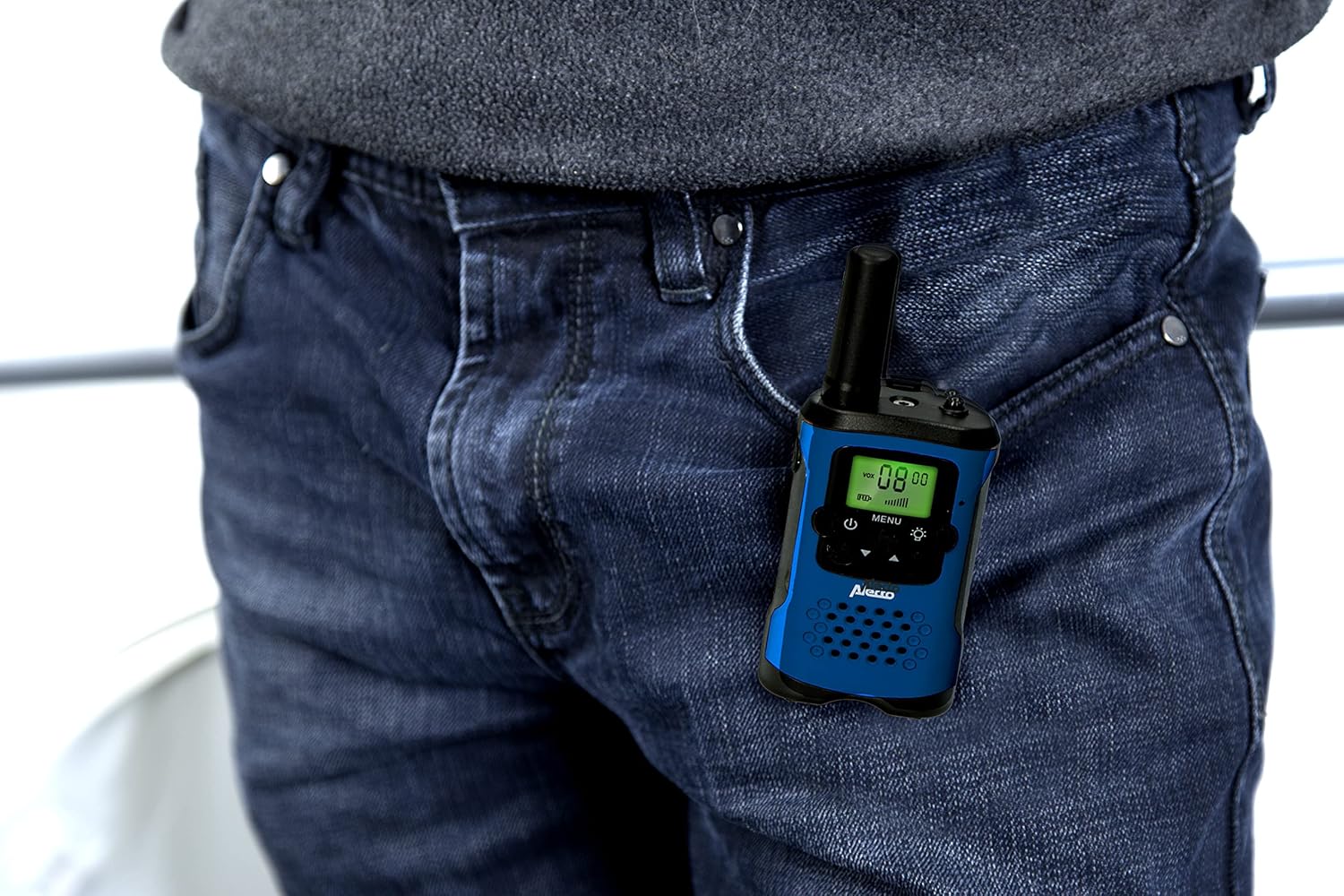
Image 4: Radio with Belt Clip. This image demonstrates how the Alecto FR-175BW radio can be conveniently clipped to clothing using its belt clip.
5. Istruzzjonijiet Operattivi

Stampa 5: Quddiem View of Radio. This image provides a clear view of the radio's display, power button, menu button, and flashlight button.
5.1 Tixgħel/Jitfi
- Biex tixgħel, agħfas u żomm il-buttuna Buttuna tal-qawwa (usually marked with a circle and vertical line) until the display illuminates.
- Biex tintefa, agħfas u żomm il-buttuna Buttuna tal-qawwa għal darb'oħra sakemm id-displej jintefa.
5.2 Aġġustament tal-Volum
- Uża l- Buttuni 'l fuq /' l isfel (often integrated with channel selection) to increase or decrease the listening volume.
5.3 Għażla ta' Kanal
- Agħfas il- buttuna MENU once. The channel number on the display will flash.
- Uża l- Buttuni 'l fuq /' l isfel biex tagħżel il-kanal mixtieq tiegħek (1-8).
- Agħfas il- buttuna MENU mill-ġdid jew stenna ftit sekondi biex l-għażla tiġi kkonfermata.
- Important: Both radios must be on the same channel to communicate.
5.4 Trażmissjoni u Riċeviment
- Biex tittrażmetti, agħfas u żomm il-buttuna Buttuna Push-To-Talk (PTT) (usually located on the side of the radio). Speak clearly into the microphone.
- Irrilaxxa l- Buttuna PTT to stop transmitting and listen for a response.
- When receiving, the radio will automatically play the incoming transmission.

Image 6: Using the Radio. This image shows an individual using the Alecto FR-175BW radio for communication, demonstrating a typical use case.
5.5 L-użu tal-flashlight
- Agħfas il- Buttuna tal-flashlight (often marked with a light bulb icon) to turn the flashlight on.
- Press the button again to turn the flashlight off.
6. Manutenzjoni
- Tindif: Imsaħ ir-radjijiet b'ċarruta ratba, damp drapp. Tużax tindif jew solventi li joborxu.
- Ħażna: Meta ma tkunx qed tużahom għal perjodi twal, neħħi l-batteriji u aħżen ir-radjijiet f'post frisk u niexef.
- Kura tal-batterija: Iċċarġja l-batteriji kompletament qabel l-ewwel użu. Evita li tiċċarġja żżejjed jew li tbattal il-batteriji kompletament biex ittawwal il-ħajja tagħhom.
- Reżistenza għall-Ilma: These radios are mhux reżistenti għall-ilma. Avoid exposure to rain, splashes, or immersion in water.
7 Issolvi l-problemi
| Problema | Kawża Possibbli | Soluzzjoni |
|---|---|---|
| Ebda qawwa | Il-batteriji huma mejta jew installati ħażin. | Kun żgur li l-batteriji huma installati b'mod korrett u kompletament iċċarġjati. |
| Ma nistax nikkomunika ma' radjijiet oħra | Radios are on different channels. Out of range. | Verify both radios are set to the same channel. Move closer to the other radio. |
| Kwalità tal-ħoss fqira / Statika | Out of range. Obstructions (buildings, hills). Low battery. | Move to an open area. Recharge batteries. |
| Il-flashlight ma taħdimx | Low battery. Faulty LED. | Recharge batteries. If problem persists, contact support. |
8. Speċifikazzjonijiet
| Karatteristika | Dettall |
|---|---|
| Mudell | FR175BW |
| Brand | Aletto |
| Teknoloġija Tuner | UHF |
| Numru ta 'Kanali | 8 |
| Medda ta' Frekwenzi | 446MHz |
| Firxa Massima tat-Taħdit | 7 km (7000 Meters) |
| Voltage | 7.5 Volts |
| Ħin ta' Standby | Sa 24 sigħat |
| Dimensjonijiet tal-Prodott | 3.5 x 4.9 x 12.8 ċm |
| Piż tal-oġġett | 0.22 Kilogrammi (218 g) |
| Livell ta 'Reżistenza għall-Ilma | Mhux Reżistenti għall-Ilma |
| Kulur | Blu / Iswed |
9. Garanzija u Appoġġ
For warranty information and customer support, please refer to the warranty card included in your package or visit the official Alecto websit. Żomm il-prova tax-xiri tiegħek għal kwalunkwe talba ta' garanzija.