
Introduzzjoni
This manual provides essential information for setting up, operating, maintaining, and troubleshooting your Lenovo ThinkPad T16 Gen 1 laptop. Please read this manual thoroughly to ensure proper use and to maximize the performance and longevity of your device.
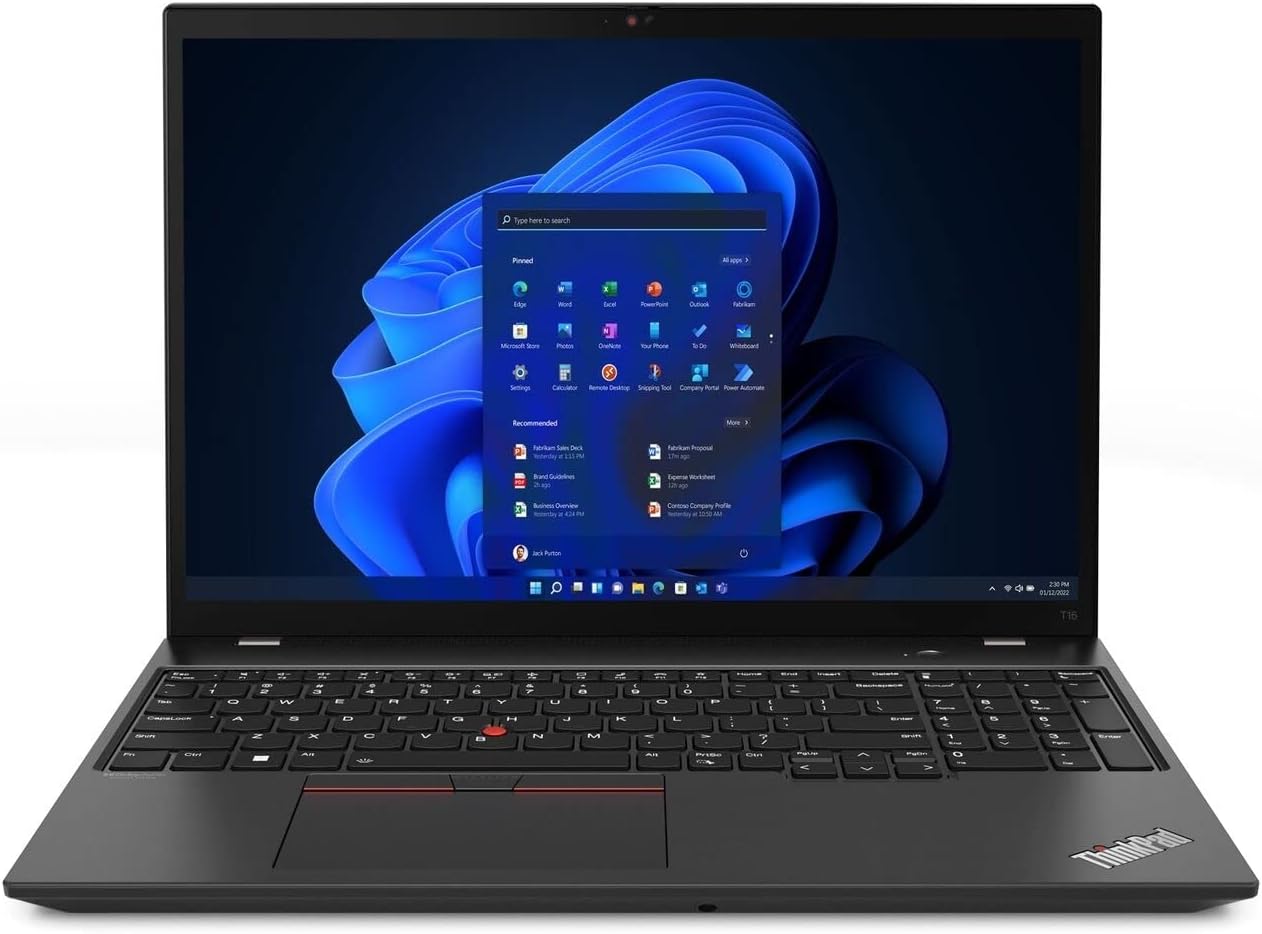
The Lenovo ThinkPad T16 Gen 1 laptop, featuring a 16-inch WUXGA touch display and Windows 11 Pro.
X'hemm fil-Kaxxa
Iċċekkja li l-oġġetti kollha huma preżenti fl-imballaġġ:
- Laptop Lenovo ThinkPad T16 Ġen 1
- Adapter tal-Enerġija
- Korda tal-Enerġija
- Karta tas-Sigurtà
Setup
1. L-Ewwel Tixgħil
- Connect the power adapter to the laptop's power input port and then to an electrical outlet.
- Iftaħ l-għatu tal-laptop.
- Press the power button, typically located on the top right of the keyboard or on the side, to turn on the device.
2. Konfigurazzjoni tal-Windows 11 Pro
- Follow the on-screen instructions to complete the initial Windows 11 Pro setup. This includes selecting your region, language, connecting to a network, and creating a user account.
- It is recommended to connect to a stable internet connection during setup to download necessary updates.
3. Konfigurazzjoni tal-Qarrej tal-Marki tas-Swaba'
- Ladarba l-Windows ikun issettjat, mur fuq Settings > Kontijiet > Għażliet ta' Login.
- Locate the 'Fingerprint recognition (Windows Hello)' option and follow the prompts to register your fingerprints for secure login.
Istruzzjonijiet Operattivi
Tastiera u Touchpad
The ThinkPad T16 Gen 1 features a full-sized backlit keyboard and a precision touchpad for navigation. The TrackPoint pointing device (red dot in the center of the keyboard) offers an alternative navigation method with dedicated buttons below the spacebar.
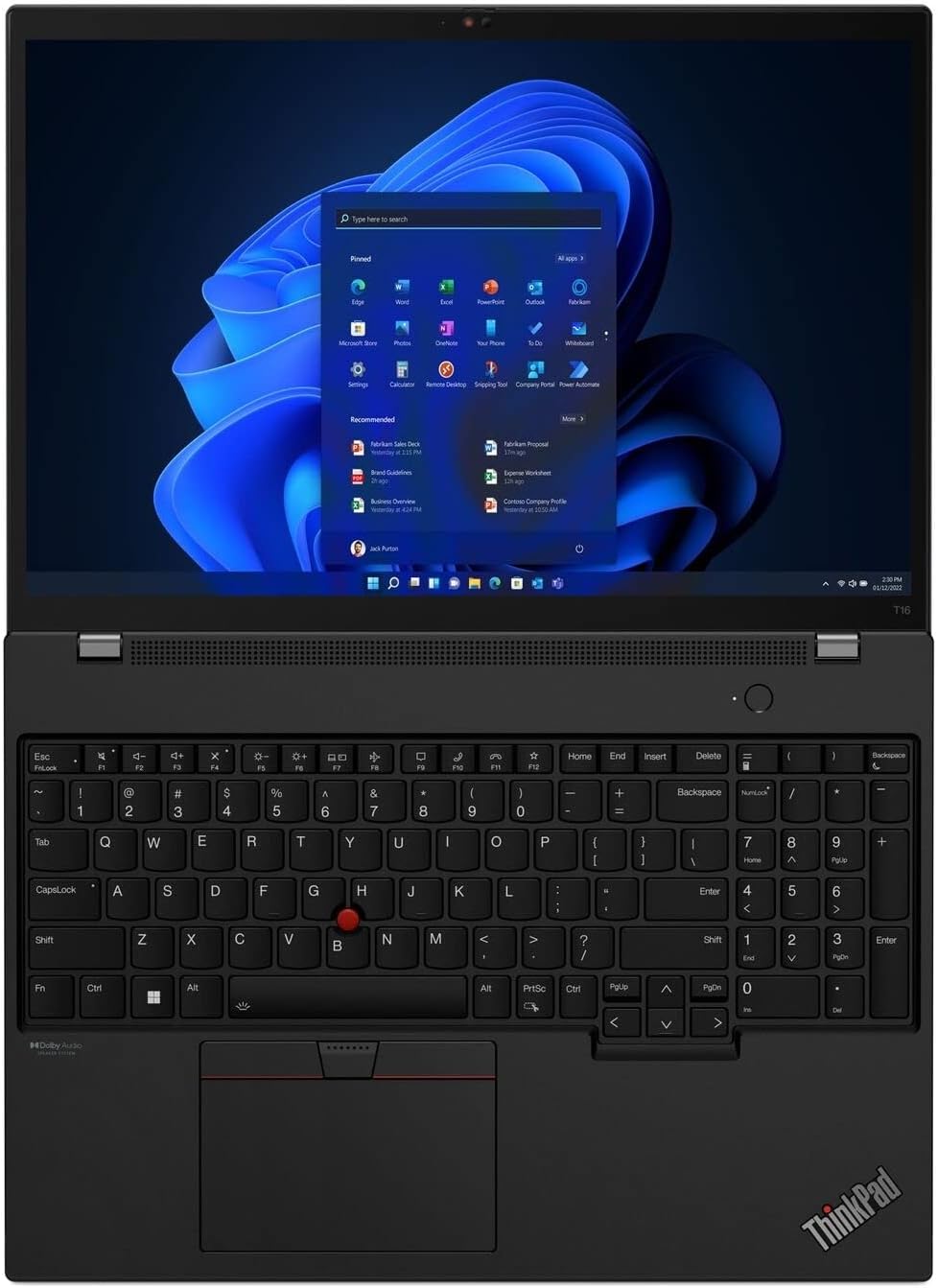
The keyboard layout with the integrated TrackPoint and large touchpad for precise control.
Funzjonalità tat-Touchscreen
The 16-inch WUXGA display supports touch input. You can interact with the operating system and applications directly on the screen using gestures similar to a tablet or smartphone.
Konnessjoni Periferali
Il-laptop joffri diversi portijiet għall-konnessjoni ta' apparati esterni:
- Portijiet USB-A: Għall-konnessjoni ta' apparati USB standard bħal ġurdien, tastieri, jew ħażna esterna.
- USB-C (Thunderbolt) Ports: Għal trasferiment ta' dejta b'veloċità għolja, output tal-vidjo, u kunsinna tal-enerġija.
- Port HDMI: Għall-konnessjoni ma' displays jew projetturi esterni.
- Port Ethernet: Għal konnettività ta' netwerk bil-fili.
- Awdjo Jack: Għal headphones jew kelliema esterni.
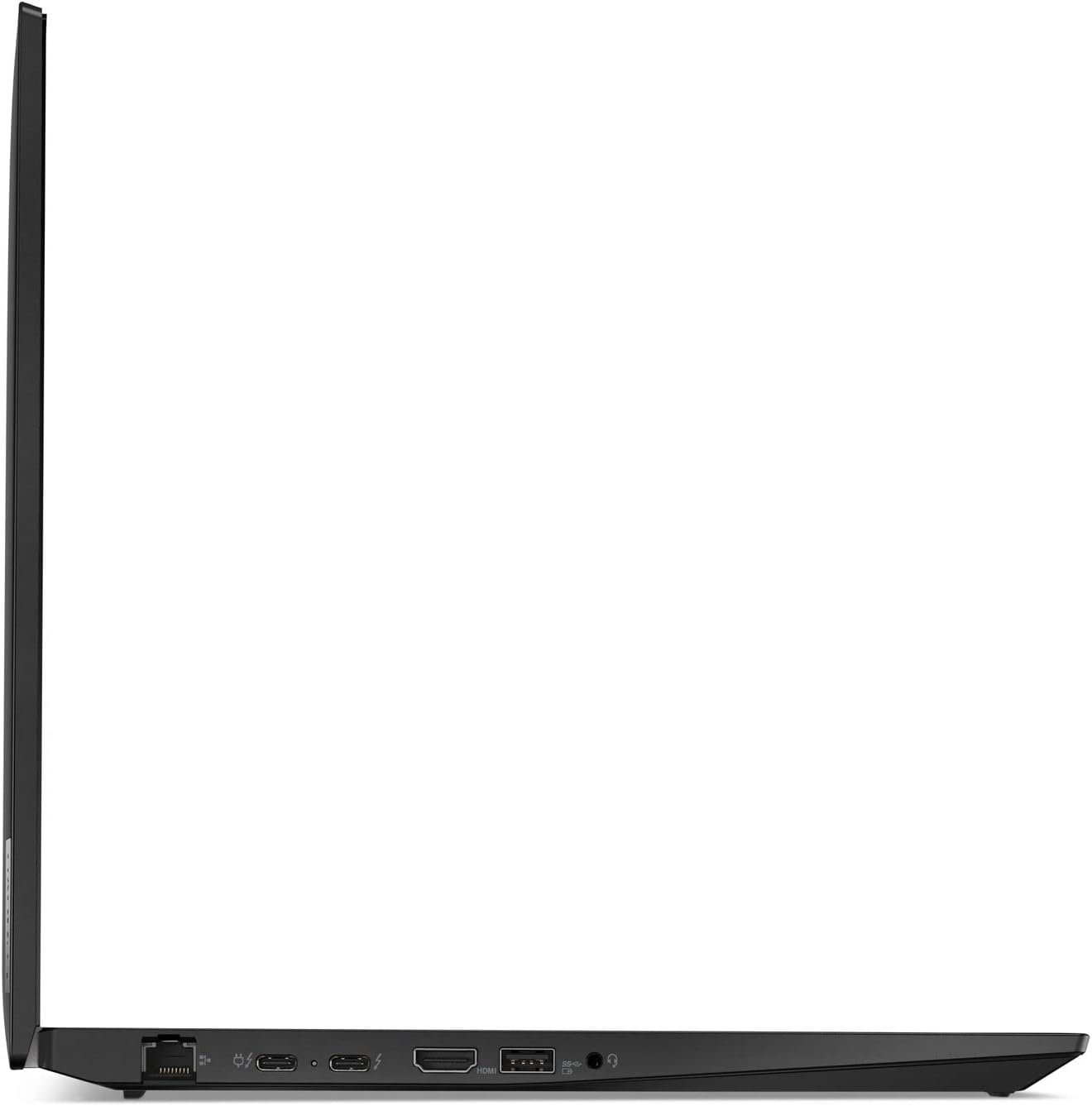
The left side ports of the ThinkPad T16 Gen 1, including Ethernet, USB-C, Thunderbolt, HDMI, and audio jack.
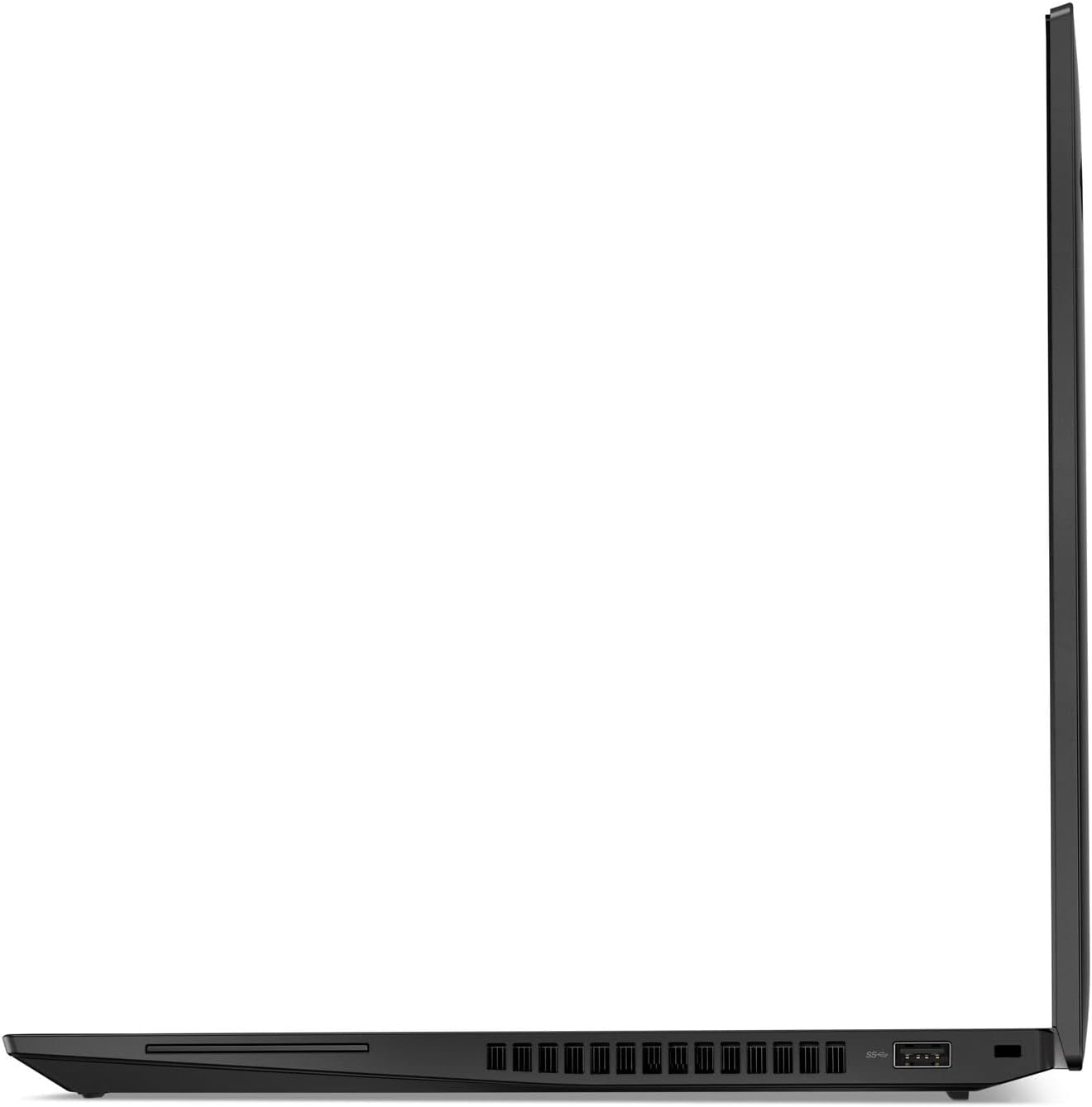
The right side ports of the ThinkPad T16 Gen 1, featuring USB-A ports and cooling vents.
Manutenzjoni
Tindif
- Uża drapp ratba u mingħajr ħelu ftit dampLaħlaħ bl-ilma jew b'tindif tal-iskrin biex tnaddaf id-displej. Evita kimiċi ħarxa.
- Għat-tastiera u x-chassis, uża drapp artab. Bottija ta' arja kkompressata tista' tgħin biex tneħħi t-trab mill-qasmiet.
Aġġornamenti tas-Software
Iċċekkja u installa regolarment aġġornamenti tal-Windows u aġġornamenti tas-sewwieqa Lenovo biex tiżgura prestazzjoni u sigurtà ottimali. Dawn jistgħu jinstabu fis-Settings tal-Windows u permezz tal-Lenovo Van.tage applikazzjoni.
Kura tal-batterija
- Evita li tiċċarġja l-batterija kompletament ta' spiss.
- Aħżen il-laptop f'post frisk u niexef meta ma jkunx qed jintuża għal perjodi twal.
- Għal saħħa ottimali tal-batterija, evita espożizzjoni fit-tul għal temperaturi estremi.
Issolvi l-problemi
Kwistjonijiet Komuni u Soluzzjonijiet
- Ebda Qawwa: Kun żgur li l-adapter tal-enerġija huwa konness sew u li s-sokit jaħdem. Ipprova sokit ieħor.
- Kwistjonijiet tal-Wiri: Jekk l-iskrin ikun vojt, ipprova agħfas Fn + F7 (or the appropriate function key for display toggle) to cycle through display modes. Ensure external monitors are properly connected.
- Problemi ta' Konnettività: For Wi-Fi, check if Wi-Fi is enabled and try restarting your router. For wired connections, ensure the Ethernet cable is securely plugged in.
- Prestazzjoni bil-mod: Close unnecessary applications, check for malware, and ensure your system has sufficient free storage space.
Għal aktar dettalji dwar is-soluzzjoni ta' problemi jew problemi persistenti, irreferi għall-appoġġ ta' Lenovo websit jew ikkuntattja lis-servizz tal-konsumatur.
Speċifikazzjonijiet
| Karatteristika | Dettall |
|---|---|
| Mudell | Lenovo ThinkPad T16 Ġen 1 |
| Proċessur | Intel Core i7-1260P (12 Cores, 1.5 GHz) |
| RAM | 16 GB DDR5 |
| Ħażna | 512 GB SSD |
| Wiri | 16-inch WUXGA (1920x1200) Touchscreen |
| Grafika | Grafika Intel UHD |
| Sistema Operattiva | Windows 11 Pro |
| Konnettività bla fili | 802.11ax |
| Piż | 3.64 liri |
| Dimensjonijiet (LxWxH) | 14.25 x 10.06 x 0.81 pulzieri |
| Karatteristiċi Speċjali | Anti-Glare Coating, Backlit Keyboard, Fingerprint Reader |
Garanzija u Appoġġ
Your Lenovo ThinkPad T16 Gen 1 is covered by a limited warranty. For specific warranty terms and conditions, please refer to the documentation included with your product or visit the official Lenovo support website. Warranty details can vary by region and purchase date.
Għal assistenza teknika, downloads ta' sewwieqa, jew talbiet għal servizz, jekk jogħġbok żur is-sit uffiċjali tal-Appoġġ Lenovo webis-sit jew ikkuntattja lis-servizz tal-klijenti ta' Lenovo. Żomm in-numru tas-serje tal-prodott tiegħek lest meta tfittex l-għajnuna.
Appoġġ Lenovo Websit: support.lenovo.com