
Introduzzjoni
This manual provides essential information for the proper use and care of your Vansuny 64GB microSDXC Memory Card. Designed for high-speed data transfer and reliable storage, this card is suitable for a wide range of devices, including smartphones, cameras, and gaming consoles. Please read these instructions carefully to ensure optimal performance and longevity of your memory card.
Karatteristiċi tal-Prodott
- Kapaċità: 64GB for ample storage of photos, videos, and applications.
- Ultra-fast Speed: Class 10 U3 and UHS-I technology, offering up to 90MB/s read speed and 30MB/s write speed.
- Reġistrazzjoni tal-vidjo 4K: V30 video speed class supports continuous Full HD and 4K UHD video capture.
- A1 App Performance: A1 app classification (1500 IOPS random read, 500 IOPS random write) for quick app loading and smooth operation.
- Kompatibilità versatili: Ideal for Android smartphones, tablets, action cameras, drones, Nintendo Switch, GPS devices, dashcams, security cameras, and laptops.
- Disinn Durabbli: Manufactured to high standards, featuring waterproof, shockproof, temperature-proof, and X-ray proof properties.
- Includes SD Adapter: Expands compatibility for use with devices that require a full-size SD card slot.
Setup u Installazzjoni
1. Daħħal il-Micro SD Card
Locate the microSD card slot on your device (e.g., smartphone, camera, drone). Gently insert the Vansuny microSD card into the slot with the gold contacts facing down or as indicated by your device's manual. Push until it clicks into place. Do not force the card, as this may cause damage.

Image: The Vansuny 64GB Micro SD card shown next to its included SD adapter. The micro SD card is small and blue, while the adapter is black with "Adapter" printed on it.
2. L-użu tal-Adapter SD
For devices that use a standard SD card slot (e.g., some digital cameras, laptops), insert the Vansuny microSD card into the provided black SD adapter. Ensure the microSD card is fully seated within the adapter. Then, insert the adapter into your device's SD card slot.

Image: A close-up of a Vansuny micro SD card being inserted into a black SD adapter.
3. L-ifformattjar tal-Kard tal-Memorja
Upon first use, or if you encounter issues, it is recommended to format the memory card using your device's internal formatting function. This ensures compatibility and optimal performance. Refer to your device's user manual for specific instructions on how to format a memory card. Twissija: Il-formattjar se jħassar id-dejta kollha fuq il-karta. Agħmel backup importanti files qabel l-ifformattjar.
Istruzzjonijiet Operattivi
Data Transfer and Speed
The Vansuny 64GB microSDXC card offers high-speed data transfer, with read speeds up to 90MB/s and write speeds up to 30MB/s. This allows for quick transfer of large files, such as 4K videos and high-resolution photos, to and from your compatible devices.

Image: A Vansuny Micro SD card with speed ratings (U3, V30, A1, C10, UHS-I) overlaid on a graphic of a race car, illustrating high-speed data transfer. Read speed up to 90MB/s, Write speed up to 30MB/s.
Reġistrazzjoni tal-Vidjo 4K
With its V30 video speed class rating, this memory card is optimized for capturing and storing continuous Full HD and 4K UHD videos. Ensure your recording device is set to the appropriate video quality settings to utilize the card's full capabilities.
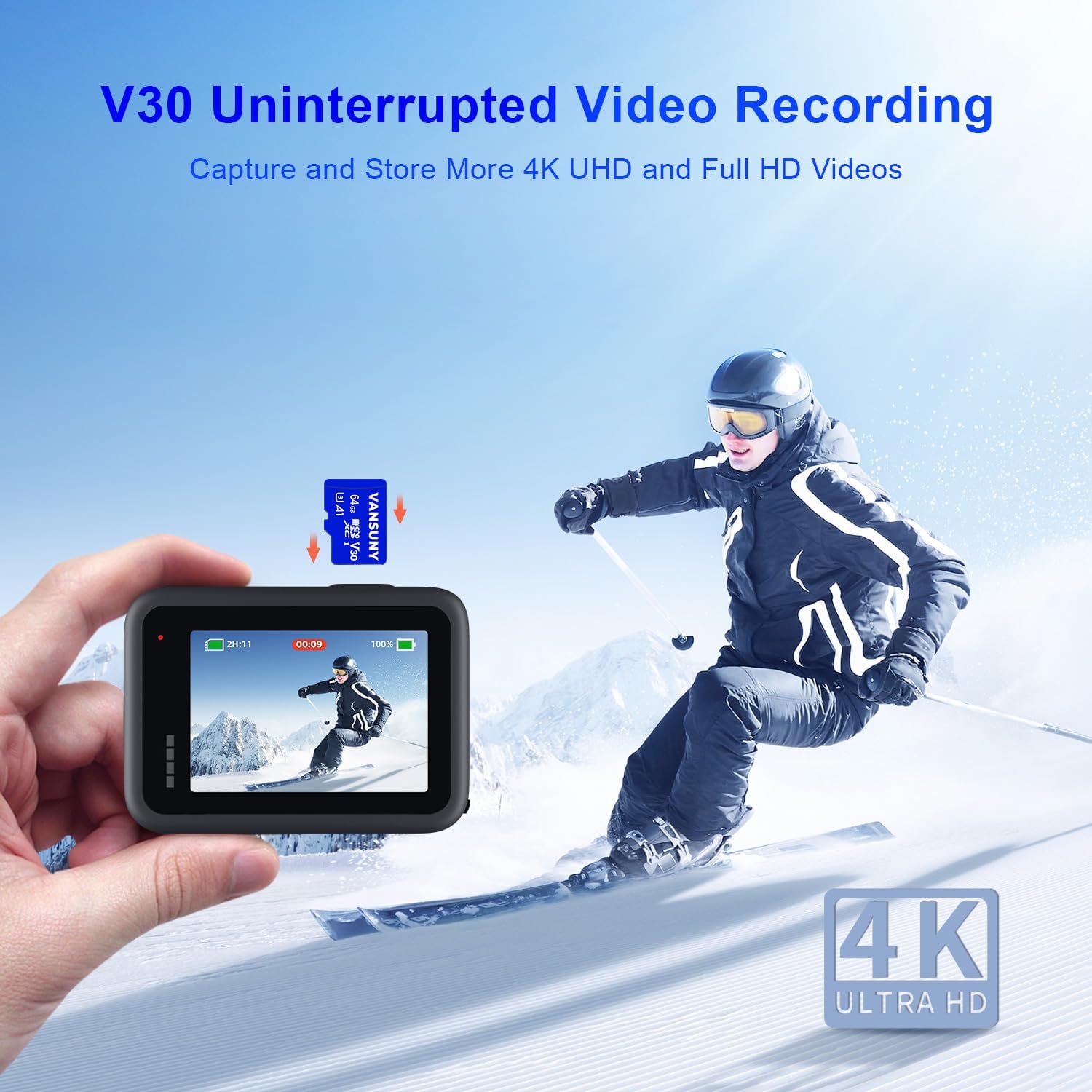
Image: A person skiing, with an action camera in the foreground displaying a recording. A Vansuny Micro SD card is shown floating above the camera, indicating V30 Uninterrupted Video Recording for 4K UHD.
A1 App Performance
The A1 app classification ensures quick application loading and a smooth user experience when running apps directly from the memory card on compatible Android smartphones and tablets. This is achieved through optimized random read (1500 IOPS) and random write (500 IOPS) performance.

Image: A hand interacting with a smartphone screen displaying various app icons. A Vansuny Micro SD card is shown in the foreground, highlighting A1 Rated App Performance with 1500 IOPS Read and 500 IOPS Write.
Kompatibilità tal-Apparat
This microSD card is designed to work with a wide array of devices. Always ensure your device supports microSDXC cards and the specified capacity (64GB). For optimal performance, use the card with devices that support UHS-I speeds.

Immaġni: Ritratt mill-ajru view of a city with a drone flying, and icons representing compatible devices: Drones, Surveillance Cameras, Switch, Action Cameras, and Android Smartphones. The text states "Work for Various Devices".
Manutenzjoni
The Vansuny microSD card is built for durability. It is:
- Li ma jgħaddix ilma minnha: Designed to withstand accidental water exposure.
- Xokk: Resistant to impacts and drops.
- Reżistenti għat-temperatura: Jaħdem b'mod affidabbli f'temperaturi estremi.
- Reżistenti għar-raġġi-X: Protett kontra l-iskanners tar-raġġi-X tal-ajruport.
To maintain optimal performance, avoid exposing the card to excessive bending, crushing, or direct contact with corrosive materials. Keep the gold contacts clean and free from dust and debris. When not in use, store the microSD card in its adapter or a protective case to prevent loss or damage.

Image: A Vansuny Micro SD card submerged in water, surrounded by bubbles. Icons below illustrate its waterproof, shockproof, temperature-proof, wearproof, magnet-proof, and X-ray proof features.
Issolvi l-problemi
- Karta Mhux Rikonoxxuta:
- Kun żgur li l-kard hija mdaħħla kompletament fl-islott.
- Try inserting the card into a different compatible device or using the SD adapter.
- Check if the card is locked (if using the SD adapter, ensure the lock switch is in the 'unlocked' position).
- Attempt to format the card (see Setup section), but only after backing up any accessible data.
- Prestazzjoni bil-mod:
- Ensure your device supports UHS-I speeds for optimal performance. Older devices may not achieve maximum speeds.
- Verify that the card is not nearly full, as this can impact write speeds.
- Avoid running multiple demanding applications simultaneously when using the card for app storage.
- Telf ta' Dejta:
While Vansuny cards are designed for reliability, data loss can occur due to improper ejection, power failures, or device malfunctions. Regularly back up important data to another storage medium.
Speċifikazzjonijiet
| Brand | Vansuny |
| Tip ta' Memorja Flash | Mikro SDXC |
| Kapaċità tal-Ħżin tal-Memorja | 64 GB |
| Aqra Veloċità | Sa 90 MB/s |
| Ikteb Veloċità | Sa 30 MB/s |
| Klassi tal-Veloċità tal-Assoċjazzjoni Diġitali Sikura | Klassi 10, U3 |
| Klassi tal-Veloċità tal-Vidjo | V30 (for 4K UHD video) |
| Klassi tal-Prestazzjoni tal-Applikazzjoni | A1 (1500 IOPS Random Read, 500 IOPS Random Write) |
| Konnettività tal-Hardware | microSDXC |
| Karatteristiċi Addizzjonali | Temperature Proof, X-Ray Proof, Waterproof, Shockproof |
| Dimensjonijiet tal-oġġett (L x W x H) | 0.6" x 0.44" x 0.03" |
| Piż tal-oġġett | 10 Gramm |
Garanzija u Appoġġ
The Vansuny 64GB microSDXC Memory Card comes with a 1-Sena Garanzija mingħand il-manifattur. Din il-garanzija tkopri difetti fil-materjali u l-abbilità taħt użu normali. Jekk jogħġbok żomm il-prova tax-xiri tiegħek għal talbiet ta' garanzija.
For technical support, warranty claims, or further inquiries, please visit the official Vansuny website or contact their customer service. Contact information can typically be found on the product packaging or the Vansuny brand store on Amazon.
Nota: The warranty does not cover damage caused by misuse, accidents, unauthorized modifications, or data loss. Always back up your data.