
1. Introduzzjoni
Grazzi tax-xiriasing the YOUTHINK Portable Shortwave Radio. This manual provides essential information for the safe and efficient operation of your device. Please read it thoroughly before use and retain it for future reference.
This portable radio offers AM/FM tuning, MP3 playback, and multiple power options, making it suitable for various listening environments.
2. Informazzjoni dwar is-Sigurtà
- Do not expose the radio to extreme temperatures, direct sunlight, or high humidity.
- Evita li twaqqa’ jew tissuġġetta l-apparat għal impatti qawwija.
- Do not attempt to disassemble or modify the radio. This will void the warranty and may cause damage.
- Uża biss it-tip ta' batterija u l-metodi ta' ċċarġjar speċifikati.
- Żomm l-apparat 'il bogħod mill-ilma u likwidi oħra.
- Naddaf ir-radju b'ċarruta ratba u niexfa. Tużax prodotti tat-tindif jew solventi li joborxu.
3. Kontenut tal-Pakkett
Ivverifika li l-oġġetti kollha huma preżenti fil-pakkett tiegħek:
- YOUTHINK Portable Shortwave Radio
- Cable tal-Iċċarġjar tal-USB
- Power Cord (if applicable, please check your product packaging)
- Manwal għall-Utent (dan id-dokument)
Note: The 18650 lithium battery is typically included or sold separately. Please check your product packaging for confirmation.
4. Prodott Aktarview
Iffamiljarizza ruħek mal-komponenti u l-kontrolli tar-radju.

Figura 4.1: Quddiem view of the YOUTHINK Portable Shortwave Radio with antenna extended, showing the speaker, LCD display, and control buttons.

Figura 4.2: Dettaljat view of the radio's control panel. Labels indicate: On/Off/Pause button, Previous Song button, Next Song button, Numeric keys (0-9), Volume Down (V-), Volume Up (V+), and Mode/Circulation (M) button.
Buttuni tal-Kontroll:
- On/Off/Pause Button: Press to power on/off the radio. During playback, press to pause/resume.
- Ċwievet Numeriċi (0-9): Used for direct frequency input or track selection in MP3 mode.
- Prev Song Button: Skips to the previous track in MP3 mode or tunes to the previous station.
- Buttuna tal-Kanzunetta li Jmiss: Skips to the next track in MP3 mode or tunes to the next station.
- Volume Down (V-): Tnaqqas il-volum tal-awdjo.
- Volume Up (V+): Iżżid il-volum tal-awdjo.
- Mode/Circulation (M) Button: Switches between radio modes (AM/FM) and MP3 playback. May also control playback circulation (repeat modes).
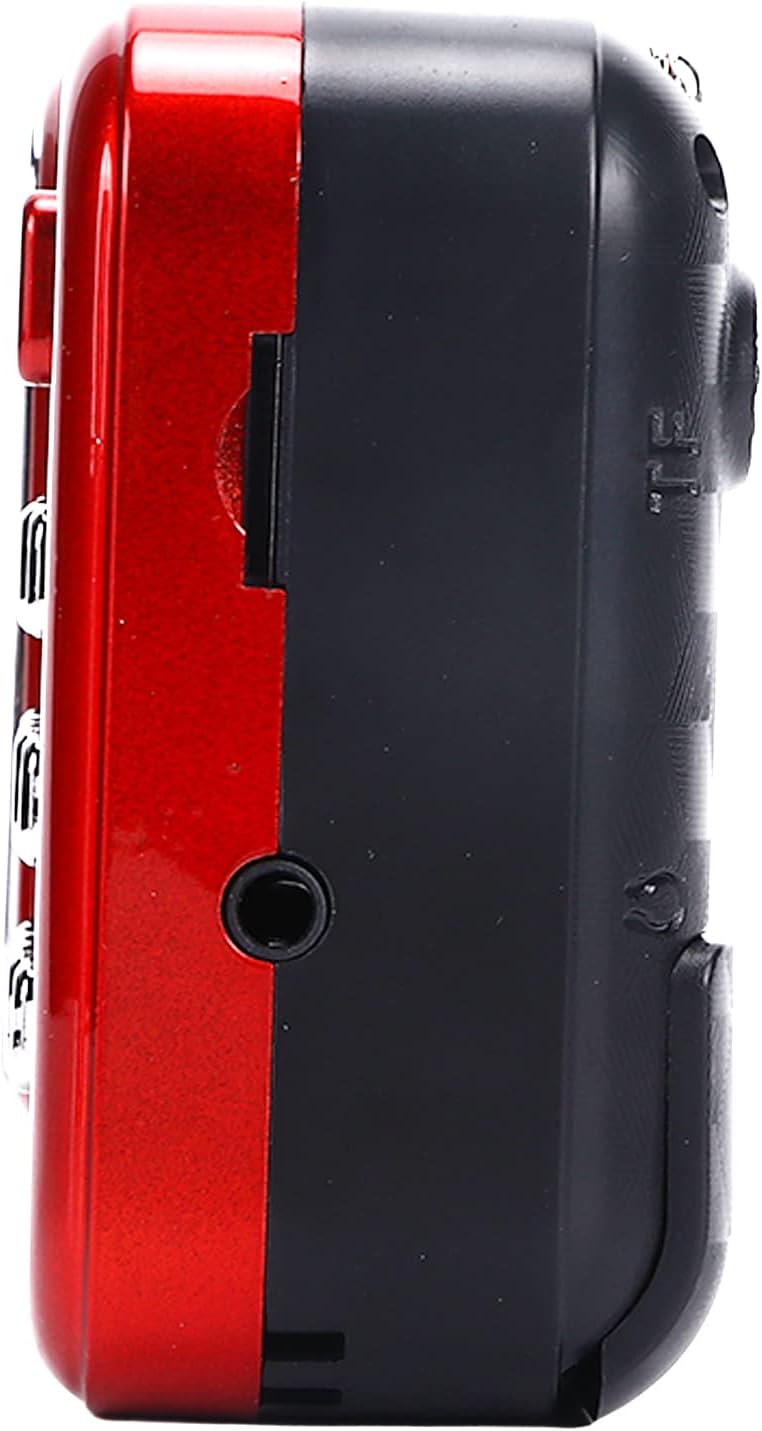
Figura 4.3: Ġenb view of the radio, highlighting the headphone jack for private listening.
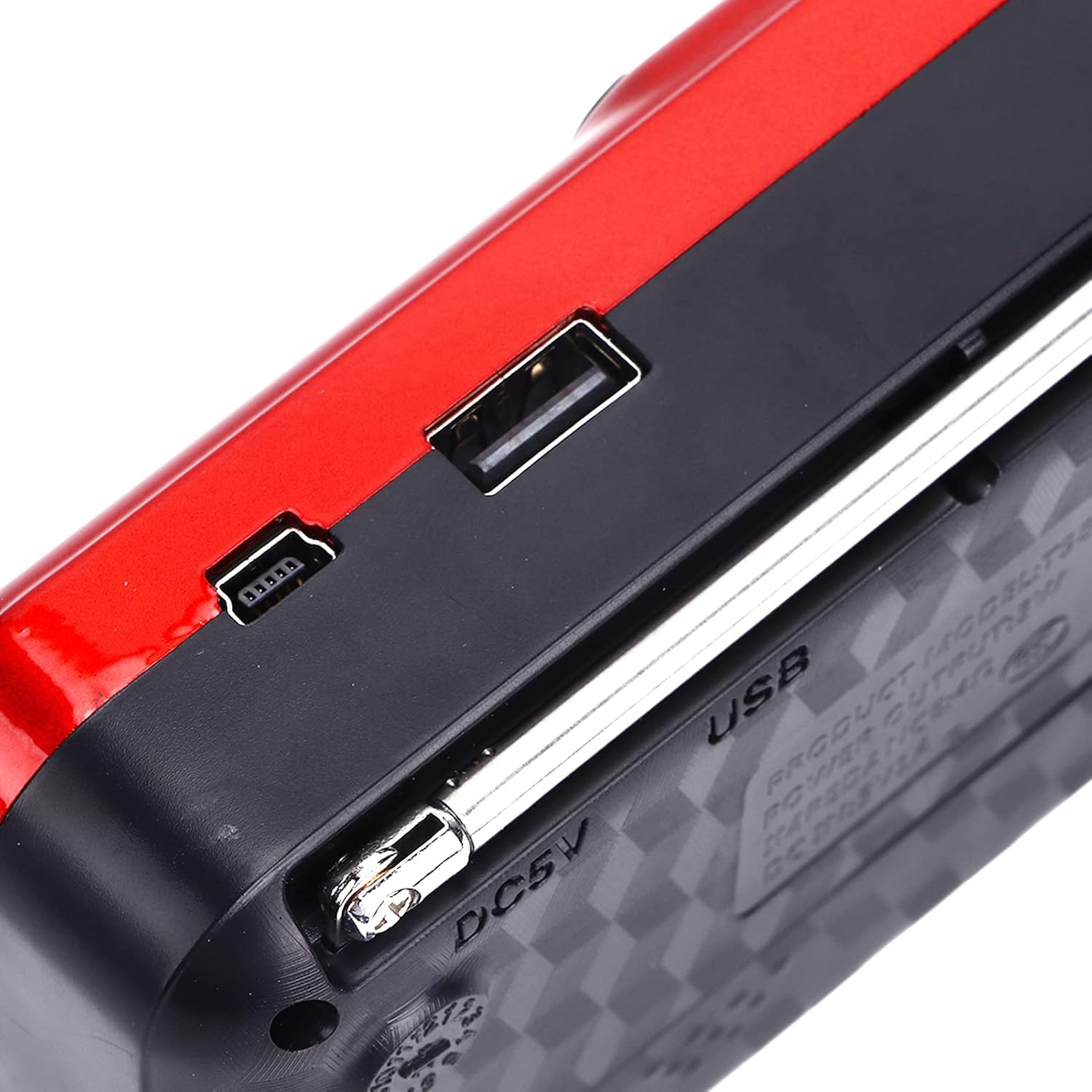
Figura 4.4: Fuq view of the radio, showing the USB port and DC 5V charging port.
5. Setup
5.1 Installazzjoni tal-batterija
- Sib l-għatu tal-kompartiment tal-batterija fuq wara tar-radju.
- Żerżaq jew erfa' l-għatu biex tiftaħ il-kompartiment.
- Insert one 18650 lithium battery, ensuring correct polarity (+/-) as indicated inside the compartment.
- Agħlaq l-għatu tal-kompartiment tal-batterija sew.

Figure 5.1: Open battery compartment showing the insertion of an 18650 lithium battery.
The radio can operate for approximately 6-8 hours on a fully charged 18650 lithium battery.
5.2 Iċċarġjar tal-batterija
- Connect the provided USB charging cable to the DC 5V port on the radio.
- Connect the other end of the USB cable to a compatible USB power source (e.g., computer, USB wall adapter, power bank, car charger).
- The LCD display may indicate charging status. Disconnect the charger once the battery is fully charged.
Iċċarġjar Voltage: DC 5V 1A.
6. Istruzzjonijiet Operattivi
6.1 Power On/Off
- Agħfas u żomm il- Mixgħul/Mitfi/Pawża button to power on the radio.
- Press and hold the same button again to power off.
6.2 Aġġustament tal-Volum
- Agħfas il- V+ buttuna biex iżżid il-volum.
- Agħfas il- V- buttuna biex tnaqqas il-volum.
6.3 Radio Mode (AM/FM)
- Estendi l-antenna teleskopika għal riċeviment aħjar.
- Agħfas il- Modalità (M) button to switch to FM or AM radio mode. The current mode will be displayed on the LCD screen.
- Skennjar Awtomatiku: Fil-modalità tar-radju, agħfas u żomm il- Play/Pawsa button (often doubles as scan) to automatically scan and save available stations.
- Irfinar Manwali: Uża l- Kanzunetta Prev or Kanzunetta li jmiss buttons to manually tune to the desired frequency.
- Input ta' Frekwenza Diretta: Use the numeric keys (0-9) to directly enter a radio frequency.
6.4 Daqq MP3
The radio supports MP3 format playback from a USB drive or TF (MicroSD) card (not included).
- Daħħal USB drive fil-port USB jew TF card fl-islott tal-TF card.
- Agħfas il- Modalità (M) button to switch to MP3 playback mode. The radio will automatically detect and begin playing MP3 files.
- Uża l- Kanzunetta Prev u Kanzunetta li jmiss buttuni biex tinnaviga bejn it-traċċi.
- Agħfas il- Mixgħul/Mitfi/Pawża buttuna biex tieqaf jew terġa’ tibda d-daqq.
- Use the numeric keys (0-9) to directly select a track number.
6.5 L-użu tal-flashlight

Figure 6.1: The radio's integrated LED flashlight illuminating a dark area, useful for emergencies or low-light conditions.
The radio includes an integrated LED flashlight. To activate or deactivate the flashlight, locate the dedicated flashlight button or switch, usually on the side of the device.
6.6 Użu ta' Headphones
For private listening, plug standard 3.5mm headphones into the headphone jack located on the side of the radio.
7. Manutenzjoni
- Tindif: Wipe the radio with a soft, dry cloth. Do not use liquid cleaners or aerosols.
- Ħażna: When not in use for extended periods, store the radio in a cool, dry place. If using a removable battery, consider removing it to prevent leakage.
- Kura tal-batterija: Recharge the battery regularly, even if not in use, to maintain its lifespan. Avoid fully discharging the battery frequently.
8 Issolvi l-problemi
| Problema | Kawża Possibbli | Soluzzjoni |
|---|---|---|
| Ir-radju ma jixgħelx. | Il-batterija hija mejta jew installata ħażin. | Charge the battery or ensure it is installed with correct polarity. |
| Riċeviment ħażin tar-radju. | L-antenna mhux estiża jew is-sinjal huwa dgħajjef. | Estendi l-antenna teleskopika għalkollox. Ipprova erġa' poġġi r-radju fil-pożizzjoni t-tajba. |
| L-ebda ħoss mill-ispiker. | Volume is too low or headphones are connected. | Żid il-volum. Skonnettja l-headphones jekk ma tixtieqx. |
| MP3 filemhux qed jilgħab. | Modalità mhux korretta, mhux appoġġjata file format, or faulty USB/TF card. | Ensure radio is in MP3 mode. Verify files are in MP3 format. Try a different USB drive or TF card. |
9. Speċifikazzjonijiet
- Mudell: YOUTHINKmxkn0ugipz
- Ditta: ŻGĦAŻAGĦ
- Teknoloġija tuner: AM, FM
- Bands tar-Radju Appoġġjati: AM, FM
- Teknoloġija tal-Konnettività: USB
- Sors tal-Enerġija: Battery Powered (18650 Lithium Battery)
- Iċċarġjar Voltage: DC 5V 1A
- Qawwa tal-Ħruġ: 3W
- Frekwenza ta' Rispons: 100Hz-18KHz
- Proporzjon tas-sinjal għall-istorbju: ≤70dB
- Daqq tal-mużika: Supports MP3 Format
- Dimensjonijiet tal-Prodott: 4.65"L x 2.76"W x 1.38"H (Approx. 11.8 x 7 x 3.5 cm)
- Piż tal-oġġett: 5.9-il uqija (Madwar 167g)
- Karatteristika Speċjali: Portable, LCD Display, MP3 Player, Flashlight
10. Garanzija u Appoġġ
For warranty information or technical support, please refer to the documentation provided with your purchase or contact YOUTHINK customer service through the retailer where the product was purchased.
Jekk jogħġbok żomm il-prova tax-xiri tiegħek għal pretensjonijiet ta' garanzija.