
1. Introduzzjoni
This manual provides detailed instructions for the installation, operation, and maintenance of your SCOORNEST Wireless Security Camera. This compact, battery-operated camera is designed for indoor use, offering 1080P HD video, night vision, and remote monitoring capabilities via a mobile application. Please read this manual thoroughly before using the product to ensure proper function and safety.

Image: The SCOORNEST Wireless Security Camera discreetly placed in a living room, providing wide area surveillance.
2. Karatteristiċi tal-prodott
The SCOORNEST Wireless Security Camera offers a range of features for effective home monitoring:
- Vidjo HD 1080P: Jaqbad ikel ċar u dettaljattage.
- Bla fili u mħaddma bil-batterija: Flexible placement without the need for constant power outlets.
- Viżjoni bil-lejl: Provides clear monitoring in low-light or dark conditions.
- Sejbien tal-Moviment: Alerts you to detected movement, enhancing security.
- Remote App Control: Monitor and control the camera from your smartphone or tablet.
- Użu f'Xenarji Multipli: Suitable for monitoring homes, babies, pets, elderly care, and office spaces.

Image: Key features of the camera, including 1080P resolution, motion detection, WiFi connectivity, and wireless operation.

Image: Demonstration of the camera's 1080P resolution, providing clear and smooth video quality.
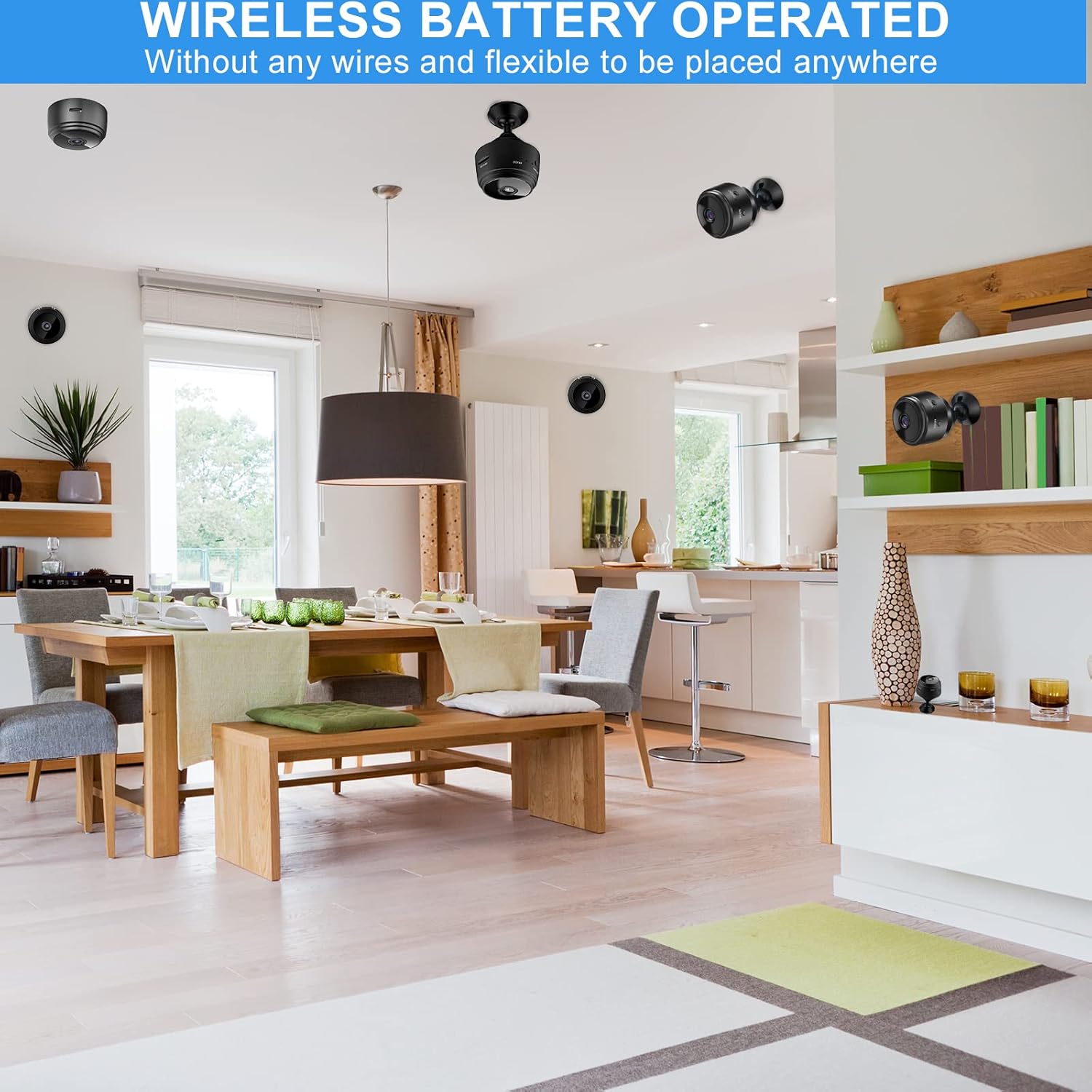
Image: The camera's motion detection feature, sensitive to capture movement and trigger alerts.

Image: Comparison of day and night vision, illustrating the camera's ability to monitor in various lighting conditions.
3. Gwida ta' Setup
Follow these steps to set up your SCOORNEST Wireless Security Camera:
- Iċċarġja l-Kamera: Before first use, fully charge the camera using the provided USB cable. A red indicator light typically signifies charging, turning off or changing color when complete.
- Niżżel l-App: Fittex għal "HDwifiCamPro" in the App Store (iOS) or Google Play Store (Android) and install it on your smartphone.
- Qawwa fuq il-Kamera: Agħfas u żomm il-buttuna tal-qawwa sakemm id-dawl indikatur jinxtegħel.
- Qabbad mat-Telefon: Open the HDwifiCamPro app. Follow the in-app instructions to connect the camera to your phone. This usually involves connecting to the camera's temporary Wi-Fi hotspot first, then configuring it to connect to your home 2.4GHz Wi-Fi network.
- Pożizzjona l-Kamera: Place the camera in your desired monitoring location. Its wireless design allows for flexible placement. Ensure it has a clear line of sight to the area you wish to monitor.
Image: Visual guide for connecting the camera to your smartphone and home WiFi network.
4. Istruzzjonijiet Operattivi
Once your camera is set up, you can begin monitoring:
- Live View: Open the HDwifiCamPro app and select your camera to view il-video live feed.
- Reġistrazzjoni: The camera supports continuous recording or motion-activated recording. Ensure a microSD card (not included) is inserted for local storage, or utilize cloud storage options if available through the app.
- Twissijiet ta 'Mozzjoni: Enable motion detection in the app settings to receive notifications on your phone when movement is detected.
- Night Vision Activation: Il-viżjoni bil-lejl tipikament tiġi attivata awtomatikament f'kundizzjonijiet ta' dawl baxx.
- Aċċess mill-bogħod: As long as your camera is connected to Wi-Fi and your phone has internet access, you can view the live feed and manage settings from anywhere.

Image: Live monitoring of the camera feed on a smartphone.

Immaġni: Eżample of using the camera for pet monitoring via the mobile app.

Immaġni: Il-feed tal-kamera jista' jkun viewed on multiple devices, including laptops, tablets, and smartphones.
5. Manutenzjoni
To ensure the longevity and optimal performance of your camera:
- Tindif: Imsaħ bil-mod il-lenti u l-korp tal-kamera b'ċarruta ratba u niexfa. Evita li tuża kimiċi ħarxa jew materjali li joborxu.
- Kura tal-batterija: Recharge the camera regularly, especially if it's not connected to a continuous power source. Avoid fully depleting the battery frequently to prolong its lifespan.
- Aġġornamenti tas-Software: Check the HDwifiCamPro app periodically for firmware updates for your camera. Keeping the software updated can improve performance and security.
- Ħażna: Jekk se taħżen il-kamera għal perjodu estiż, kun żgur li tkun iċċarġjata kompletament u maħżuna f'post frisk u niexef.
6 Issolvi l-problemi
Jekk tiltaqa' ma' problemi bil-kamera tiegħek, irreferi għall-problemi u s-soluzzjonijiet komuni li ġejjin:
| Problema | Kawża Possibbli | Soluzzjoni |
|---|---|---|
| Il-kamera ma tikkonnettjax mal-Wi-Fi | Incorrect Wi-Fi password; camera too far from router; 5GHz Wi-Fi network used. | Ensure correct 2.4GHz Wi-Fi password; move camera closer to router; ensure router supports 2.4GHz. |
| Kwalità fqira tal-istampa | Dirty lens; insufficient lighting; weak Wi-Fi signal. | Clean the lens; ensure adequate lighting or rely on night vision; improve Wi-Fi signal strength. |
| Il-batterija tiskula malajr | Ħajja frekwenti viewing; continuous recording; high motion detection sensitivity. | Reduce live viewing time; use motion-activated recording; adjust motion detection sensitivity; keep camera plugged in if possible. |
| App mhux qed tirċievi notifiki | App notifications disabled; motion detection off; phone in Do Not Disturb mode. | Check app notification settings; enable motion detection; disable Do Not Disturb. |
Jekk il-problemi jippersistu, jekk jogħġbok irreferi għat-taqsima tal-Garanzija u l-Appoġġ għal informazzjoni ta' kuntatt.
7. Speċifikazzjonijiet
| Karatteristika | Dettall |
|---|---|
| Dimensjonijiet tal-Prodott | 3.98 x 2.4 x 1.46 pulzieri |
| Piż tal-oġġett | 2.08 uqija |
| Numru tal-Mudell | FDA MASK 95 |
| Brand | SCOORNEST |
| Tip ta' Lenti | Angolu Wide |
| Disinn tal-Lenti | Zoom |
| Tip ta 'Focus | Focus Manwal |
| Deskrizzjoni tal-Kisi tal-Lenti | Kisi HD |
| Data L-Ewwel Disponibbli | 10 ta’ Mejju, 2022 |
8. Garanzija u Appoġġ
SCOORNEST is committed to providing quality products and customer satisfaction. Your SCOORNEST Wireless Security Camera comes with a garanzija ta 'sena from the date of purchase. Additionally, we offer servizz ta' wara l-bejgħ tul il-ħajja.
For any product-related inquiries, technical support, or warranty claims, please contact our customer service team. Refer to the product packaging or the official SCOORNEST webis-sit għall-aktar informazzjoni ta' kuntatt aġġornata.
You can also find a PDF version of the Instructions for Use hawn.