
1. Introduzzjoni
Thank you for choosing the ILIFE V3s Max Robot Vacuum and Mop Combo. This device is designed to provide efficient and convenient cleaning for your home, combining powerful vacuuming with intelligent mopping capabilities. This manual provides essential information for the safe operation, maintenance, and troubleshooting of your robot vacuum. Please read it thoroughly before use and retain it for future reference.
2. Istruzzjonijiet tas-Sigurtà
Biex tnaqqas ir-riskju ta’ korriment jew ħsara, aqra u segwi l-prekawzjonijiet kollha tas-sigurtà. Dan l-apparat huwa għall-użu domestiku biss.
- Do not operate the robot near open flames or fragile objects.
- Żomm ix-xagħar, il-ħwejjeġ maħlula, is-swaba’, u l-partijiet kollha tal-ġisem 'il bogħod mill-fetħiet u mill-partijiet li jiċċaqilqu.
- Tħallix lit-tfal joperaw ir-robot. Issorvelja lit-tfal u l-annimali domestiċi meta r-robot ikun qed jaħdem.
- Uża biss l-adapter tal-enerġija u d-dock tal-iċċarġjar oriġinali pprovduti mill-manifattur.
- Kun żgur li r-robot ikun iċċarġjat kompletament qabel l-ewwel użu.
- Tużax ir-robot biex tiġbor debris kbir, likwidi, jew oġġetti li qed jaqbdu.
- Remove power cords, small objects, and curtains from the cleaning path to prevent entanglement.
- Do not use the mopping function on carpets or rugs.
3. Kontenut tal-Pakkett
Ivverifika li l-komponenti kollha huma preżenti u f'kundizzjoni tajba:
- 1x ILIFE V3s Max Robot Vacuum
- 1x Kontroll mill-bogħod
- 1x Filtru (installat minn qabel)
- 1x AC Adapter
- 1x Baċir tal-Iċċarġjar
- 1x Pinzell tat-Tindif
- 2x Side Brushes (spare)
- 1x Mop Cloth
- 1x Water Tank
- 1x Manwal għall-Utent
- 3x Dust Bags
4. Prodott Aktarview
Familiarize yourself with the main components of your ILIFE V3s Max.

Figura 4.1: Fuq view of the ILIFE V3s Max robot vacuum, illustrating its 2000Pa suction, path planning, large dustbin, vacuum with mop function, app control, and Alexa support.

Figura 4.2: Taħt view of the robot vacuum, highlighting the deep edge cleaning brush, powerful suction inlet, and the mop attachment for combined cleaning.
Komponenti ewlenin:
- Korp Prinċipali: Contains the motor, dustbin, water tank, and navigation sensors.
- Xkupilji tal-ġenb: Sweep debris into the suction path.
- Roti tas-Sewqan: Ħalli r-robot jiċċaqlaq fuq diversi uċuħ.
- Rota Universali: Provides directional movement.
- Kuntatti tal-Iċċarġjar: Jikkonnettja mal-baċir tal-iċċarġjar.
- Trab tat-trab: Jiġbor debris niexef.
- Tank tal-Ilma: Iżomm l-ilma għall-moppjar.
- Drapp tal-Mopp: Jitwaħħal mat-tank tal-ilma għal tindif bl-ilma.
- Buttuna tal-Qawwa: Turns the robot on/off and starts/pauses cleaning.
- Sensers: Anti-drop, anti-collision, and wall-following sensors.
5. Setup
5.1 Iċċarġjar inizjali
- Poġġi l-istazzjon tal-iċċarġjar ma' ħajt f'żona miftuħa, u kun żgur li ma jkun hemm l-ebda ostaklu f'distanza ta' metru mal-ġnub u metru u nofs minn quddiemek.
- Connect the AC adapter to the charging dock and plug it into a power outlet.
- Place the robot onto the charging dock, ensuring the charging contacts align. The indicator light will show charging status.
- Allow the robot to charge completely before first use (approximately 5-6 hours).
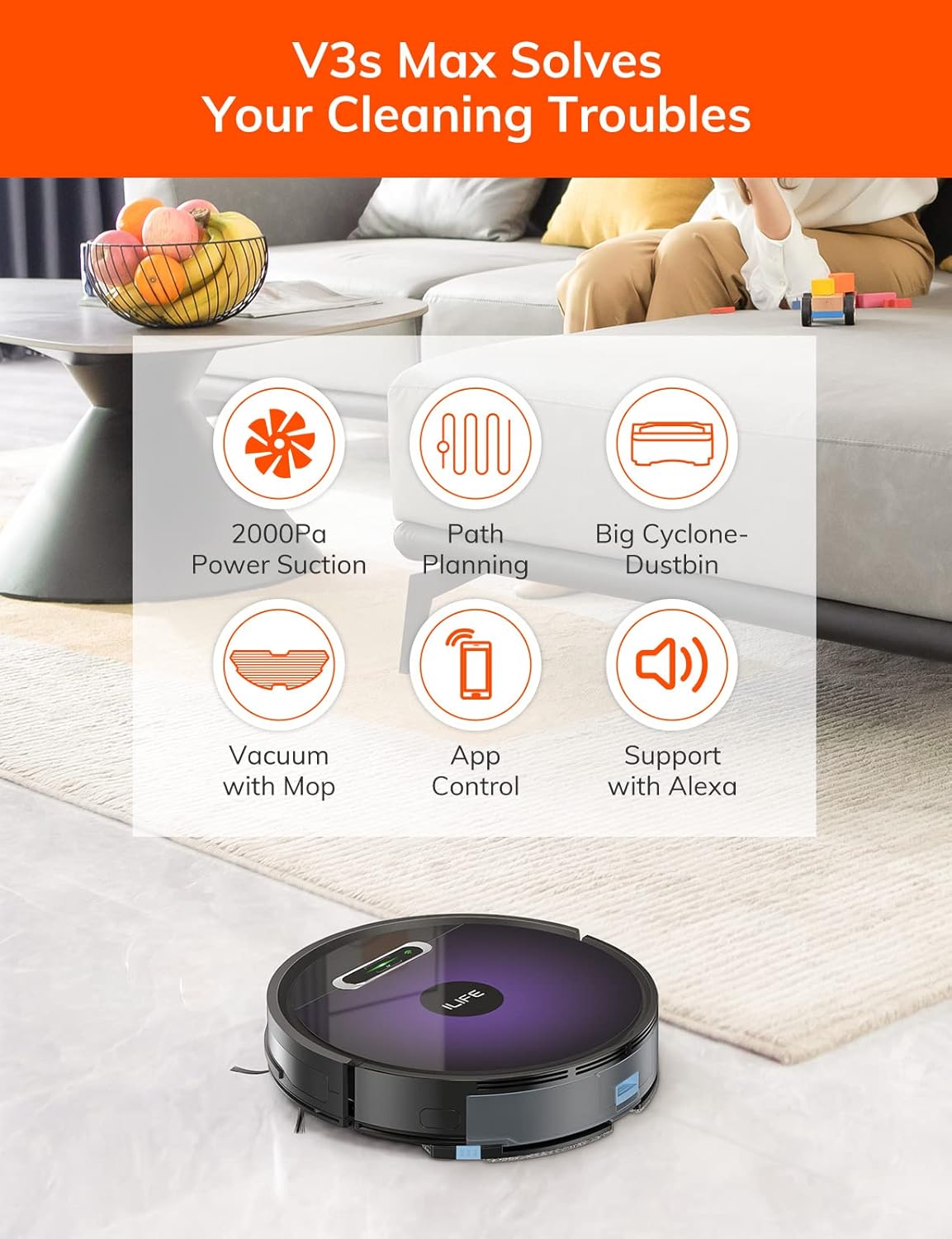
Figura 5.1: The robot vacuum returning to its charging dock. Ensure the dock is placed in an accessible area.
5.2 App and Wi-Fi Connection
The ILIFE V3s Max supports app control via 2.4G Wi-Fi (5G Wi-Fi is not supported).
- Download the "ILIFEHOME" app from your smartphone's app store (iOS or Android).
- Irreġistra kont u illoggja.
- Ensure your phone is connected to a 2.4G Wi-Fi network.
- Follow the in-app instructions to add your device. This typically involves pressing and holding the robot's power button until it enters pairing mode, then entering your Wi-Fi password in the app.

Figura 5.2: The ILIFEHOME app interface, demonstrating features like scheduling, cleaning history, suction settings, and cleaning modes. The robot also supports Amazon Alexa integration.
6. Istruzzjonijiet Operattivi
6.1 Tibda/Twaqqaf it-Tindif
- Minn Robot: Agħfas il-buttuna tal-qawwa darba biex tibda jew twaqqaf it-tindif.
- Mill-Kontroll mill-Bogħod: Press the "Clean" button.
- Mill-App: Tap "Start" or "Pause" in the ILIFEHOME app.
6.2 Modi tat-Tindif
The V3s Max offers multiple cleaning modes for different needs:

Figura 6.1: Illustration of the robot's multiple cleaning modes: Random, Spot, Edge, and Path (zigzag) cleaning.
- Path Cleaning (Zigzag): The robot cleans in an efficient zigzag pattern, covering the entire area systematically. This is the default mode for general cleaning.
- Tindif tal-Post: The robot focuses on a specific dirty area, cleaning in a spiral pattern. Activate this mode for concentrated cleaning of spills or heavily soiled spots.
- Tindif tax-Xfer: The robot cleans along walls and furniture edges. Useful for thorough cleaning of room perimeters.
- Tindif każwali: The robot cleans randomly, suitable for small, uncluttered spaces.
6.3 Vacuum cleaner u mopping
The V3s Max can vacuum and mop simultaneously or separately.

Figura 6.2: The robot vacuum demonstrating its 2000Pa suction power, effectively picking up food crumbs and pet hair from hard floors.

Figura 6.3: The robot vacuum illustrating three types of water adjustment for mopping, catering to various floor cleaning needs.
- Vacuuming: Ensure the dustbin is installed. The robot will use its 2000Pa suction to clean dry debris.
- Mopping: Fill the 200ml water tank with clean water and attach the mop cloth. Insert the water tank into the robot. The robot will then perform wet mopping. Do not use cleaning solutions other than water in the tank.
- Tindif Magħqud: With both the dustbin and water tank installed, the robot will vacuum and mop simultaneously.
6.4 Skedar
Use the ILIFEHOME app to set cleaning schedules for automated cleaning sessions.
- Open the ILIFEHOME app.
- Navigate to the scheduling section.
- Issettja l-ħinijiet u l-ġranet tat-tindif mixtieqa.
- Confirm the schedule. The robot will automatically start cleaning at the programmed times.
7. Manutenzjoni
Manutenzjoni regolari tiżgura prestazzjoni ottimali u testendi l-ħajja tal-vacuum cleaner robot tiegħek.
7.1 Tindif tal-Landa taż-Żibel u l-Filtru
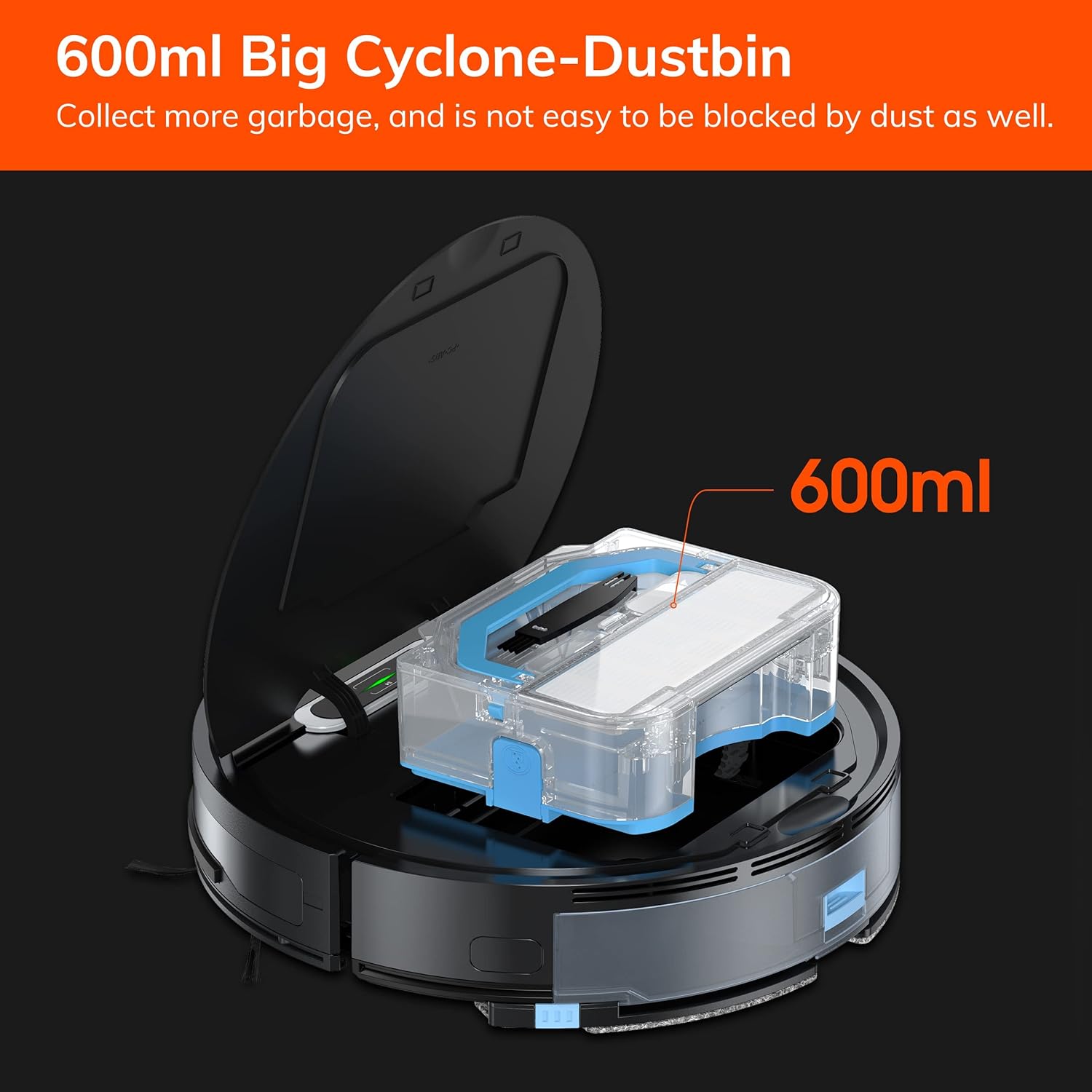
Figura 7.1: The 600ml cyclone dustbin, designed to collect more debris and resist clogging.
- Press the "PUSH" button on the robot's top cover to open it.
- Remove the dustbin by pulling it upwards.
- Iftaħ l-għatu tal-kontenitur tat-trab u vojta l-kontenut tiegħu ġo kontenitur taż-żibel.
- Remove the filter assembly (pre-filter, sponge filter, high-performance filter).
- Clean the filters with the provided cleaning brush. Do not wash the high-performance filter with water.
- Rinse the dustbin with water if necessary, ensuring it is completely dry before reinstallation.
- Reassemble the filters and dustbin, then reinsert into the robot.
7.2 Tindif tal-Pinzell tal-Ġenb
- Regularly check side brushes for tangled hair or debris.
- Iġbed bil-mod il-pniezel tal-ġenb 'il fuq biex tneħħihom.
- Use the cleaning brush or scissors to remove any tangled hair or debris.
- Erġa' installa l-ixkupilji tal-ġenb, waqt li tiżgura li jikklikkjaw f'posthom.
7.3 Manutenzjoni tat-Tank tal-Ilma u tad-Drapp tal-Mopp
- Wara kull sessjoni ta' tindif bil-mopp, neħħi t-tank tal-ilma.
- Battal kull ilma li jifdal mit-tank.
- Detach the mop cloth and wash it by hand or machine. Allow it to air dry completely.
- Rinse the water tank with clean water and allow it to air dry.
7.4 Tindif tas-Sensor
- Use a clean, dry cloth to wipe the anti-drop sensors (located on the bottom of the robot) and the anti-collision sensors (located on the front bumper).
- Naddaf il-kuntatti tal-iċċarġjar kemm fuq ir-robot kif ukoll fuq id-dock tal-iċċarġjar.
8 Issolvi l-problemi
If you encounter issues with your ILIFE V3s Max, refer to the following common problems and solutions:
| Problema | Kawża Possibbli | Soluzzjoni |
|---|---|---|
| Ir-robot ma jixgħelx jew ma jirrispondix. | Batterija baxxa; Swiċċ tal-enerġija mitfi; Robot imwaħħal. | Charge the robot; Turn on the power switch; Clear obstacles. |
| Ir-robot ma jistax jirritorna lejn id-dock tal-iċċarġjar. | Charging dock obstructed; Robot too far from dock; Dock not powered. | Ensure clear path to dock; Manually place robot near dock; Check power connection. |
| Prestazzjoni fqira tat-tindif. | Dustbin full; Filters clogged; Side brushes worn or tangled. | Empty dustbin; Clean/replace filters; Clean/replace side brushes. |
| Ir-robot jeħel spiss. | Obstacles (cables, rugs); Cliff sensors dirty. | Clear cleaning area; Clean cliff sensors. |
| Problemi bil-konnessjoni tal-app. | Incorrect Wi-Fi (5G); Incorrect password; Router issues. | Ensure 2.4G Wi-Fi; Re-enter password; Restart router and robot. |
If the problem persists, please contact ILIFE customer support.
9. Speċifikazzjonijiet
| Karatteristika | Dettall |
|---|---|
| Brand | ILIFE |
| Isem tal-Mudell | V3s Max |
| Qawwa tal-ġbid | Sa 2000Pa (Modalità Spot) |
| Kapaċità ta 'Dustbin | 600ml |
| Kapaċità tat-Tank tal-Ilma | 200ml |
| Ħajja tal-batterija | Sa 100 minuta |
| Tip ta 'batterija | Lithium Ion (14.4 Volts) |
| Navigazzjoni | Gyroscopic Path Planning |
| Metodi ta' Kontroll | App Control, Remote Control, Amazon Alexa |
| Appoġġ Wi-Fi | 2.4G Wi-Fi only |
| Dimensjonijiet tal-Prodott | 12.4"T x 11.81"W x 2.99"Għ |
| Piż tal-oġġett | 5.4 Liri |
| Livell ta' Storbju | 65 Deċibel |
| Rakkomandazzjoni tal-wiċċ | Art iebsa, Tapit b'pil baxx |
10. Garanzija u Appoġġ
ILIFE provides a limited warranty for this product. For detailed warranty information, please refer to the warranty card included in your package or visit the official ILIFE website. For technical support, troubleshooting assistance, or replacement parts, please contact ILIFE customer service through the contact information provided on their website or within the ILIFEHOME app.
Appoġġ onlajn: www.iliferobot.com/support