
1. Introduzzjoni
This manual provides essential information for the safe and efficient use of your Princess 357250 Smart Air Cooler Fan. Please read these instructions carefully before operating the appliance and retain them for future reference.

Figure 1: Princess 357250 Smart Air Cooler Fan in operation, illustrating air circulation.
The Princess 357250 is a versatile 3-in-1 appliance functioning as a fan, air cooler, and air freshener. It features a 3.5-liter water reservoir, three operating modes, and can be controlled via the HomeWizard Climate app, voice commands, or the included remote control.
2. Istruzzjonijiet Importanti dwar is-Sigurtà
Dejjem segwi l-prekawzjonijiet bażiċi ta' sigurtà meta tuża apparati elettriċi biex tnaqqas ir-riskju ta' nar, xokk elettriku, u korriment personali.
- Aqra l-istruzzjonijiet kollha qabel l-użu.
- Tiżgura l-voltagIndikat fuq l-apparat jikkorrispondi għall-vol tal-mejn lokali tiegħektage qabel il-konnessjoni.
- Tgħaddix l-apparat, korda, jew plagg fl-ilma jew likwidi oħra.
- Superviżjoni mill-qrib hija meħtieġa meta xi apparat jintuża minn jew ħdejn it-tfal.
- Aqla’ l-plagg mill-plagg meta ma tkunx qed tużah, qabel ma tiġbor jew tiżżarma partijiet, u qabel ma tnaddaf.
- Tħaddim l-ebda apparat b'korda jew plagg bil-ħsara, jew wara li l-apparat ma jaħdimx jew ikun ġie bil-ħsara b'xi mod.
- Tużax barra.
- Tħallix il-korda tistrieħ fuq it-tarf ta 'mejda jew counter, jew tmiss uċuħ sħan.
- Tpoġġix fuq jew ħdejn burner tal-gass sħun jew elettriku, jew f'forn imsaħħan.
- Always place the appliance on a dry, stable, and level surface.
- Uża biss aċċessorji rakkomandati jew mibjugħa mill-manifattur.
- Timblokka l-ebda fetħiet tal-ventilazzjoni.
- Do not fill the water tank above the MAX level indicator.
- Dejjem kun żgur li t-tank tal-ilma jkun f'postu sew qabel ma tħaddem.
3. Komponenti tal-Prodott
The Princess 357250 Smart Air Cooler Fan comes with the following components:
- Princess 357250 Smart Air Cooler Fan unit
- Kontroll mill-bogħod
- 2 x CR2032 batteries (for remote control)
- Manwal ta' struzzjonijiet
- Ice packs (typically 2, for enhanced cooling)

Figure 2: Included remote control for convenient operation.
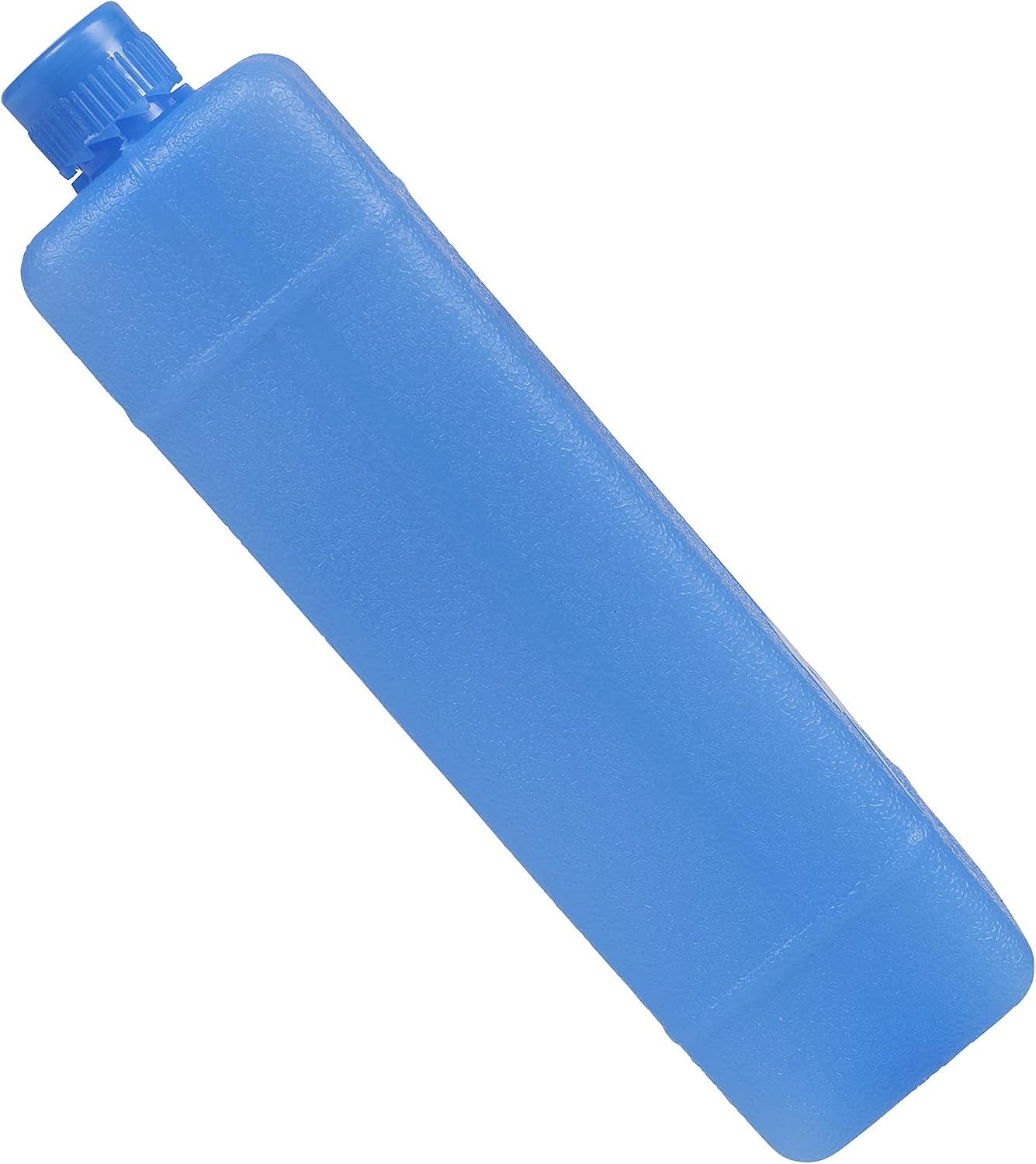
Figura 3: Eżample of an ice pack used to enhance cooling performance.
4. Twaqqif u Użu Inizjali
4.1 Disimballaġġ
Carefully remove the air cooler from its packaging. Retain the packaging for future storage or transport. Check that all components listed in Section 3 are present and undamaged.
4.2 Tqegħid
Place the air cooler on a firm, level surface. Ensure there is adequate space around the unit for proper air circulation. Do not place it directly against a wall or furniture that could obstruct the air intake or outlet.
4.3 Il-mili tar-Reċipjent tal-Ilma
- Iġbed it-tank tal-ilma 'l barra mill-parti t'isfel ta' wara tal-unità.
- Fill the water tank with clean, cool water. Do not exceed the 'MAX' fill line.
- For enhanced cooling, place the included ice packs in a freezer until frozen. Once frozen, add them to the water tank.
- Żerżaq it-tank tal-ilma lura fl-unità bir-reqqa sakemm tikklikkja f'postu.
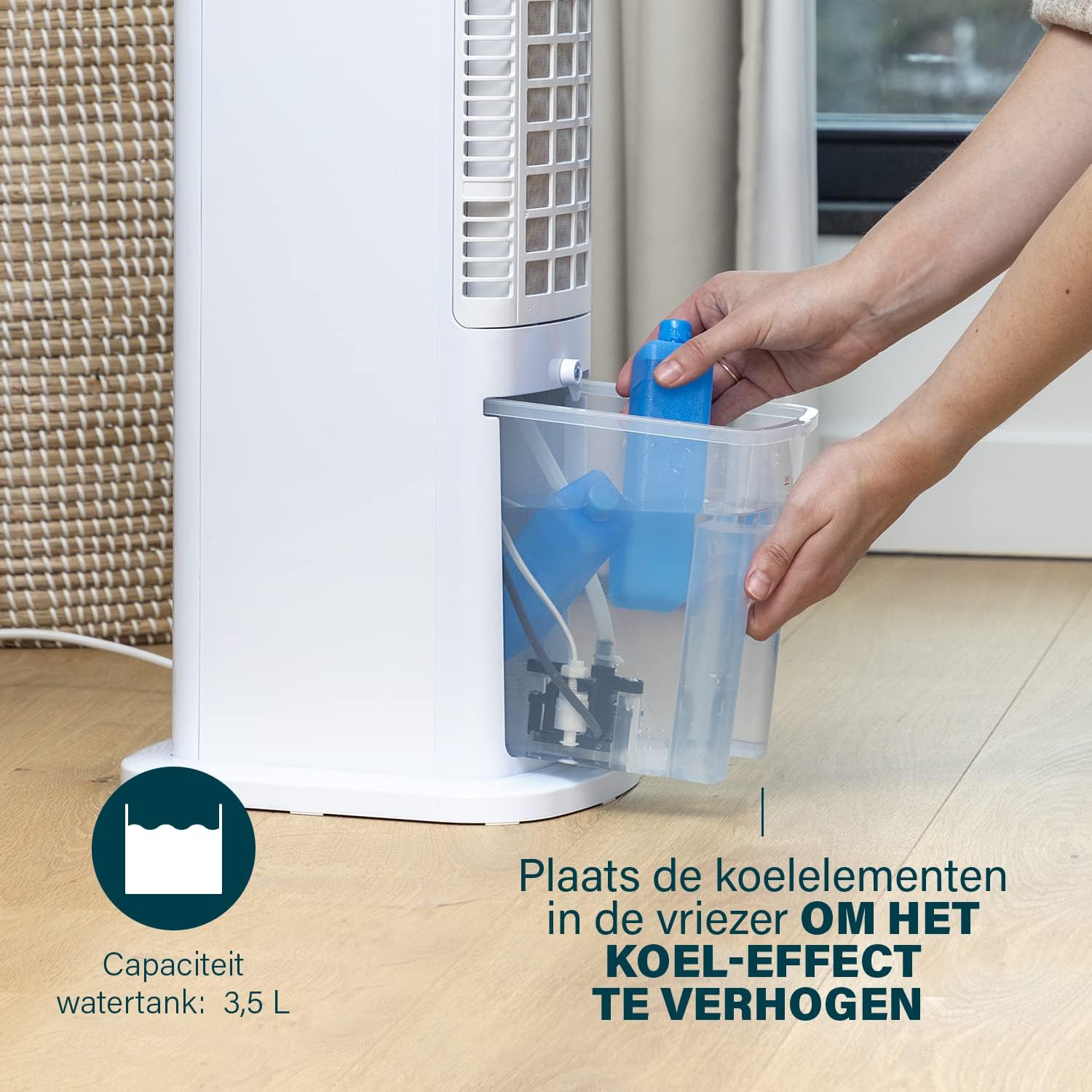
Figure 4: Adding ice packs to the water reservoir to increase cooling effect.
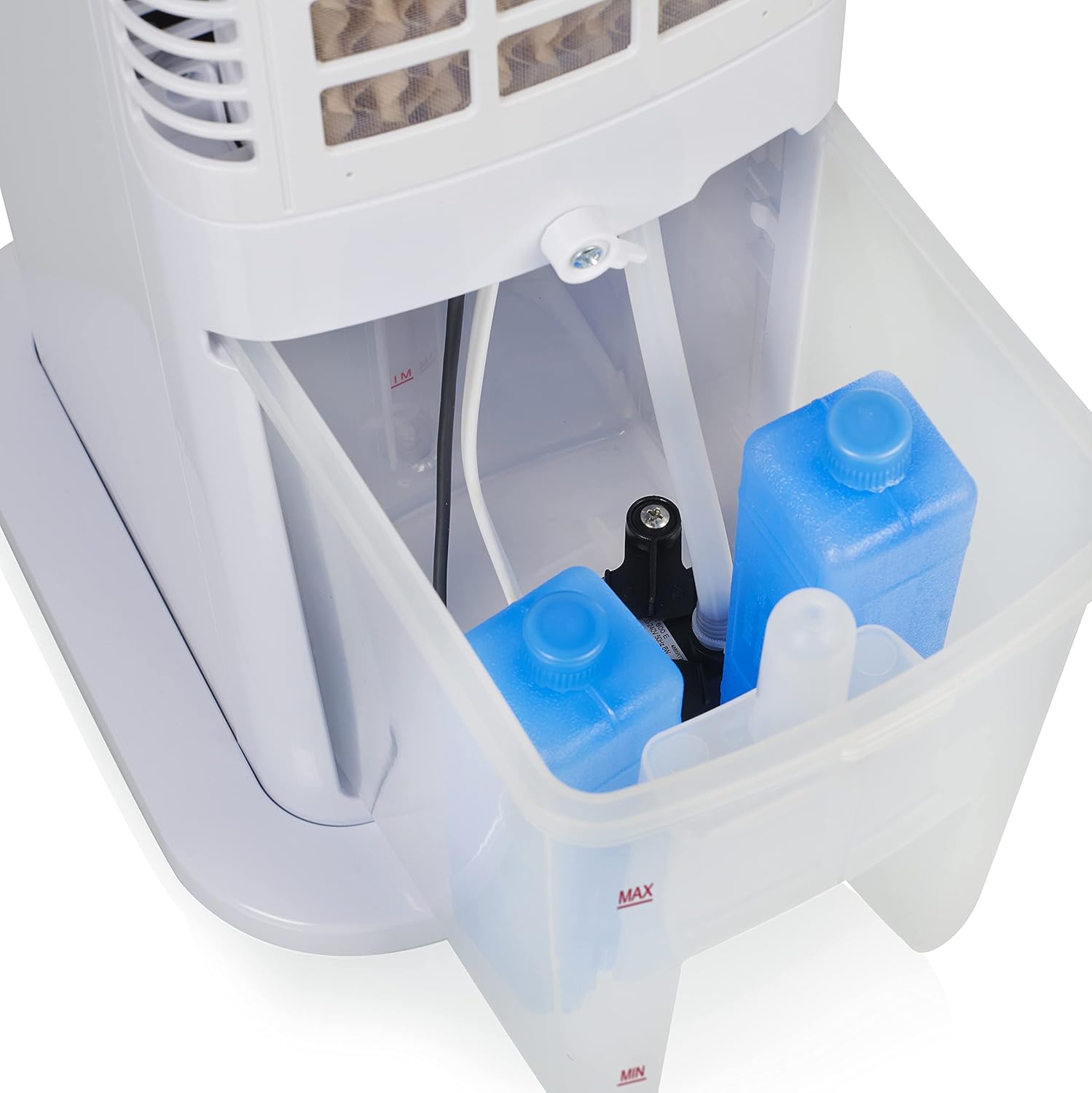
Figure 5: Water tank with ice packs, indicating fill levels.
4.4 Konnessjoni tal-Enerġija
Plug the power cord into a suitable electrical outlet (230V). The unit will enter standby mode.
5. Istruzzjonijiet Operattivi
The Princess 357250 can be operated via its control panel, remote control, or the HomeWizard Climate app.
5.1 Control Panel Overview
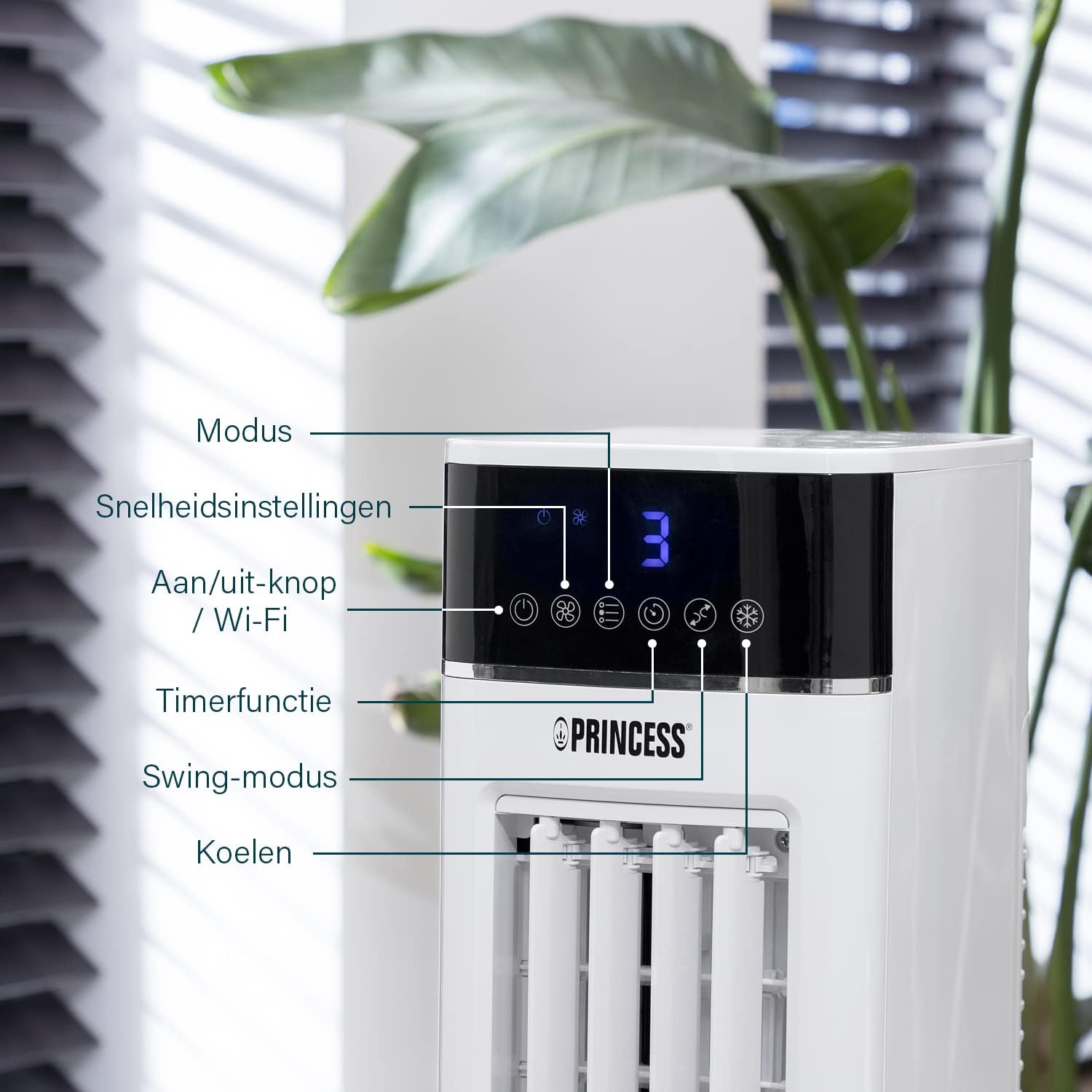
Figure 6: Control panel with various function buttons.
- Power Button (On/Off / Wi-Fi): Turns the unit on or off. Press and hold to activate Wi-Fi pairing mode.
- Buttuna tal-Modalità: Cycles through operating modes (Normal, Natural, Sleep).
- Buttuna tal-Veloċità: Adjusts fan speed (Low, Medium, High).
- Buttuna tat-Tajmer: Sets the operating timer.
- Buttuna Swing: Activates or deactivates the oscillation function.
- Kessaħ Buttuna: Activates or deactivates the evaporative cooling function (requires water in the tank).

Figure 7: Manual control via the top panel buttons.
5.2 Modi Operattivi
- Modalità Normali: Provides a constant airflow at the selected speed.
- Modalità Naturali: Simulates natural breeze by varying fan speed intermittently.
- Modalità Sleep: Operates at a lower, quieter speed, gradually decreasing fan speed over time for undisturbed sleep.
5.3 Funzjoni ta' Oxxillazzjoni
Press the 'Swing' button to activate the oscillation function. The unit will rotate horizontally to distribute air across a wider area (Oscillation range: 50°). Press again to stop oscillation.
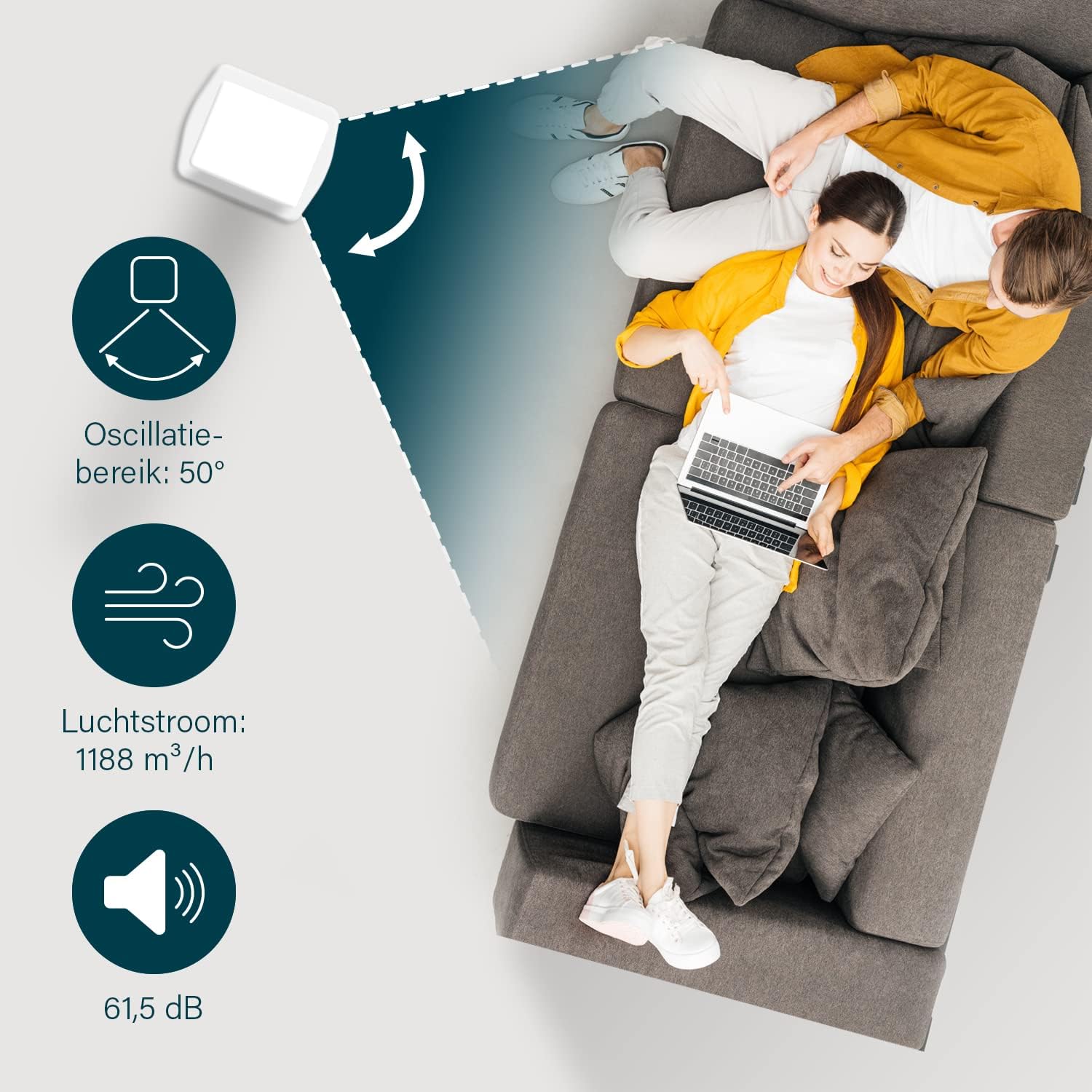
Figure 8: The oscillation function distributes cool air across a 50° range.
5.4 Evaporative Cooling Function
To activate the cooling function, ensure the water tank is filled. Press the 'Cool' button. The unit will use the water from the reservoir to cool the air through evaporation. This function works best in dry climates.

Figure 9: Innovative cooling technology utilizes a membrane system to cool air particles.
5.5 Smart Control (HomeWizard Climate App & Voice Control)
The Princess 357250 can be controlled remotely via the HomeWizard Climate app or voice commands (compatible with Siri and Google Assistant).
- Download the HomeWizard Climate app from your device's app store.
- Follow the in-app instructions to pair your air cooler with your Wi-Fi network. This typically involves pressing and holding the Power/Wi-Fi button on the unit until the Wi-Fi indicator blinks.
- Once paired, you can control all functions of the air cooler from your smartphone or tablet.
- For voice control, link your HomeWizard Climate account with your preferred voice assistant (Siri or Google Assistant) through their respective apps.

Figure 10: Control your air cooler using the HomeWizard Climate app and voice assistants.
6. Manutenzjoni u Tindif
Regular cleaning ensures optimal performance and extends the lifespan of your air cooler.
6.1 Tindif Ġenerali
- Dejjem aqla l-apparat qabel tnaddaf.
- Imsaħ l-uċuħ ta 'barra b'artab, damp drapp. Tużax tindif jew solventi li joborxu.
- Ensure no water enters the control panel or other electrical parts.
6.2 Tindif tat-Tank tal-Ilma
The water tank should be cleaned regularly, especially if using the cooling function frequently, to prevent mold and bacteria growth.
- Skonnettja l-apparat li jkessaħ l-arja.
- Neħħi t-tank tal-ilma mill-unità.
- Vojta kwalunkwe ilma li jkun fadal.
- Clean the inside of the tank with a mild detergent and warm water. Use a soft brush if necessary to remove any residue.
- Laħlaħ sewwa b'ilma nadif.
- Ħalli t-tank jinxef kompletament bl-arja qabel ma terġa' ddaħħalha fl-unità.
6.3 Cooling Pad Cleaning/Replacement
The cooling pad (evaporative filter) may accumulate dust and mineral deposits over time. Refer to the diagram for its location.

Figure 11: The cooling pad, which should be cleaned periodically.
- Skonnettja l-apparat li jkessaħ l-arja.
- Carefully remove the back panel to access the cooling pad.
- Gently remove the cooling pad.
- Rinse the cooling pad under running water to remove dust and deposits. For stubborn deposits, soak in a mild descaling solution (e.g., vinegar and water) for 30 minutes, then rinse thoroughly.
- Allow the cooling pad to dry completely before reinserting.
- Replace the cooling pad if it is damaged or heavily soiled and cannot be cleaned effectively.
7 Issolvi l-problemi
Jekk tiltaqa' ma' problemi bl-apparat li jkessaħ l-arja tiegħek, irreferi għat-tabella li ġejja għal problemi u soluzzjonijiet komuni.
| Problema | Kawża Possibbli | Soluzzjoni |
|---|---|---|
| L-unità ma tixgħel. | Ebda provvista ta 'enerġija. | Iċċekkja jekk il-korda tal-enerġija hijiex imdaħħla sew f'sokit li jaħdem. |
| No cool air/weak cooling effect. | It-tank tal-ilma huwa vojt jew baxx. Il-funzjoni tat-tkessiħ mhix attivata. Cooling pad is dirty. | Imla t-tank tal-ilma. Agħfas il-buttuna 'Kessaħ'. Clean or replace the cooling pad (see Section 6.3). |
| Riħa spjaċevoli mill-unità. | Stagnant water or dirty water tank/cooling pad. | Clean the water tank and cooling pad thoroughly (see Section 6.2 & 6.3). Use fresh water. |
| Il-kontroll mill-bogħod ma jaħdimx. | Il-batteriji huma mejta jew imdaħħla ħażin. | Replace the CR2032 batteries. Ensure they are inserted with correct polarity. |
| Il-kontroll tal-app ma jaħdimx. | Wi-Fi connection issue. App not paired correctly. | Check your Wi-Fi network. Re-pair the device with the HomeWizard Climate app (see Section 5.5). |
Jekk il-problema tippersisti wara li tipprova dawn is-soluzzjonijiet, jekk jogħġbok ikkuntattja l-appoġġ għall-klijenti.
8. Speċifikazzjonijiet Tekniċi
| Karatteristika | Dettall |
|---|---|
| Numru tal-Mudell | 01.357250.01.001 |
| Brand | Prinċipessa |
| Tip | Smart Air Cooler Fan (3-in-1: fan, air freshener, air cooler) |
| Materjal | Acrylonitrile Butadiene Styrene (ABS) |
| Kulur | Abjad |
| Tip ta 'Immuntar | Freestanding |
| Tip ta' Kontroll | Remote control, Control Panel, HomeWizard Climate App, Voice Control (Siri, Google Assistant) |
| Kapaċità tal-Ġibjun tal-Ilma | 3.5 Litri |
| Modi Operattivi | Normali, Naturali, Sleep |
| Numru ta' Veloċitajiet | 3 |
| Firxa ta' Oxxillazzjoni | 50 grad |
| Wattage | 70 Watts |
| Voltage | 230 Volts |
| Livell ta' Storbju | 61.5 Deċibel |
| Piż tal-oġġett | 4 Kilogrammi |
| Dimensjonijiet (D x W x H) | 28D x 22W x 76H Ċentimetri |
| Disponibbiltà ta' Spare Parts (UE) | 2 Snin |

Figure 12: Dimensions and key specifications of the air cooler.
9. Garanzija u Appoġġ
9.1 Informazzjoni dwar Garanzija
This Princess 357250 Smart Air Cooler Fan comes with a Garanzija ta' 2 snin mill-manifattur from the date of purchase. This warranty covers manufacturing defects and material faults under normal use conditions. It does not cover damage resulting from misuse, neglect, accident, alteration, or unauthorized repair.
Jekk jogħġbok żomm il-prova tax-xiri tiegħek għal pretensjonijiet ta' garanzija.
9.2 Appoġġ għall-Klijent
For technical assistance, warranty claims, or questions regarding your Princess 357250 Smart Air Cooler Fan, please contact your retailer or visit the official Princess websit għad-dettalji ta' kuntatt tal-appoġġ.
Tista' wkoll tirreferi għall- paġna tal-prodott fuq Amazon.nl għal informazzjoni u riżorsi addizzjonali.