
1. Introduzzjoni
The FIFISH V-EVO is an advanced underwater remotely operated vehicle (ROV) designed for professional-grade underwater exploration and imaging. Featuring a 4K 60FPS high frame-rate camera, 360° omnidirectional movement, and intelligent control systems, the V-EVO offers an immersive and precise piloting experience for various aquatic missions. This manual provides essential information for the safe and effective operation, maintenance, and troubleshooting of your FIFISH V-EVO drone.
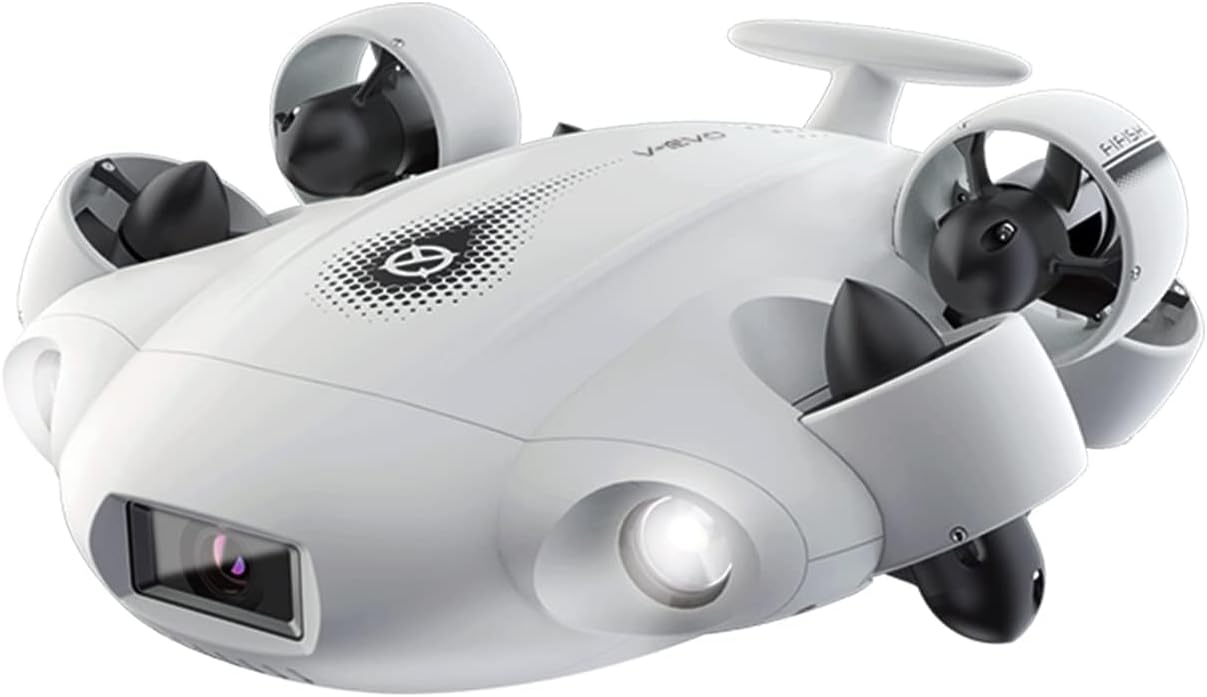
Figure 1: The FIFISH V-EVO Underwater Drone, showcasing its sleek design and integrated camera and lights.
2. Komponenti tal-Prodott
The FIFISH V-EVO package typically includes the following main components:
- FIFISH V-EVO Underwater Drone
- Kontrollur mill-bogħod
- Tether (wired connection between drone and controller)
- Charger for the drone battery
- Batterija (integrata)
- VR Goggles (for immersive first-person view)

Figura 2: Aktarview of the FIFISH V-EVO package contents.
3. Gwida ta' Setup
- Iċċarġja d-Drone: Ensure the drone's internal Lithium Ion battery is fully charged using the provided charger. Fast-charging capabilities allow for 90% capacity within 1 hour.
- Connect the Tether: Securely connect the tether cable to the drone. The fin-inspired handle design aids in stable deployment.
- Ipprepara l-Kontrollur Remote: Attach your smartphone or tablet to the remote controller's holder.
- Connect Controller to Device: Use the provided cable to connect your mobile device to the remote controller.
- Launch the FIFISH App: Download and open the official FIFISH application on your mobile device. Ensure the app is connected to the drone via the controller.
- Skjerament: Carefully place the FIFISH V-EVO into the water. The fin-inspired handle design assists in stable and quick underwater deployment.
Video 1: This video demonstrates the setup and initial deployment of the FIFISH V-EVO underwater drone, including connecting the tether and preparing the controller.
4. Istruzzjonijiet Operattivi
4.1 Movement and Control
- 360° Omnidirectional Mobility: The V-EVO offers complete freedom of movement underwater, allowing for precise navigation in all directions, including hovering and posture holds.
- Depth Hold: Utilize the one-click depth lock feature to maintain a stable depth, allowing for smooth and precise exploration.
- VR Control: Experience immersive piloting with VR head tracking, leveraging unique sensory controls for a first-person view of the ROV's movements.

Figure 3: Illustration of the FIFISH V-EVO's 360° omnidirectional movement capabilities, including barrel rolls, tracking, and camera tilt shots.
4.2 Camera and Lighting
- 4K 60FPS High Frame-rate Camera: Capture professional-class footage with enhanced smoothness and clarity. The camera features a 166° ultra-wide-angle lens.
- AI Vision Lock: This feature allows the drone to adaptively and automatically lock onto subjects, keeping them securely in focus with high precision.
- 5000 Ultra-bright Lumen LEDs: Two combined 5000 lumens, 5500K white LED lights optimize vision in deep, dark, or turbid underwater environments, restoring natural colors.
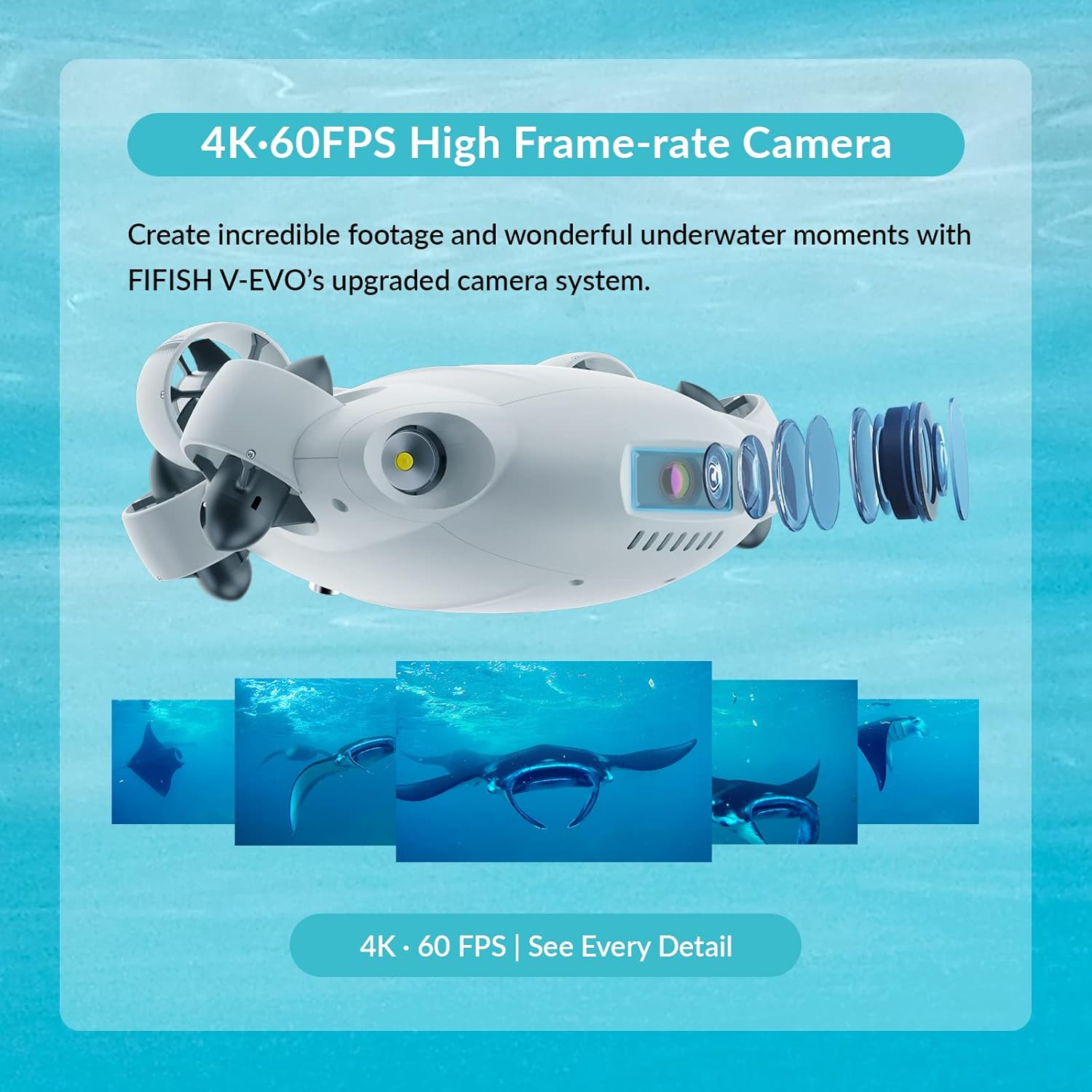
Figure 4: The FIFISH V-EVO's upgraded camera system, capable of capturing 4K 60FPS footage.

Figure 5: The FIFISH V-EVO utilizing its 5000 Lumen LEDs to brighten and restore colors in the deep sea.
Video 2: This video demonstrates the Adaptive AI Sea Plankton Filtering Algorithm, enhancing underwater visibility and image clarity.
4.3 Ġestjoni tad-Data
- Slott tal-Karta Mikro SD: The V-EVO comes with a secure Micro SD card slot for fast transfer and storage of files.
4.4 Optional Add-on Tools
The FIFISH V-EVO supports various optional add-on tools to enhance its capabilities for specific tasks:
- Manipulator Tools: Robotic arm, retrieval hook, fish clamp, fishing net, and dozer for salvaging missions and explorations.
- Għodod tal-Kejl: Compass ruler, laser scaler, distance and altitude meters, thickness gauge, and hydrophone for detailed environmental understanding.
- Element Sampling Tools: Ilma samplers, dissolved oxygen sensor, salinity sensor, turbidity sensor, pH sensor, and sludge sampler.
- Navigation Tools: Underwater positioning systems and Doppler Velocity Logs for precise ROV tracking.

Figure 6: Optional accessories for the FIFISH V-EVO, including robotic arms and grippers, to enhance functionality.
Video 3: This video showcases the FIFISH V-EVO's capabilities for infrastructure inspections, demonstrating its maneuverability and the use of various add-on tools.
5. Manutenzjoni
- Tindif: After each use, rinse the drone and tether with fresh water to remove salt, sand, or debris.
- Kura tal-batterija: Always ensure the battery is charged according to the manufacturer's guidelines. Avoid overcharging or completely draining the battery.
- Ħażna: Aħżen id-drone u l-komponenti tiegħu f'post frisk u niexef 'il bogħod mix-xemx diretta u minn temperaturi estremi.
- Spezzjoni tal-Iskrun: Regularly check propellers for any entanglement or damage. The patented Q-MOTOR system is fully sealed from corrosion and sand damage, but regular inspection is recommended.
6 Issolvi l-problemi
- Internal Memory Full/Recording Issues: If the drone indicates internal memory is full or fails to record, attempt to format the internal storage via the app. If issues persist, consult the manufacturer's support.
- Control Difficulty: Ensure all connections (tether, controller to device) are secure. Calibrate the controller and check app settings for responsiveness.
- Lack of Technical Support: For persistent issues or complex problems, refer to the official FIFISH support channels or community forums for assistance.
7. Speċifikazzjonijiet
| Karatteristika | Speċifikazzjoni |
|---|---|
| Brand | ĦAMES |
| Isem tal-Mudell | V-EVO |
| Karatteristika Speċjali | Waterproof |
| Riżoluzzjoni tal-Qbid tal-Vidjo | 4K |
| Teknoloġija tal-Konnettività | Wireless |
| Komponenti Inklużi | Batterija |
| Kapaċità tal-batterija | 100 Amp Sigħat |
| Format tal-Qbid tal-Vidjo | MP4 |
| Teknoloġija tal-Kontroll mill-bogħod | Wi-Fi |
| Tip ta' Kontroll | Kontroll mill-bogħod |
| Medda Massimu | 330 Saqajn |
| Materjal | Kevlar |
| Kompożizzjoni taċ-Ċellola tal-Batterija | Jonju tal-litju |
| Format tal-Immaġni Appoġġjat | JPEG, PNG |
| Piż tal-oġġett | 21.8 liri |
| Dimensjonijiet tal-Prodott | 15.07 x 13.03 x 5.62 pulzieri |
| UPC | 768571480637 |
8. Garanzija u Appoġġ
For warranty information, technical support, or service inquiries, please refer to the official FIFISH webis-sit jew ikkuntattja lis-servizz tal-konsumatur tagħhom direttament. Huwa rakkomandat li żżomm il-prova tax-xiri tiegħek għal kwalunkwe talba ta' garanzija.