
1. Introduzzjoni
This manual provides detailed instructions for the operation and maintenance of your Coby CVR42BK Portable Cassette Player and Recorder. Please read this manual thoroughly before using the device to ensure proper function and longevity.
2. Kontenut tal-Pakkett
Iċċekkja li l-oġġetti kollha elenkati hawn taħt huma preżenti fil-pakkett tiegħek:
- Coby CVR42BK Portable Cassette Player and Recorder
- Mikrofonu Boom Estern
- Adapter AC 120V
- Manwal għall-Utent (dan id-dokument)

Figure 2.1: Included items in the Coby CVR42BK package.
3. Prodott Aktarview
The Coby CVR42BK is a portable cassette player and recorder designed for both playback and one-touch recording. It features a built-in handle for portability and includes an external boom microphone for enhanced recording quality.

Figure 3.1: Coby CVR42BK Portable Cassette Player and Recorder.
3.1 Kontrolli u Indikaturi
Familiarize yourself with the controls and ports on your device:
- Buttuna Play: Jibda l-daqq tal-cassette.
- Buttuna Rekord: Activates recording function (requires a blank cassette).
- Buttuna 'l Quddiem Mgħaġġel: Javvanza t-tejp malajr.
- Buttuna tar-Rikordjar: Jirriwreġġa t-tejp lura malajr.
- Stop/Eject Button: Stops playback/recording and opens the cassette compartment.
- Kontroll tal-Volum: Jaġġusta l-volum tal-plejbek.
- Jack tal-headphone (3.5mm): Għal smigħ privat.
- Input tal-Mikrofonu Estern: Connects the included boom microphone.
- Port tal-Adapter tal-AC: For connecting the 120V AC adapter.
- Kompartiment tal-batterija: Holds 4 C batteries for portable power.
4. Setup
4.1 It-Tħaddim tal-Apparat
The CVR42BK can be powered by either the included AC adapter or 4 C batteries (not included).
- Qawwa AC: Connect the 120V AC adapter to the AC adapter port on the device and then plug it into a standard wall outlet.
- Qawwa tal-batterija: Open the battery compartment on the underside of the unit. Insert 4 C batteries, ensuring correct polarity (+/-). Close the compartment securely.

Figure 4.1: Power options for the CVR42BK.
4.2 Loading a Cassette Tape
- Agħfas il- Waqqaf / Eject buttuna biex tiftaħ il-bieba tal-kompartiment tal-cassette.
- Daħħal tejp tal-cassette bit-tarf miftuħ iħares 'il fuq u n-naħa tat-tejp iħares lejk.
- Gently close the cassette compartment door until it clicks shut.

Figure 4.2: Loading a cassette tape.
5. Istruzzjonijiet Operattivi
5.1 Daqq ta' Tejp tal-Kassett
- Ensure a cassette tape is loaded (refer to Section 4.2).
- Agħfas il- Play buttuna. It-tejp jibda jindaqq.
- Aġġusta l- Kontroll tal-Volum għal-livell ta' smigħ mixtieq tiegħek.
- Biex tavvanza malajr, agħfas il- Fast 'il quddiem buttuna. Biex terġa' lura, agħfas il-buttuna Rewind buttuna.
- Biex twaqqaf il-plejbek, agħfas il-buttuna Waqqaf / Eject buttuna.
- For private listening, connect headphones to the 3.5mm headphone jack.
5.2 Recording Audio (One-Touch Recording)
The CVR42BK features one-touch recording and Automatic Level Control (ALC) to optimize recording levels.
- Load a blank or recordable cassette tape into the device. Note: Re-using older cassettes may affect sound quality. New cassettes are recommended for optimal results.
- Agħfas il- Rekord buttuna. Il- Play button will also engage simultaneously. The device will begin recording audio from its built-in microphone or the connected external microphone.
- Biex tieqaf tirrekordja, agħfas Waqqaf / Eject buttuna.
- The device includes an auto-stop feature that will automatically stop recording when the tape reaches its end.
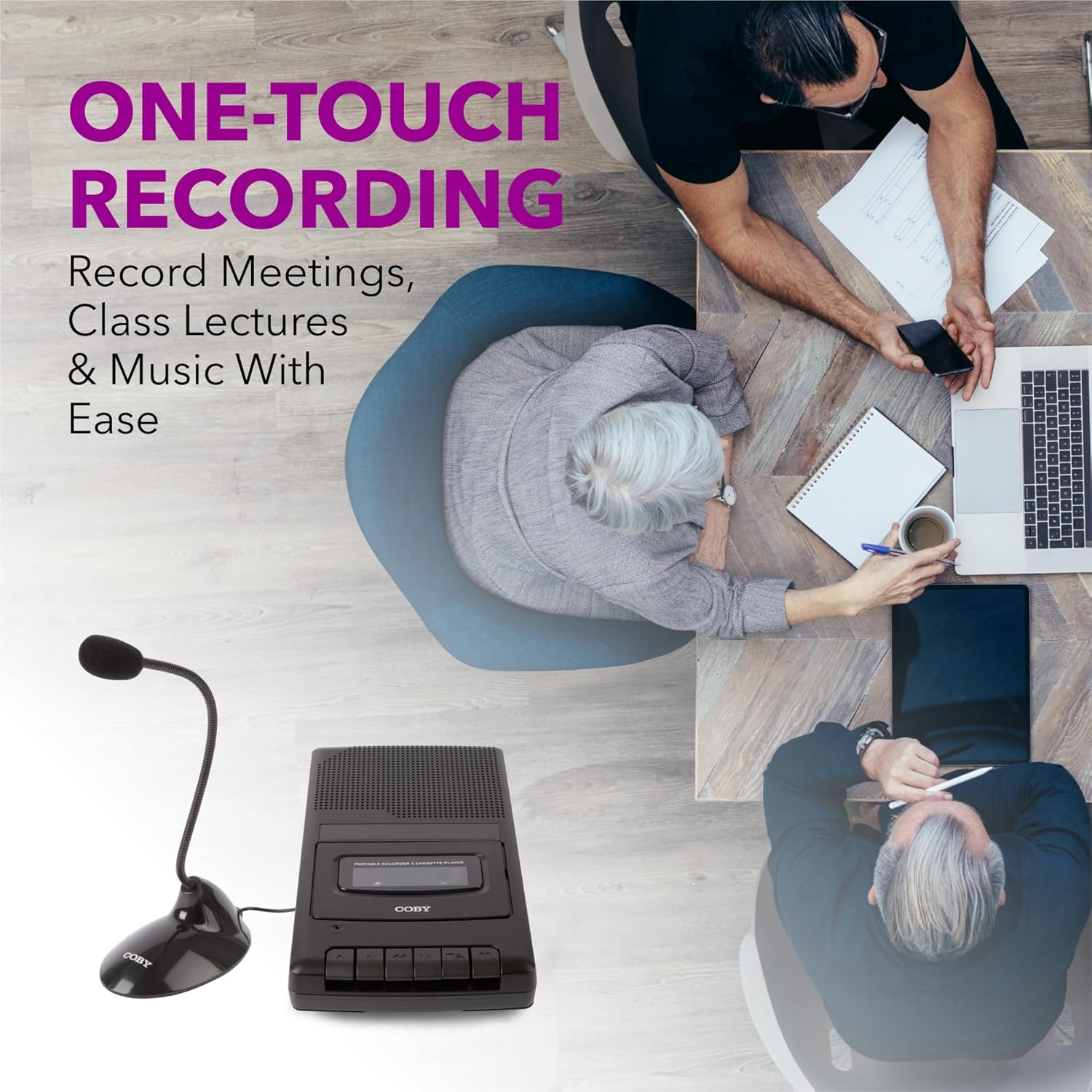
Figure 5.1: Using the CVR42BK for recording.
5.3 Using the External Boom Microphone
For higher quality recordings, especially for lectures or meetings, connect the included external boom microphone.
- Locate the external microphone input port on the CVR42BK.
- Plug the external boom microphone into this port.
- Position the microphone appropriately for the sound source you wish to record.
- Proceed with recording as described in Section 5.2. The device will automatically prioritize the external microphone when connected.

Figure 5.2: External boom microphone in use.
6. Manutenzjoni
- Tindif: Uża drapp artab u niexef biex tnaddaf il-barra tal-unità. Tużax prodotti tat-tindif likwidi jew solventi.
- Tindif tar-Ras tat-Tejp: Periodically clean the tape heads with a specialized cassette head cleaning kit to ensure optimal sound quality and prevent tape damage.
- Ħażna: When not in use for extended periods, remove batteries to prevent leakage. Store the device in a cool, dry place away from direct sunlight and extreme temperatures.
- Kura tal-Kassett: Store cassette tapes in their cases to protect them from dust and physical damage. Avoid exposing tapes to strong magnetic fields.
7 Issolvi l-problemi
| Problema | Kawża Possibbli | Soluzzjoni |
|---|---|---|
| Ebda qawwa | L-adapter tal-AC mhux imqabbad jew difettuż; il-batteriji eżawriti jew imdaħħla ħażin. | Check AC adapter connection and power outlet. Replace batteries or ensure correct polarity. |
| L-ebda ħoss waqt id-daqq | Volume too low; headphones connected; tape head dirty; tape damaged. | Increase volume. Disconnect headphones. Clean tape heads. Try a different tape. |
| Ir-reġistrazzjoni mhux qed taħdem | Tape is write-protected; tape is full; microphone not connected or faulty. | Ensure the write-protect tab on the cassette is intact. Use a blank tape. Check microphone connection. |
| Kwalità tal-ħoss fqira | Dirty tape heads; old or damaged cassette tape; external interference. | Clean tape heads. Use a new or known-good cassette tape. Move away from electronic devices. |
| Tape not moving | Tape jammed; mechanism fault. | Gently open compartment and check for tape jams. If problem persists, contact support. |
8. Speċifikazzjonijiet
| Numru tal-Mudell | CVR42BK |
| Sors tal-Enerġija | 120V AC Adapter (included) or 4 x 'C' Batteries (not included) |
| Karatteristiċi | Automatic Level Control (ALC), One-Touch Recording, Fast Forward, Rewind, Volume Control, Auto-Stop |
| Mikrofonu | Built-in microphone, External Boom Microphone (included) |
| Jack tal-headphone | Stereo ta '3.5mm |
| Dimensjonijiet tal-Prodott (L x W x H) | 10.2 x 5.83 x 1.97 pulzieri (25.9 x 14.8 x 5 ċm) |
| Piż tal-oġġett | 1.75 liri (0.79 kg) |
| UPC | 810071491450 |
9. Garanzija u Appoġġ
Għal informazzjoni dwar il-garanzija jew appoġġ tekniku, jekk jogħġbok irreferi għall-karta tal-garanzija inkluża mal-prodott tiegħek jew żur is-sit uffiċjali ta' Coby. websit. Żomm l-irċevuta tax-xiri tiegħek bħala prova tax-xiri għal kwalunkwe talba ta' garanzija.
Manifattur: Summit Electronics LLC