
Introduzzjoni
Dan il-manwal jipprovdi struzzjonijiet dettaljati għall-installazzjoni, it-tħaddim u l-manutenzjoni tiegħek weBBooster tas-Sinjal tat-Telefon Ċellulari oost for Business Office 200 (75 Ohm). Din is-sistema hija mfassla biex ittejjeb is-saħħa tas-sinjal ċellulari fl-ambjent tan-negozju tiegħek, billi tappoġġja netwerks 5G u 4G LTE madwar l-operaturi ewlenin kollha tal-Istati Uniti. Jekk jogħġbok aqra dan il-manwal bir-reqqa qabel tibda l-installazzjoni biex tiżgura prestazzjoni u sigurtà ottimali.
Prodott Overview

Immaġni: Il-kompleta weBoost komponenti tas-sistema Office 200.
Karatteristiċi Ewlenin
- Itejjeb is-sinjali 5G u 4G LTE għall-operaturi ewlenin kollha tal-Istati Uniti (Verizon, AT&T, T-Mobile, UScellular).
- Jipprovdi qligħ massimu sa 72 dB (FCC ID PWO460047).
- Iddisinjat għal installazzjoni DIY b'kejbils ta' 75 Ohm.
- Jappoġġja diversi apparati ċellulari inklużi smartphones, tablets, u sistemi POS.
- Approvat mill-FCC għal tħaddim sikur u konformi.
Kontenut tal-Pakkett
Il- weBIl-pakkett oost Office 200 jinkludi l-komponenti li ġejjin:
- Unità tal-Booster tal-Uffiċċju 200
- Antenna Omni ta' Barra
- Antenna tas-Saqaf minn Ġewwa
- Provvista tal-Enerġija
- Kejbils koassjali
- Protettur kontra s-Sajjetti

Immaġni: Illustrazzjoni li tenfasizza l-kwalità tal-komponenti.
Setup u Installazzjoni
Il- weBoost Office 200 huwa ddisinjat għal installazzjoni DIY. Huma meħtieġa għodda bażika. Għal gwida dettaljata u pass pass, huwa rakkomandat ħafna li tuża l-verżjoni uffiċjali weBL-App oost, li tipprovdi vidjows tutorjali u gwida għall-pożizzjonament tal-antenna.
Kontroll ta' Qabel l-Installazzjoni
Qabel ma tinstalla, ivverifika li għandek mill-inqas bar wieħed ta' servizz ċellulari barra l-post tan-negozju tiegħek. Din is-sistema ampjgħix sinjal eżistenti; ma joħloqx sinjal fejn ma jeżistix.

Immaġni: Tifkira viżwali biex tiċċekkja s-saħħa tas-sinjal ta' barra.
Stallazzjoni Passi Overview
- Sib l-Aktar Sinjal Qawwi ta' Barra: Uża l- weBIl-gwida għall-pożizzjonament tal-antenna tal-App oost biex issib l-aħjar post għall-Antenna Omni ta' Barra, tipikament fuq is-saqaf jew ħajt ta' barra, fejn is-sinjal ikun l-aktar qawwi.
- Installa l-Antenna ta' Barra: Immonta l-Antenna Omni ta' Barra sew. Kun żgur li għandha linja ċara tal-vista lejn l-eqreb torri taċ-ċelluli jekk possibbli.
- Installa l-Antenna ta' Ġewwa: Immonta l-Antenna tas-Saqaf ta' Ġewwa fiż-żona ċentrali fejn huwa mixtieq titjib fis-sinjal. Kun żgur separazzjoni adegwata (vertikali u orizzontali) bejn l-antenni ta' ġewwa u ta' barra biex tevita l-oxxillazzjoni.
- Qabbad Kejbils: Mexxi l-kejbils koassjali pprovduti mill-Antenna ta' Barra sal-Protettur kontra ż-Żieda fil-Vultaġġ tas-Sajjetti, imbagħad sal-Unità tal-Booster. Qabbad l-Antenna ta' Ġewwa mal-Unità tal-Booster.
- Qabbad l-Enerġija: Ipplaggja l-Provvista tal-Enerġija fil-Booster Unit u mbagħad f'sokit tal-enerġija. Il-booster jixgħel awtomatikament.
- Ivverifika l-Operazzjoni: Iċċekkja d-dwal indikaturi fuq l-unità tal-booster. Irreferi għall- weBL-App oost għall-qari tas-sinjali u biex tikkonferma t-tħaddim xieraq.

Immaġni: L- weBL-App oost tgħin fl-installazzjoni u s-soluzzjoni tal-problemi.
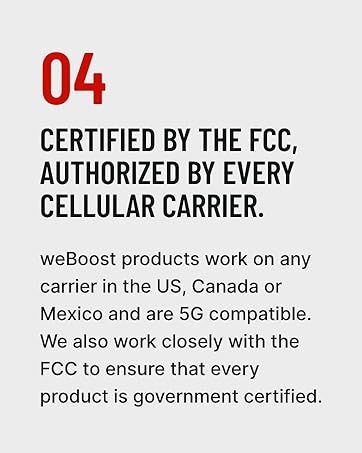
Immaġni: Konferma taċ-ċertifikazzjoni tal-FCC u l-awtorizzazzjoni tat-trasportatur.
Istruzzjonijiet Operattivi
Ladarba jkun installat u mixgħul kif suppost, il- weBoost Office 200 jopera awtomatikament. Jimmonitorja u jimmonitorja kontinwament ampjgħolli s-sinjali ċellulari biex jipprovdi kopertura mtejba fiż-żona magħżula tiegħu.
- Qawwa Mixgħul: Il-booster jixgħel awtomatikament meta jkun imqabbad ma' sors ta' enerġija.
- Indikaturi tas-Sinjali: L-unità tal-booster għandha display li juri s-saħħa tas-sinjal għal kull medda. Id-dwal ħodor tipikament jindikaw tħaddim xieraq. Irreferi għall- weBL-App oost jew il-gwida sħiħa għall-utent għal spjegazzjonijiet dettaljati tad-dwal indikaturi.
- Żona ta' Kopertura: Is-sistema hija ddisinjata biex tkopri sa 10,000 pied kwadru, skont is-saħħa tas-sinjal ta' barra u l-materjali tal-bini.

Immaġni: Rappreżentazzjoni ta' kopertura mtejba tas-sinjal 5G f'ambjent ta' negozju.
Manutenzjoni
Il- weBIs-sistema oost Office 200 teħtieġ manutenzjoni minima. Segwi dawn il-linji gwida biex tiżgura prestazzjoni ottimali kontinwa:
- Żomm il-Komponenti Nodfa: Imsaħ l-unità tal-booster u l-antenni perjodikament b'ċarruta niexfa u ratba. Evita li tuża kimiċi ħarxa jew prodotti tat-tindif li joborxu.
- Iċċekkja l-Konnessjonijiet: Kun żgur li l-konnessjonijiet kollha tal-kejbil koassjali huma siguri u ħielsa minn ħsara. Konnessjonijiet laxki jistgħu jnaqqsu l-prestazzjoni.
- Spezzjona l-Antenni: Iċċekkja regolarment l-antenna ta' barra għal xi ostruzzjonijiet, ħsara mit-temp, jew bidliet fl-orjentazzjoni.
- Kundizzjonijiet Ambjentali: Kun żgur li l-unità tal-booster tinżamm f'żona niexfa u ventilata sew, 'il bogħod minn temperaturi estremi.
Issolvi l-problemi
Jekk tesperjenza problemi ma tiegħek weBBiex tisfrutta Office 200, ikkonsulta l-passi komuni li ġejjin għas-soluzzjoni tal-problemi:
- L-ebda Titjib tas-Sinjal:
- Ivverifika li l-booster huwa mixgħul u li d-dwal indikatur huma ħodor.
- Aċċerta ruħek li hemm separazzjoni suffiċjenti bejn l-antenni ta' ġewwa u ta' barra. Żid is-separazzjoni jekk ikun hemm indikata oxxillazzjoni (dwal ħomor).
- Iċċekkja l-konnessjonijiet tal-kejbil kollha għal sigurtà u qagħda f'posthom kif suppost.
- Ikkonferma li hemm mill-inqas virga waħda ta' sinjal użabbli barra l-bini.
- Titjib Dgħajjef tas-Sinjal:
- Erġa' evalwa l-pożizzjoni tal-Antenna Omni ta' Barra biex tiżgura li tinsab fil-post bl-aktar sinjal qawwi disponibbli.
- Aġġusta d-direzzjoni tal-Antenna Omni ta' Barra billi tuża l- weBIl-kumpass tas-sinjali tal-App oost.
- Kun żgur li l-Antenna tas-Saqaf ta' Ġewwa tkun ċentralment pożizzjonata fiż-żona ta' kopertura mixtieqa.
- Dwal Indikaturi Ħomor:
- Dwal ħomor tipikament jindikaw oscillazzjoni (feedback) bejn l-antenni. Żid is-separazzjoni fiżika bejn l-Antenni ta' Ġewwa u ta' Barra.
- Kun żgur li l-antenni mhumiex ippuntati direttament lejn xulxin.
Għal soluzzjoni ta' problemi aktar avvanzata jew problemi persistenti, irreferi għall- weBL-App tal-oost jew ikkuntattja l-appoġġ għall-klijenti.
Speċifikazzjonijiet
| Attribut | Dettall |
|---|---|
| Numru tal-Mudell | 471047 |
| Brand | weBlvant |
| Gwadan Max | 72 dB |
| ID tal-FCC | PWO460047 |
| Dimensjonijiet tal-Prodott | 19 x 13 x 13 pulzieri |
| Piż tal-oġġett | 21.4 liri |
| Apparati Kompatibbli | Smartphones, Tablets, Sistemi POS |
| Netwerks Appoġġjati | 5G, 4G LTE |
| Trasportaturi Appoġġjati | L-operaturi ewlenin kollha tal-Istati Uniti, il-Kanada, u l-Messiku (Verizon, AT&T, T-Mobile, Dish, US Cellular) |
Garanzija u Appoġġ
weBoost tiggarantixxi l-kwalità tal-prodotti tagħha u toffri appoġġ komprensiv.
- Garanzija: Il- weBL-oost Office 200 jiġi b'garanzija ta' 3 snin mill-manifattur.
- Appoġġ għall-Klijent: Appoġġ espert għall-klijenti bbażat fl-Istati Uniti huwa disponibbli permezz ta' weBApp tal-oost, chat online, telefon, jew email.
- Garanzija ta' Flus lura: weBoost joffri garanzija ta’ flus lura ta’ 30 jum.
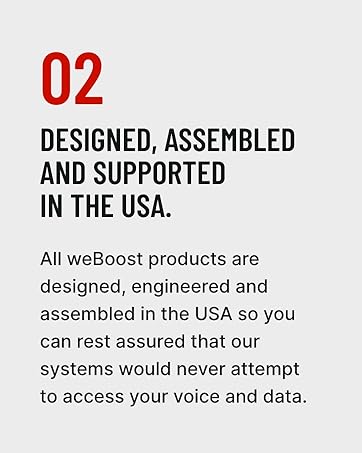
Immaġni: Enfasi weBId-disinn, l-assemblaġġ u l-appoġġ ta' oost ibbażati fl-Istati Uniti.
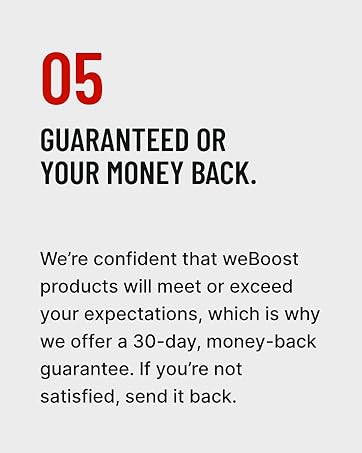
Immaġni: Informazzjoni dwar il-garanzija ta’ flus lura.