
Introduzzjoni
This manual provides detailed instructions for setting up, operating, maintaining, and troubleshooting your ASUS ROG Strix XG27AQ-W 27-inch 1440P HDR Gaming Monitor. Please read this manual thoroughly before using the product to ensure proper and safe operation.
Kontenut tal-Pakkett
Iċċekkja li l-oġġetti kollha elenkati hawn taħt huma preżenti fil-pakkett tal-prodott tiegħek:
- XG27AQ-W Monitor
- Cable DisplayPort
- Cable HDMI
- Kejbil USB
- Korda tal-enerġija u Adapter
- Gwida Quick Start
- Karta ta' Garanzija
- Rapport tal-Kalibrazzjoni tal-Kulur
- Stiker ROG

Setup Istruzzjonijiet
1. Armar tal-Istand
Carefully place the monitor face down on a soft, clean surface to prevent scratches. Attach the stand base to the stand arm, securing it with the provided screw. Then, align the stand assembly with the mounting slot on the back of the monitor and push until it clicks into place. No screws are necessary for attaching the stand to the monitor panel.

2. Kejbils tal-Konnessjoni
Connect the DisplayPort or HDMI cable from your computer's graphics card to the corresponding input port on the monitor. For USB functionality, connect the upstream USB cable from your computer to the monitor's USB upstream port. Finally, connect the power adapter to the monitor and then to a power outlet.

Karatteristiċi Ewlenin
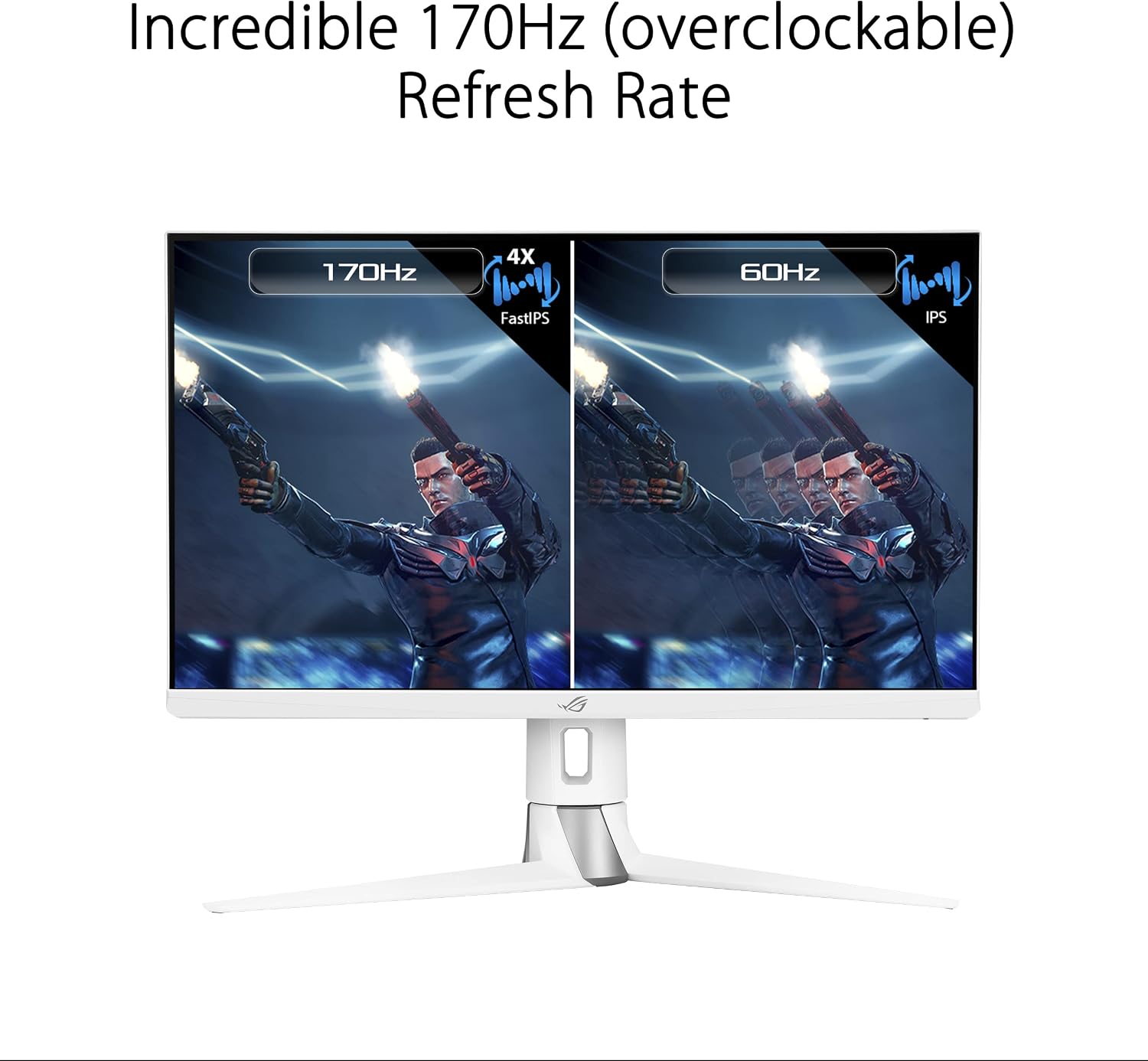
- 27-inch QHD (2560 x 1440) FastIPS Display: Offers an ultrafast 170Hz (overclocked) refresh rate, ideal for professional gamers and immersive gameplay.
- Ħin ta' Rispons ta' 1ms (GTG): ASUS FastIPS technology ensures sharp gaming visuals with high frame rates and minimal motion blur.
- Kompatibbli G-SYNC: Delivers a seamless, tear-free gaming experience by enabling Variable Refresh Rate (VRR) by default.
- Sinkronizzazzjoni Estrema ta' Ċajpir ta' Mozzjoni Baxxa (ELMB SYNC): This technology works with G-SYNC Compatible to eliminate ghosting and tearing, providing sharp visuals at high frame rates.
- High Dynamic Range (HDR) Technology: Features a professional color gamut that meets DCI-P3 95% and DisplayHDR 400 certification for superior contrast and color performance.
- Disinn Ergonomiku: The monitor stand offers extensive adjustments including height (0-100mm), swivel (+25°~-25°), pivot (0°~90°), and tilt (+20°~-5°).



Istruzzjonijiet Operattivi
Menu tal-Wiri fuq l-Iskrin (OSD).
The monitor features a 5-way OSD navigation joystick located on the rear right side for easy menu control. Press the joystick to access the main OSD menu. Use the joystick to navigate through options and adjust settings such as display modes, color settings, and gaming features.

Teknoloġija tal-Kura tal-Għajnejn
The monitor incorporates ASUS Eye Care technology, including Blue Light Filter and Flicker-Free technology, to reduce eye strain during prolonged use. These features can be adjusted or enabled through the OSD menu.
Video: An official ASUS video demonstrating the benefits of ASUS EyeCare technology, including anti-glare screen, blue light filter, flicker-free technology, and ergonomic design for improved user comfort and eye health.
Speċifikazzjonijiet
| Karatteristika | Speċifikazzjoni |
|---|---|
| Daqs tal-Iskrin | 27 Pulzier |
| Riżoluzzjoni tal-Iskrin | 2560 x 1440 (QHD) |
| Riżoluzzjoni Massima tal-Iskrin | 2560 x 1440 Pixels |
| Tip ta' Panel | IPS veloċi |
| Riffriskar Rata | 170Hz (overclocked) |
| Ħin ta' Rispons | 1ms (GTG) |
| Teknoloġija ta' Sinkronizzazzjoni Adattiva | G-SYNC Kompatibbli |
| Appoġġ HDR | DisplayHDR 400 |
| Gamut tal-Kulur | DCI-P3 95% |
| Konnettività | 2x HDMI (v2.0), 1x DisplayPort (v1.2), 1x USB 2.0 (upstream), 2x USB 3.0 (downstream), Earphone Jack |
| Ergonomija | Height, Swivel, Pivot, Tilt adjustable |
| Dimensjonijiet (LxWxH) | 24 x 16 x 10 pulzieri |
| Piż tal-oġġett | 19 liri |
| Kulur | ABJAD |
Manutenzjoni
- Tindif tal-Iskrin: Uża ċarruta ratba u mingħajr ħelu dampened with water or a non-ammonia, non-alcohol based screen cleaner. Do not spray cleaner directly onto the screen.
- Tindif tas-Casing: Uża drapp artab u niexef biex timsaħ il-monitor casing. Evita prodotti tat-tindif li jobrox.
- Ventilazzjoni: Kun żgur li l-fetħiet tal-ventilazzjoni tal-monitor mhumiex imblukkati biex tevita li jisħon iżżejjed.
- Itfi: Always power off the monitor and unplug it from the power outlet before cleaning or if it will be unused for an extended period.
Issolvi l-problemi
| Problema | Soluzzjoni |
|---|---|
| Ebda qawwa | Kun żgur li l-korda tal-enerġija hija konnessa sew mal-monitor u ma' sokit tal-enerġija li jaħdem. Iċċekkja l-adapter tal-enerġija. |
| L-ebda immaġni fuq l-iskrin | Verify the video cable (DisplayPort/HDMI) is correctly connected to both the monitor and your computer. Ensure the correct input source is selected via the OSD menu. |
| L-immaġni hija mċajpra jew distorta | Check the display resolution settings on your computer and ensure they match the monitor's native resolution (2560x1440). Adjust OSD settings like sharpness or aspect ratio. |
| Skrin li jteptep | Ensure the video cable is properly connected. Try a different video cable. Enable or disable Flicker-Free technology in the OSD menu if available. |
| L-ebda ħoss mill-jack tal-earphones | Check the audio output settings on your computer. Ensure the volume on the monitor (via OSD) and your connected device is not muted or too low. |
Garanzija u Appoġġ
Your ASUS ROG Strix XG27AQ-W monitor comes with a manufacturer's warranty. Please refer to the included Warranty Card for specific terms, conditions, and duration of coverage. For technical support, driver downloads, or further assistance, please visit the official ASUS support websit jew ikkuntattja lis-servizz tal-konsumatur tagħhom.
Appoġġ onlajn: www.asus.com/support/