
1. Introduzzjoni
This manual provides essential information for the safe and efficient use of your Xtorm 100W Portable Solar Panel. Please read these instructions carefully before operating the device and retain them for future reference.
The Xtorm 100W Solar Panel is designed to convert sunlight into electrical energy, providing a portable power source for various devices. Its foldable design and durable construction make it suitable for outdoor use.
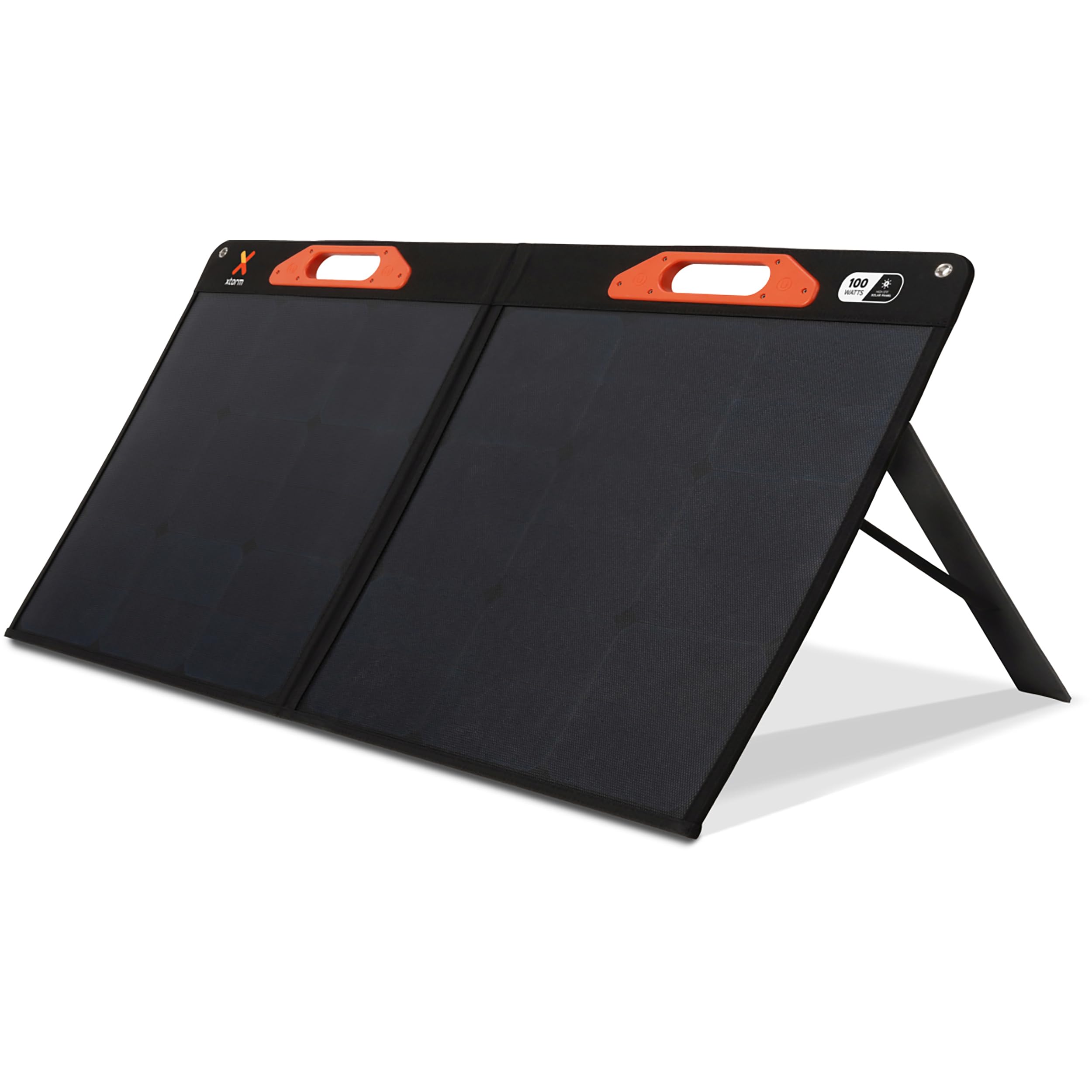
Image: The Xtorm 100W Portable Solar Panel deployed outdoors, connected to a power station for energy storage.
2. X'hemm fil-Kaxxa
Carefully unpack your Xtorm 100W Portable Solar Panel and ensure all items are present:
- 1x Xtorm 100W Solar Panel
- 1x Manwal għall-Utent
- 1x DC to MC4 Converter Cable
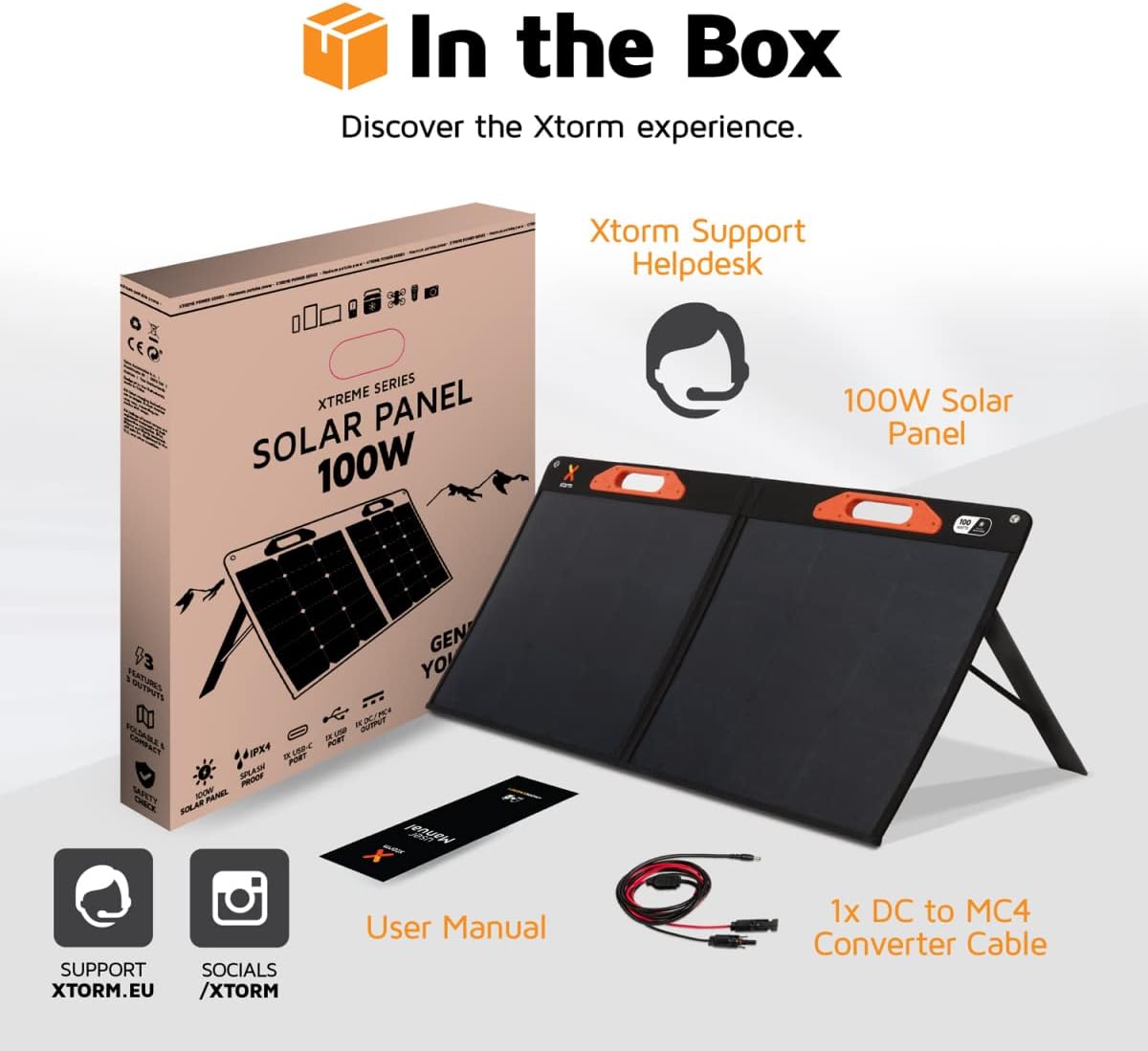
Image: A visual representation of the Xtorm 100W Solar Panel package contents, showing the panel, manual, and cable.
3. Prodott Aktarview
The Xtorm 100W Solar Panel is designed for portability, durability, and efficient power generation.
3.1. Foldable and Lightweight Design
The panel features a compact, foldable design for easy storage and transport. When folded, its dimensions are 598 x 529 x 45 mm, and when open, it measures 1060 x 598 x 25 mm. The total weight is 3.8 kg.

Image: The Xtorm 100W Solar Panel in both folded and open states, illustrating its compact and lightweight characteristics.
3.2. Durable and Water-Resistant Construction
Constructed with splash-proof materials, the solar panel is built to withstand outdoor elements, offering resistance to water and impacts. This ensures reliable performance in various weather conditions.

Image: The Xtorm 100W Solar Panel demonstrating its water-resistant properties, suitable for outdoor use.
3.3. Multiple Output Ports
The panel is equipped with versatile output options to charge a wide range of devices:
- 1x DC 5.5mm Output (100W)
- 1x USB-C PD Output (45W)
- 1x USB Quick Charge 3.0 Output (18W)
4. Setup
Follow these steps to set up your Xtorm 100W Portable Solar Panel:
- Iftaħ il-Panel: Carefully unfold the solar panel completely. The panel is designed with integrated handles for easy handling.
- Pożizzjoni għad-Dawl tax-Xemx: Place the solar panel in a location with direct sunlight. For optimal performance, ensure the panel is angled directly towards the sun. Avoid shaded areas.
- Uża l-Kickstands: Extend the integrated kickstands on the back of the panel to support it at an optimal angle for sun exposure.
- Qabbad Apparat: Use the appropriate cables to connect your devices or power station to the output ports on the solar panel.

Image: The Xtorm 100W Solar Panel positioned to capture solar energy, illustrating its high efficiency and power delivery capabilities.
5. Istruzzjonijiet Operattivi
The Xtorm 100W Solar Panel allows you to charge various devices directly or store energy in a portable power station.
5.1. Charging Devices Directly
Connect your smartphone, tablet, laptop, or other compatible devices to the USB-C PD or USB Quick Charge 3.0 ports using their respective charging cables. The panel can charge up to three devices simultaneously.

Image: The Xtorm 100W Solar Panel demonstrating its ability to charge three devices concurrently.
5.2. Charging a Portable Power Station
For storing generated energy, connect the solar panel to a compatible portable power station using the DC 5.5mm output and the provided DC to MC4 converter cable if necessary. This allows you to store energy for later use or to power larger devices.

Image: The Xtorm 100W Solar Panel connected to different Xtorm power stations, illustrating its energy storage capability.
5.3. Integrated Protection
The solar panel features built-in protection mechanisms to safeguard your connected devices against overcharge, overheating, and short circuits, ensuring safe and efficient operation.
6. Manutenzjoni
Manutenzjoni xierqa tiżgura l-lonġevità u l-prestazzjoni ottimali tal-pannell solari tiegħek.
- Tindif: Regularly wipe the solar panel surface with a soft, damp drapp biex tneħħi t-trab, il-ħmieġ, jew il-fdalijiet li jistgħu jnaqqsu l-effiċjenza. Evita prodotti tat-tindif li joborxu jew kimiċi ħarxa.
- Ħażna: Meta ma tkunx qed tużah, itwi l-pannell u aħżnu f'post niexef u frisk 'il bogħod mix-xemx diretta u minn temperaturi estremi.
- Spezzjoni: Periodically check cables and connectors for any signs of wear or damage. Replace any damaged components immediately.
- Protezzjoni Ambjentali: While water-resistant, avoid prolonged exposure to heavy rain or submersion in water.
7 Issolvi l-problemi
If you encounter issues with your Xtorm 100W Portable Solar Panel, refer to the following common problems and solutions:
| Problema | Kawża Possibbli | Soluzzjoni |
|---|---|---|
| Ebda output ta 'enerġija | Insufficient sunlight, panel not angled correctly, dirty panel surface, faulty cable/connection. | Ensure direct sunlight, adjust panel angle, clean surface, check cable connections. |
| Iċċarġjar bil-mod | Partial shading, low sun intensity, high power demand from device, dirty panel. | Relocate panel to full sun, wait for stronger sunlight, ensure panel is clean, try charging one device at a time. |
| Apparat mhux rikonoxxut | Incompatible device, faulty USB cable, port issue. | Verify device compatibility, try a different USB cable, try a different output port. |
If the problem persists after attempting these solutions, please contact Xtorm customer support.
8. Speċifikazzjonijiet
| Karatteristika | Dettall |
|---|---|
| Numru tal-Mudell | XPS100 |
| Qawwa Massima | 100 Watt |
| Vol massimutage | 20 Volts |
| Produzzjoni DC | 1x 5.5mm, 100W |
| Output USB-C PD | 1x 45W |
| USB Quick Charge 3.0 Output | 1x 18W |
| Effiċjenza | High Efficiency (SunPower® Solar Cells) |
| Dimensjonijiet (Miftuħ) | 106L x 59.8W x 2.5H ċm |
| Dimensjonijiet (mitwija) | 59.8L x 52.9W x 4.5H ċm |
| Piż | 3800 Gramma (3.8 kg) |
| Materjal | Glass (referring to solar cell material) |
| Karatteristiċi Speċjali | Fast Charging, Water Resistant (IPX4), Impact Resistant, Foldable Design |
9. Informazzjoni dwar Garanzija
The Xtorm 100W Portable Solar Panel comes with a Garanzija limitata ta' sena mill-manifatturDin il-garanzija tkopri difetti fil-materjali u fix-xogħol taħt użu normali. Jekk jogħġbok żomm il-prova tax-xiri tiegħek għal talbiet ta' garanzija.
For specific terms and conditions, or to make a warranty claim, please refer to the official Xtorm websit jew ikkuntattja lill-appoġġ tal-klijenti tagħhom.
10. Appoġġ
For further assistance, technical support, or inquiries regarding your Xtorm 100W Portable Solar Panel, please visit the official Xtorm support channels:
- Xtorm Support Helpdesk: Refer to the contact information provided in your product packaging or on the official Xtorm websit.
- Uffiċjali Websit: www.xtorm.eu