
1. Introduzzjoni
Dan il-manwal jipprovdi struzzjonijiet dettaljati għall-installazzjoni, it-tħaddim, u l-manutenzjoni tal-Hogar Atrio Zigbee Smart Doorlock tiegħek. Jekk jogħġbok aqra dan il-manwal bir-reqqa qabel ma tuża l-prodott biex tiżgura l-funzjonament u s-sigurtà xierqa. Żomm dan il-manwal għal referenza futura.
2. Prodott Aktarview
Is-serratura tal-bieb intelliġenti Hogar Atrio Zigbee toffri diversi metodi ta' aċċess sigur, inkluż marki tas-swaba', passcode, kard RFID, applikazzjoni mobbli Hogar SE, u ċavetta mekkanika tradizzjonali. Tintegra mas-sistema ta' awtomazzjoni tad-dar Zigbee tiegħek għal kontroll u monitoraġġ imtejba.
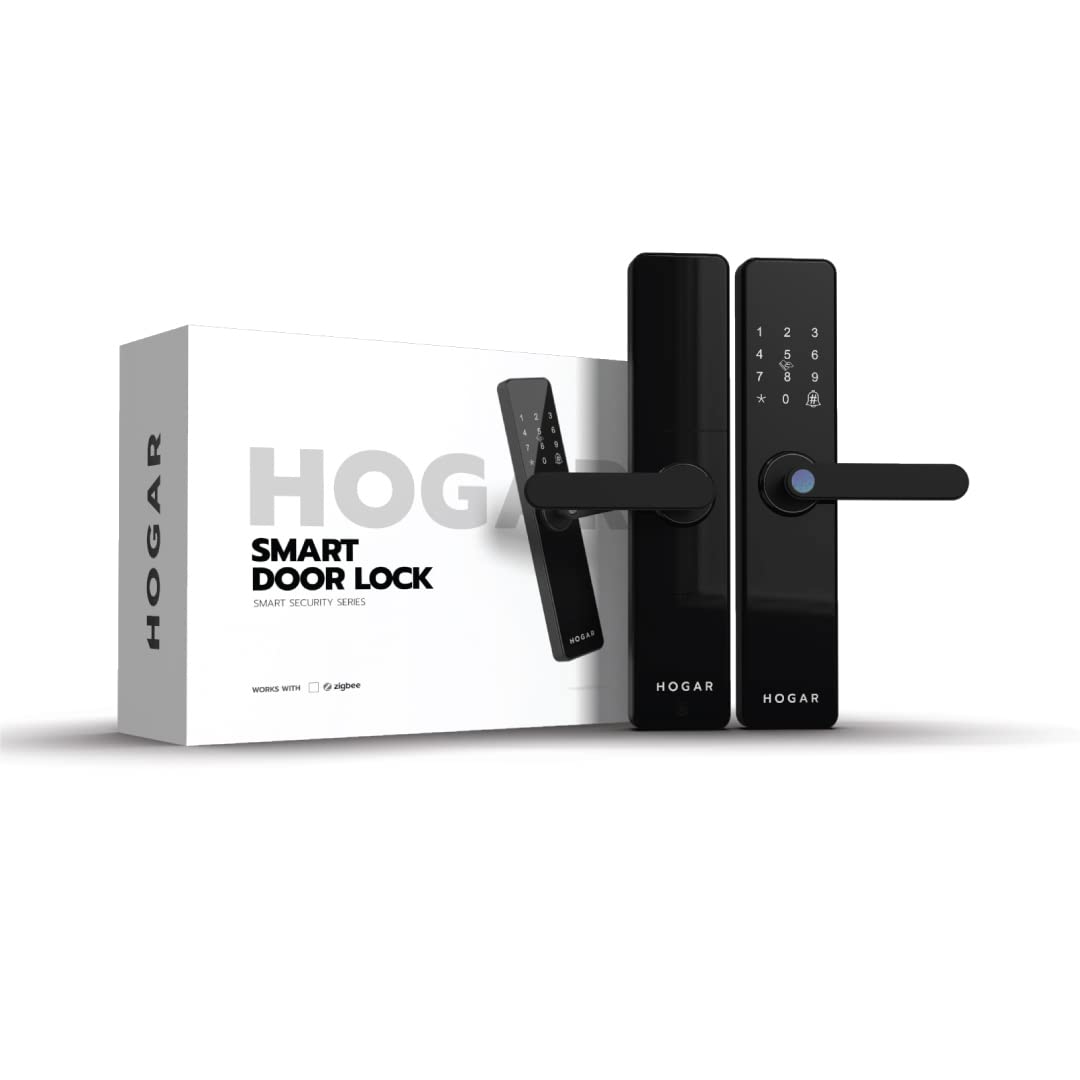
Immaġni 2.1: Serratura tal-Bieb Intelliġenti Hogar Atrio Zigbee u l-ippakkjar tagħha.
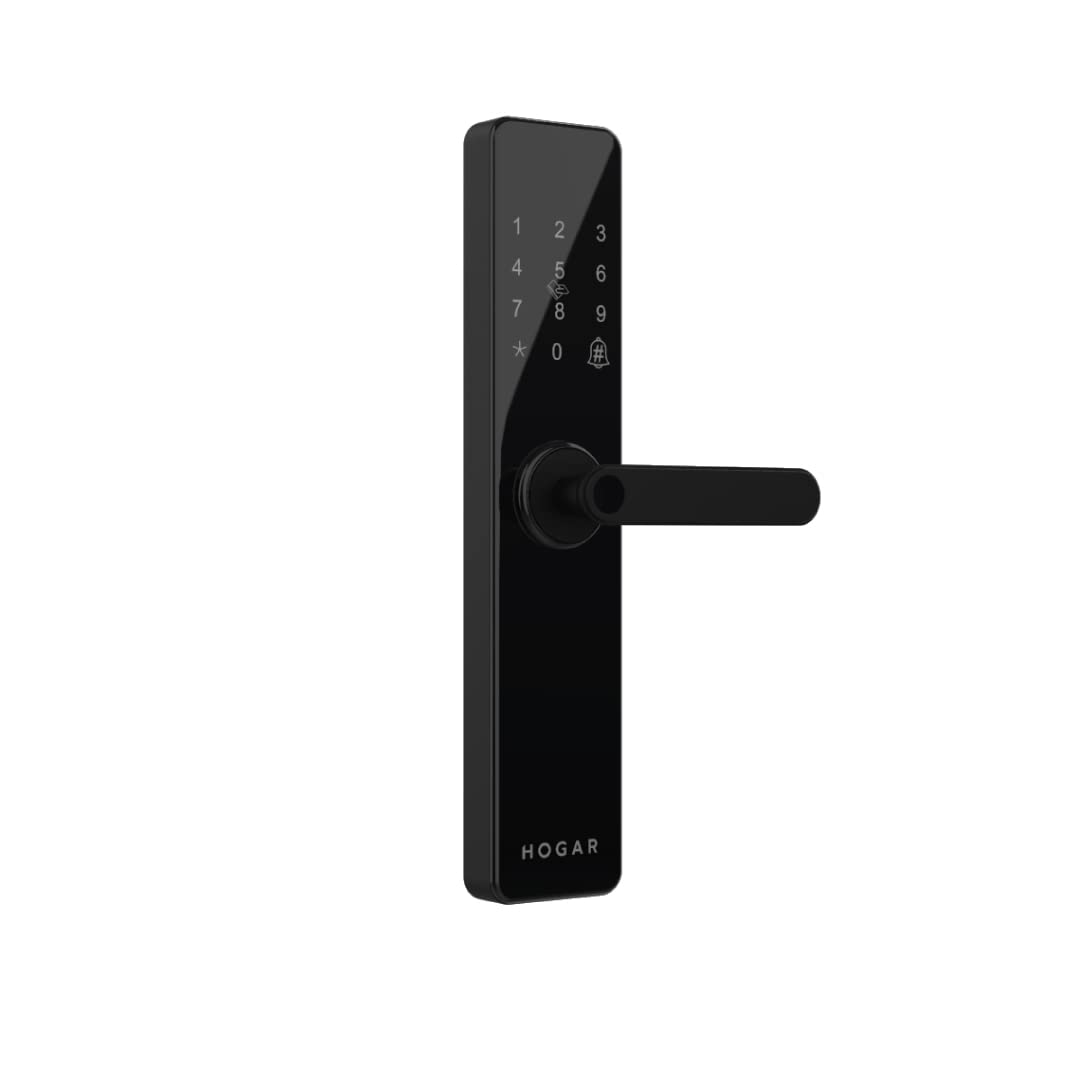
Stampa 2.2: Quddiem view tal-Hogar Atrio Smart Doorlock, li juri t-tastiera u l-manku.
3. Setup u Installazzjoni
Is-Serratura tal-Bieb Intelliġenti Hogar Atrio hija ddisinjata għal installazzjoni faċli. Għall-aċċess għall-app u l-karatteristiċi intelliġenti sħaħ, huwa meħtieġ Zigbee Home Controller u dan irid jiġi ssettjat qabel ma jiġu kkonfigurati l-funzjonijiet intelliġenti tas-serratura.
3.1 Servizz ta' Installazzjoni Professjonali
Jistgħu jkunu disponibbli servizzi professjonali ta' installazzjoni u dimostrazzjoni. Għall-iskedar, jekk jogħġbok ikkuntattja l-appoġġ fuq +91 844 844 0789.
3.2 Setup Inizjali
- Installa l-ħardwer tas-serratura skont il-gwida fiżika tal-installazzjoni inkluża.
- Daħħal il-batteriji meħtieġa fl-unità ta' ġewwa.
- Qabbad is-serratura tal-bieb intelliġenti maż-Zigbee Home Controller tiegħek billi ssegwi l-istruzzjonijiet tal-kontrollur.
- Niżżel l-app Hogar SE mill-app store tat-tagħmir tiegħek.
- Segwi l-istruzzjonijiet fl-app biex iżżid u tikkonfigura s-serratura intelliġenti tal-bieb tiegħek.
4. Istruzzjonijiet Operattivi
Il-Hogar Atrio Smart Doorlock jipprovdi diversi metodi biex tiftaħ u tiżgura l-bieb tiegħek.
4.1 Il-ftuħ bil-marki tas-swaba'
Is-serratura għandha qarrej tal-marki tas-swaba' ipersensittiv. Biex tiftaħha, poġġi subgħajk irreġistrat fuq is-sensor. Is-serratura tinħall wara verifika b'suċċess.
Immaġni 4.1: Senser tal-marki tas-swaba' għal aċċess bijometriku.
4.2 Il-ftuħ bil-Passcode
Daħħal il-kodiċi rreġistrat tiegħek fuq it-tastiera, segwit mit-tast '#'. Is-serratura tinħall jekk il-kodiċi jkun korrett. Il-kodiċijiet jistgħu jiġu ġestiti permezz tal-app Hogar SE.

Immaġni 4.2: Tastiera għad-dħul tal-kodiċi tal-password.
4.3 Il-ftuħ bil-Karta RFID
Ippreżenta kard RFID irreġistrata fiż-żona magħżula għall-qarrej tal-RFID fuq is-serratura. Is-serratura tinħall malli l-kard tiġi rikonoxxuta b'suċċess. Il-kards RFID jistgħu jiġu attivati jew diżattivati permezz tal-app Hogar SE.

Immaġni 4.3: Karta RFID li qed tintuża biex tiftaħ il-bieb.
4.4 Il-ftuħ permezz tal-App Hogar SE
Bl-app Hogar SE installata u konnessa maż-Zigbee Home Controller tiegħek, tista' tiftaħ il-bieb tiegħek mill-bogħod minn kullimkien. Kun żgur li l-kontrollur Zigbee tiegħek huwa online u li s-serratura hija mqabbda.

Immaġni 4.4: L-ikona tal-App Hogar SE, użata għal aċċess remot.
4.5 Il-ftuħ b'Ċavetta Mekkanika
F'każ ta' qtugħ tad-dawl jew malfunzjonament elettroniku, is-serratura tista' tinfetaħ bl-użu taċ-ċavetta mekkanika pprovduta. Daħħal iċ-ċavetta fit-toqba taċ-ċavetta u dawwarha biex tiftaħha.
4.6 Integrazzjoni tal-Kontroll tal-Vuċi
Is-Serratura Intelliġenti tal-Bieb Hogar Atrio tappoġġja l-kontroll tal-vuċi permezz ta' assistenti intelliġenti kompatibbli bħal Amazon Alexa u Google Assistant meta tkun integrata maż-Zigbee Home Controller tiegħek. Segwi l-istruzzjonijiet ipprovduti mill-assistent intelliġenti tiegħek għas-setup.

Immaġni 4.5: Eż.ample ta' kontroll tal-vuċi biex tiftaħ il-bieb.
5. Manutenzjoni
5.1 Sostituzzjoni tal-batterija
Is-serratura tal-bieb intelliġenti taħdem bil-batteriji. Twissija ta’ batterija baxxa se tkun indikata fuq is-serratura jew permezz tal-app Hogar SE. Ibdel il-batteriji kollha minnufih meta tidher din it-twissija biex tiżgura tħaddim kontinwu. Uża biss it-tipi ta’ batteriji rakkomandati.
5.2 Tindif
Naddaf il-barra tas-serratura b'ċarruta ratba u niexfa. Evita li tuża prodotti tat-tindif jew solventi li joborxu, għax dawn jistgħu jagħmlu ħsara lill-finitura u lill-komponenti elettroniċi.
6 Issolvi l-problemi
- Is-serratura ma tirrispondix: Iċċekkja l-livelli tal-batterija. Jekk il-batteriji huma baxxi, ibdelhom. Jekk il-problema tippersisti, ipprova uża ċ-ċavetta mekkanika.
- Marka tas-swaba' mhux rikonoxxuta: Kun żgur li subgħajk ikun nadif u niexef. Irreġistra l-marka tas-swaba' tiegħek mill-ġdid jekk meħtieġ permezz tal-app.
- Il-passcode mhux qed jaħdem: Ivverifika li qed tiddaħħal il-passcode korrett. Iċċekkja għal xi bidliet aċċidentali fl-app Hogar SE.
- Problemi ta' konnettività tal-app: Kun żgur li ż-Zigbee Home Controller tiegħek huwa mixgħul u konness mal-internet. Iċċekkja l-istatus tal-konnessjoni tas-serratura fl-app Hogar SE.
- Twissija ta' batterija baxxa tippersisti wara s-sostituzzjoni: Kun żgur li l-batteriji l-ġodda huma mdaħħla sew u li huma tat-tip rakkomandat.
7. Speċifikazzjonijiet
| Karatteristika | Dettall |
|---|---|
| Brand | Hogar |
| Mudell | HC-SAC-DDL-ZB-BL-IN |
| Tip Lock | Serratura tal-Bieb Intelliġenti (Serratura taċ-Ċavetta) |
| Karatteristiċi Speċjali | Marka tas-swaba', Kodiċi tal-Password, RFID, Aċċess għall-App, Ċavetta Mekkanika, Faċli biex Tinstalla |
| Protokoll tal-Konnettività | Zigbee |
| Metodu ta' Kontroll | App, Kontroll tal-Marki tas-Swaba' |
| Sors tal-Enerġija | Batterija |
| Użi Rakkomandati | Sigurtà |
| Tip Finish | Illustrat |
| Stil | Moderna |
8. Informazzjoni dwar is-Sigurtà
- Dejjem kun żgur li l-bieb ikun magħluq sew qabel ma tagħfas is-serratura.
- Tesponix is-serratura għal temperaturi estremi jew sprej dirett tal-ilma.
- Żomm iċ-ċwievet mekkaniċi f'post sigur, separat mill-bieb.
- Oqgħod attent għat-twissija ta’ batterija baxxa u ibdel il-batteriji minnufih biex tevita li tissakkar barra.
- Iċċekkja regolarment għal kwalunkwe sinjal ta' tampħruq jew ħsara lis-serratura.
9. Garanzija u Appoġġ
9.1 Garanzija
Dan il-prodott jiġi b'garanzija ta' 15-il xahar mid-data tax-xiri. Jekk jogħġbok żomm il-prova tax-xiri tiegħek għal talbiet ta' garanzija. Il-garanzija tkopri difetti fil-manifattura taħt kundizzjonijiet normali ta' użu.
9.2 Appoġġ għall-Klijent
Għal assistenza teknika, mistoqsijiet dwar l-installazzjoni, jew kwalunkwe ħtieġa oħra ta' appoġġ, jekk jogħġbok ikkuntattja lis-servizz tal-klijenti ta' Hogar fuq +91 844 844 0789.