
1. Introduzzjoni
The MageGee V650 Wireless Keyboard and Mouse Combo is designed for efficient and comfortable use with your computer. This combo features a full-size 104-key keyboard with a number pad and multimedia shortcuts, paired with a sensitive and quiet mouse. Both devices connect wirelessly via a single 2.4G USB receiver, offering a stable connection within a 10-meter range.

Image 1.1: MageGee V650 Wireless Keyboard and Mouse Combo.

Image 1.2: Key features of the MageGee V650 combo.
2. Kontenut tal-Pakkett
Jekk jogħġbok iċċekkja l-pakkett għall-oġġetti li ġejjin:
- 1 x tastiera bla fili
- 1 x Mouse bla fili
- 1 x USB Receiver (stored inside the keyboard)
- 1 x Batterija AA (għall-maws)
- 2 x Batteriji AAA (għat-tastiera)
- 1 x Manwal għall-Utent
3. Istruzzjonijiet ta' Setup
3.1. Installazzjoni tal-batterija
- Għat-Tastiera: Locate the battery compartment on the underside of the keyboard. Insert two AAA batteries, ensuring correct polarity (+/-).
- Għall-Ġurdien: Locate the battery compartment on the underside of the mouse. Insert one AA battery, ensuring correct polarity (+/-).

Image 3.1: Keyboard battery compartment and USB receiver storage.
3.2. Konnessjoni tar-Riċevitur USB
- Locate the USB receiver. It is typically stored in a dedicated slot on the underside of the keyboard for safekeeping.
- Plug the USB receiver into an available USB port on your computer (PC, desktop, laptop, or notebook).
- The system should automatically detect and install the necessary drivers. No additional software download is required.
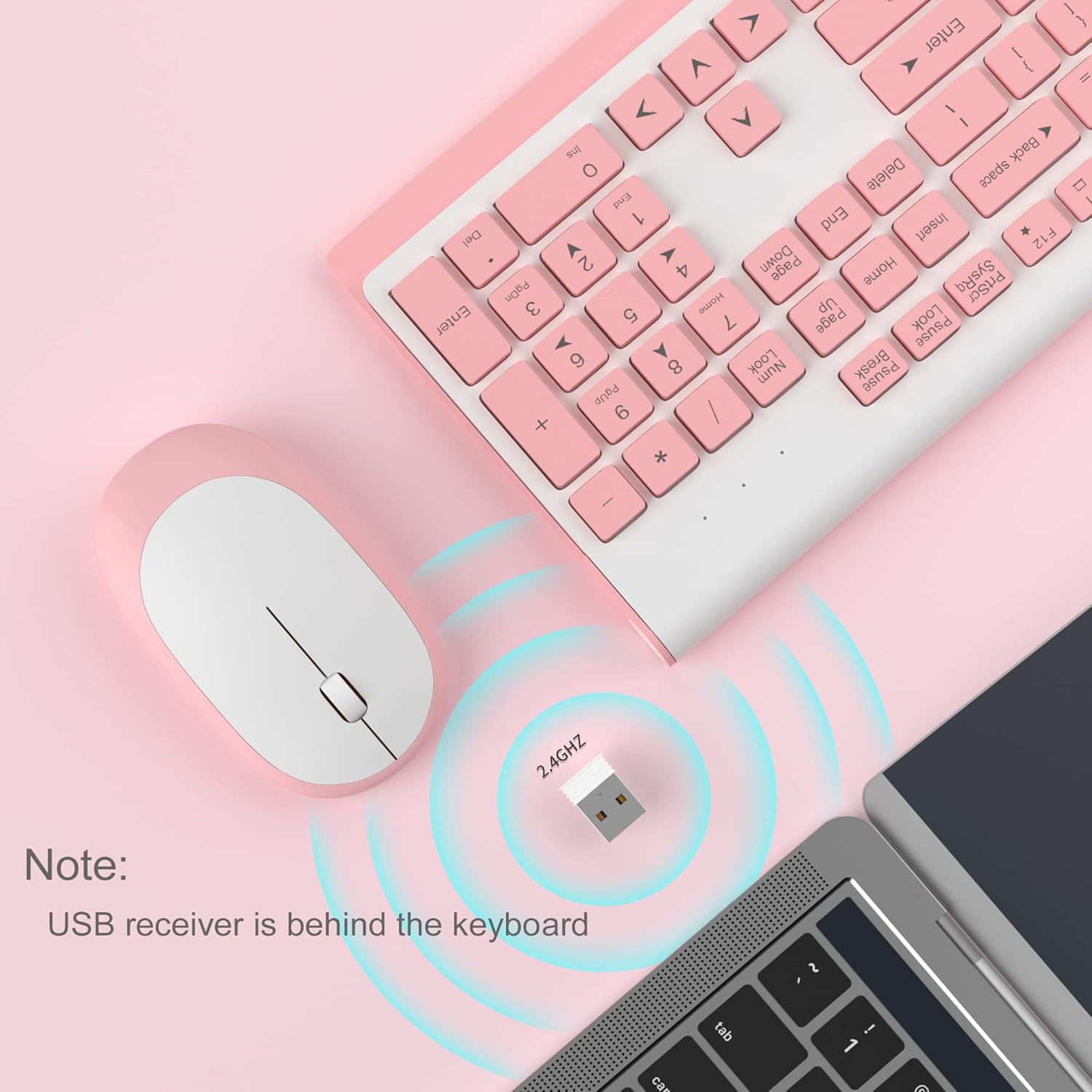
Image 3.2: USB receiver connection and storage location.

Image 3.3: 2.4G wireless connection diagram.
3.3. Ixgħel
Ensure the power switches on both the keyboard and mouse are in the 'ON' position. The devices should now be ready for use.
4. Istruzzjonijiet Operattivi
4.1. Funzjonijiet tat-Tastiera
The V650 keyboard features a standard 104-key layout, including a full number pad for data entry and dedicated arrow keys. The keys are designed for quiet and responsive typing.
Shortcuts Multimedia
The keyboard includes 12 multimedia shortcuts accessible by pressing the Fn key in combination with the F1-F12 function keys. These shortcuts allow quick access to common functions such as volume control, media playback, and more.

Image 4.1: Keyboard multimedia function key combinations.
| Kombinazzjoni | Funzjoni |
|---|---|
| Fn + F1 | Multimedia |
| Fn + F2 | Volum - |
| Fn + F3 | Volum + |
| Fn + F4 | Mute |
| Fn + F5 | Track Preċedenti |
| Fn + F6 | Track li jmiss |
| Fn + F7 | Play/Pawsa |
| Fn + F8 | Waqqaf |
| Fn + F9 | Homepage |
| Fn + F10 | |
| Fn + F11 | Il-Kompjuter Tiegħi |
| Fn + F12 | Favoriti |
4.2. Funzjonijiet tal-Maws
The wireless mouse offers precise 1200 DPI tracking and quiet clicks. It features standard left and right click buttons and a scroll wheel for navigation.

Image 4.2: Mouse features: 1200 DPI and quiet operation.
4.3. Modalità ta' Rieqed Awtomatika
To conserve battery life, both the keyboard and mouse will enter an automatic sleep mode after a period of inactivity. To wake them up, simply press any key on the keyboard or move the mouse.
5. Manutenzjoni u Kura
- Tindif: Uża drapp artab u niexef biex tnaddaf l-uċuħ tat-tastiera u l-maws. Għal ħmieġ iebes, neħħi ftit drapp.amp Jista' jintuża drapp, iżda kun żgur li ma jidħol l-ebda likwidu fl-apparati. Evita kimiċi ħarxa jew prodotti tat-tindif li joborxu.
- Sostituzzjoni tal-batterija: Replace batteries when performance degrades or devices stop responding. Always use new batteries of the specified type (AAA for keyboard, AA for mouse) and dispose of old batteries responsibly.
- Ħażna: When not in use for extended periods, turn off the devices to save battery life. Store the USB receiver in its dedicated slot on the keyboard to prevent loss.
- Ambjent: Avoid exposing the devices to extreme temperatures, direct sunlight, or excessive moisture.
6 Issolvi l-problemi
If you encounter issues with your MageGee V650 combo, please refer to the following common solutions:
- No Connection / Lag:
- Ensure both the keyboard and mouse are powered on and have fresh batteries.
- Iċċekkja li r-riċevitur tal-USB huwa mdaħħal sew f'port USB li jaħdem fuq il-kompjuter tiegħek.
- Ipprova waħħal ir-riċevitur USB f'port USB differenti.
- Move the keyboard and mouse closer to the USB receiver to ensure they are within the 10-meter operating range.
- Evita li tpoġġi r-riċevitur ħdejn apparati oħra mingħajr fili jew oġġetti kbar tal-metall li jistgħu jikkawżaw interferenza.
- Keys Not Responding / Stuck Keys:
- Iċċekkja l-livelli tal-batterija u ibdel jekk meħtieġ.
- Gently clean around the affected keys to remove any debris that might be causing them to stick.
- Re-establish the connection by unplugging and re-plugging the USB receiver.
- Mouse Not Working / Cursor Jumps:
- Ensure the mouse has a fresh AA battery and is powered on.
- Naddaf is-senser ottiku fuq in-naħa ta' taħt tal-maws.
- Uża l-maws fuq wiċċ adattat (mhux riflettiv ħafna jew trasparenti).
- Re-establish the connection by unplugging and re-plugging the USB receiver.
- Letters Fading on Keys:
- This is typically a result of prolonged use and wear. While not a functional defect, it can affect visibility.
7. Speċifikazzjonijiet tal-Prodott
| Karatteristika | Dettall |
|---|---|
| Mudell | V650 |
| Teknoloġija tal-Konnettività | 2.4G Wireless (Radio Frequency), USB Receiver |
| Layout tat-Tastiera | Full Size, 104 Keys with Number Pad and 12 Multimedia Shortcuts |
| Tip ta' Tastiera | Scissor-cross low profile, Quiet Keys |
| DPI tal-ġurdien | 1200 DPI |
| Apparati Kompatibbli | PC, Desktop, Laptop, Notebook |
| Sistemi Operattivi | Windows XP / Vista / 7/8/10 |
| Dimensjonijiet tat-tastiera | 16.06 x 6.6 x 1.3 pulzieri (madwar 40.8 x 16.8 x 3.3 ċm) |
| Dimensjonijiet tal-ġurdien | 4.25 x 2.4 x 1.18 pulzieri (madwar 10.8 x 6.1 x 3 ċm) |
| Piż tal-oġġett | 1.63 liri (madwar 0.74 kg) |
| Batterija tat-Tastiera | 2 x Batteriji AAA |
| Batterija tal-ġurdien | 1 x AA Battery |
| Karatteristika Speċjali | Round Keycaps, Ultra-Thin Design, Automatic Sleep Mode |

Immaġni 7.1: Dimensjonijiet tal-prodott.
8. Garanzija u Appoġġ għall-Klijent
MageGee products are designed for reliability and performance. For any warranty inquiries, technical support, or assistance with your product, please contact MageGee customer support through the retailer where you purchased the item or visit the official MageGee store online.
Tista' ssib aktar informazzjoni u dettalji ta' kuntatt fuq MageGee Store on Amazon.