
Introduzzjoni
Thank you for choosing the BOROFONE BJ9 Uranus Power Bank. This portable charger is designed to provide reliable and fast power to your electronic devices on the go. With a 10000mAh capacity, Power Delivery (PD), and Quick Charge 3.0 (QC3.0) technologies, it ensures efficient charging for smartphones, tablets, and other compatible gadgets. Please read this manual carefully to understand the product's features, operation, and maintenance for optimal performance and safety.
Prodott Overview
Karatteristiċi ewlenin:
- Kapaċità Għolja: 10000mAh lithium-ion battery for extended power.
- Fast Charging Technologies: Supports Power Delivery (PD) and Qualcomm Quick Charge 3.0 (QC3.0) for rapid charging.
- Riżultati multipli: Features USB-C (18W), USB (18W), and USB (2A) outputs to charge various devices simultaneously.
- Input Doppju: Recharge the power bank via USB-C or Micro-USB ports.
- Indikatur LED: Displays remaining battery level and charging status.
- Dedicated On/Off Switch: For convenient power management.
- Disinn Irqiq u Ħafif: Faċli biex iġġorr għall-ivvjaġġar u għall-użu ta' kuljum.
- Airline Safe: Jikkonforma mar-regolamenti tal-linji tal-ajru għal power banks portabbli.
- Smart Identification: Automatically detects and delivers optimal charging current to connected devices.
Kontenut tal-Pakkett:
- BOROFONE BJ9 Uranus Power Bank
- Cable tal-Iċċarġjar tal-USB tat-Tip-Ċ
- Kejbil għall-Iċċarġjar Mikro-USB
- Manwal għall-Utent (dan id-dokument)
Dijagramma tal-Prodott:
Irreferi għall-immaġni hawn taħt għal aktarview of the power bank's components and ports.
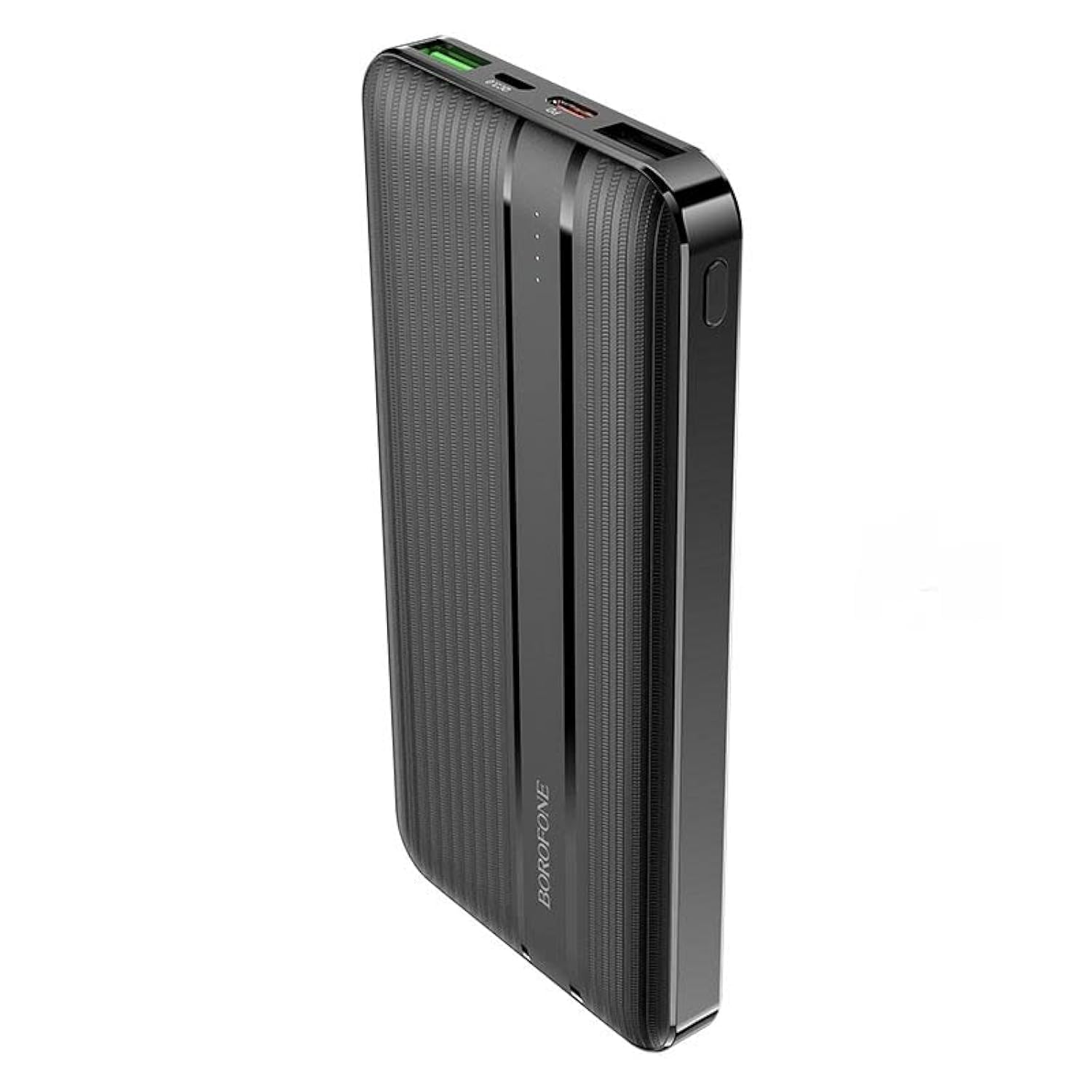
Immaġni: Quddiem view of the BOROFONE BJ9 Uranus Power Bank, showing USB-A, USB-C, and Micro-USB ports, along with the power button and LED indicators.
Setup
Iċċarġjar Inizjali tal-Power Bank:
- Connect one end of the provided USB-C or Micro-USB cable to the corresponding input port on the power bank.
- Qabbad it-tarf l-ieħor tal-kejbil ma' ċarġer tal-ħajt USB kompatibbli (mhux inkluż).
- The LED indicators will illuminate to show the charging progress. When all LEDs are solid, the power bank is fully charged.
- Huwa rakkomandat li tiċċarġja kompletament il-bank tal-enerġija qabel l-ewwel użu.
Nota: For faster recharging of the power bank, use a PD or QC3.0 compatible wall charger with the USB-C input port.
Istruzzjonijiet Operattivi
Iċċarġja tat-Tagħmir Tiegħek:
- Connect your device's charging cable to one of the output ports on the power bank (USB-C, USB1, or USB2).
- Qabbad it-tarf l-ieħor tal-kejbil mat-tagħmir tiegħek.
- Press the power button on the power bank to initiate charging. The LED indicators will light up to show the power bank's remaining charge.
- It-tagħmir tiegħek għandu jibda jiċċarġja awtomatikament.
- To stop charging, disconnect your device or press the power button again (if the power bank does not automatically shut off after a period of inactivity).
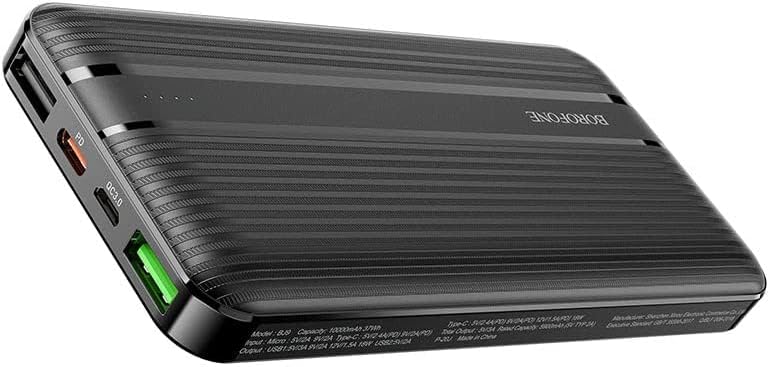
Image: The BOROFONE BJ9 Uranus Power Bank connected via cable to a smartphone, indicating active charging.

Image: The BOROFONE BJ9 Uranus Power Bank connected via cable to a laptop, demonstrating its capability to charge larger devices.
Iċċekkjar tal-Livell tal-Batterija:
Press the power button once. The LED indicators will light up, showing the current battery level of the power bank. Each LED typically represents a percentage of the total charge (e.g., 4 LEDs = 75-100%, 3 LEDs = 50-75%, etc.).
Manutenzjoni
- Ħażna: Aħżen il-power bank f'post frisk u niexef 'il bogħod mix-xemx diretta u minn temperaturi estremi.
- Tindif: Uża drapp artab u niexef biex tnaddaf il-power bank. Tużax kimiċi ħarxa jew materjali li joborxu.
- Kura tal-batterija: To prolong battery life, fully charge the power bank at least once every three months if not in regular use. Avoid fully discharging the battery frequently.
- Evita Qtar: Twaqqax il-power bank jew tissottomettixh għal impatti qawwija.
Issolvi l-problemi
| Problema | Kawża Possibbli | Soluzzjoni |
|---|---|---|
| Il-bank tal-enerġija mhux qed jiċċarġja | Cable is faulty or not properly connected; Wall charger is not working; Power bank is fully charged. | Check cable connections; Try a different cable or wall charger; Check LED indicators (if all are solid, it's fully charged). |
| Apparat mhux jiċċarġja mill-bank tal-enerġija | Power bank battery is depleted; Cable is faulty or not properly connected; Device is incompatible; Power button not pressed. | Recharge the power bank; Check cable connections; Ensure your device is compatible; Press the power button to activate charging. |
| Iċċarġjar bil-mod | Using a non-fast charging port/cable; Device does not support fast charging; High power consumption by device during charging. | Ensure you are using a PD/QC3.0 compatible port and cable for fast charging; Close background apps on your device. |
| Indikaturi LED ma jaħdmux | Power bank is completely discharged; Internal malfunction. | Try charging the power bank for a few hours; If problem persists, contact customer support. |
Speċifikazzjonijiet
| Mudell | BJ9 Uranus |
| Brand | BOROFONE |
| Kapaċità tal-batterija | 10000mAh |
| Tip ta 'batterija | Lithium-ion |
| Input (Mikro-USB) | 5V/2A, 9V/2A, 12V/1.5A (18W Max) |
| Input (USB-C) | 5V/2A, 9V/2A, 12V/1.5A (18W Max) |
| Ħruġ (USB-C PD) | 5V/2.4A, 9V/2A, 12V/1.5A (18W Max) |
| Output (USB1 QC3.0) | 5V/2.4A, 9V/2A, 12V/1.5A (18W Max) |
| Output (USB2) | 5V/2A |
| Output Totali | 20W Max |
| Kulur | Iswed |
| Apparati Kompatibbli | Smartphones, Tablets, PCs, Digital Video Game Players, iPod Touch |
| Karatteristiċi Speċjali | LED Power Indicator, Dedicated On/Off Switch, Airline Safe, Smart Identification |
Informazzjoni dwar is-Sigurtà
- Tesponix il-power bank għall-ilma, l-umdità, jew umdità għolja.
- Tiżżarmax, timmodifikax, jew issewwiex l-apparat int stess.
- Żomm 'il bogħod minn sorsi ta' sħana, fjammi miftuħa, u dawl tax-xemx dirett.
- Tużax jekk il-power bank ikun bil-ħsara jew minfuħ.
- Żomm fejn ma jintlaħaqx mit-tfal.
- Armi l-power bank b'mod responsabbli skont ir-regolamenti lokali.
Garanzija u Appoġġ
The BOROFONE BJ9 Uranus Power Bank comes with a standard manufacturer's warranty. For detailed warranty information, please refer to the warranty card included with your purchase or visit the official BOROFONE website. If you encounter any issues or have questions not covered in this manual, please contact BOROFONE customer support for assistance.